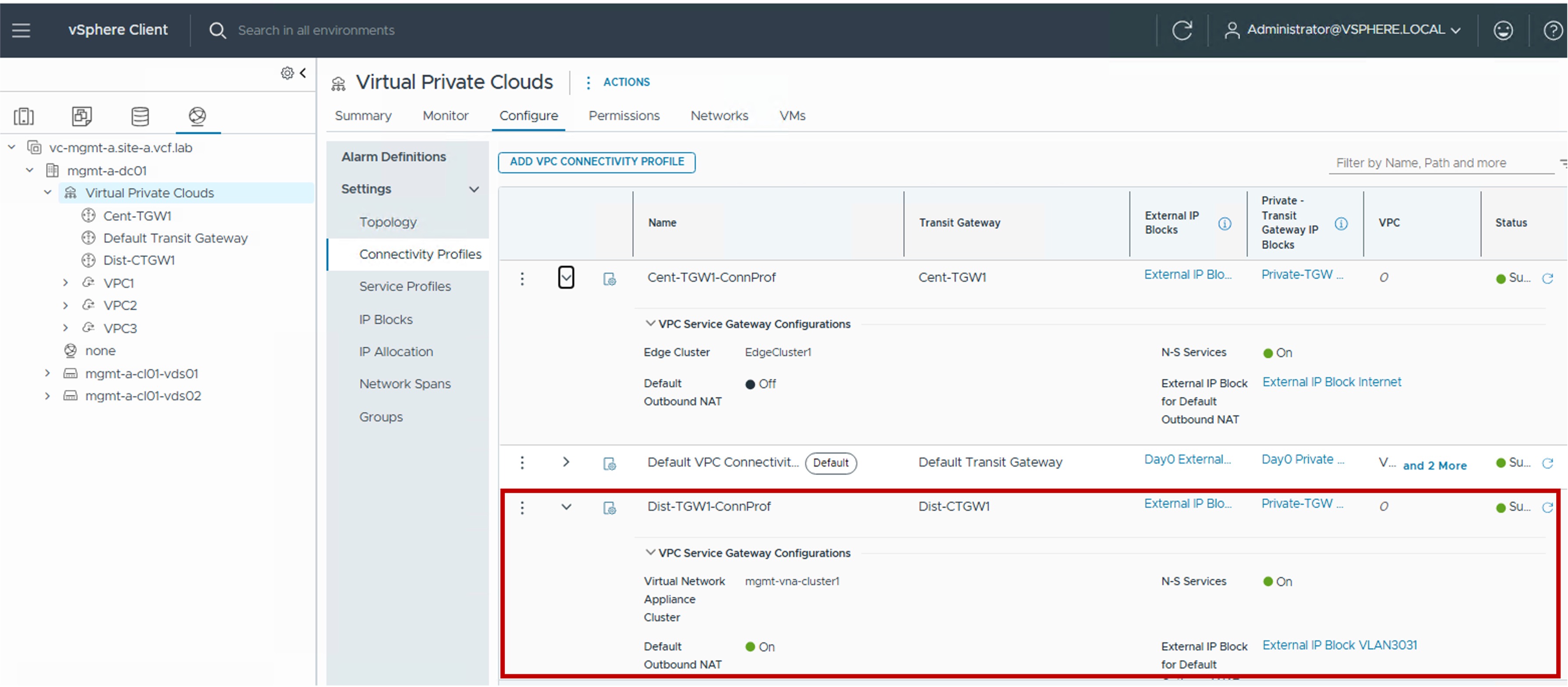
 Connectivity Profile in vCenter
This section describes the procedures for configuring Connectivity Profile using the vSphere Client.
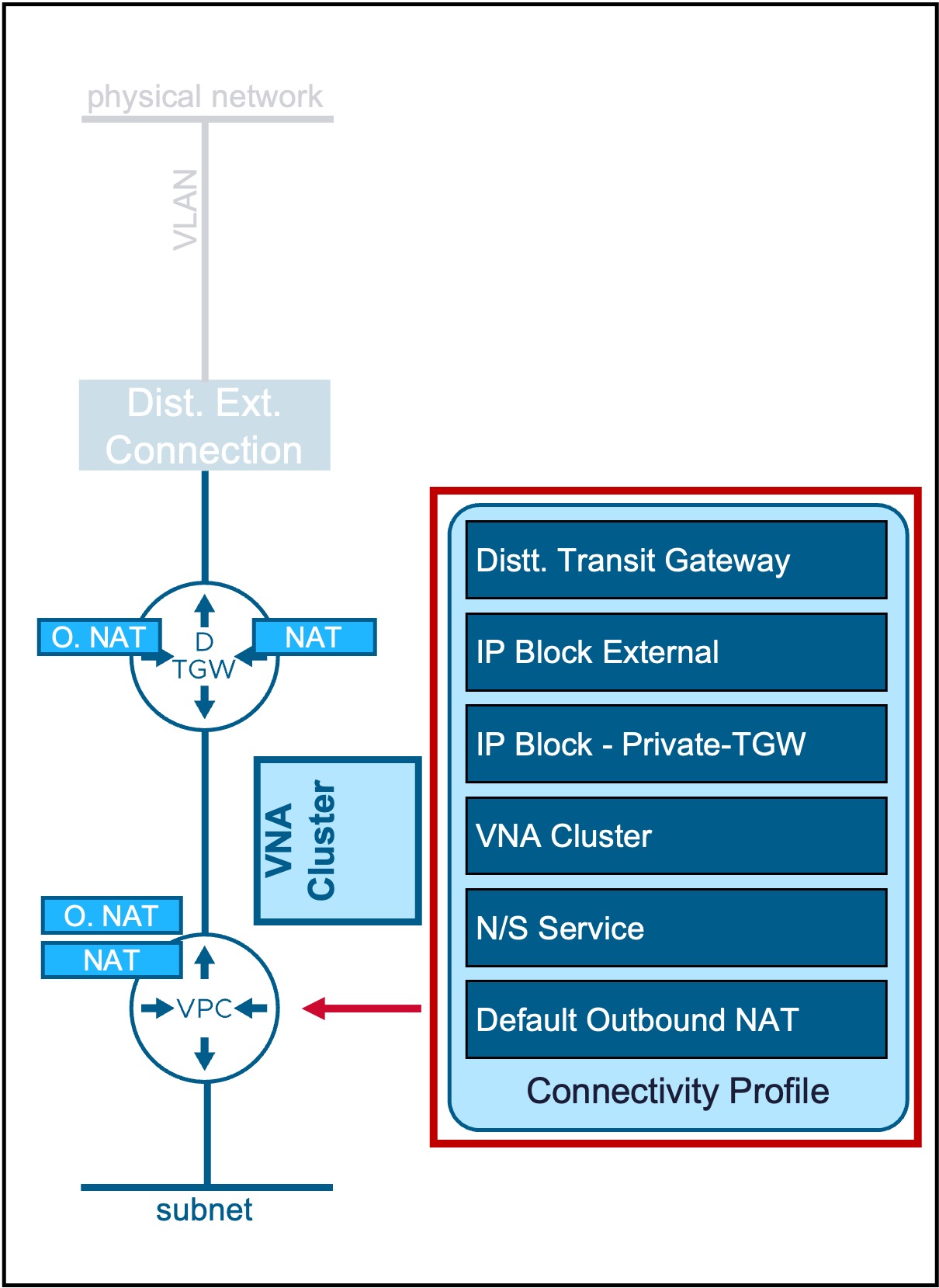
Connectivity Profile defines the VPC's connection to the Transit Gateway, specifies the assigned External and Private-TGW IP blocks, and determines which VPC Services can be enabled.
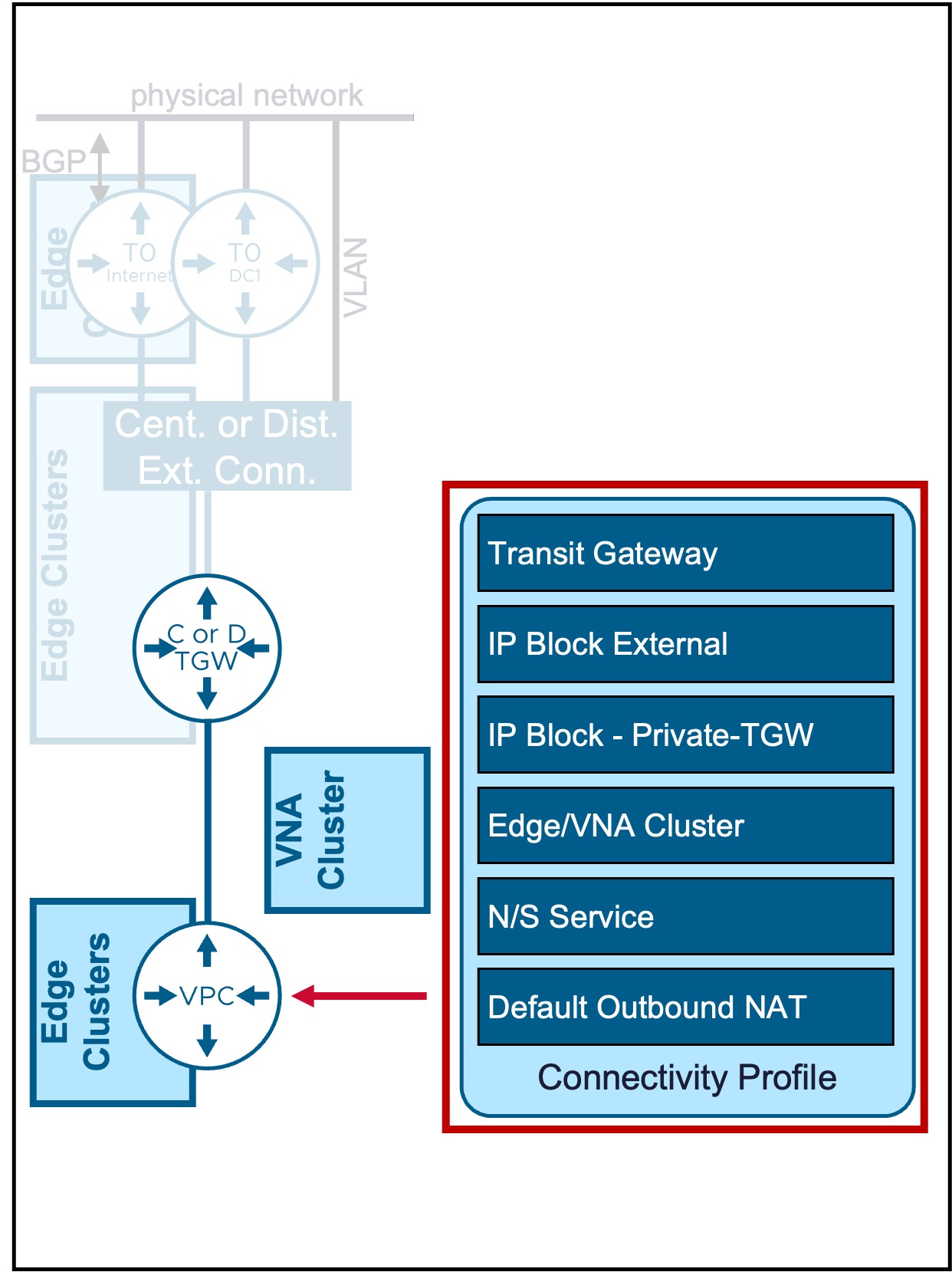
Overview of Connectivity Profile Types
Different Connectivity Profile types are available:
| Type | Use Case | Routing Logic |
|---|---|---|
| Centralized Conn Prof | Connectivity Profile for Centralized Transit Gateways. | VPC Gateways route traffic through a Centralized Transit Gateway. |
| Distributed Conn Prof | Connectivity Profile for Distributed Transit Gateways. | VPC Gateways route traffic through a Distributed Transit Gateway. |
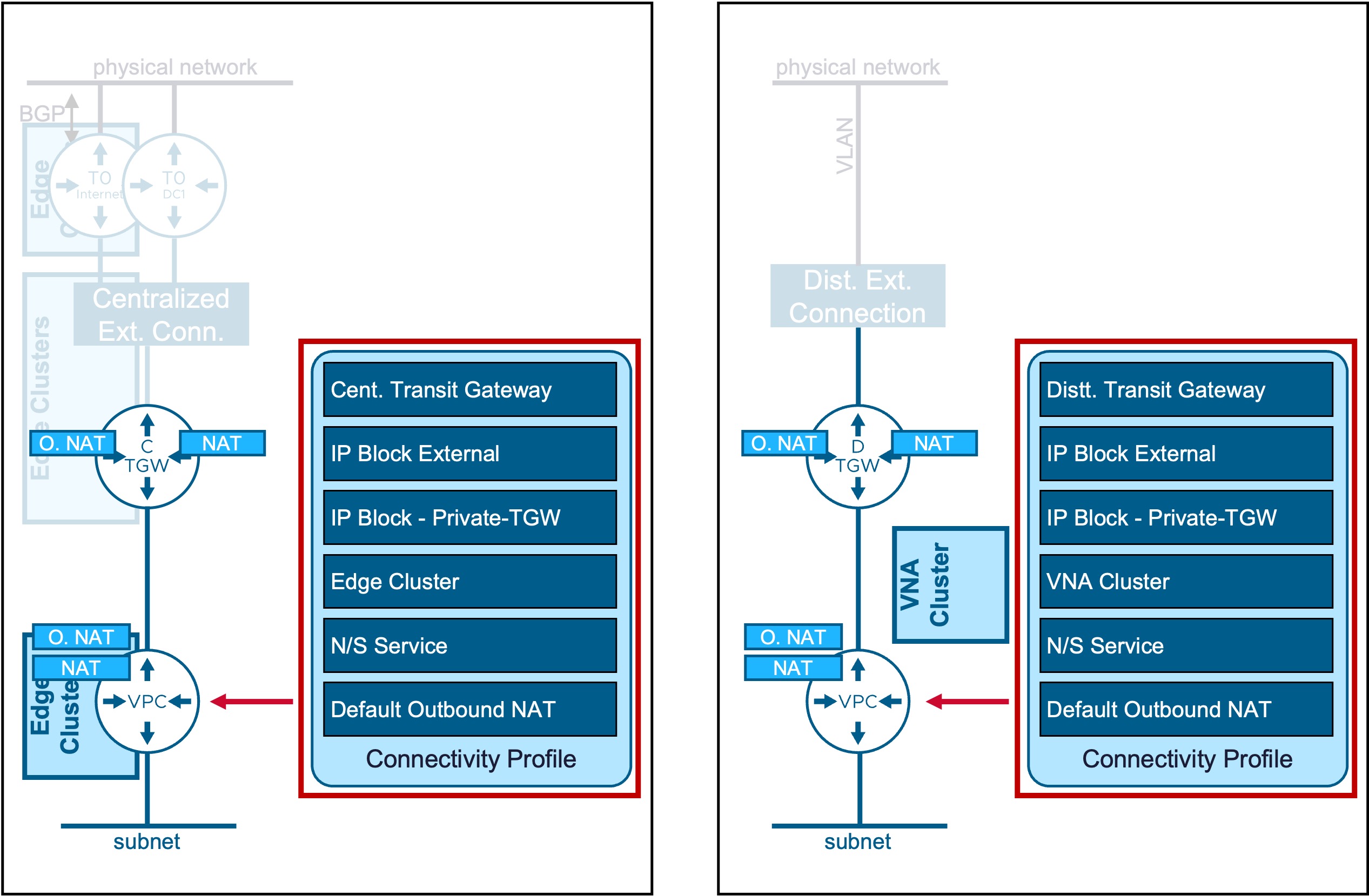
Defines the VPC's connection to the Transit Gateway, specifies the assigned External and Private-TGW IP blocks, and determines which VPC Services are enabled.
Centralized Connectivity Profile
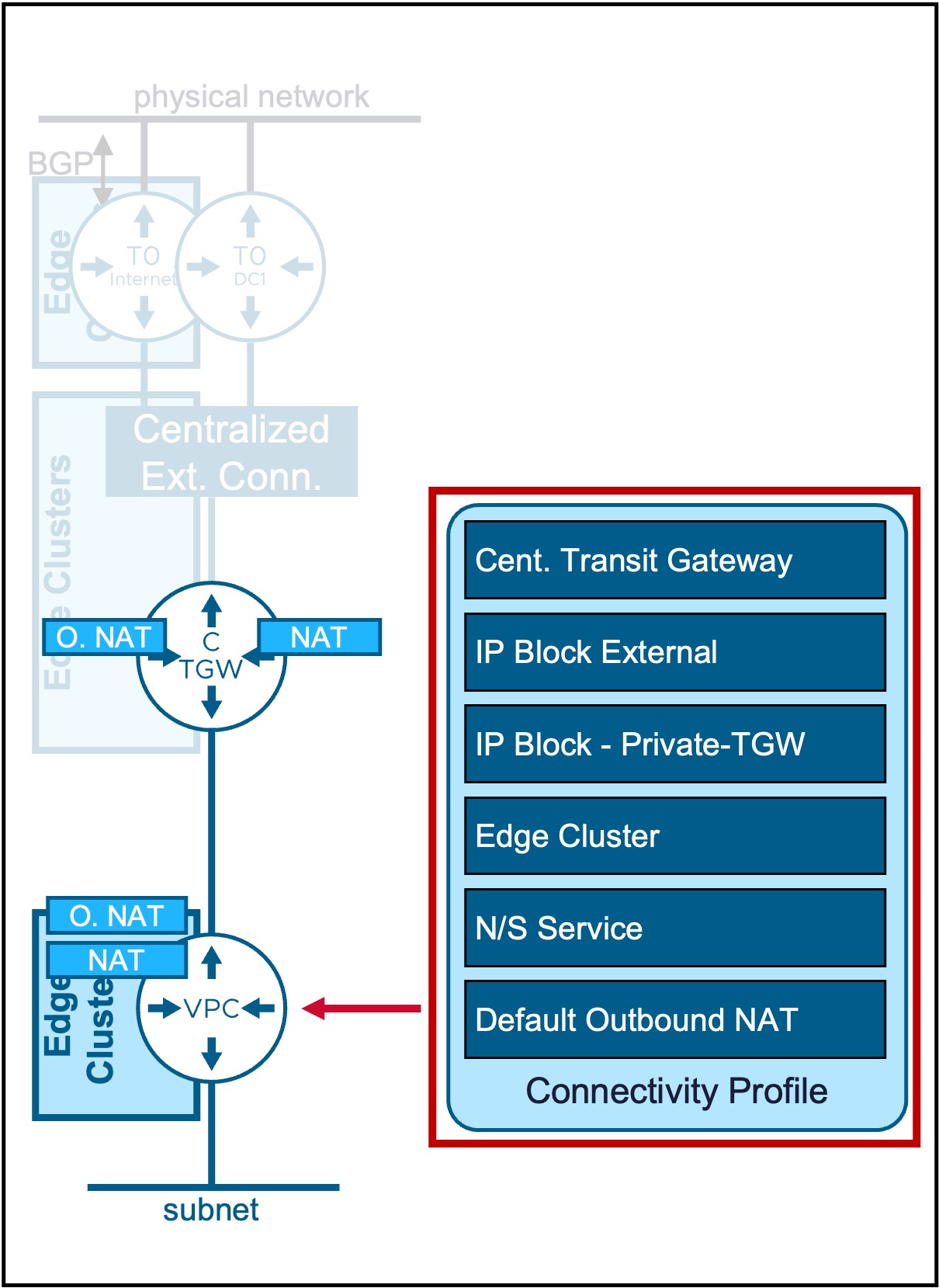
Configuration
-
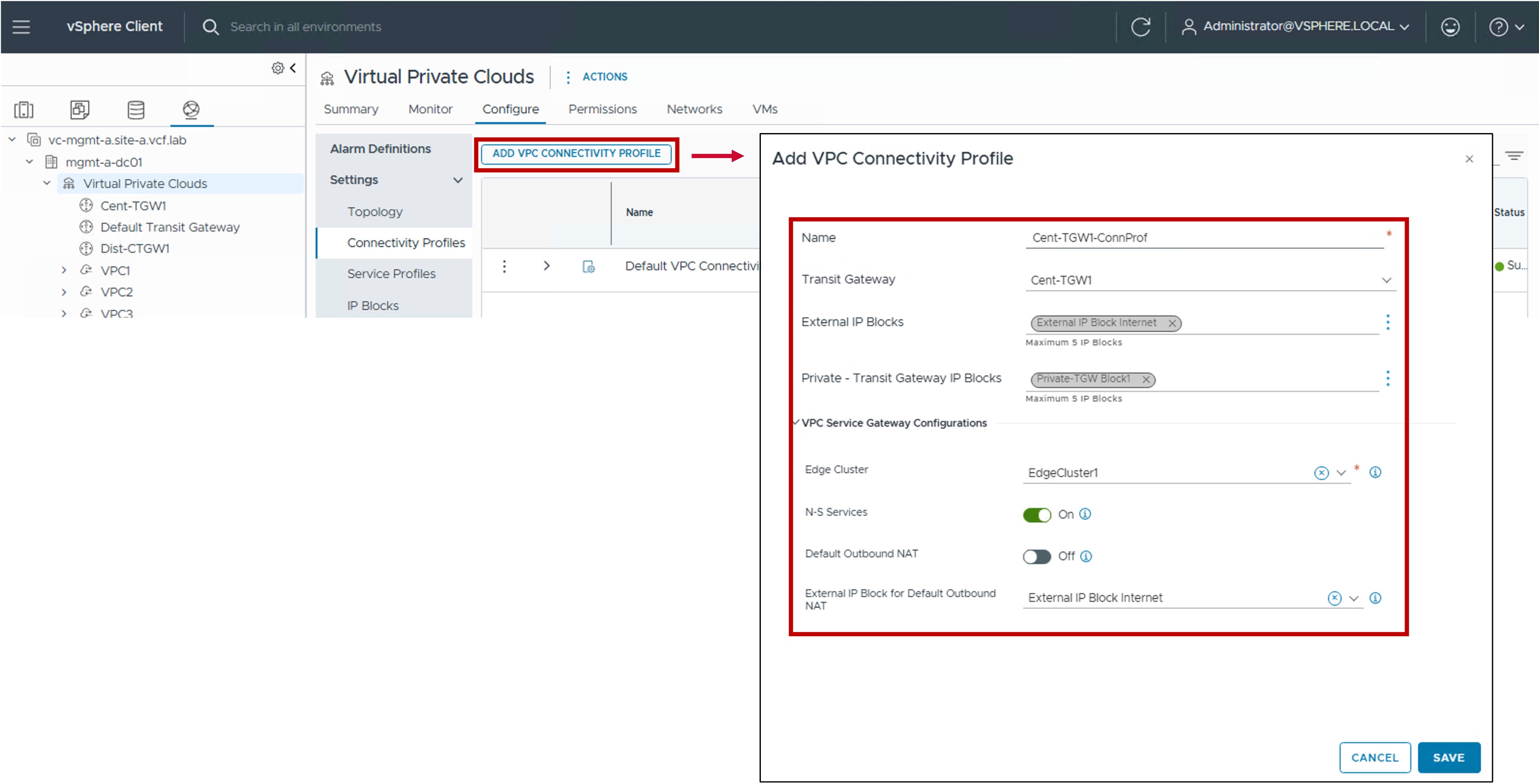
Step1. Create Connectivity Profile
-
Transit Gateway:
Select the Centralized Transit Gateway, VPC Gateways will be connected to. -
External IP Blocks:
Select the External IP Block(s) or create a new one for future VPC Subnets Public and NAT. -
Private - Transit Gateway IP Blocks:
Select the Private IP Block(s) or create a new one for future VPC Subnets Private-TGW. -
Edge Cluster:
(Optional) Select the Edge Cluster to use for the VPC Gateway.
Required if N-S Services and/or Default Outbound NAT is enabled in this VPC Connectivity Profile. -
N-S Services:
Enable to allow NAT on VPC Gateways. -
Default Outbound NAT:
Enable to allow Default Outbound NAT on VPC Gateways.
Note: If the Centralized Transit Gateway selected is Active/Active, then Default Outbound NAT can not be enabled. -
External IP Block for Default Outbound NAT:
(Optional) Select a specif External IP Block to use for Outbound NAT.
If not selected, it will pick an IP from the External IP Blocks list configured above.
-
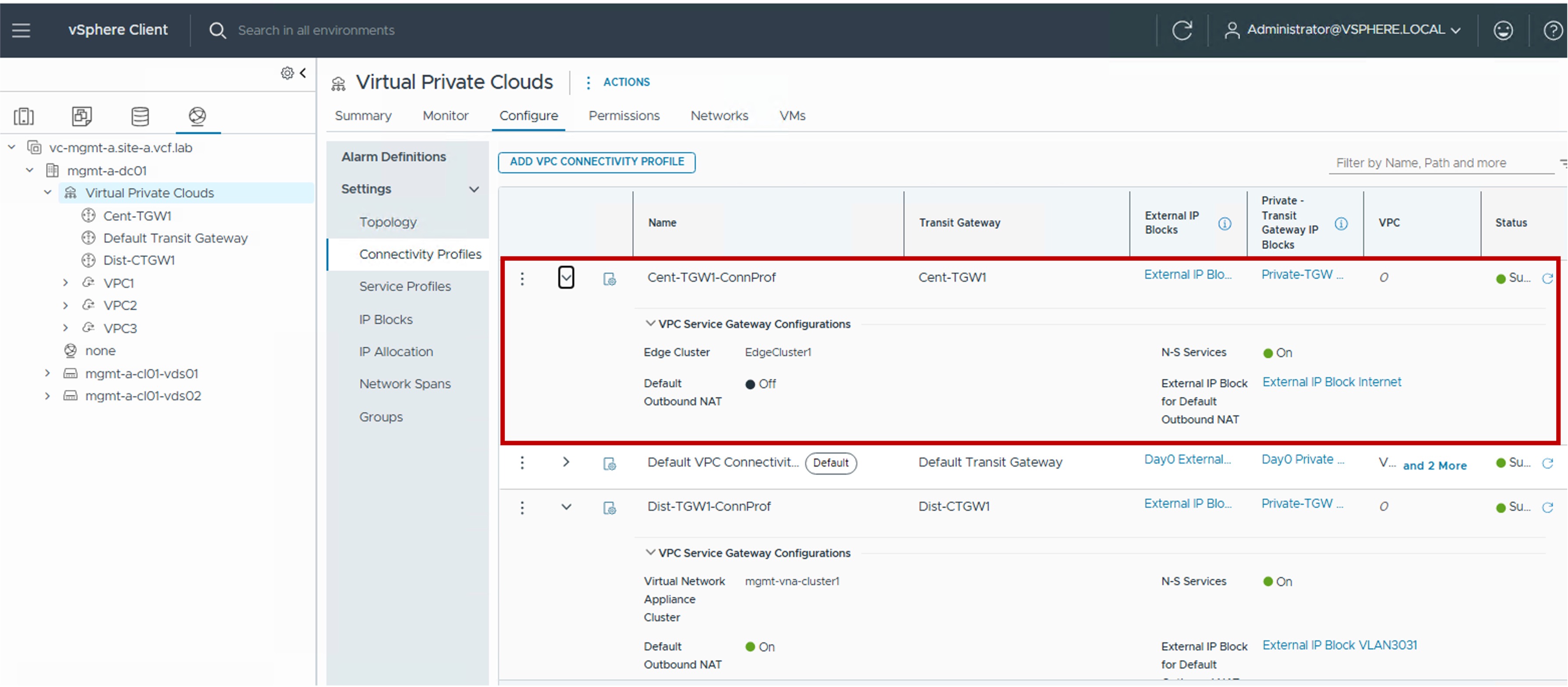
Monitoring
- Status The status reflects the successful application of the configuration.
Note about the Status
Because this represents a logical configuration mapping rather than an active link-state protocol, the status will typically remain Green (Healthy) once the settings are validated by the NSX Manager.
Distributed Connectivity Profile
Configuration
-
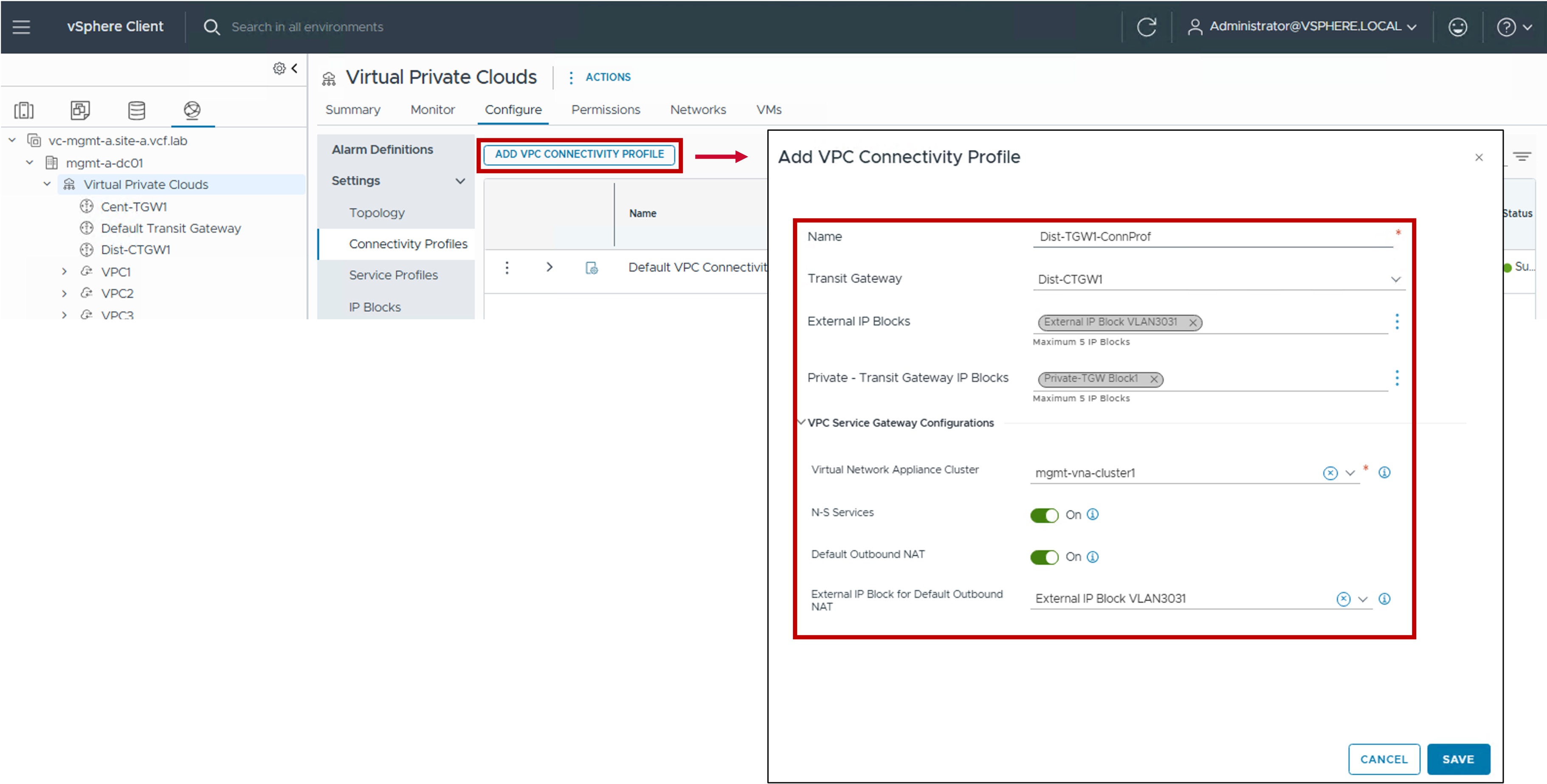
Step1. Create Connectivity Profile
-
Transit Gateway:
Select the Distributed Transit Gateway, VPC Gateways will be connected to. -
External IP Blocks:
Select the External IP Block(s) for future VPC Subnets Public and NAT. -
Virtual Network Appliance Cluster:
(Optional) Select the Virtual Network Appliance Cluster to use for the VPC Gateway.
Required if N-S Services and/or Default Outbound NAT is enabled in this VPC Connectivity Profile. -
N-S Services:
Enable to allow NAT on VPC Gateways. -
Default Outbound NAT:
Enable to allow Default Outbound NAT on VPC Gateways. -
External IP Block for Default Outbound NAT:
Select the External IP Block to use for VPC Gateways which enabled Outbound NAT.
-
Monitoring
- Status The status reflects the successful application of the configuration.
Note about the Status
Because this represents a logical configuration mapping rather than an active link-state protocol, the status will typically remain Green (Healthy) once the settings are validated by the NSX Manager.