 Deploy "NSX + DTGW/VNA"
This section describes the requirements for deploying the Supervisor utilizing an "NSX + DTGW/VNA" architecture inside a vSphere environment.
- Requirements
- Install Requirements
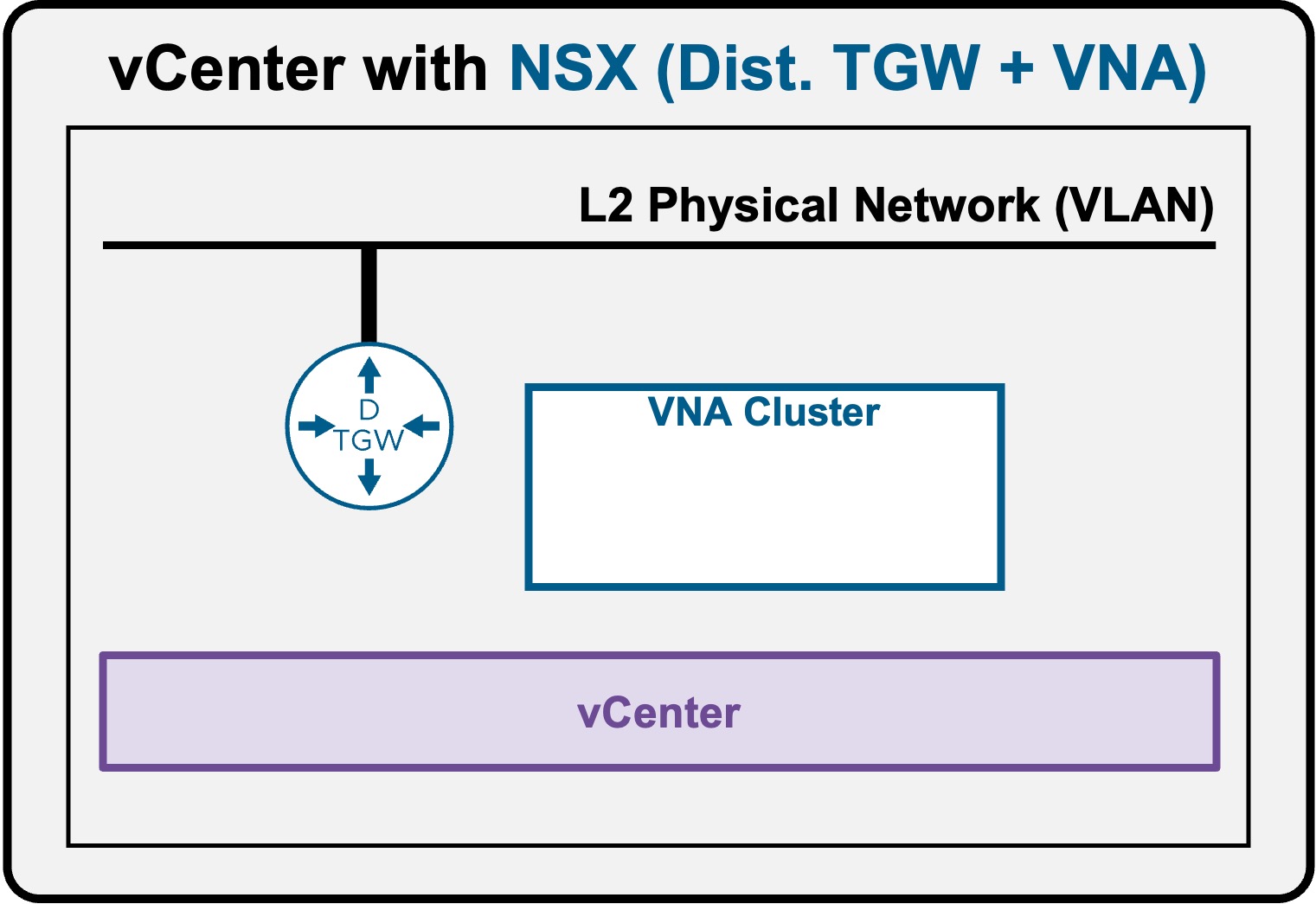
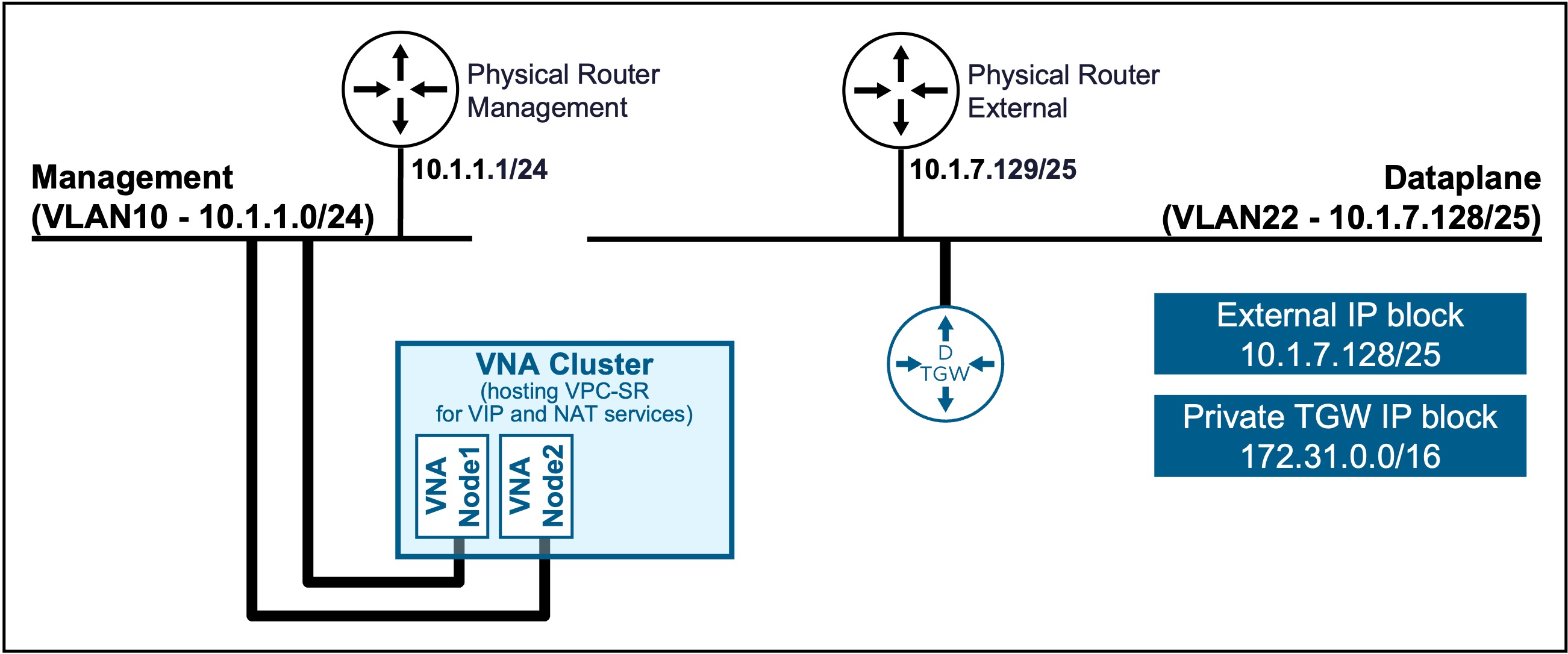
Install Requirements - DTGW + VNA
When no Transit Gateway has been deployed, NSX offers a simple wizard to deploy the DTGW + VNA.
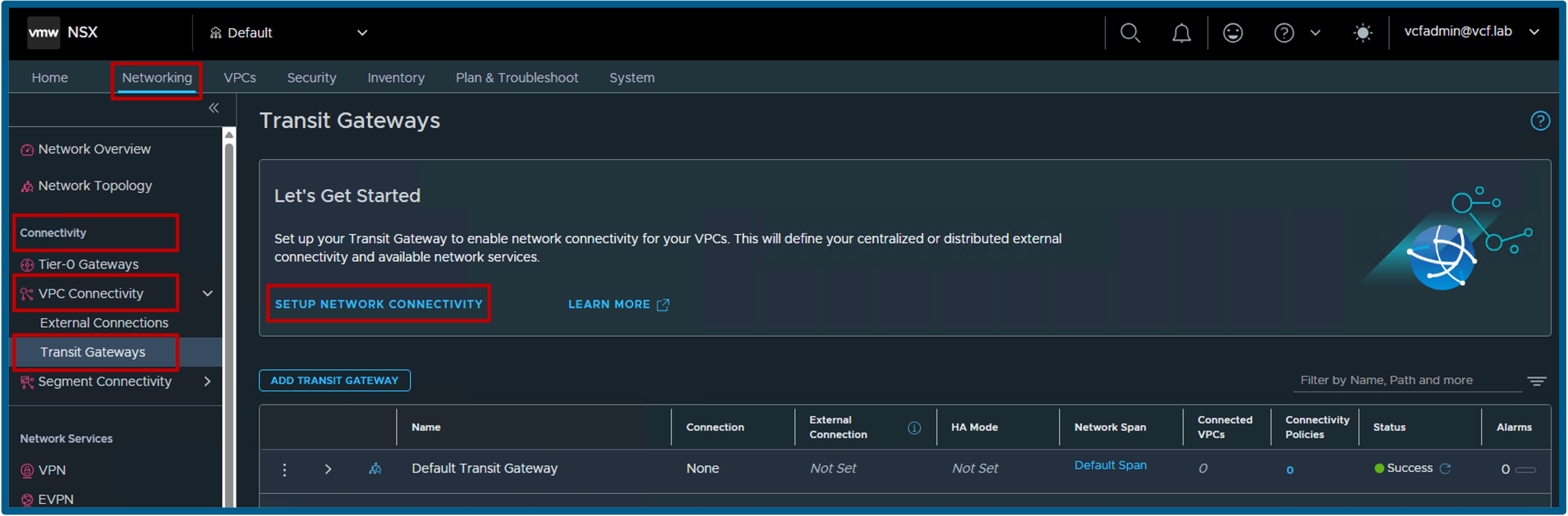
Launch "Setup Network Connectivity"
Navigate to NSX > Networking > VPC Connectivity > Transit Gateways.
-
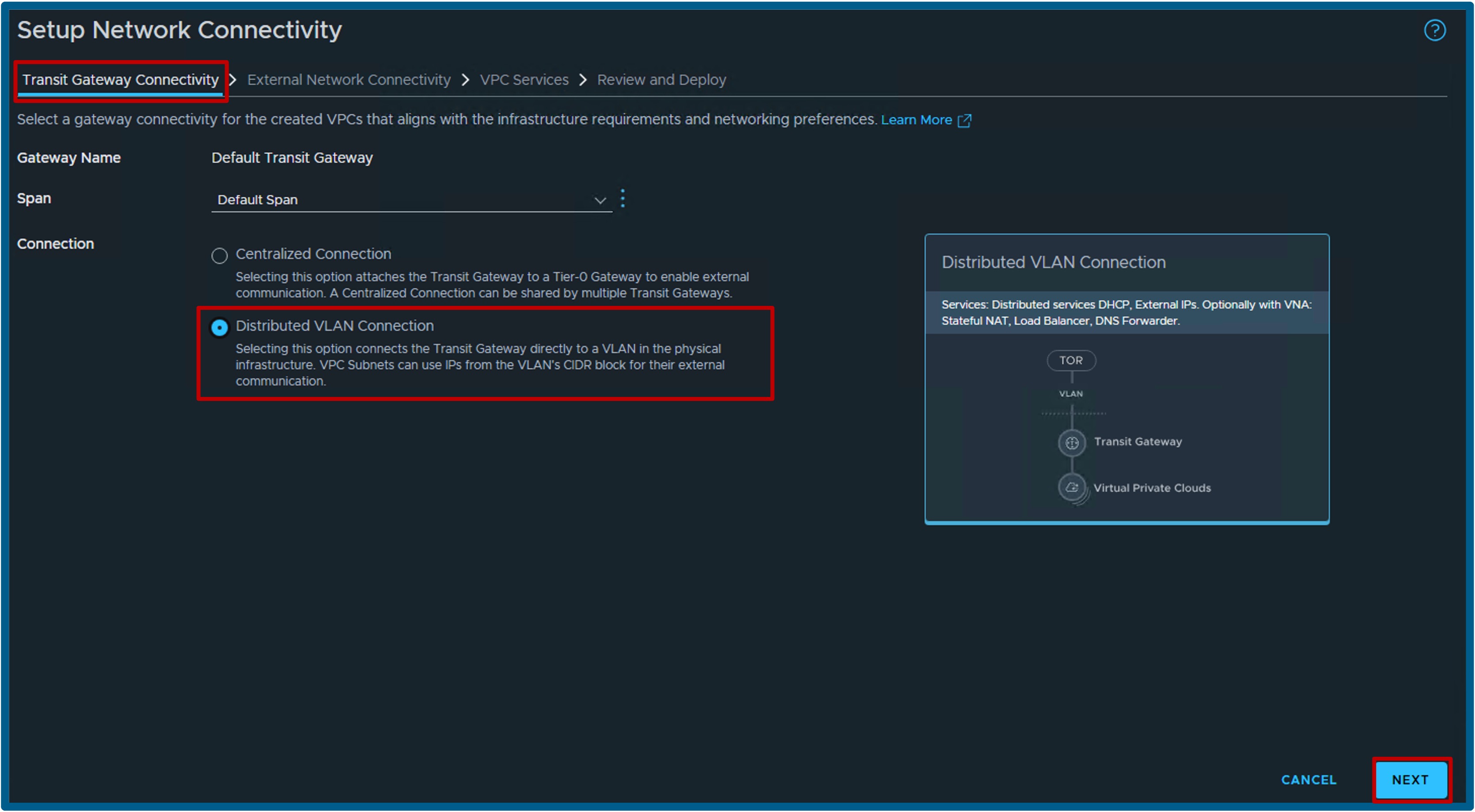
Transit Gateway Connectivity
- Select Distributed VLAN Connections, and click Next.
- Validate all Networking Prerequisites (not shown).
-
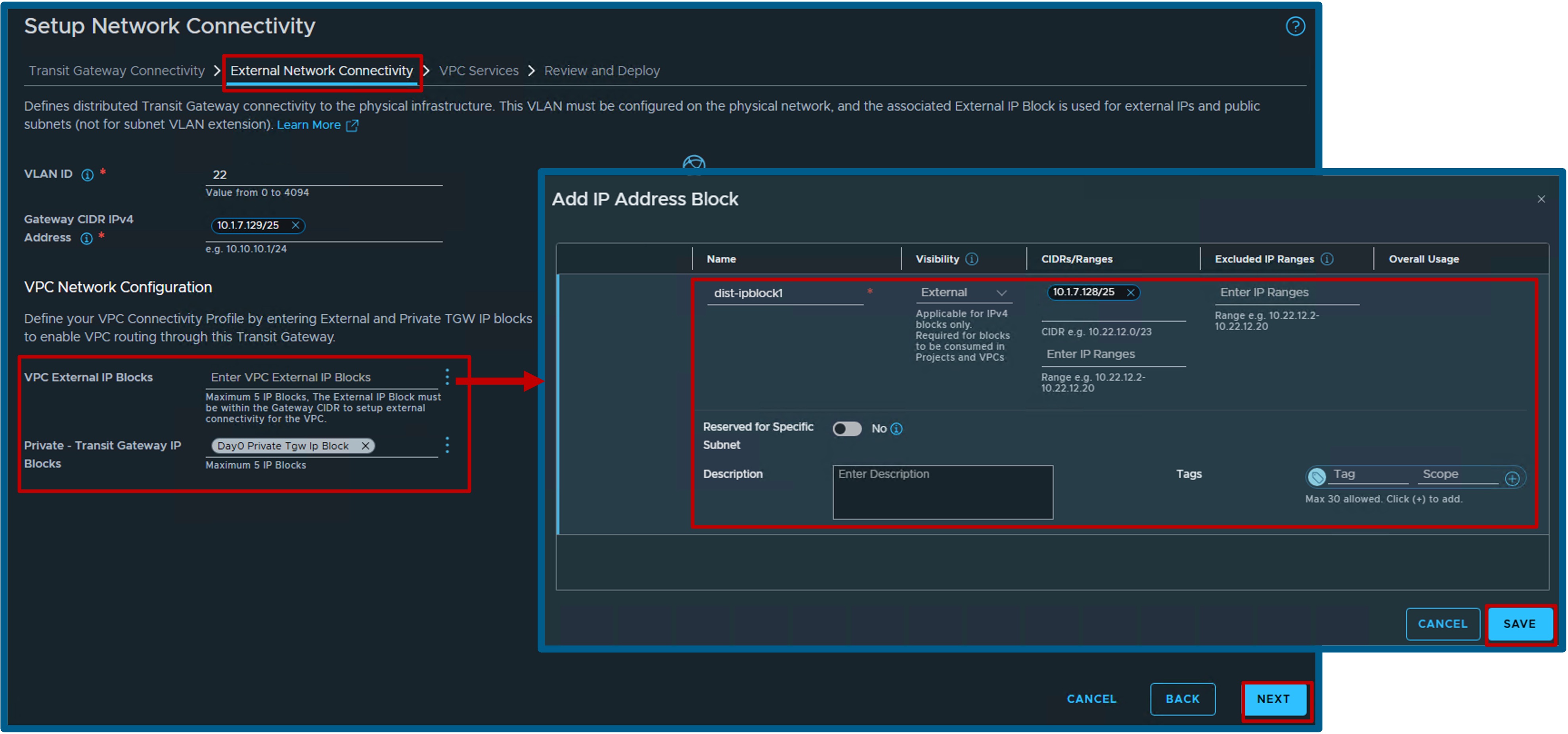
External Network Connectivity
- Enter the VLAN ID and Gateway CIDR IPv4 Address.
- Configure the VPC Network with the following:
- Create a new VPC External IP Block with Visibility = External, and CIDR/Range = [your physical VLAN subnet].
- Select Private - Transit Gateway IP Blocks (if none exist, create a new one with Visibility = Private, and CIDR/Range = 172.31.0.0/16 (not shown)).
-
VPC Services
- Enter the Cluster Name and Node Form Factor.
(Note: With 2 Medium VNA Nodes, you can deploy up to 10 VPCs; Large supports up to 40; X-Large supports up to 80. See VMware ConfigMax and look for "Load Balancer Instances" per "Form Factor Edge Node").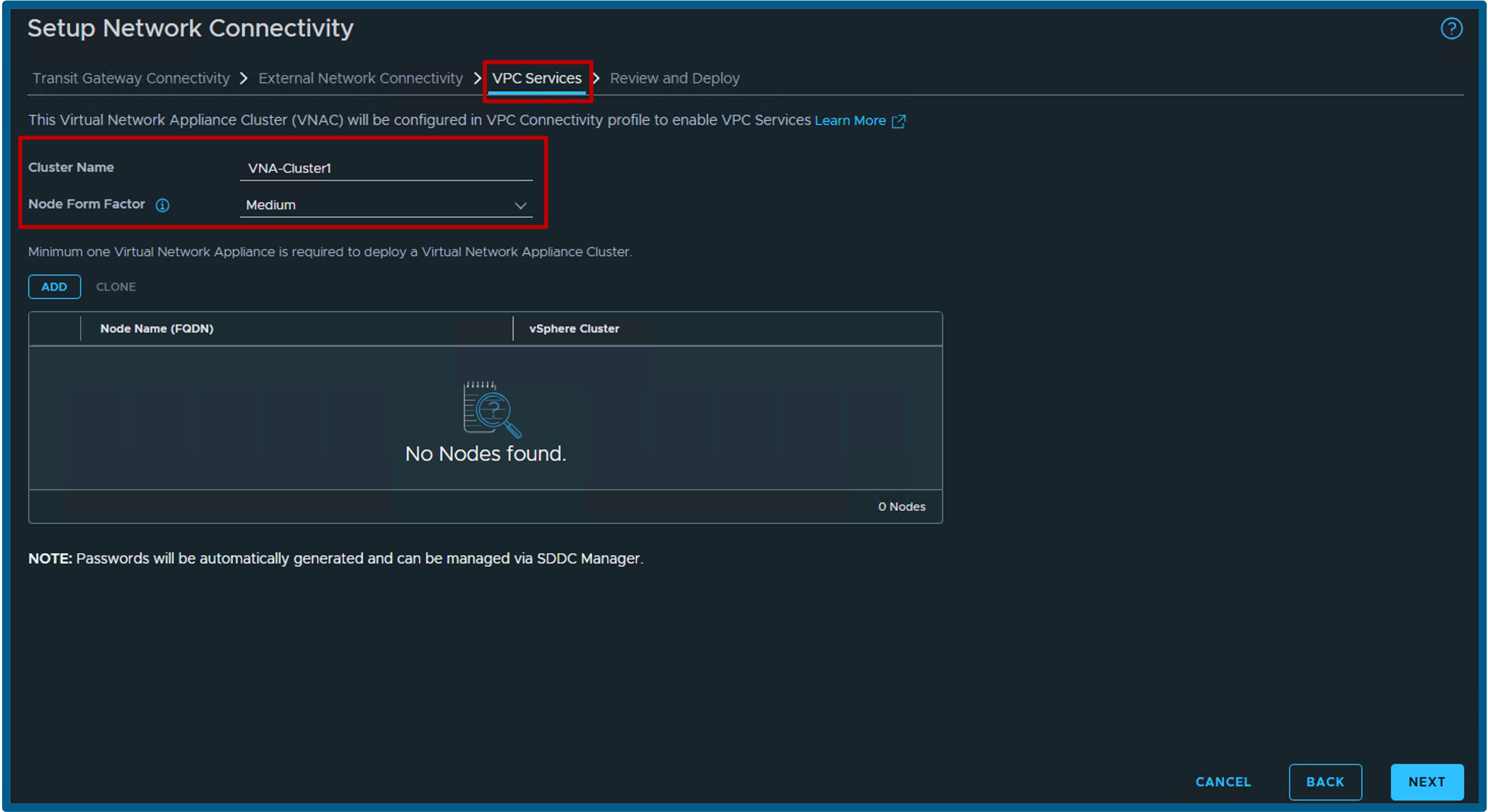
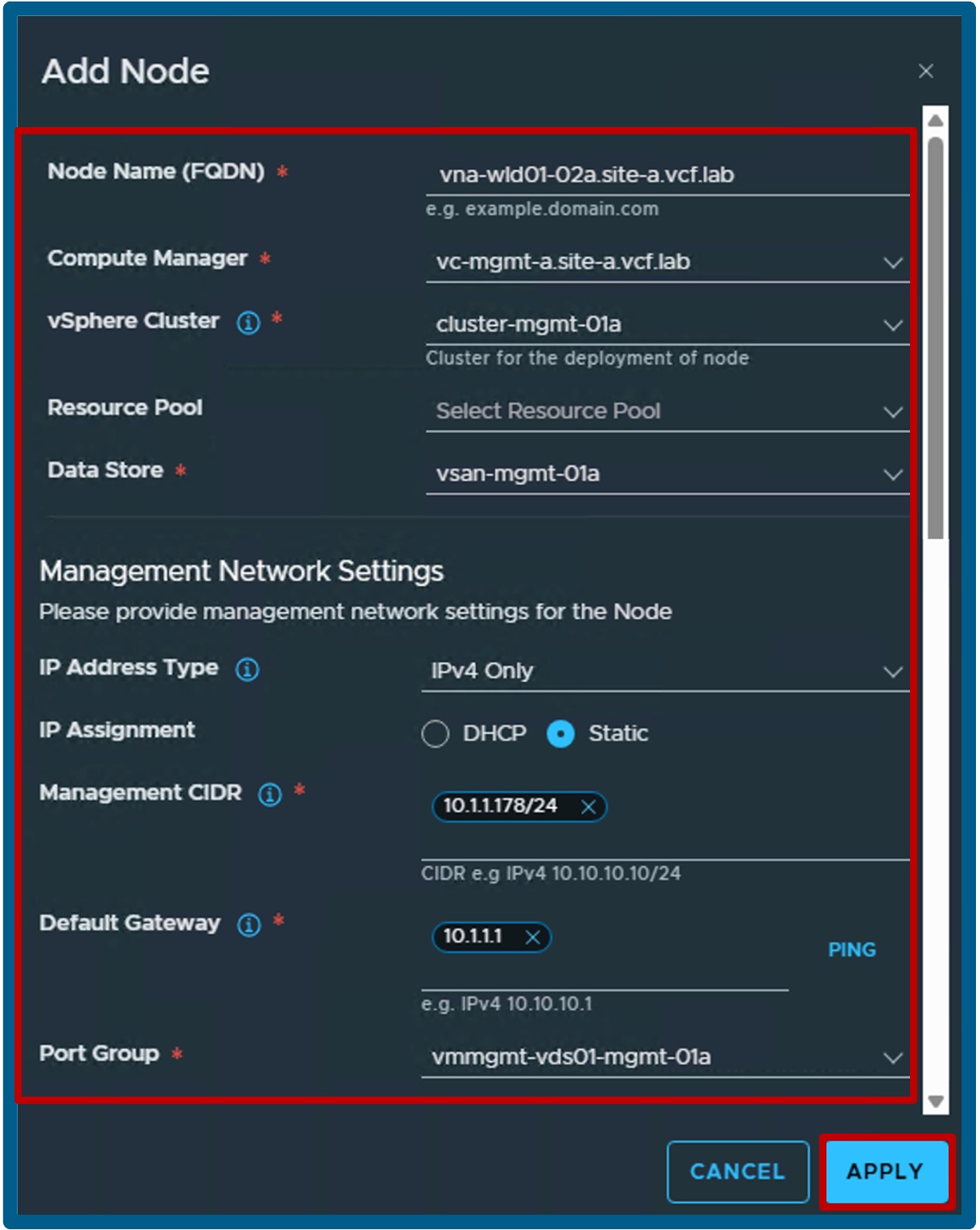
- Add VNA Node 1 with its Node Name (FQDN), its vCenter location (Compute Manager, vSphere Cluster, Datastore), and its Network Settings (IP Address Type, IP Assignment, Management CIDR, and Default Gateway).
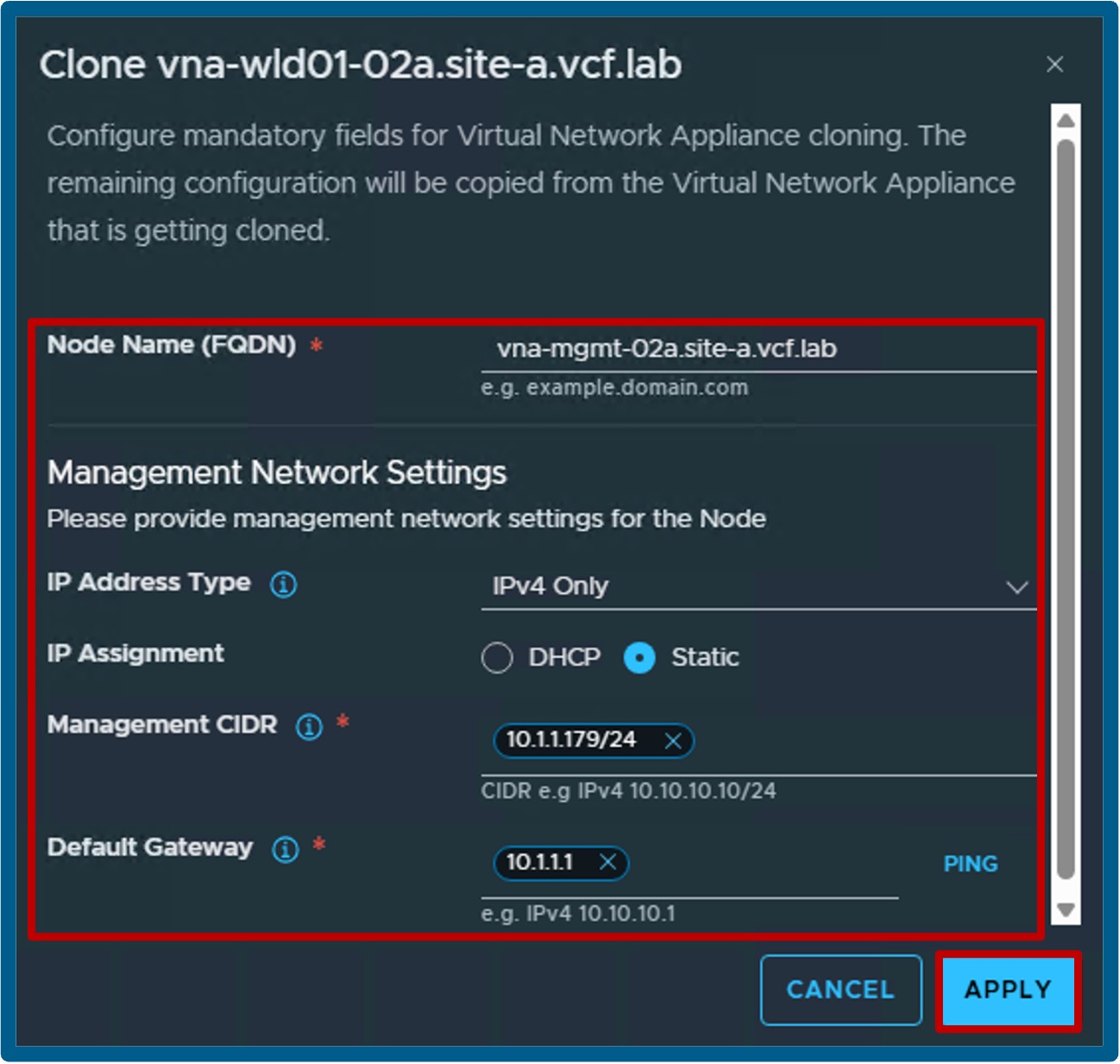
- Clone VNA Node 2 with its Node Name (FQDN) and its Network Settings (IP Address Type, IP Assignment, Management CIDR, and Default Gateway).
- Enter the Cluster Name and Node Form Factor.
-
Review and Deploy
- Review the final configuration and click Deploy.
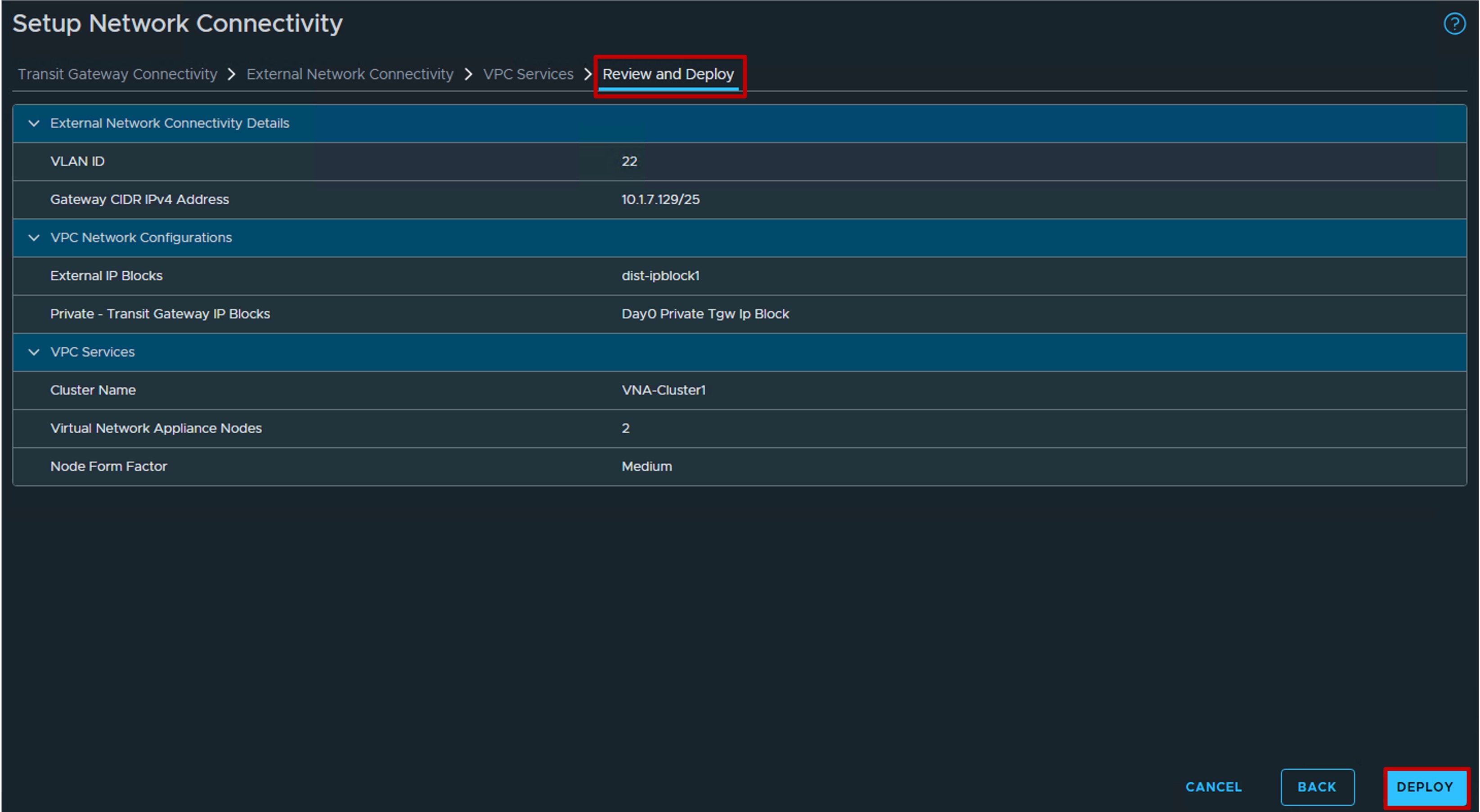
- Review the final configuration and click Deploy.
Validate Deployment
Once the wizard completes, verify the deployment was successful using the steps outlined in the prerequisites:
Validate "DTGW + VNA" Deployment