 Supervisor with "NSX + DTGW/VNA"
This section describes the procedures for Troubleshooting Network Services into the VKS Namespace utilizing an "NSX + DTGW/VNA" architecture inside a vSphere environment.
- Packet Walk
- App Access Broken
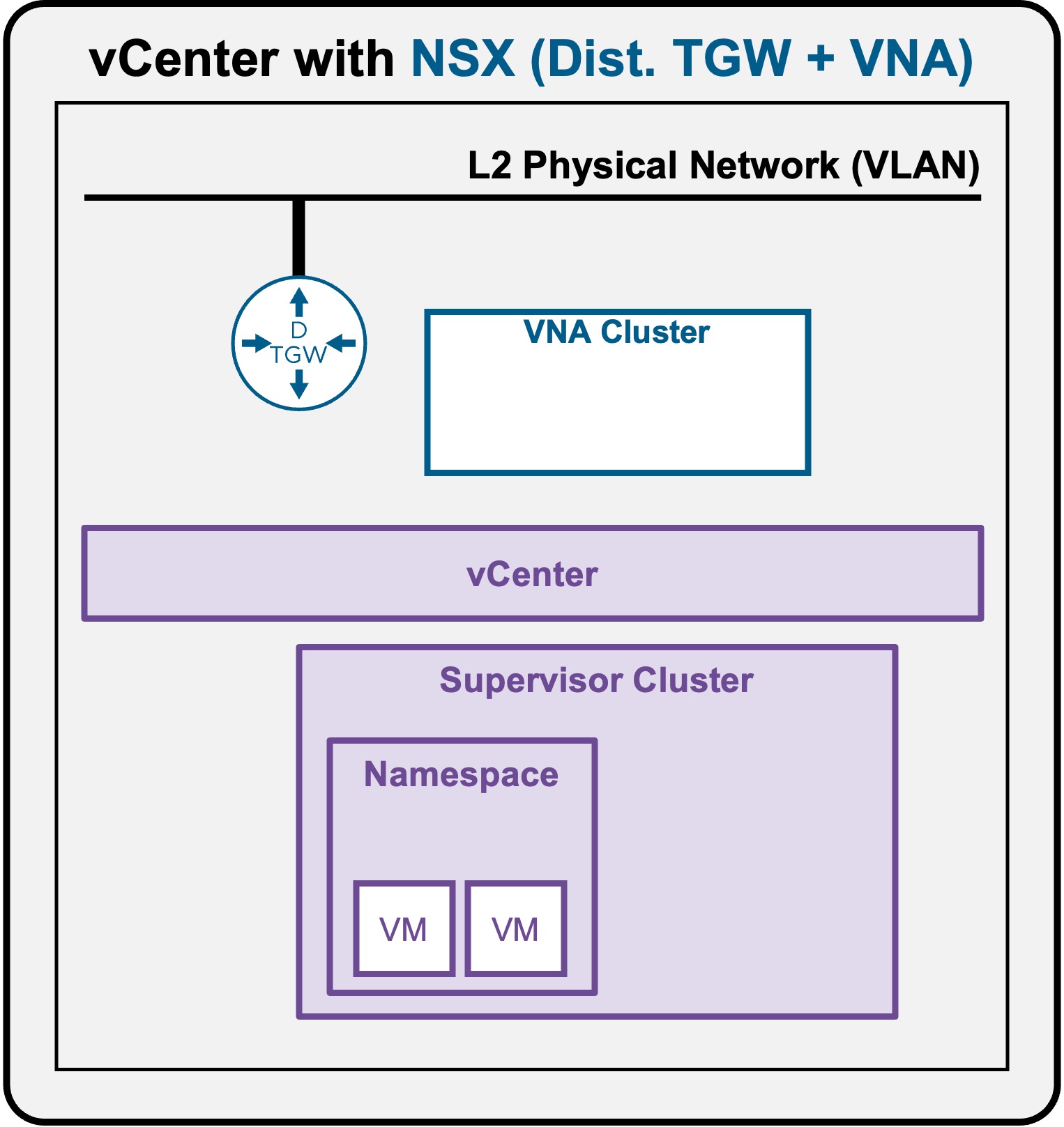
Troubleshooting - VM access down
As described in the Packet Walk - N/S External to VM section, clients accessing a VM traverse the following path:
Logical and Physical View
-
Scenario A: VM connected to Private Subnet (Private-VPC or Private-TGW)
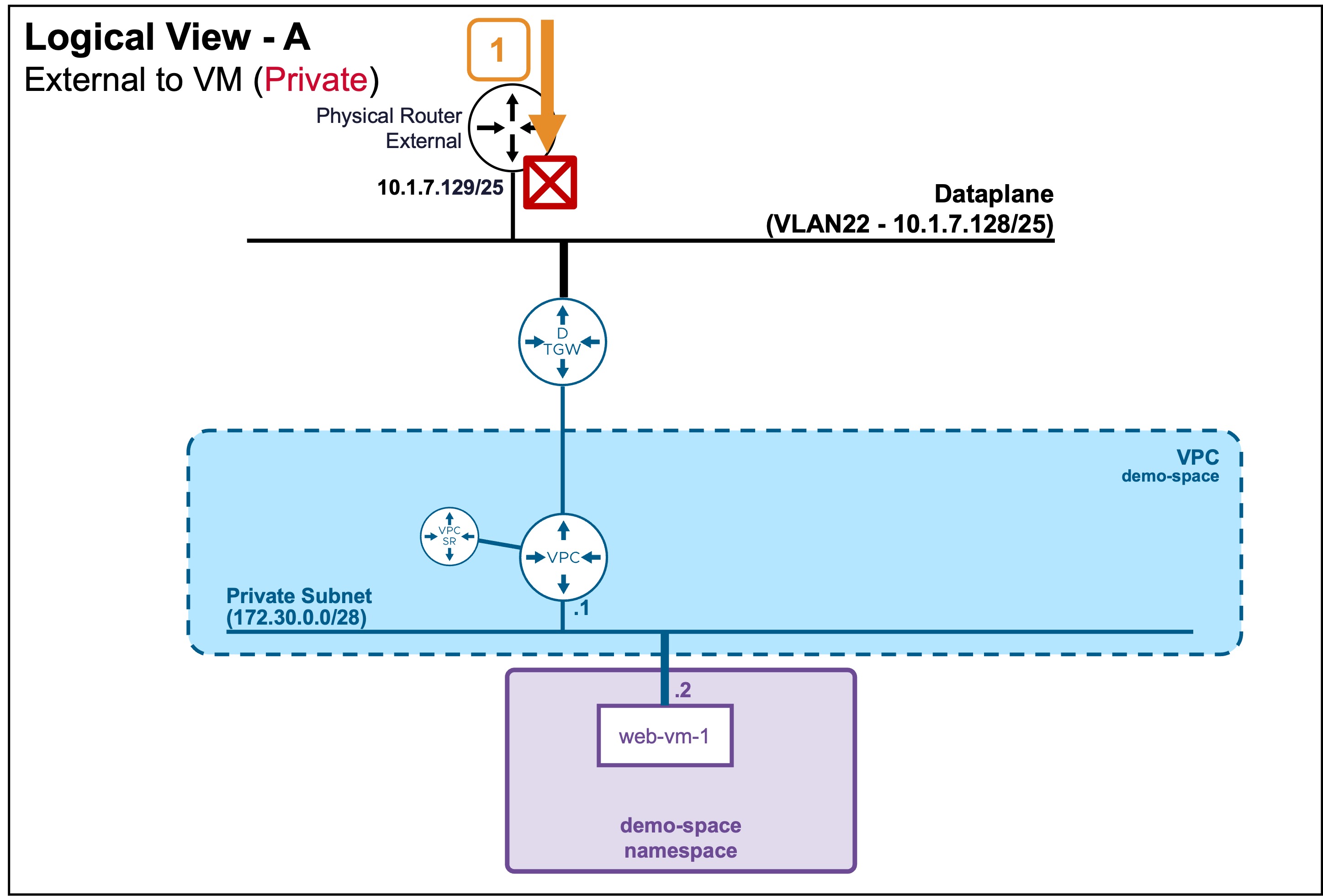 In this case, external clients can't reach that subnet, and so can't reach VMs on it.
 -
Scenario B: VM connected to Public Subnet
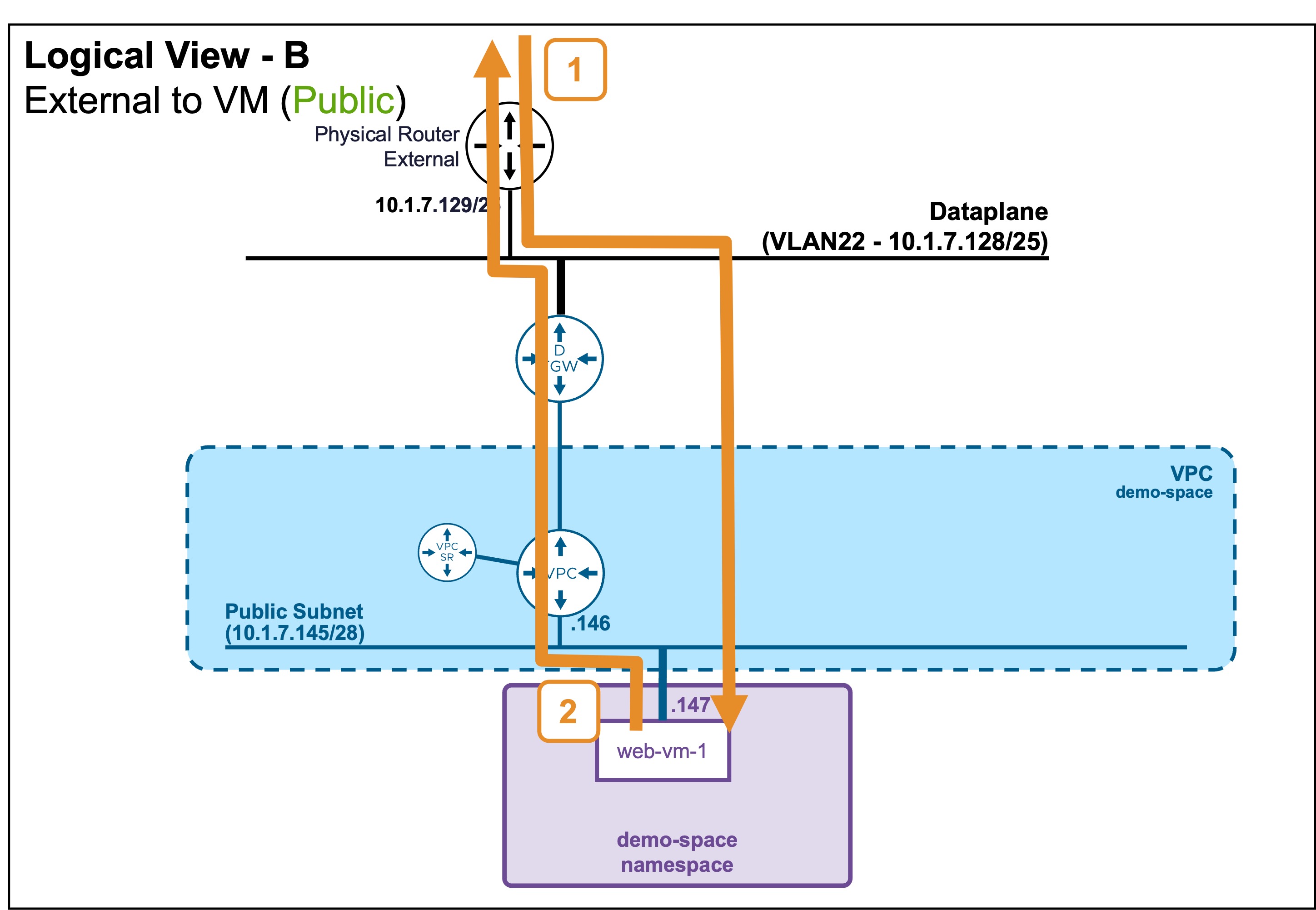
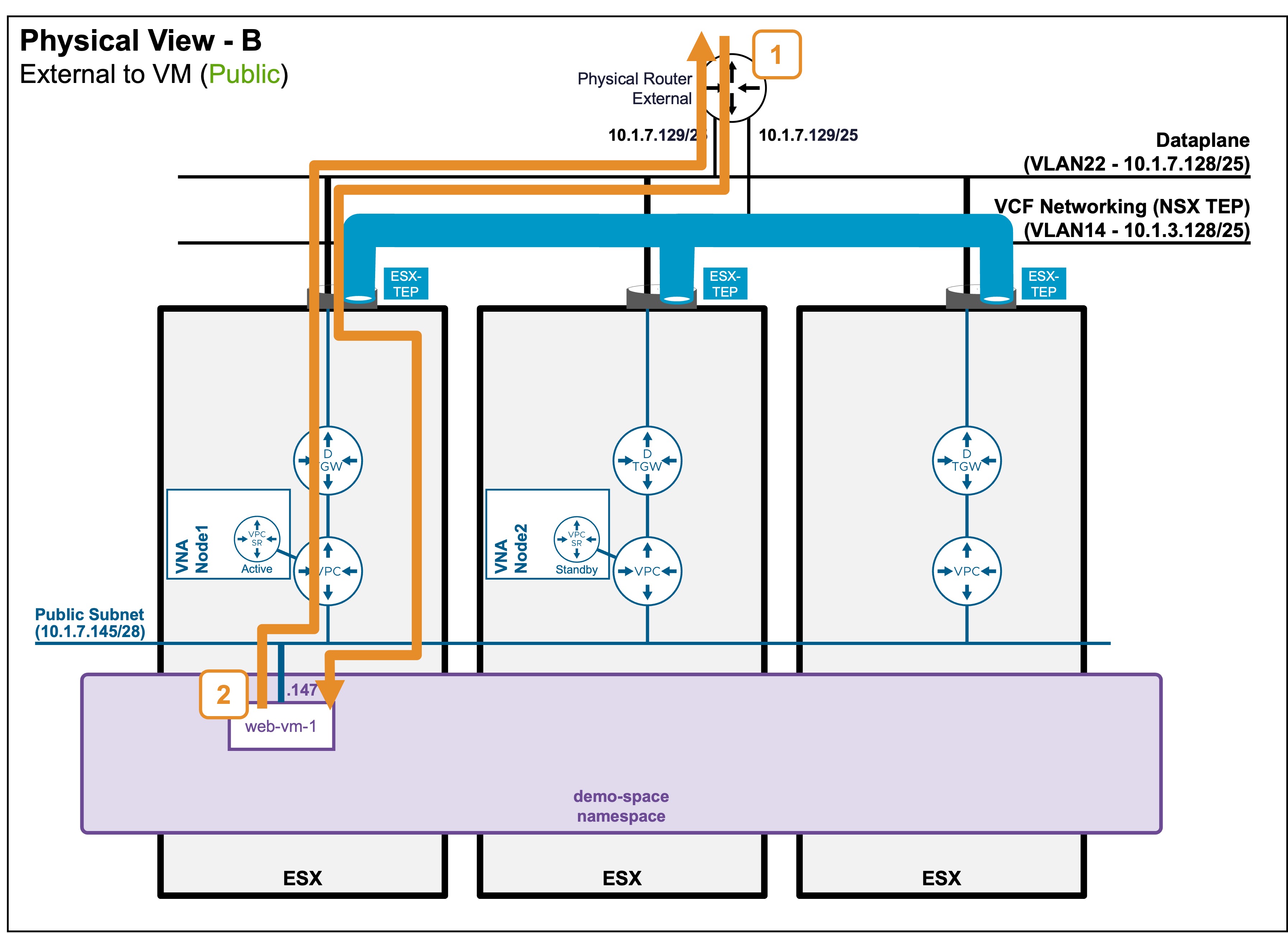
Troubleshooting Steps
Step1: External Client accesses the VM
-
Validate communication to the VM
Status Validation: Ping
PS C:\Users\Administrator\Documents> ping 10.1.7.147
Pinging 10.1.7.147 with 32 bytes of data:
Reply from 10.1.7.147: bytes=32 time=6ms TTL=61
Reply from 10.1.7.147: bytes=32 time=1ms TTL=61
In case of failure, check the routing breaking point with
traceroute.??? info "Status Validation: Traceroute
PS C:\Users\Administrator\Documents> tracert 10.1.7.147
    1    <1 ms    <1 ms    <1 ms  router.site-a.vcf.lab [10.1.10.129]
    2     2 ms     1 ms    <1 ms  10.1.7.147
> **Note:** Depending on your Operating System, the exact command may vary (e.g., `traceroute`, `tracert`, `tracepath`). Consult with your Network Team to determine why routing does not reach the destination. The issue is typically related to routing misconfigurations or firewall blockages.