 Supervisor with "NSX + DTGW/VNA"
This section describes the procedures for provisioning and managing Network Services within a VKS Namespace utilizing an "NSX + DTGW/VNA" architecture inside a vSphere environment.
- Network Services
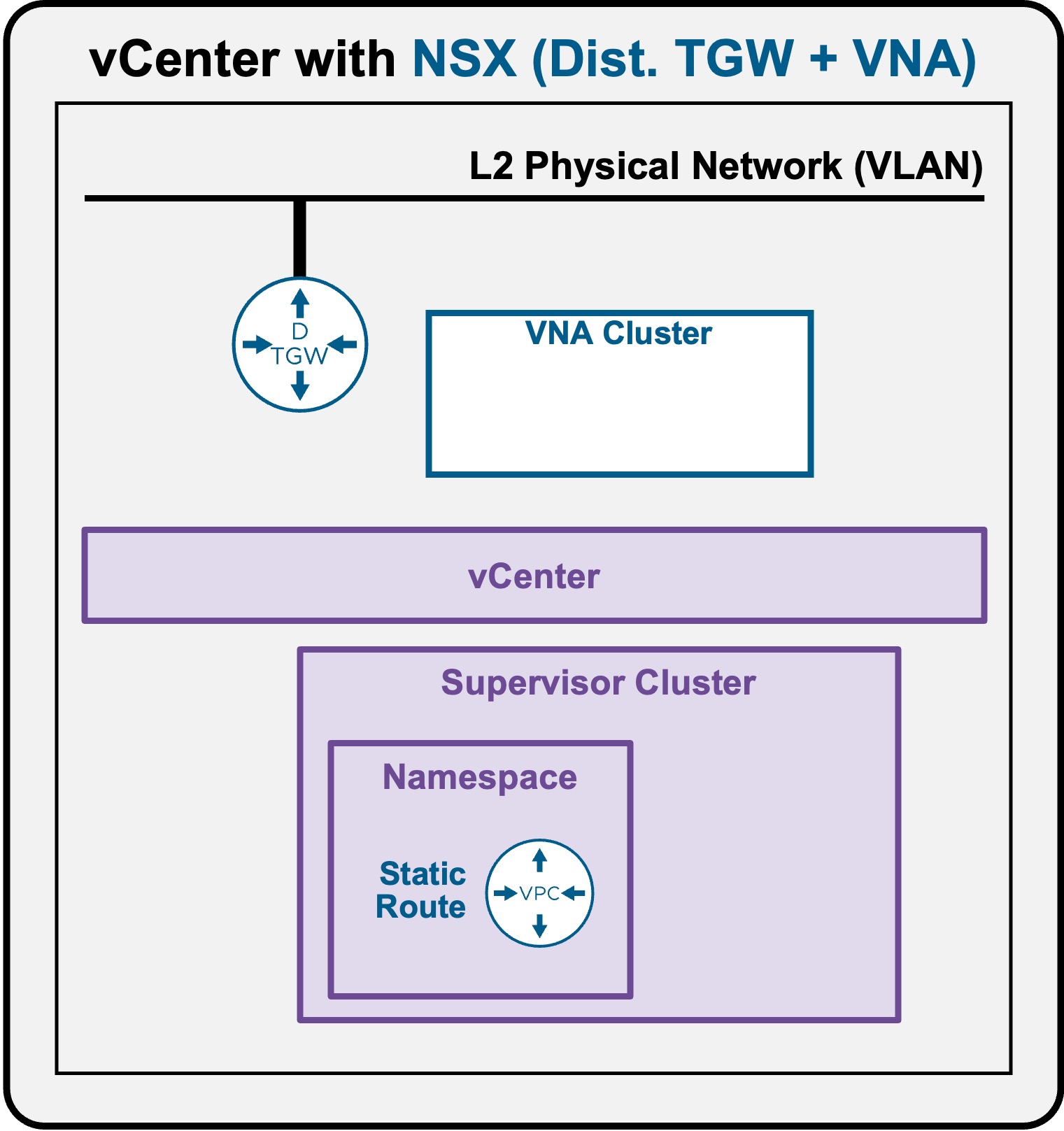
Network Services - Static Routes
The primary use case for configuring a Static Route is to enable direct, routable communication to individual K8s Pods residing on specific Worker Nodes.
Note: With the "NSX + DTGW/VNA" architecture, communication to individual K8s Pods is only from VMs within the VPC.
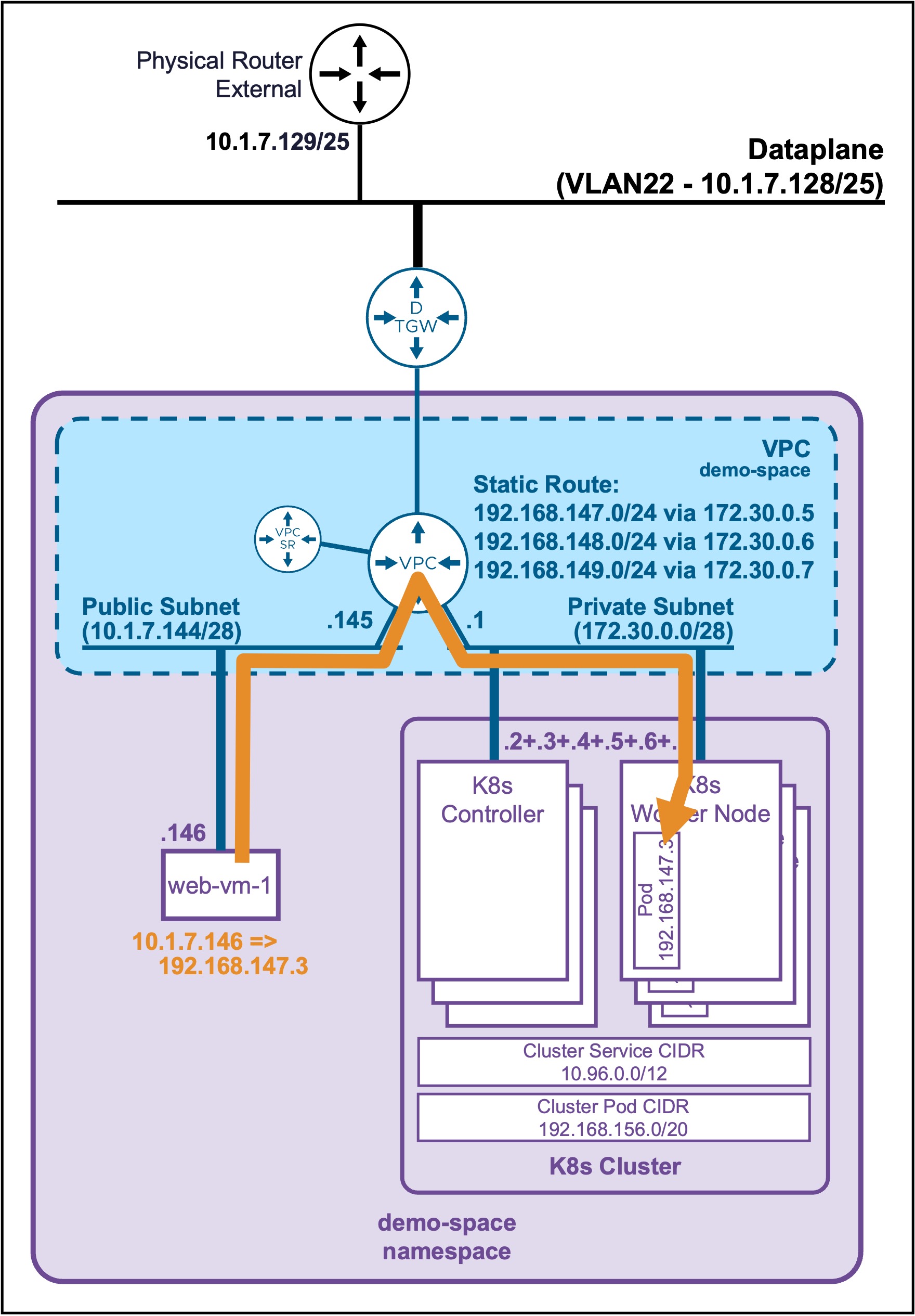
Create Static Route
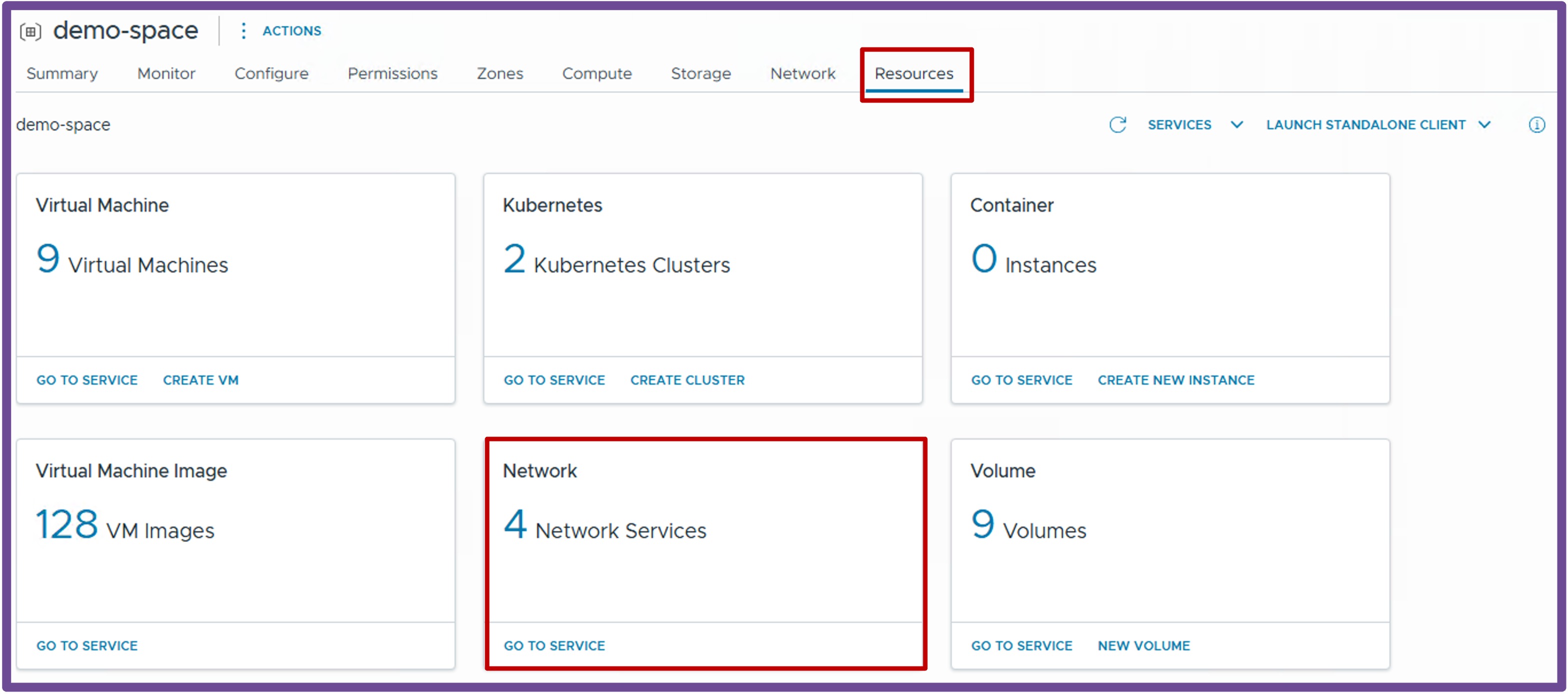
Navigate to vCenter > Supervisor Management > Supervisors, select your target Supervisor, click the Namespaces tab, and select your specific Namespace.
Under the Resources card, click Network - Go to Service.
-
Create New Static Route
Navigate to Static Routes, and click New Static Route.
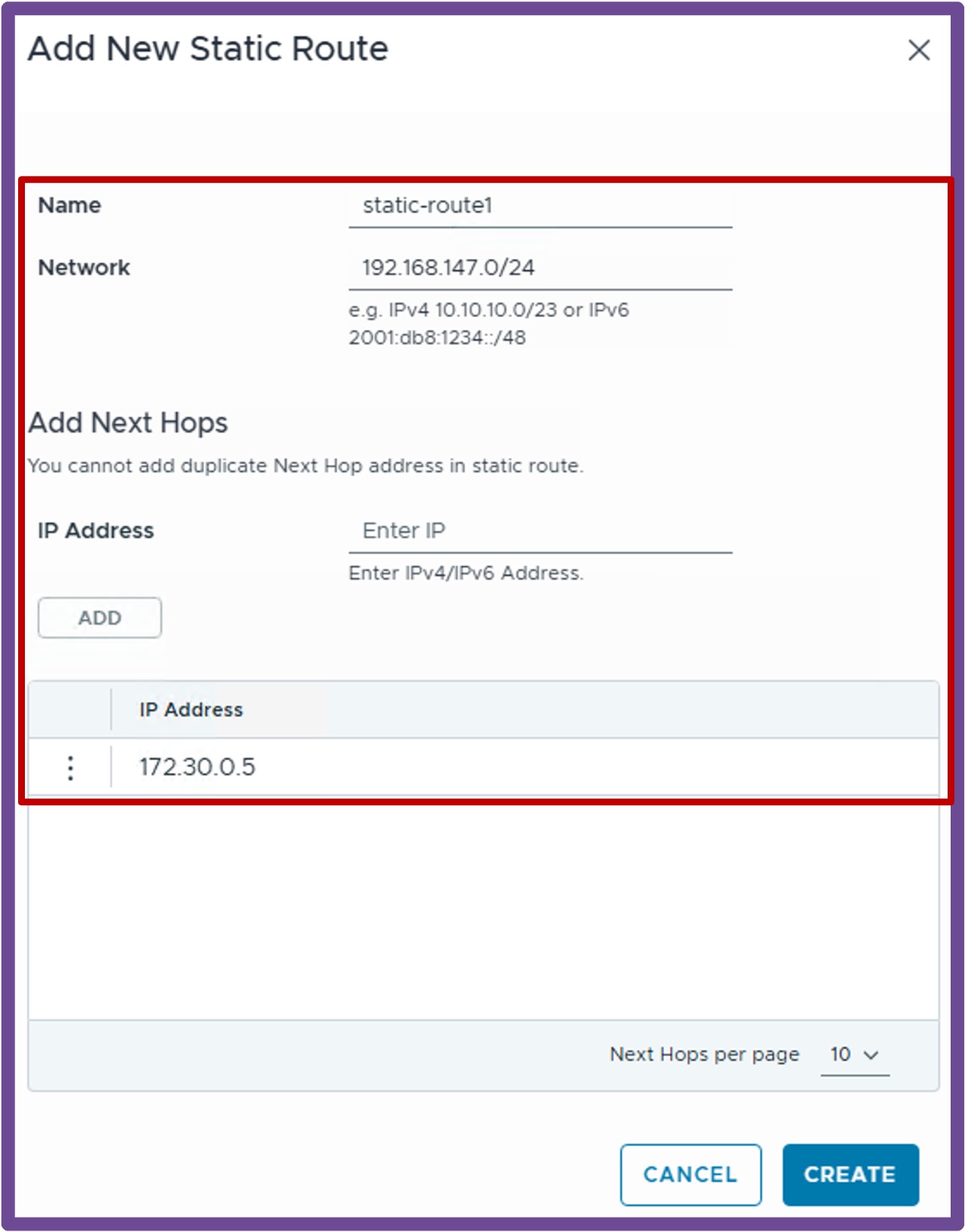
How to find required IP information via kubectl
-
Find the Pod subnet (CIDR) of each K8s Node
kubectl get nodes -o custom-columns="NODE:.metadata.name,NODE-IP:.status.addresses[0].address,POD-CIDR:.spec.podCIDR"Output example
PS C:\Users\Administrator\Documents> kubectl get nodes -o custom-columns="NODE:.metadata.name,NODE-IP:.status.addresses[0].address,POD-CIDR:.spec.podCIDR" NODE NODE-IP POD-CIDR my-cluster-wglt6-dlpqm 172.30.0.2 192.168.144.0/24 my-cluster-wglt6-jv9t5 172.30.0.6 192.168.148.0/24 my-cluster-wglt6-n9m25 172.30.0.7 192.168.149.0/24 my-cluster-workers-qjq5s-xj695-2kt4z 172.30.0.4 192.168.147.0/24 my-cluster-workers-qjq5s-xj695-dff4g 172.30.0.5 192.168.146.0/24 my-cluster-workers-qjq5s-xj695-p55n8 172.30.0.3 192.168.145.0/24 -
Find the target Pod's IP address
kubectl get pods -n <namespace> -o wideOutput example
PS C:\Users\Administrator\Documents> kubectl get pods -n ns1 -o wide NAME READY STATUS RESTARTS AGE IP NODE NOMINATED NODE READINESS GATES apache-deployment-58bf9564f6-c8gqc 1/1 Running 0 8d 192.168.146.3 my-cluster-workers-qjq5s-xj695-dff4g <none> <none> apache-deployment-58bf9564f6-dpmcd 1/1 Running 0 8d 192.168.147.3 my-cluster-workers-qjq5s-xj695-2kt4z <none> <none> -
Find the target Pod's listening port
kubectl describe pod <pod> -n <namespace> | Select-String "Port" | Select-String -NotMatch "Host"Output example
PS C:\Users\Administrator\Documents> kubectl describe pod apache-deployment-58bf9564f6-c8gqc -n ns1 | Select-String "Port" | Select-String -NotMatch "Host"
    Port:          8080/TCP
-
Validate Static Route
-
Static Route Configuration
Expand the newly created Static Route to view its routes.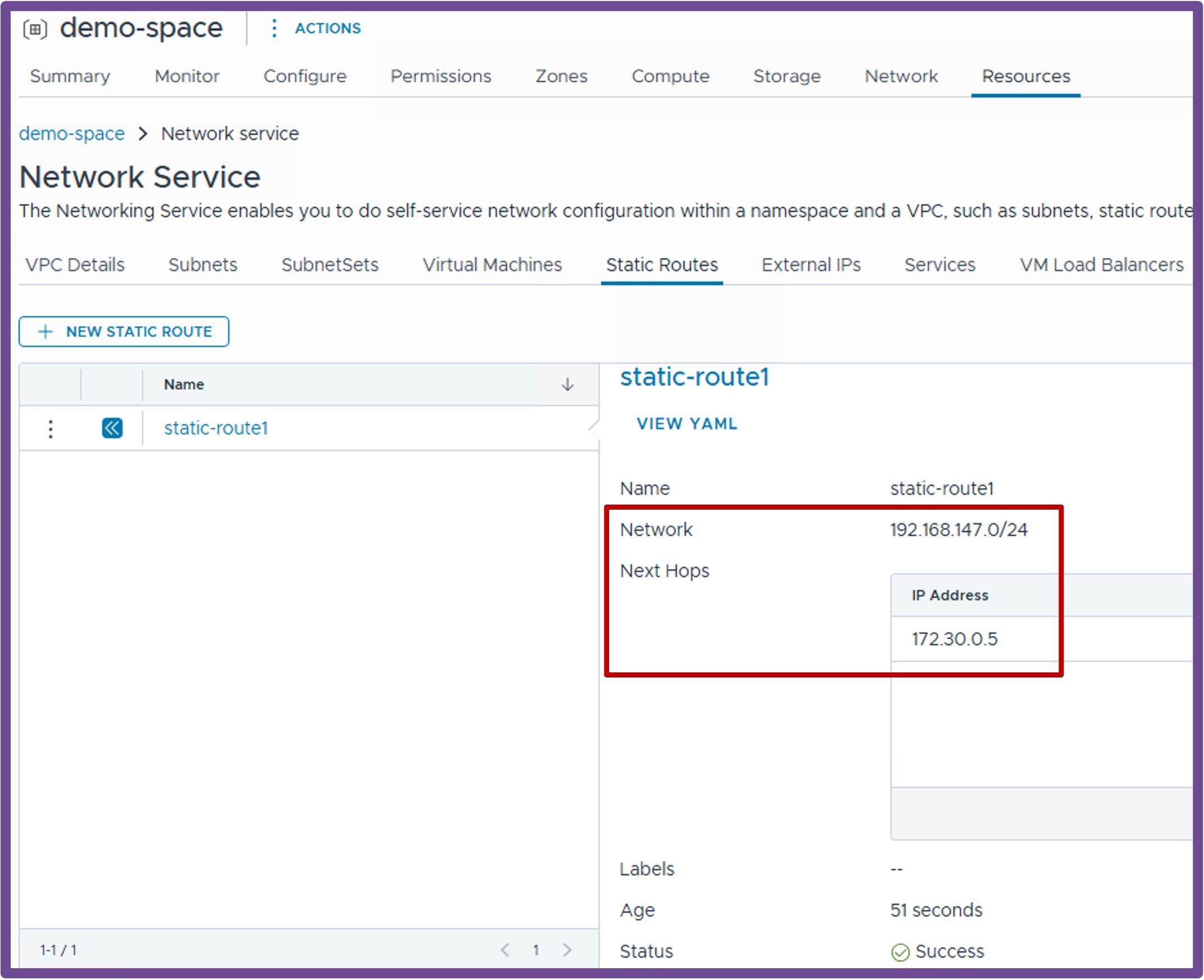
-
Static Route Validation
To verify connectivity, connect to a VM within the VPC and usecurlto directly access the Pod's IP and port (assuming the application is web).root@vm-public:~# curl http://192.168.146.3:8080 <h1>It works - Pod: apache-deployment-58bf9564f6-c8gqc</h1>