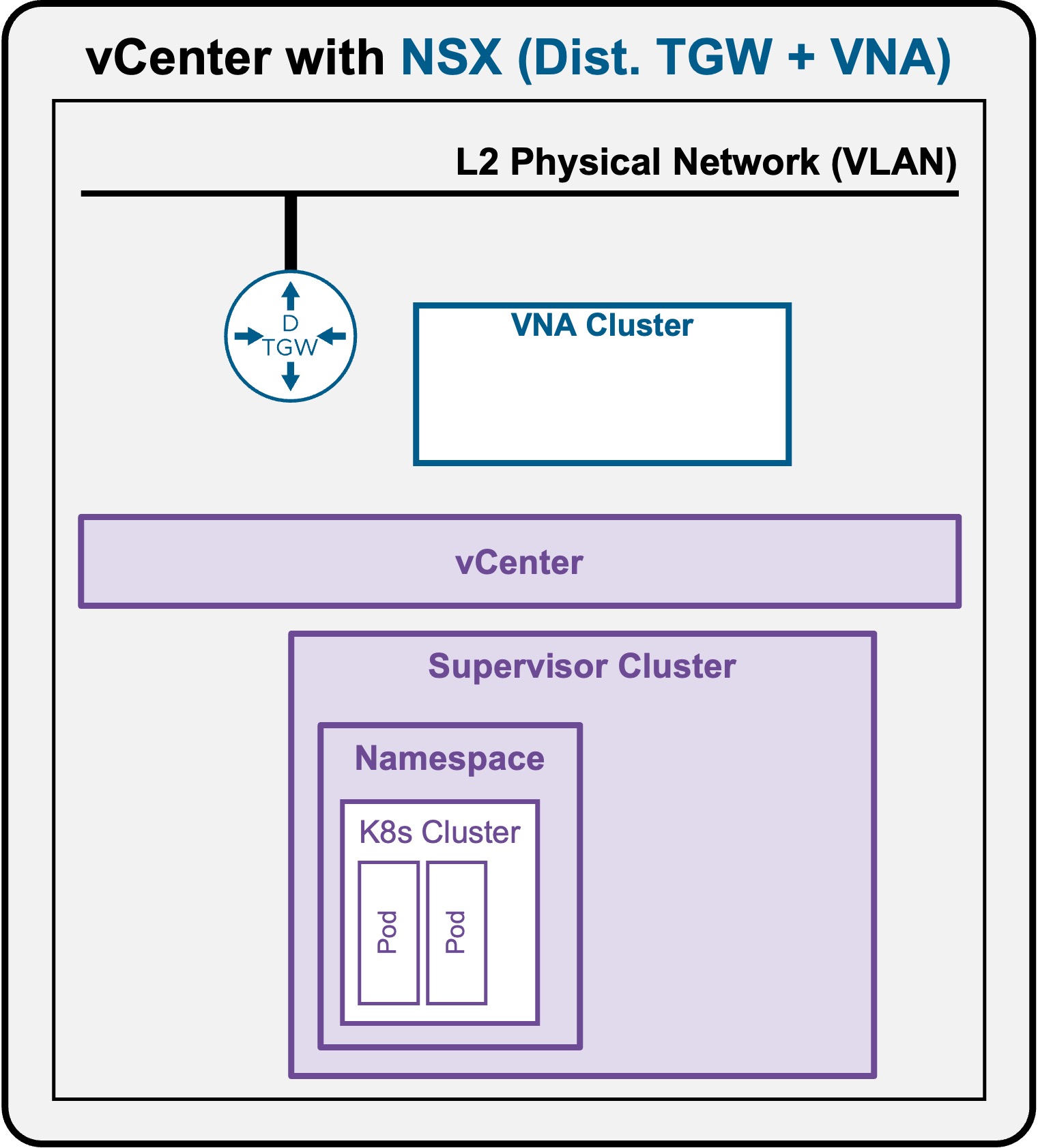
 Supervisor with "NSX + DTGW/VNA"
This section describes the procedures for Troubleshooting Network Services into the VKS Namespace utilizing an "NSX + DTGW/VNA" architecture inside a vSphere environment.
- Packet Walk
- App Access Broken
Troubleshooting - VIP access down
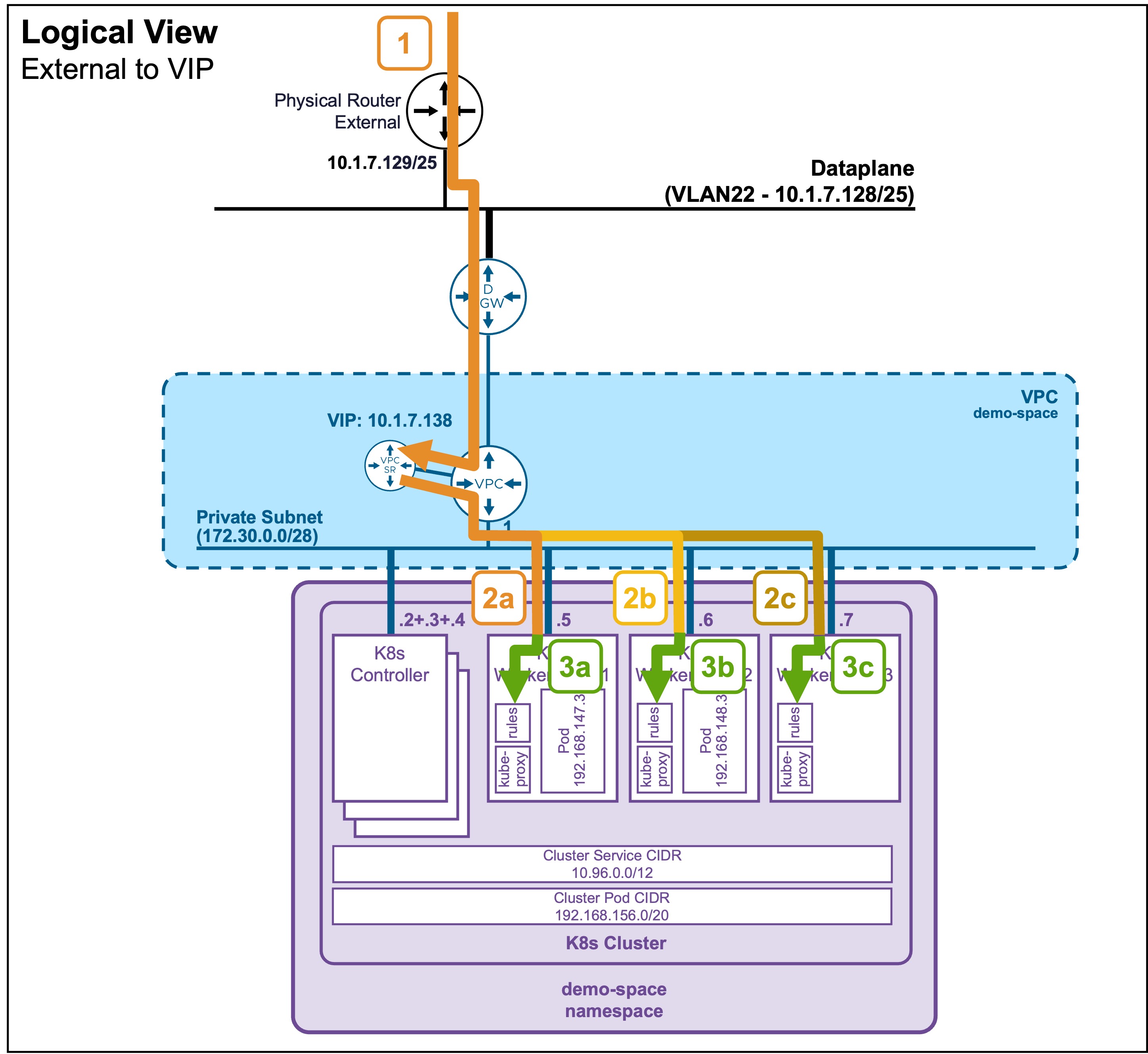
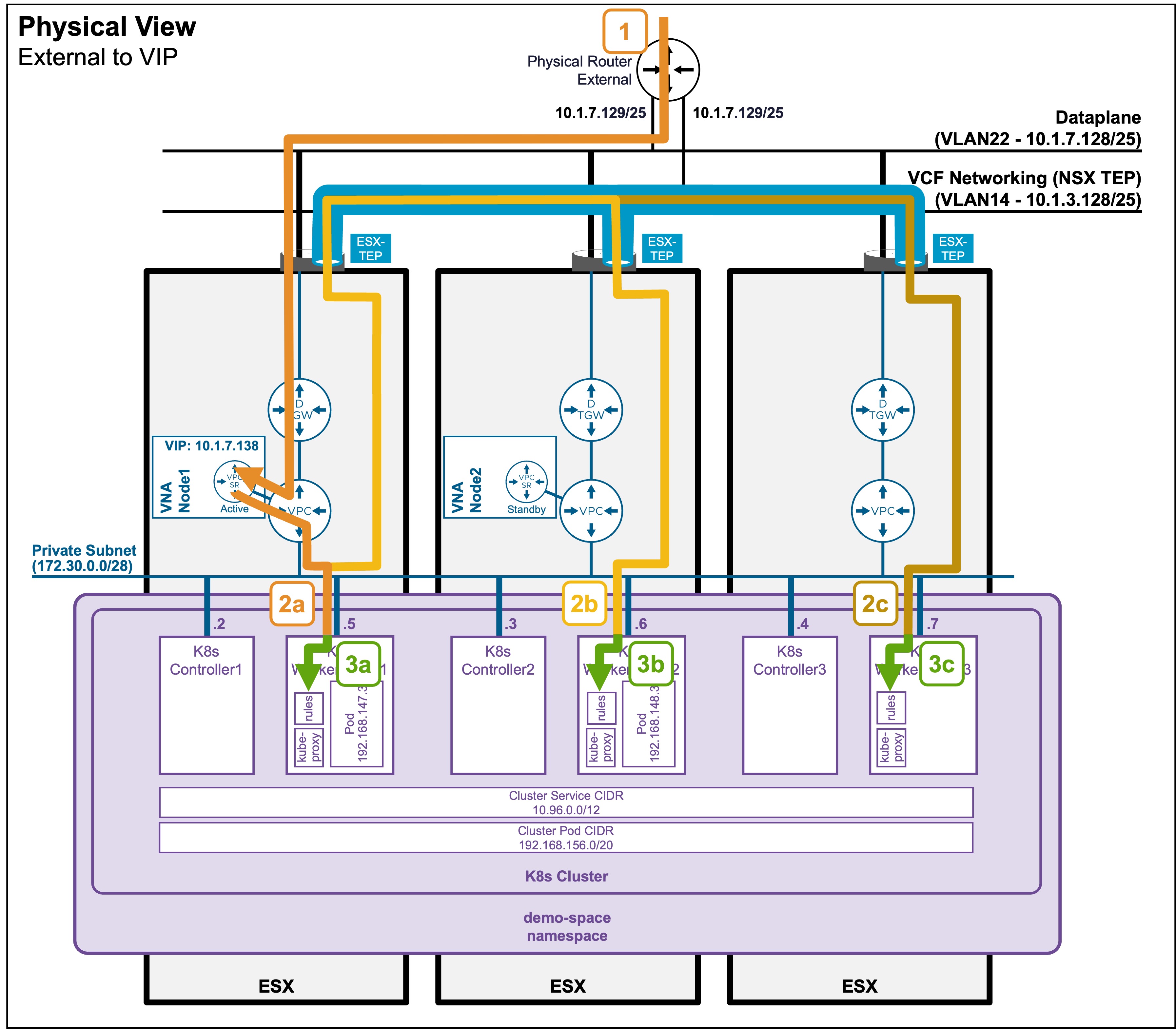
As described in the Packet Walk: N/S External to VIP section, clients accessing a VIP traverse the following path:
Logical and Physical View
Troubleshooting Steps
Step1: External Client accesses the VIP
-
Validate communication to the VIP
Status Validation: Ping
PS C:\Users\Administrator\Documents> ping 10.1.7.138
Pinging 10.1.7.138 with 32 bytes of data:
Reply from 10.1.7.138: bytes=32 time=6ms TTL=61
Reply from 10.1.7.138: bytes=32 time=1ms TTL=61
In the event of a failure, check the routing breaking point with
traceroute.Status Validation: Traceroute
PS C:\Users\Administrator\Documents> tracert 10.1.7.138
1    <1 ms    <1 ms    <1 ms  router.site-a.vcf.lab [10.1.10.129]
2     2 ms     1 ms    <1 ms  10.1.7.138
Note: Depending on your Operating System, the exact command may vary (e.g.,
traceroute,tracert,tracepath).Consult with your Network Team to determine why routing does not reach the destination.
The issue is typically related to routing misconfigurations or firewall blockages.
Step2: VIP load balances traffic to the K8s Worker Nodes (kube-proxy)
-
Validate the ESX host tunnels are UP
Status Validation: TEP Tunnels
Navigate to vCenter > Host and Clusters > [your vCenter Cluster] > Configure > Networking > Network Configuration.
Ensure "Cluster Status" and "Host Status" are "Green", and ESX have at least 1 TEP IP Address:
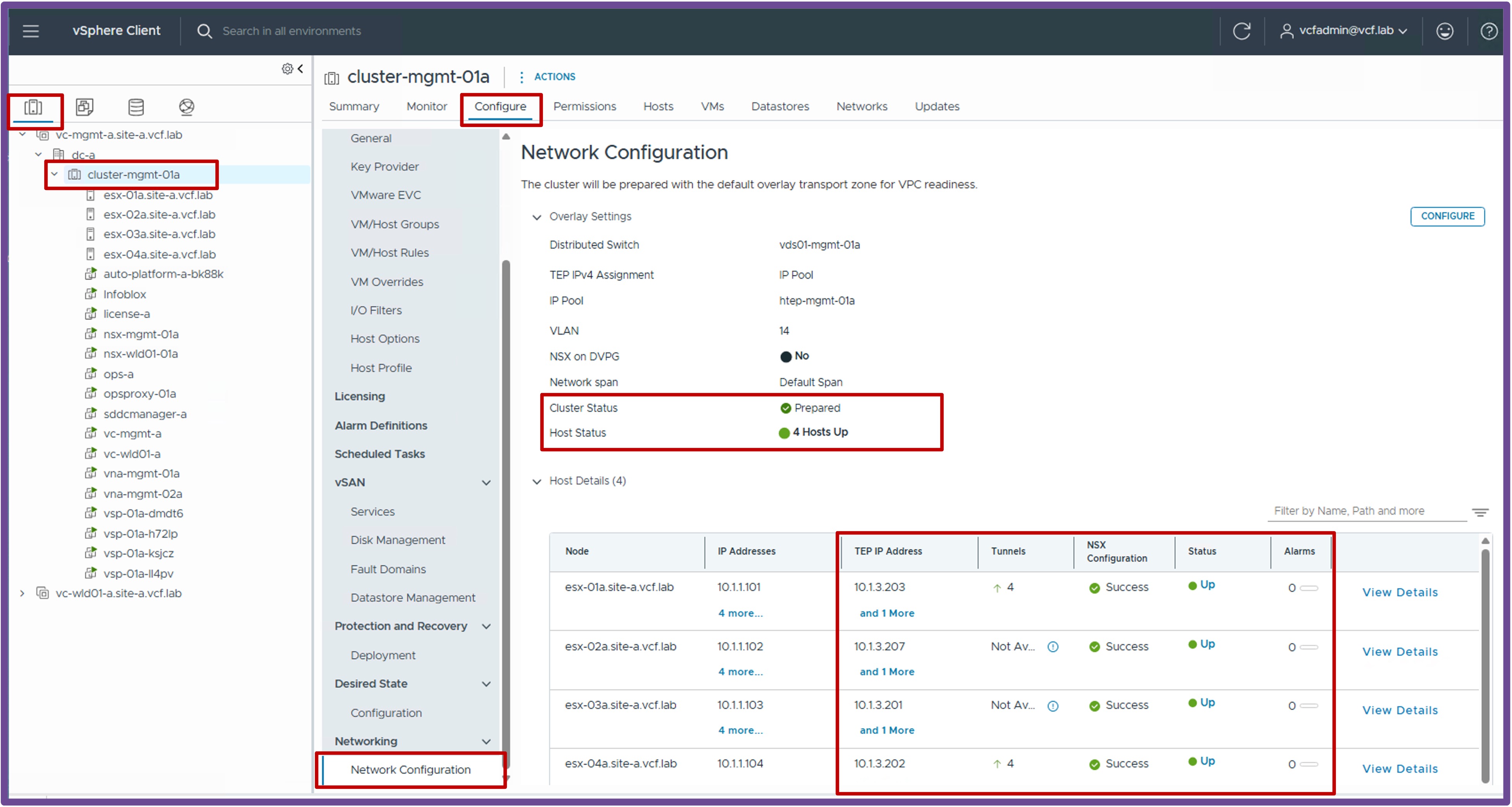
Note: If no workloads have been deployed on logical networks yet, it is normal to have zero tunnels established on the ESX hosts.
-
Validate the ESX host tunnels accept large packets (MTU)
Status Validation: Jumbo Frames
vmkping ++netstack=vxlan <remote-ESX-TEP-IP> -d -s 8900How to find remote-ESX-TEP-IP
remote-ESX-TEP-IP are available on vCenter > Host and Clusters > [your vCenter Cluster] > Configure > Networking > Network Configuration.
Output example
From the ESX CLI:
If vmkping doesn't work, consult with your Network Team to determine why routing does not reach the destination.[root@esx-01a:~] vmkping ++netstack=vxlan 10.1.3.207 -d -s 8900 PING 10.1.3.207 (10.1.3.207): 8900 data bytes 8908 bytes from 10.1.3.207: icmp_seq=0 ttl=64 time=1.234 ms 8908 bytes from 10.1.3.207: icmp_seq=1 ttl=64 time=1.102 ms 8908 bytes from 10.1.3.207: icmp_seq=2 ttl=64 time=1.098 ms --- 10.1.3.207 ping statistics --- 3 packets transmitted, 3 packets received, 0% packet loss round-trip min/avg/max = 1.098/1.144/1.234 ms- If standard "small" pings fail, the issue is typically related to routing misconfigurations or firewall blockages.
- If "large" pings fail, the issue is typically related to Jumbo Frames (MTU) not being enabled across the physical fabric.