 Connectivity Policy in vCenter
This section describes the procedures for configuring Connectivity Policy using the vSphere Client.
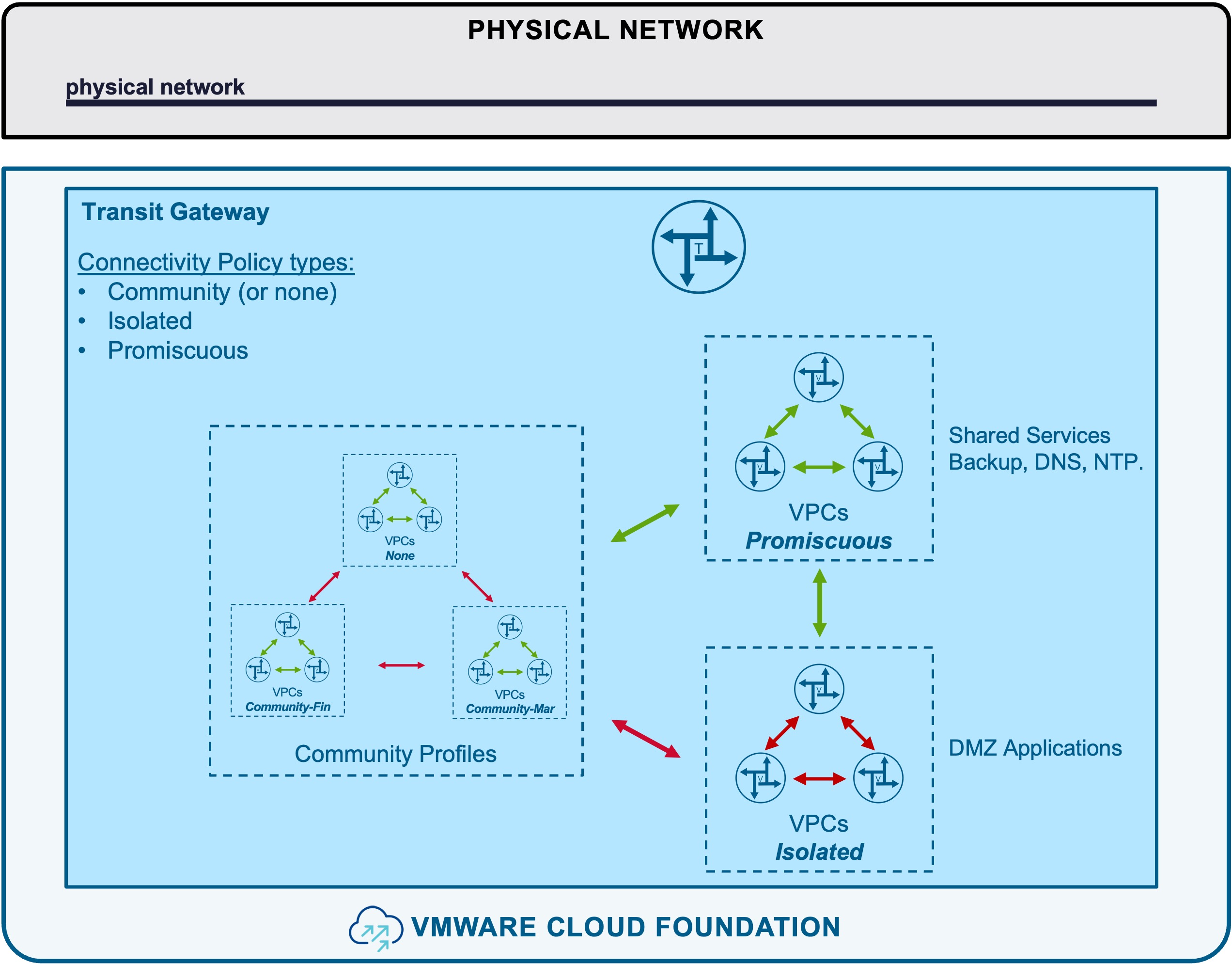
Connectivity Policy defines cross-VPC communication rules.
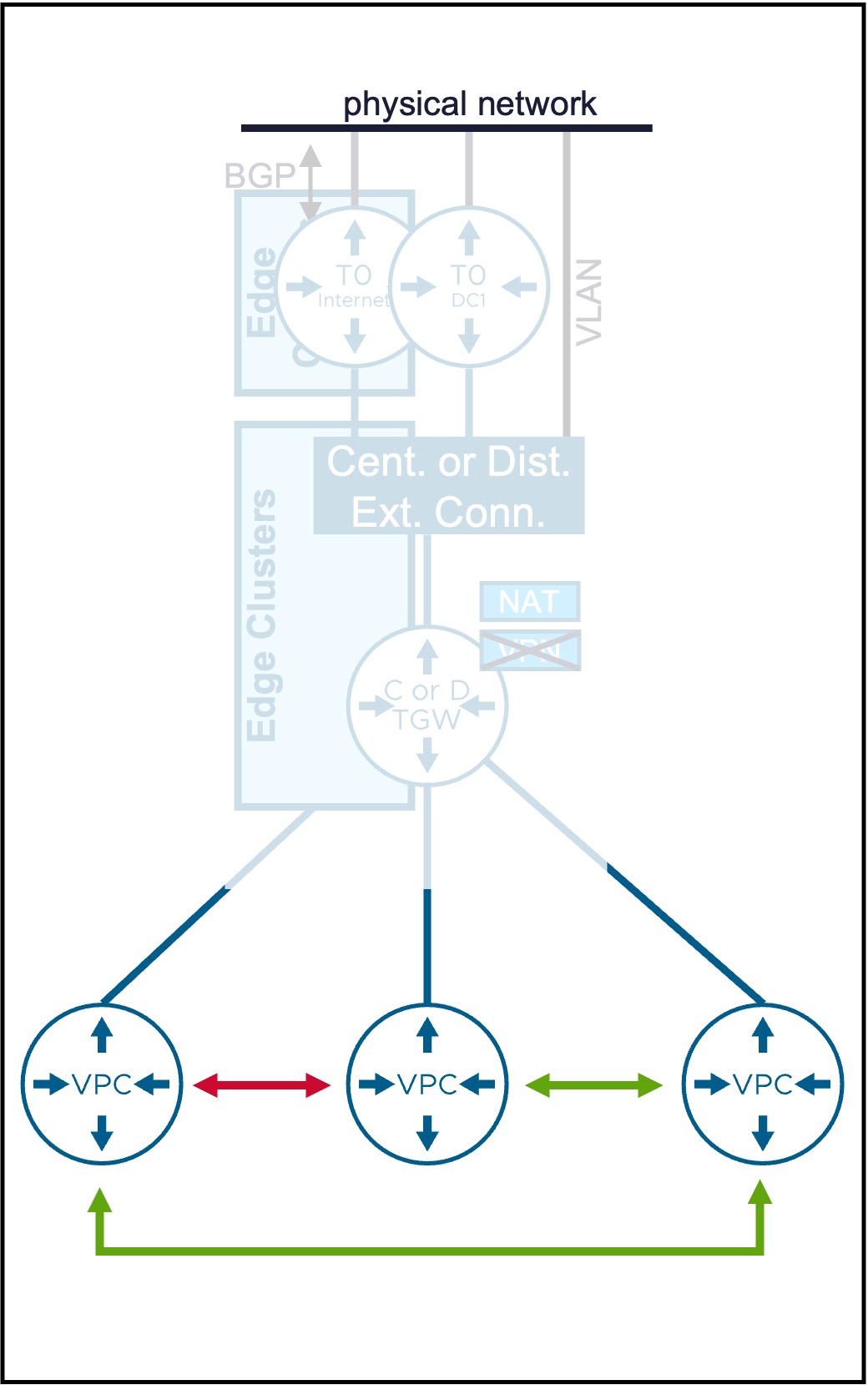
Overview of Connectivity Policy Types
Different Connectivity Policy types are available:
| Type | Use Case | Routing Logic |
|---|---|---|
| [Community] | Permits communication between VPCs within the same defined group. Ideal for application-tier connectivity within a specific division. | VPCs can communicate with other Community peers in their group and all Promiscuous VPCs. |
| [Isolated] | Strictly blocks communication to all other VPCs. Best for highly sensitive or sta ndalone application workloads. | VPCs are restricted to communicating only with Promiscuous VPCs (Shared Services). |
| [Promiscuous] | Provides universal connectivity across the environment. Ideal for shared services (e.g., Backup, DNS, NTP). | VPCs have unrestricted communication with all other VPCs in the environment. |
Connectivity Policy
Configuration
Deep Dive: Blogs & Video Demonstrations
- Video Walkthrough: Watch the step-by-step Connectivity Policy configuration on YouTube.
- Technical Blog: Read the detailed Connectivity Policy blog on the VMware Cloud Foundation Blog.
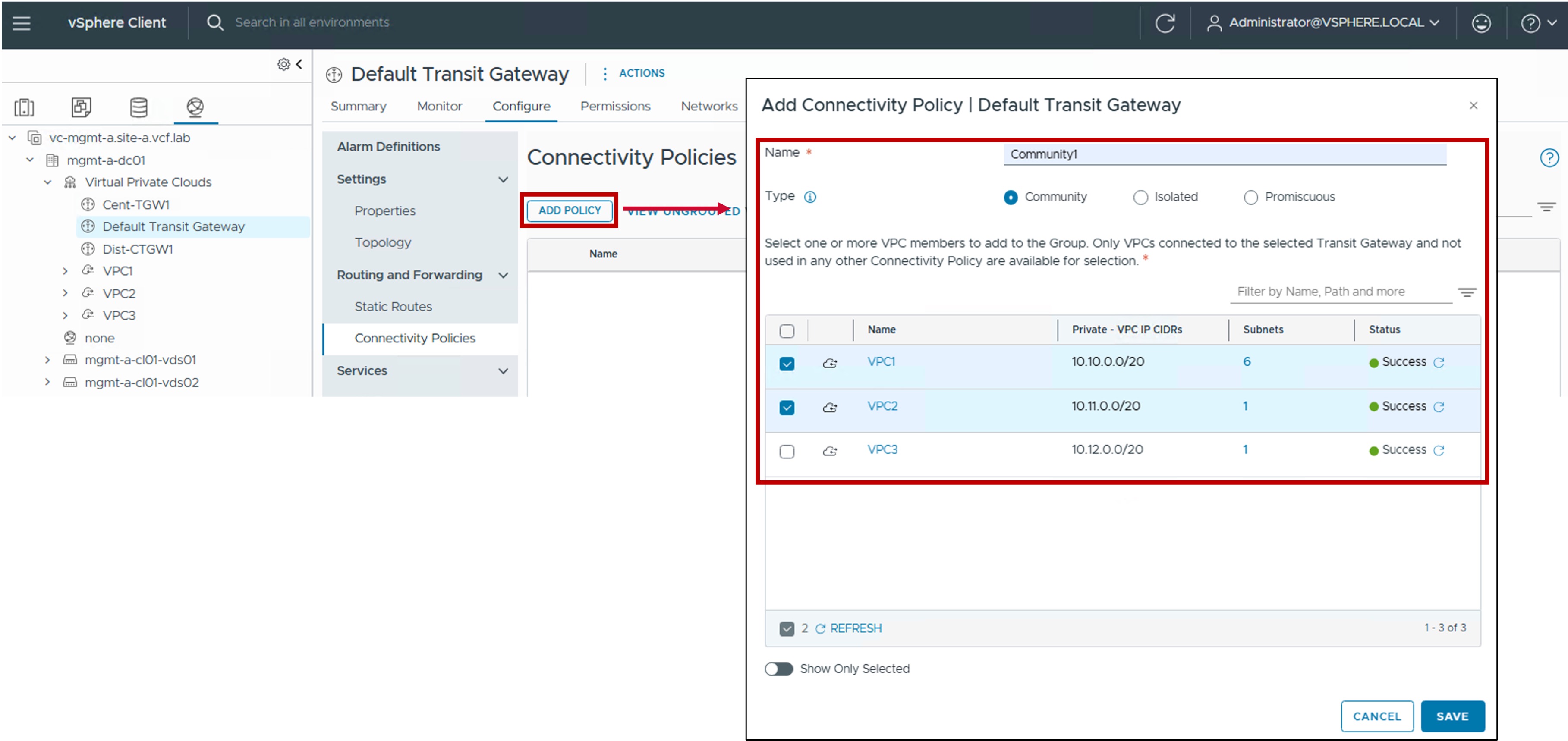
Step1. Create Connectivity Policy
-
Visibility:
Set to External. -
CIDRs/Ranges:
Enter the specific CIDR blocks or IP ranges to be managed by this block. -
Excluded IP Ranges:
(Optional) Specify any IP Range(s) within the CIDRs above that should be withheld from automatic allocation (e.g. IP Range used by the physical network). -
Reserved for Specific Subnet:
Enable for the Subnet-VLAN use case, otherwise disabled.
Monitoring
Show other VPCs within your community
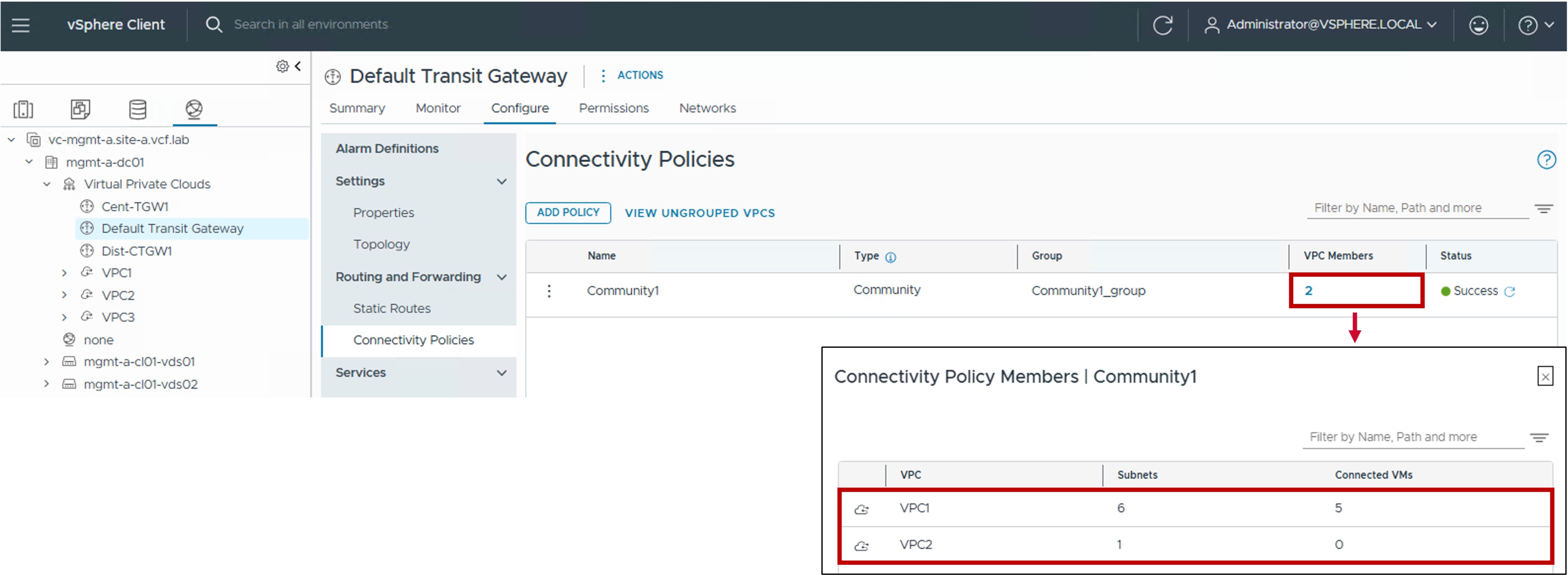
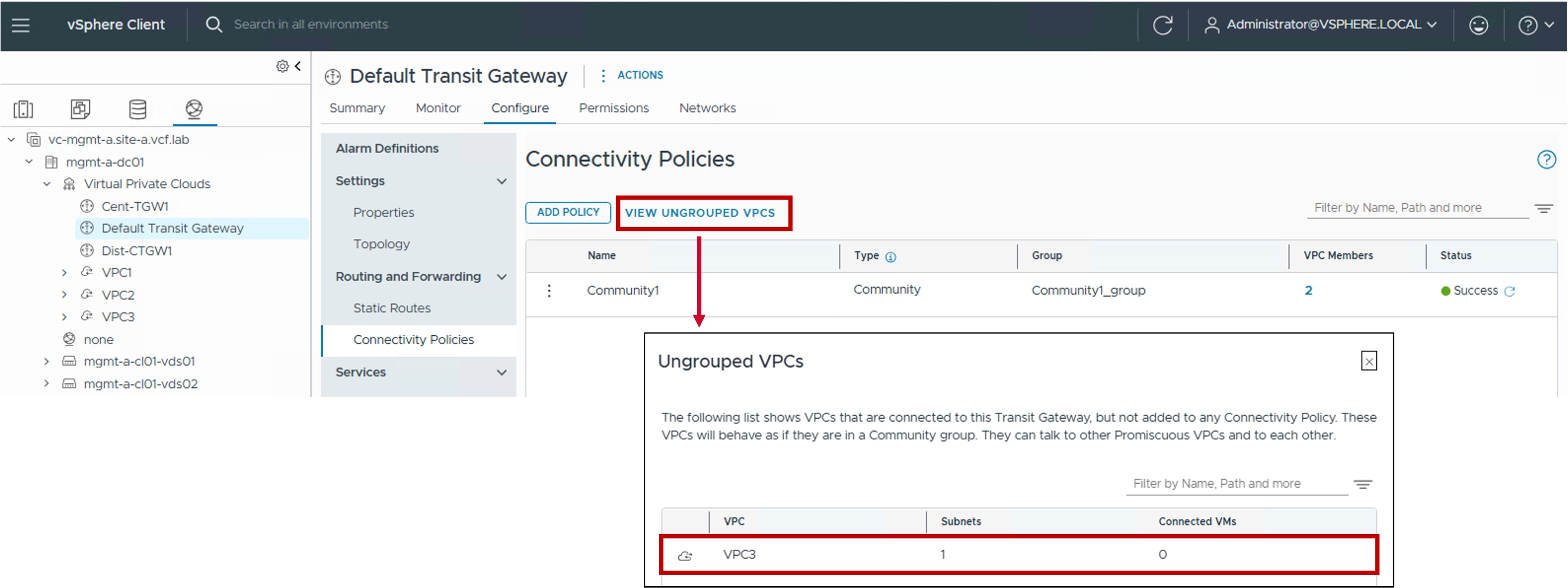
Show VPCs who don't belog to any Community