 Supervisor with "NSX + DTGW/VNA"
This section describes the procedures for Troubleshooting Network Services into the VKS Namespace utilizing an "NSX + DTGW/VNA" architecture inside a vSphere environment.
- Packet Walk
- App Access Broken
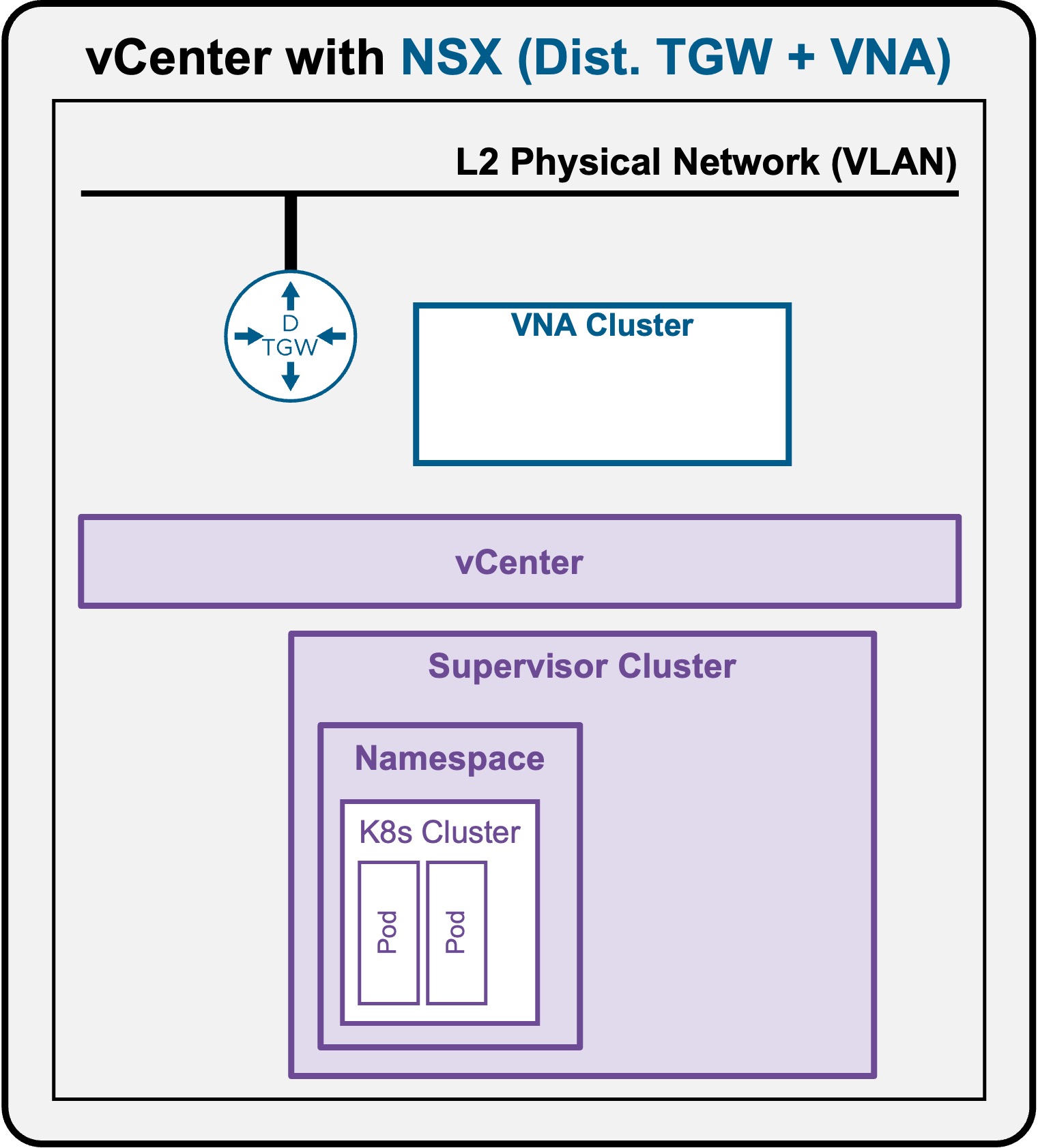
Troubleshooting - Pod access down
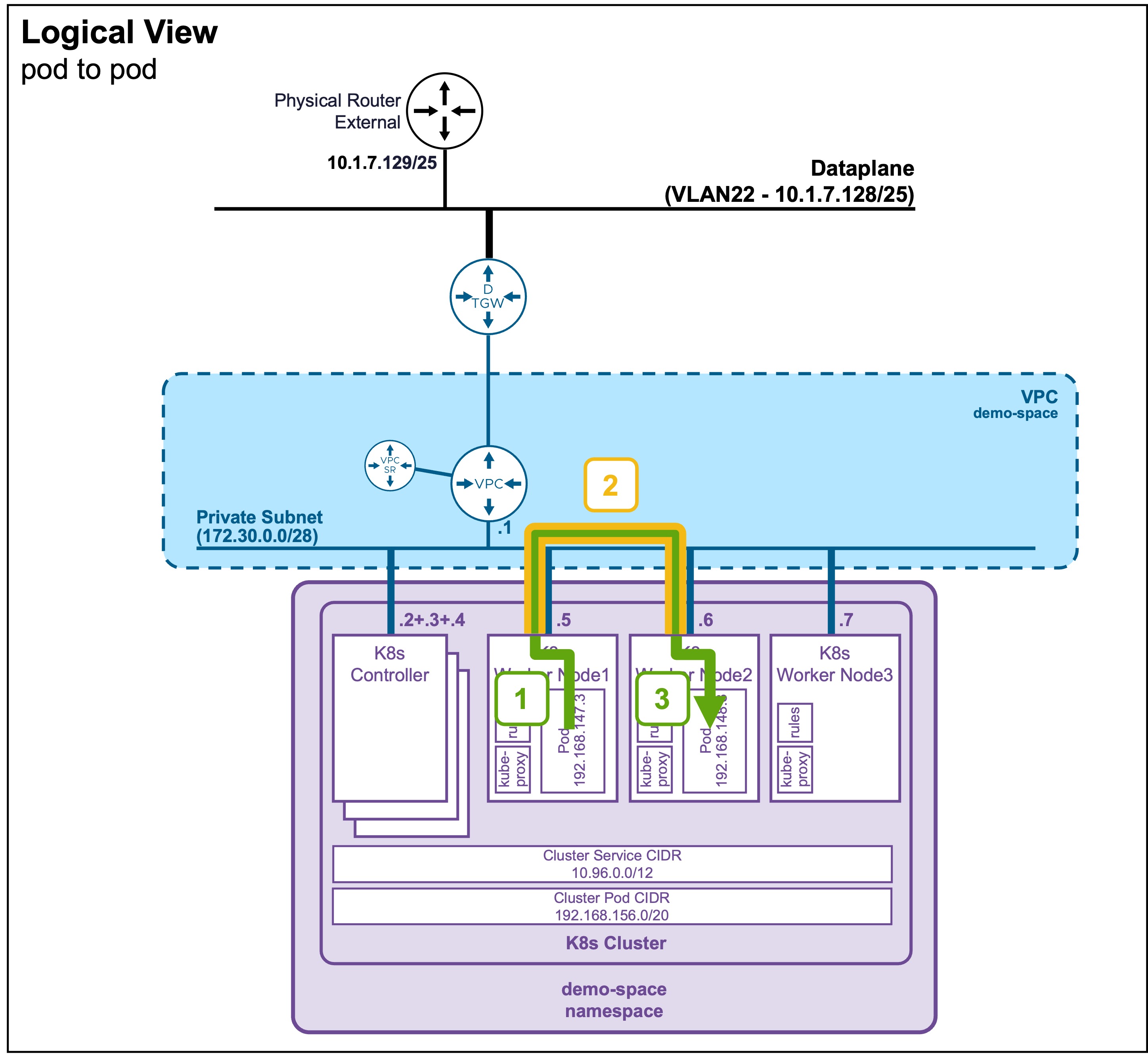
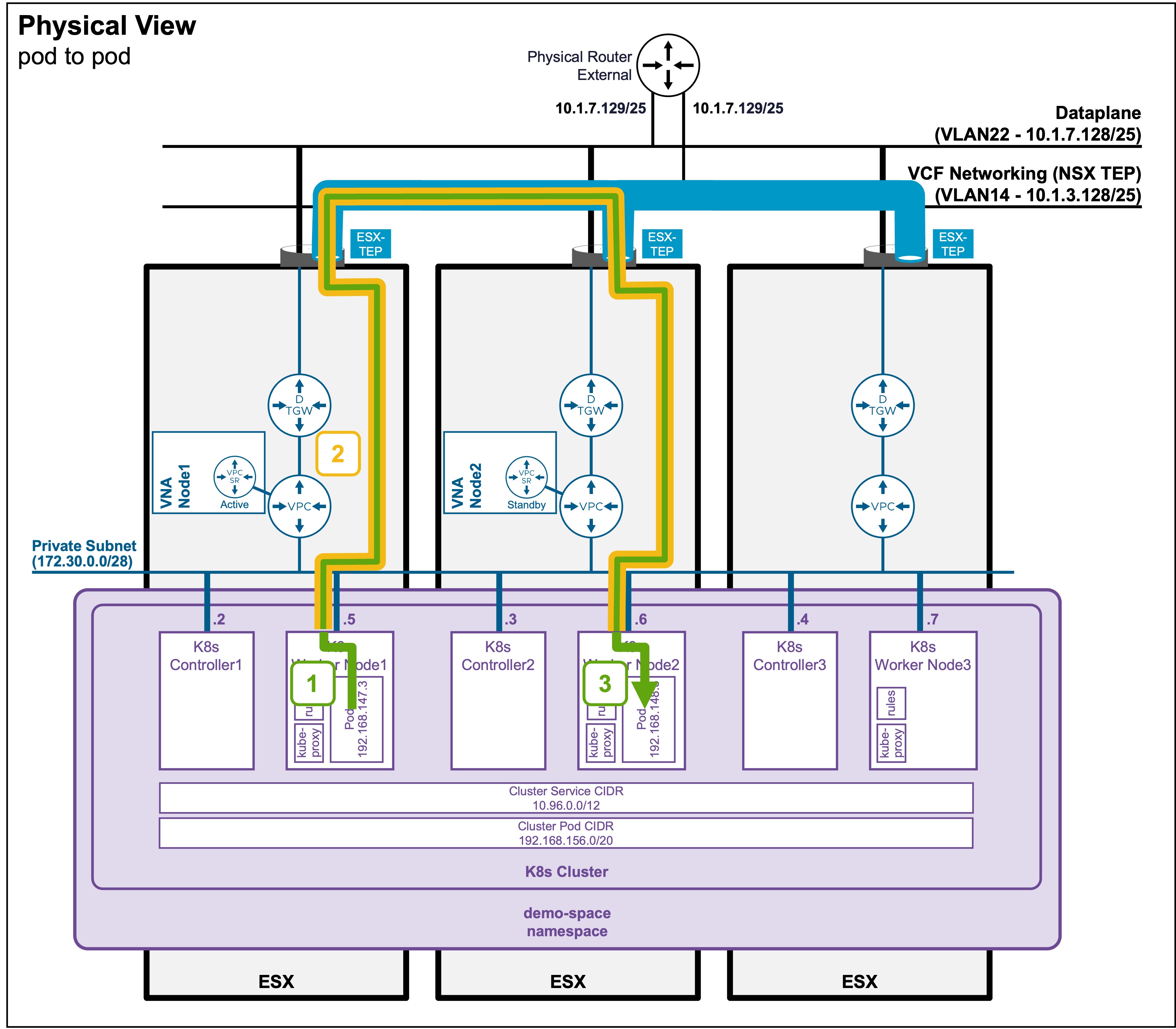
As described in the Packet Walk - E/W Pod to Pod section, Pod accessing a Pod traverse the following path:
Logical and Physical View
Troubleshooting Steps
Step1: Traffic leaves the Source Pod
This one is internal to the K8s Node and should not be blocked.
Step2+3: Cross-Node Encapsulation/Decapsulation + Delivery
-
Validate the ESX host tunnels are UP
Status Validation: TEP Tunnels
Navigate to vCenter > Host and Clusters > [your vCenter Cluster] > Configure > Networking > Network Configuration.
Ensure "Cluster Status" and "Host Status" are "Green", and ESX have at least 1 TEP IP Address:
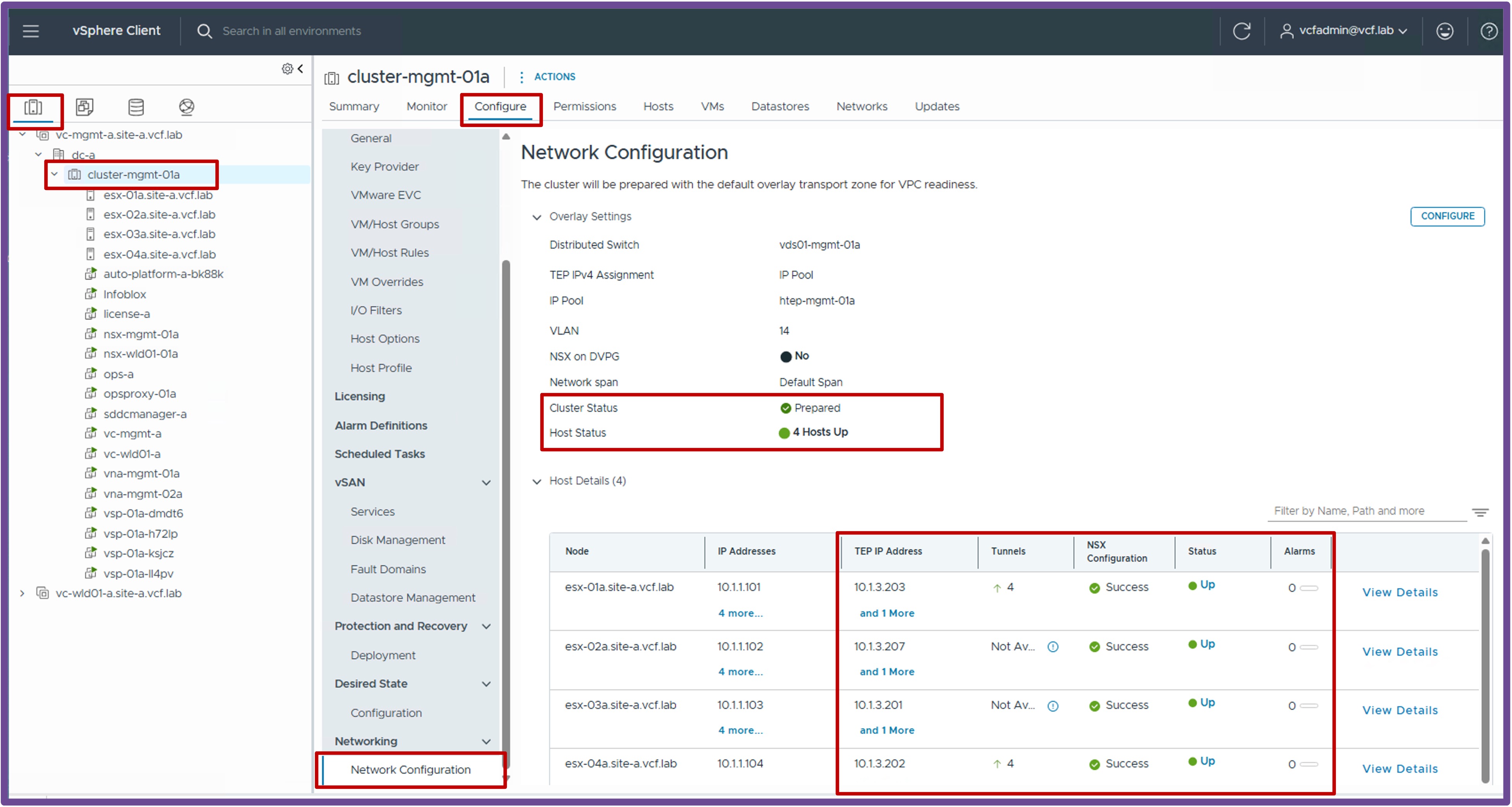
Note: If no workloads have been deployed on logical networks yet, it is normal to have zero tunnels established on the ESX hosts.
-
Validate the ESX host tunnels accept large packets (MTU)
Status Validation: Jumbo Frames
vmkping ++netstack=vxlan <remote-ESX-TEP-IP> -d -s 8900How to find remote-ESX-TEP-IP
remote-ESX-TEP-IP are available on vCenter > Host and Clusters > [your vCenter Cluster] > Configure > Networking > Network Configuration.
Output example
From the ESX CLI:
If vmkping doesn't work, consult with your Network Team to determine why routing does not reach the destination.[root@esx-01a:~] vmkping ++netstack=vxlan 10.1.3.207 -d -s 8900 PING 10.1.3.207 (10.1.3.207): 8900 data bytes 8908 bytes from 10.1.3.207: icmp_seq=0 ttl=64 time=1.234 ms 8908 bytes from 10.1.3.207: icmp_seq=1 ttl=64 time=1.102 ms 8908 bytes from 10.1.3.207: icmp_seq=2 ttl=64 time=1.098 ms --- 10.1.3.207 ping statistics --- 3 packets transmitted, 3 packets received, 0% packet loss round-trip min/avg/max = 1.098/1.144/1.234 ms- If standard "small" pings fail, the issue is typically related to routing misconfigurations or firewall blockages.
- If "large" pings fail, the issue is typically related to Jumbo Frames (MTU) not being enabled across the physical fabric.