 VPC NAT Configuration in vCenter
This section describes the procedures for configuring Network Address Translation (NAT) for your VPC workloads in private subnets.
NAT allows VPC Private subnets to communicate with external networks or provides a way for external users to reach private VPC workloads.
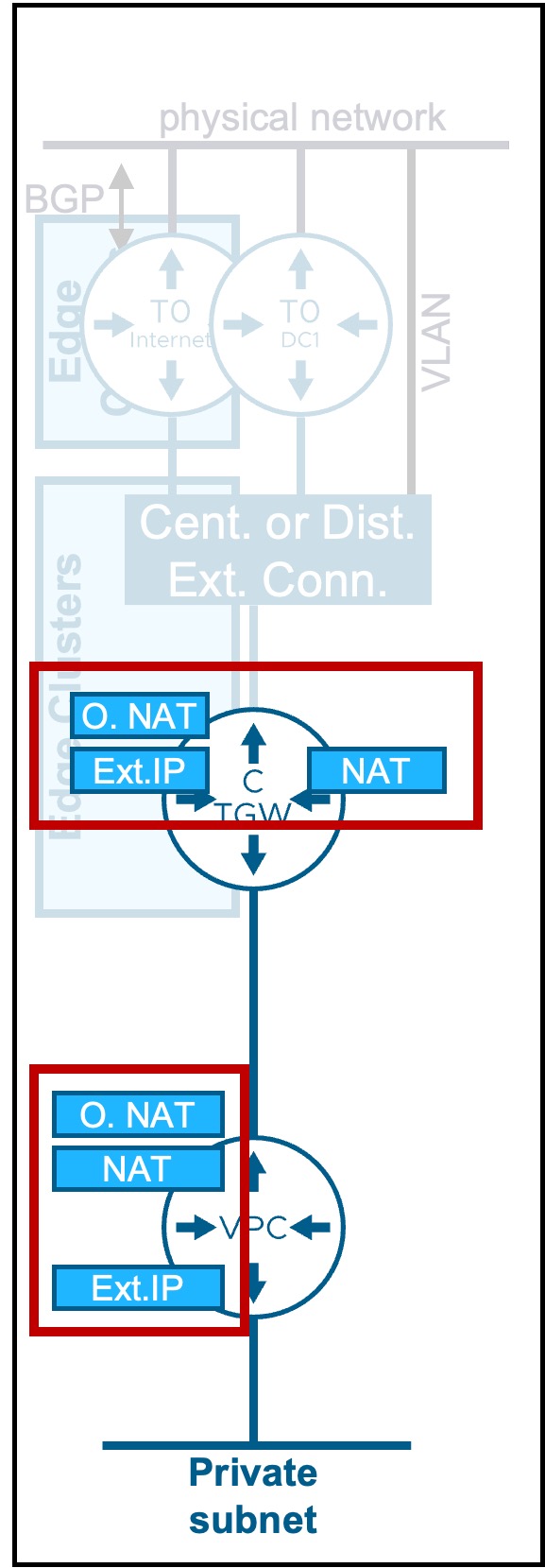
Overview of NAT types
Different NAT types are available:
| Type | Use Case | Routing Logic |
|---|---|---|
| External-IP (1:1) |
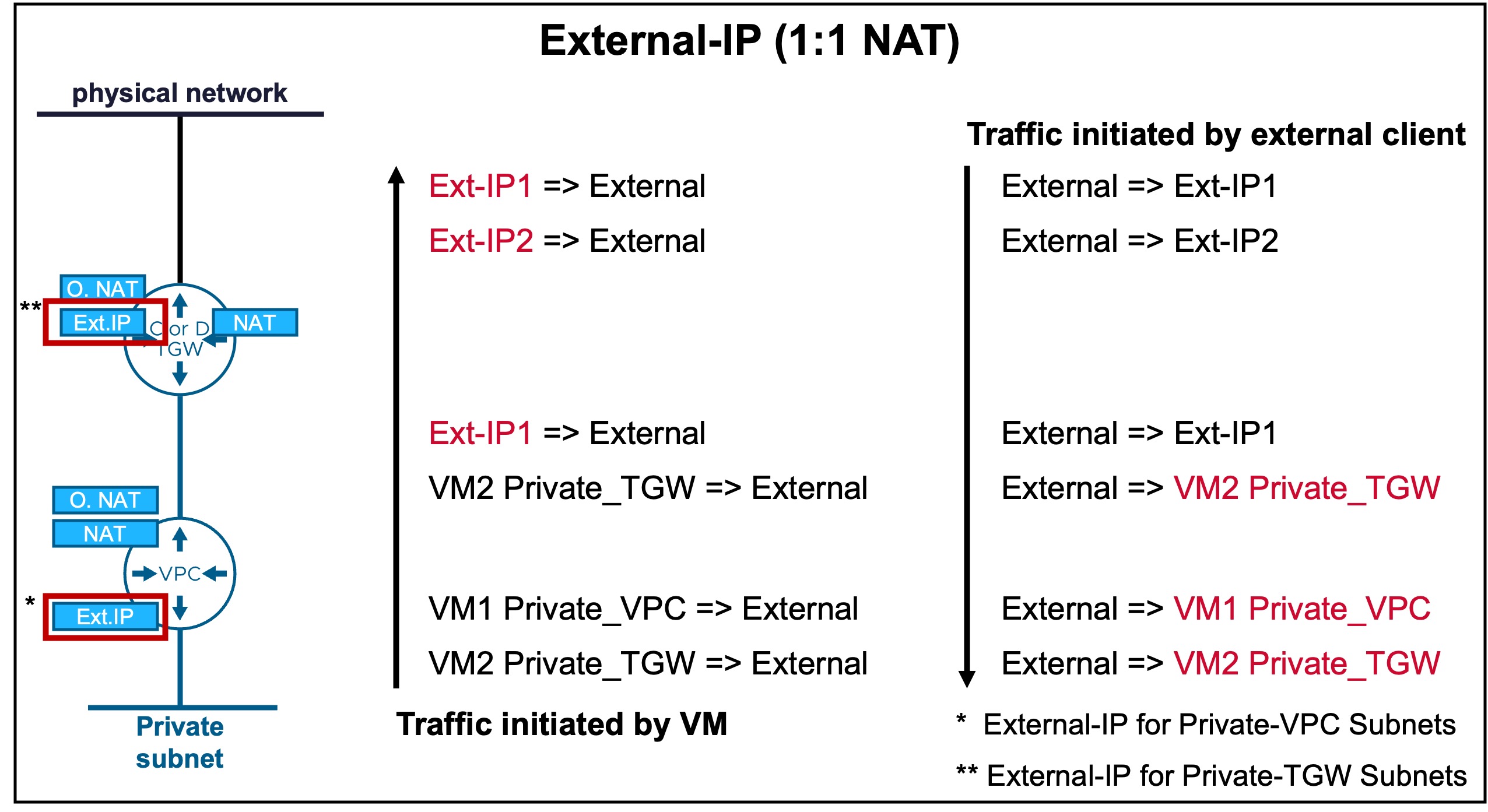
Maps a single Public IP to a single Private IP for specific workloads. | Provides Bi-directional communication (Inbound/Outbound) for Private VPC and TGW workloads. |
| Outbound-NAT (N:1 SNAT) |
Allows multiple workloads to share a single Public IP for external access. | Supports outbound requests only; hides internal IP addresses from the physical network. |
| NAT (SNAT/DNAT) |
Provides stateful Layer 4 translation for granular traffic control. | Enables flexible port-level translation and mapping between Private subnets and external networks. |

External-IP (1:1 NAT)
Maps a single Public IP to a single Private IP for specific workloads.
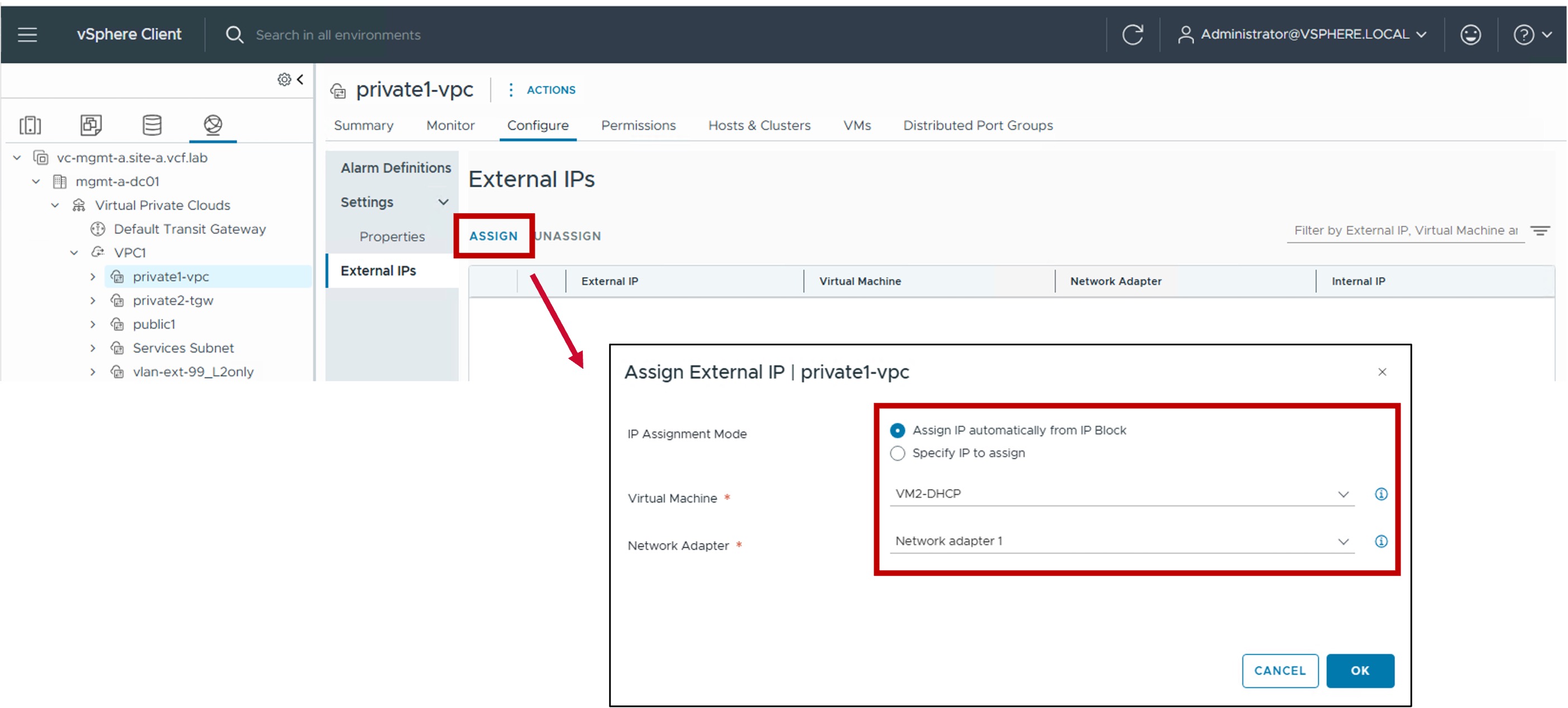
Configuration
- Step1. Create a new External IP
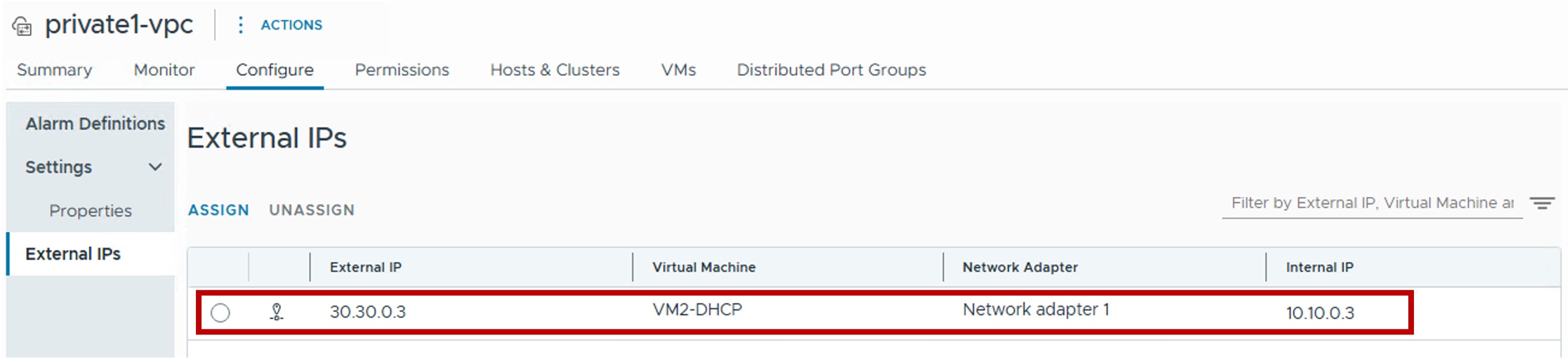
Monitoring
- *Show External IPs
Outbound-NAT (N:1 SNAT)
Allows multiple workloads to share a single Public IP for external access.
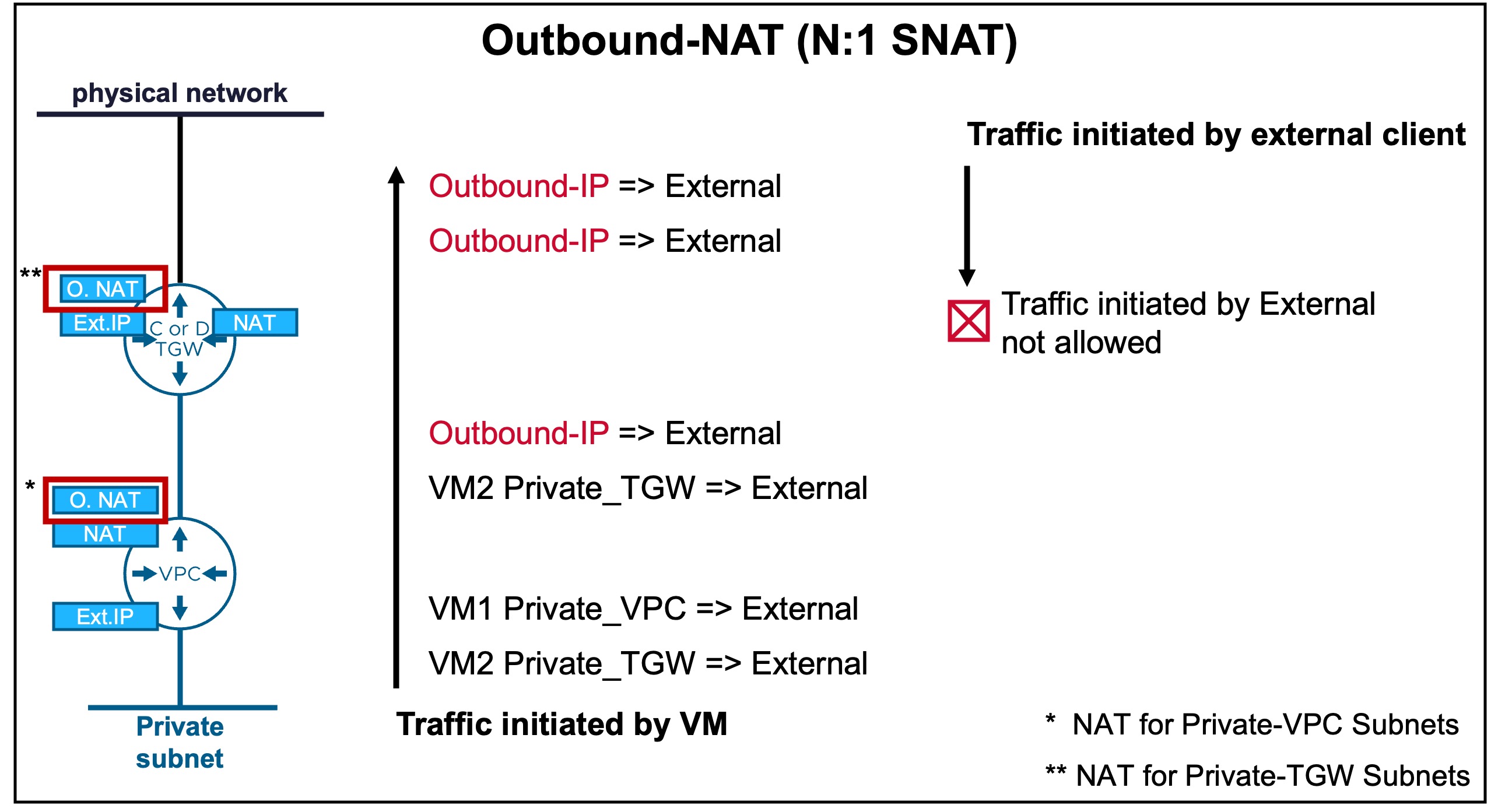
Configuration
Limitation
Outbound-NAT is not supported on VPCs connected to Distributed Transit Gateways without VNA.
(only supported on VPCs connected to Centralized Transit Gateways or Distributed Transit Gateways with VNA)
-
*Step1. Check Outbound-NAT configuration in the VPC Gateway
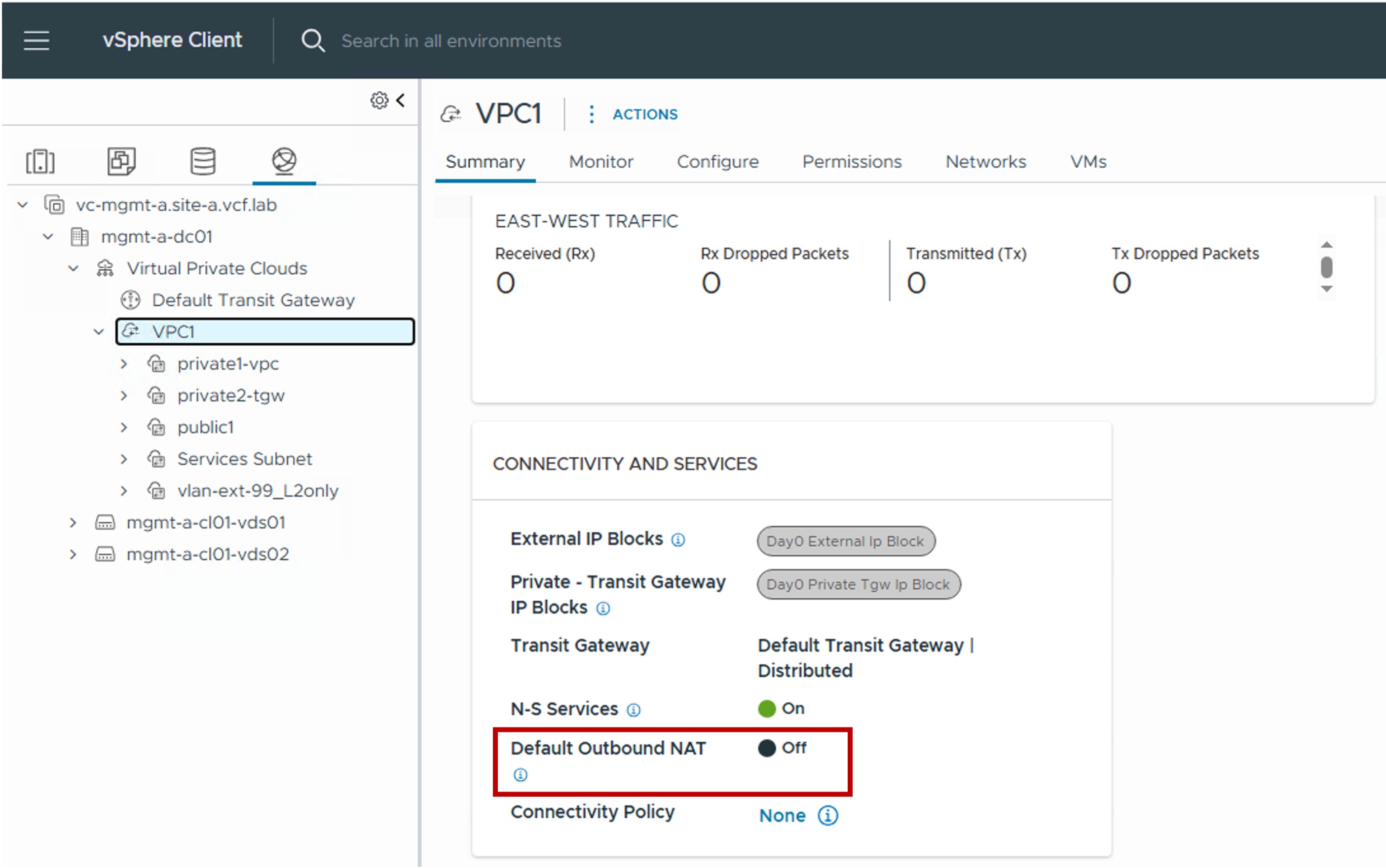
-
Step2. If disabled, Edit the VPC to find the Connectivity Profile used by the VPC
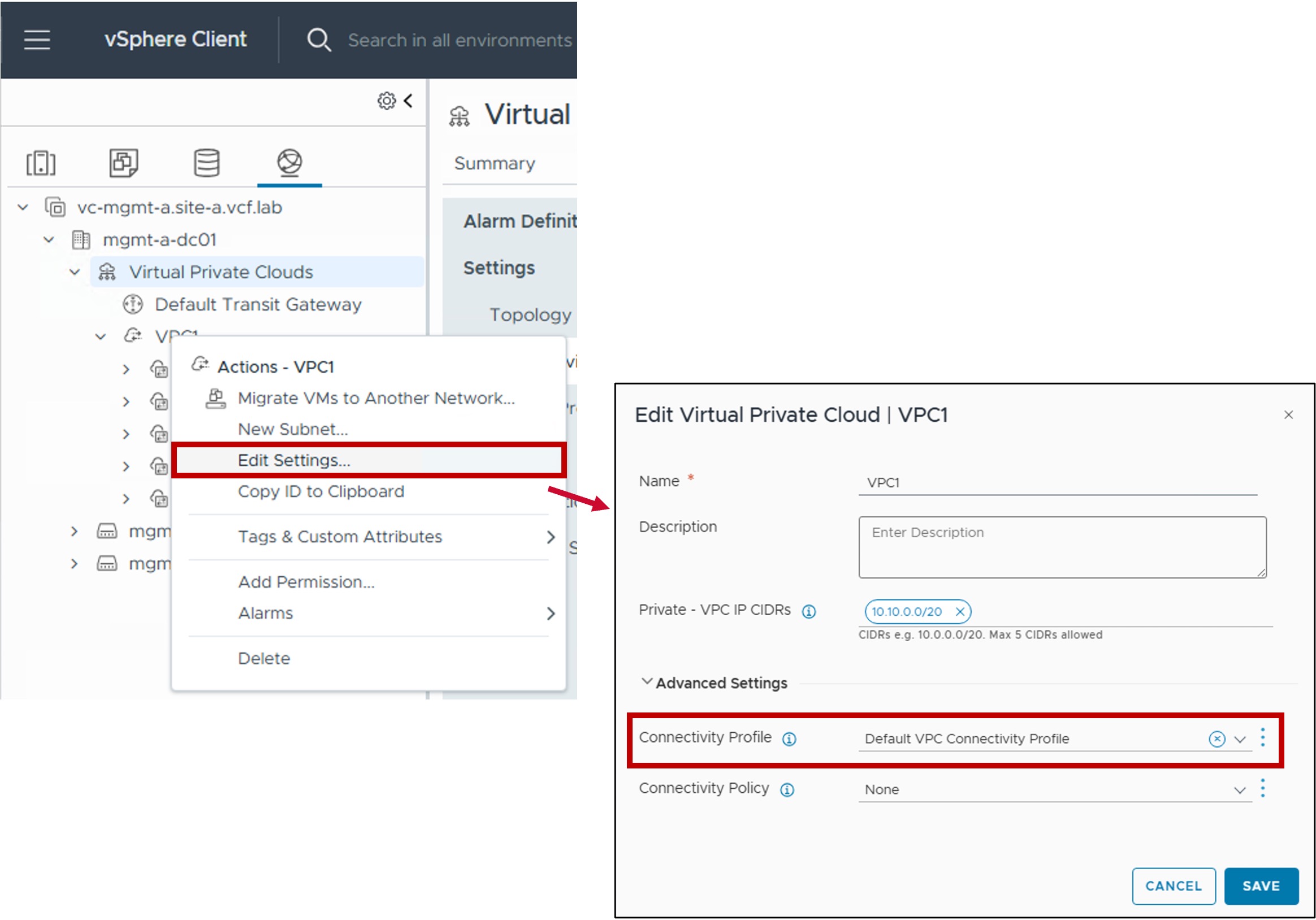
-
Step3. Edit the Connectivity Profile and enable Outbound-NAT
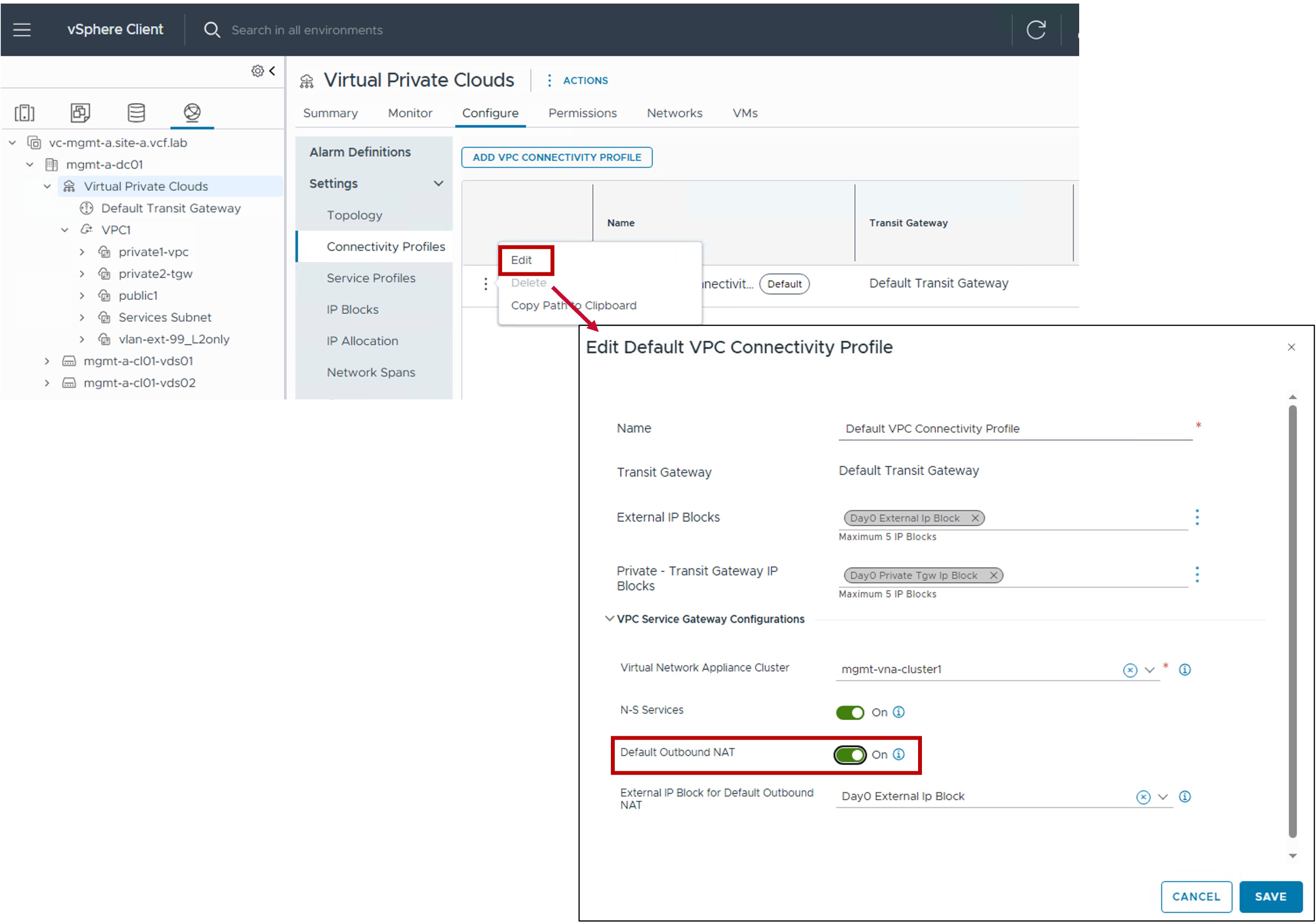
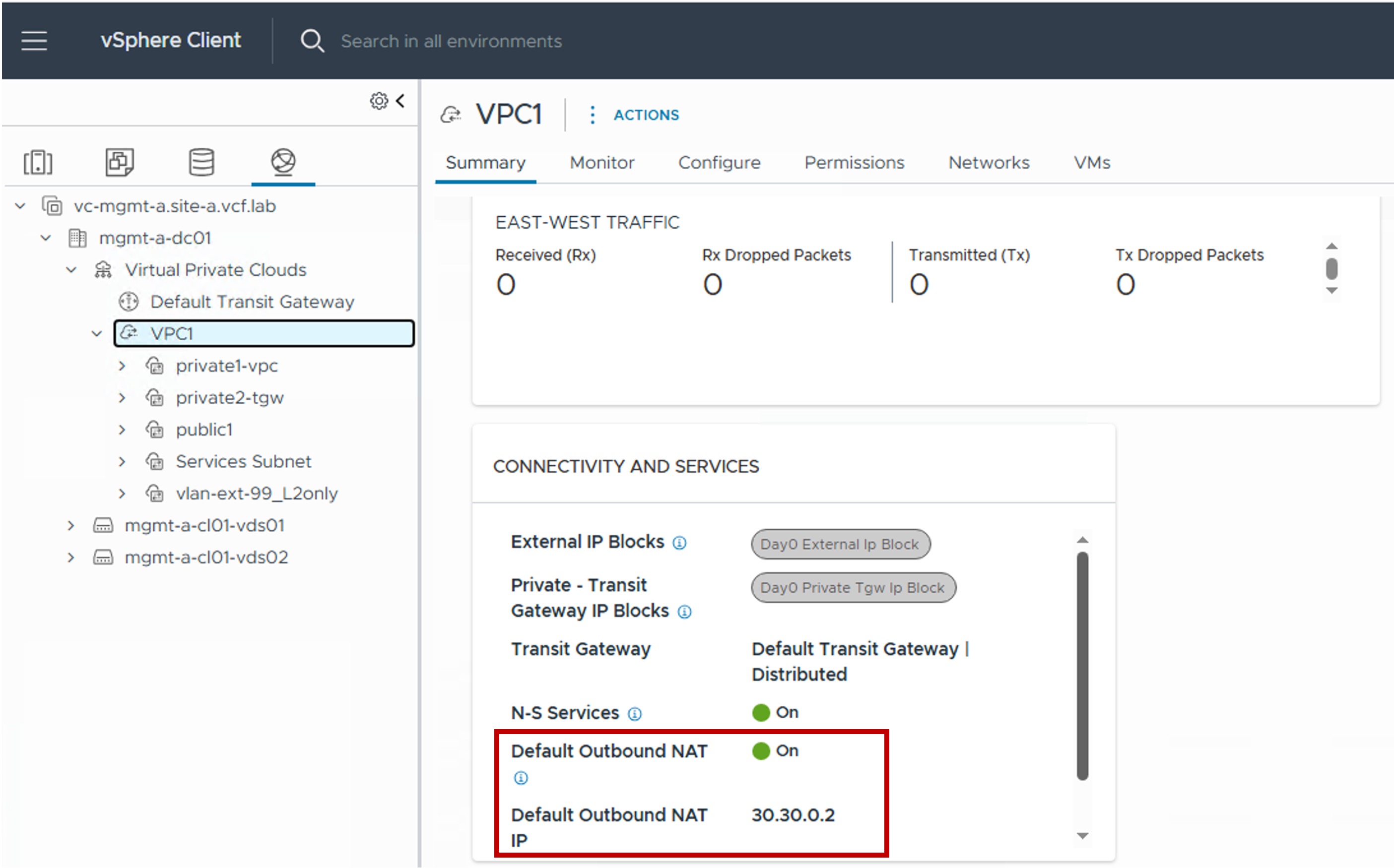
Monitoring
- *Show the Outbound-NAT IP used by the VPC
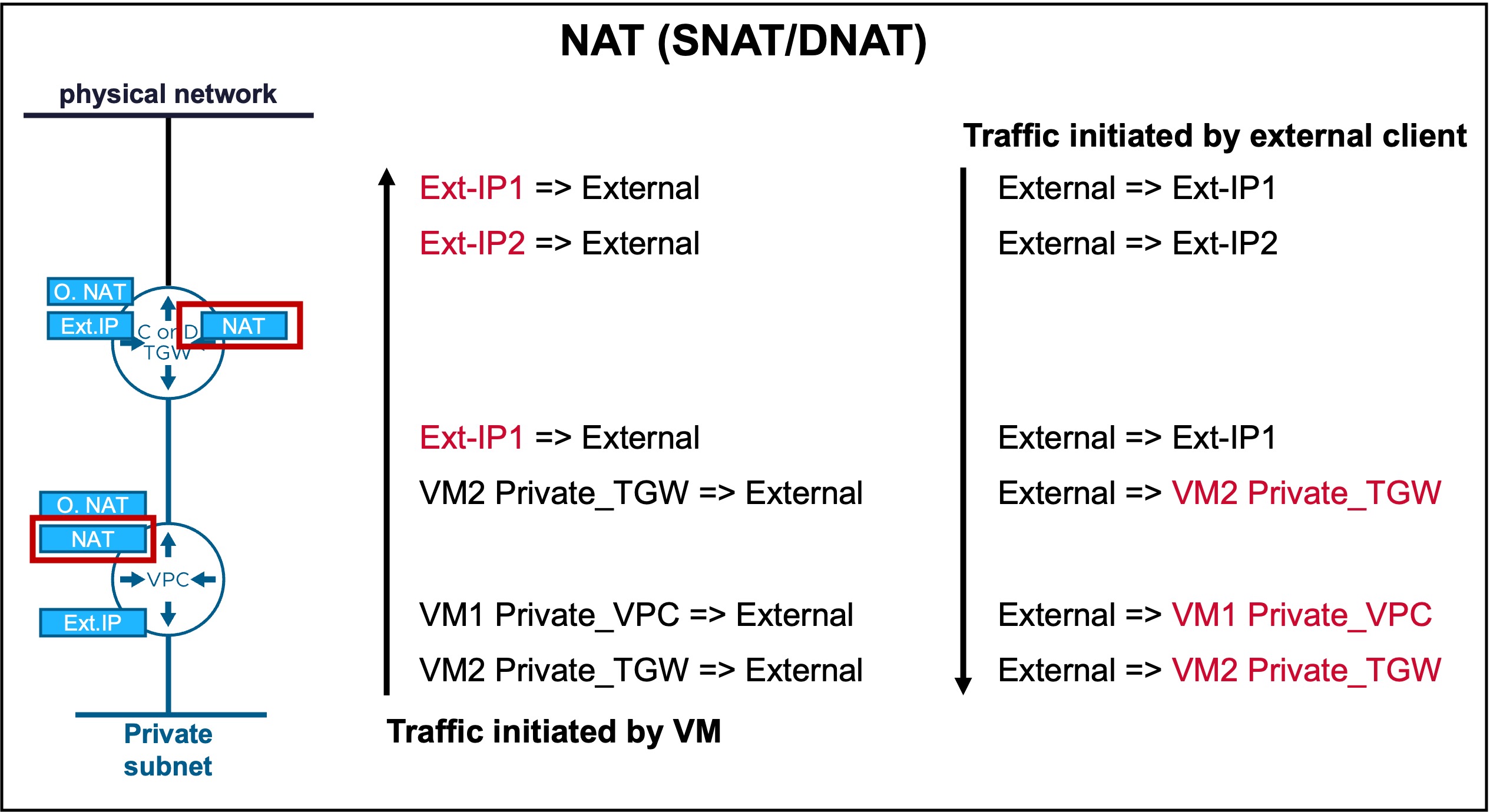
NAT (SNAT/DNAT)
Provides stateful Layer 4 translation for granular traffic control.
xxx To correct picture.
Configuration
xxx To do...
Monitoring
xxx To do...