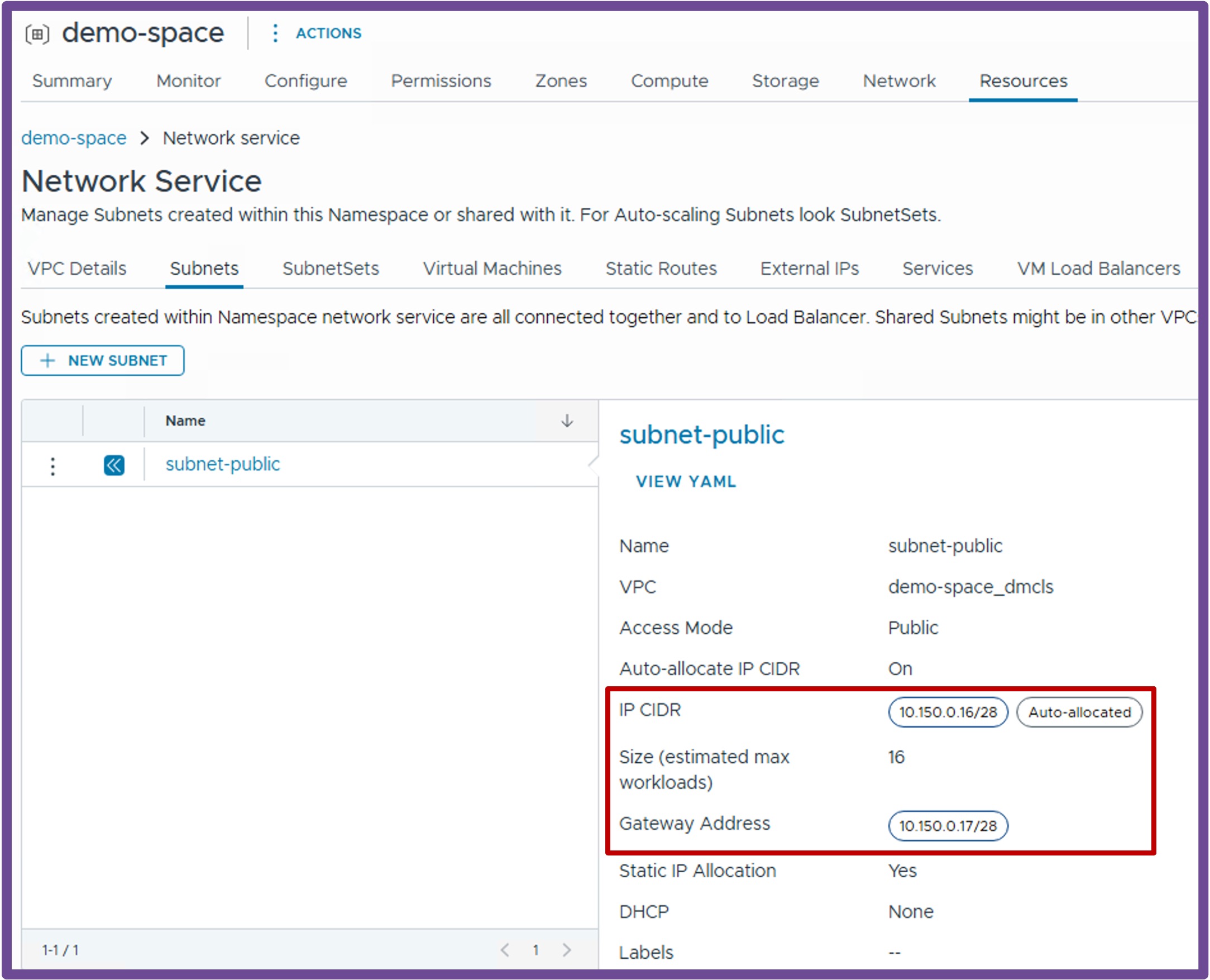
 Supervisor with "NSX + CTGW/Edge/T0"
This section describes the procedures for provisioning and managing Network Services within a VKS Namespace utilizing an "NSX + CTGW/Edge/T0" architecture inside a vSphere environment.
- Network Services
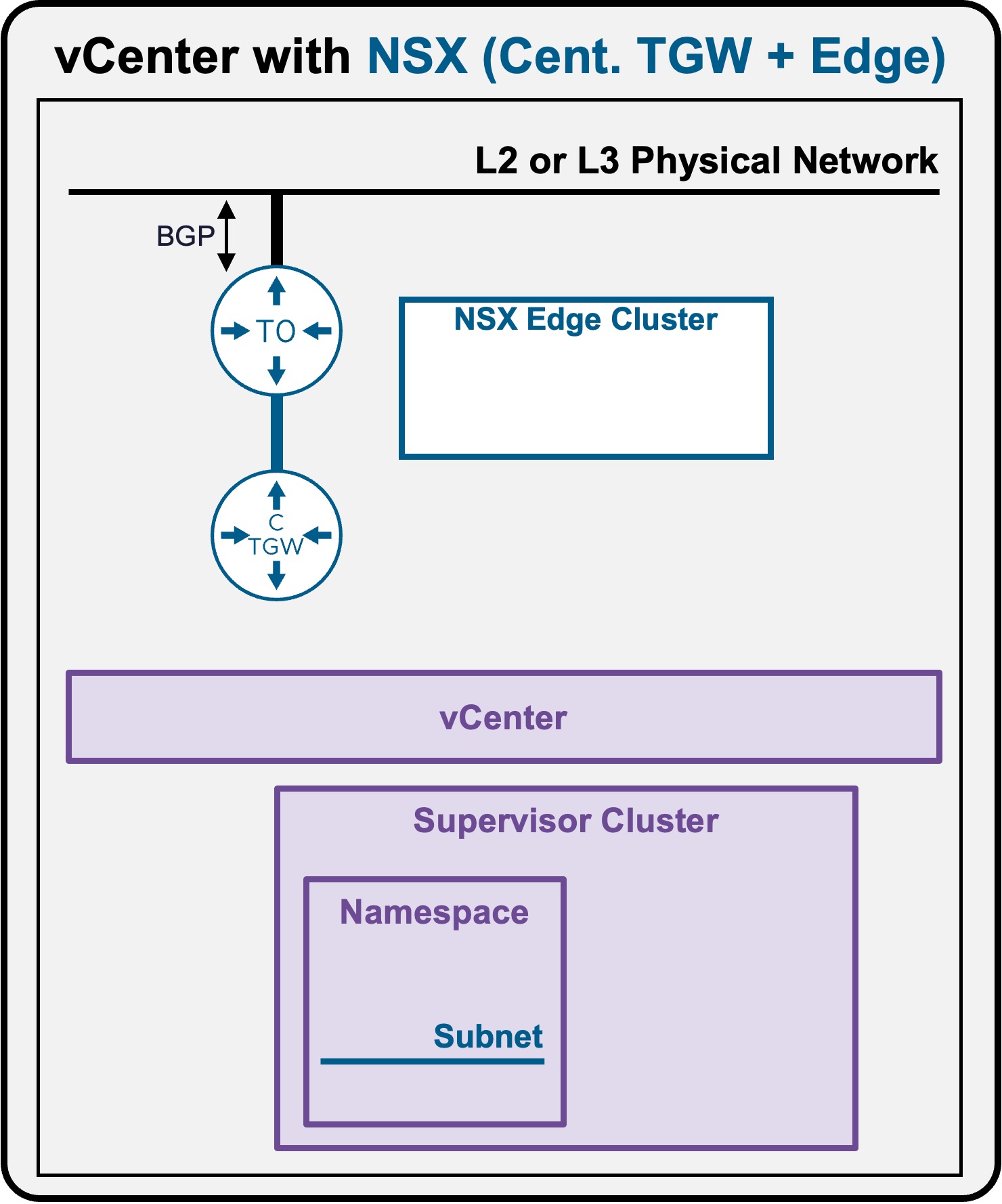
Network Services - Subnets
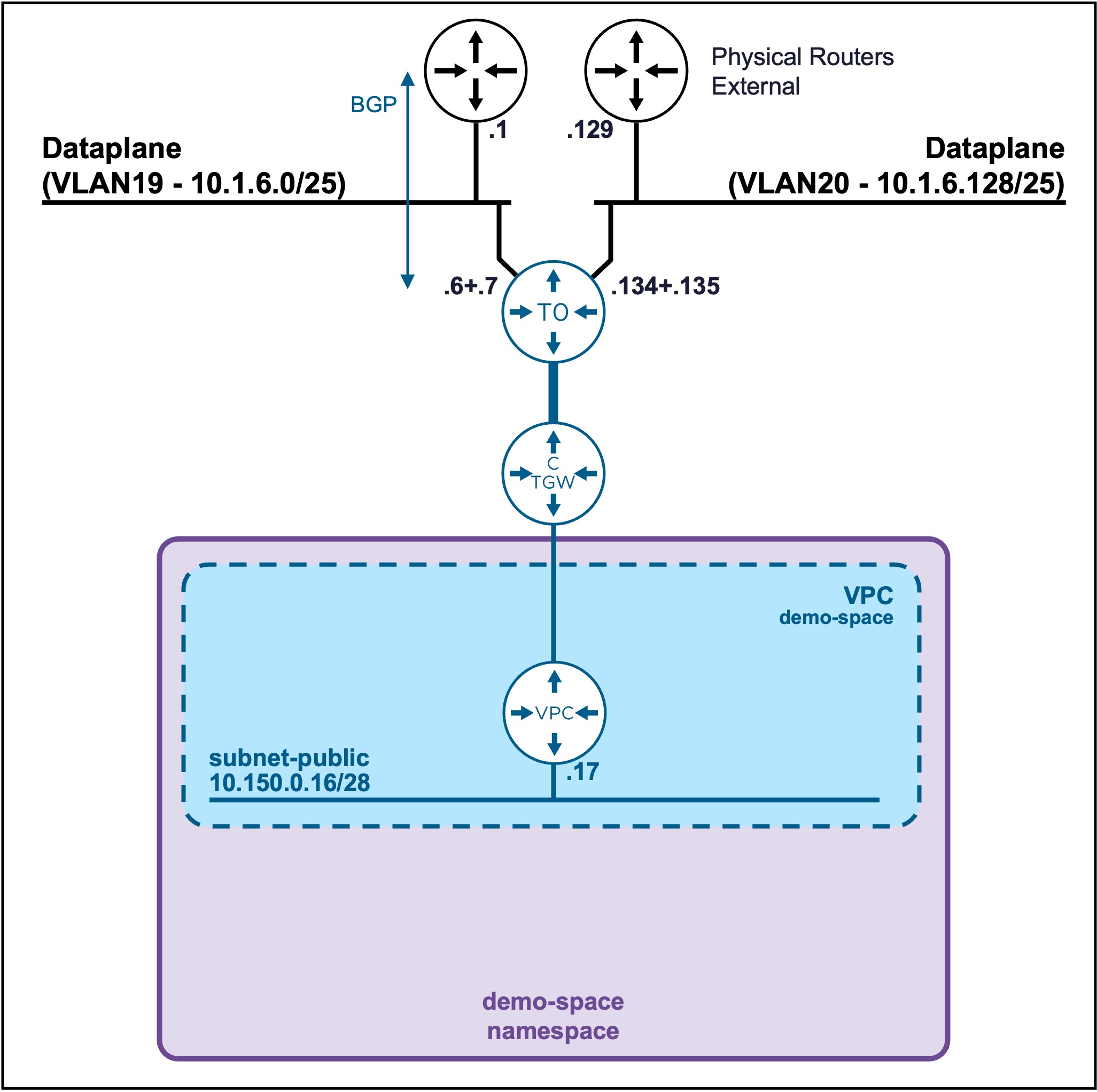
Create Subnet
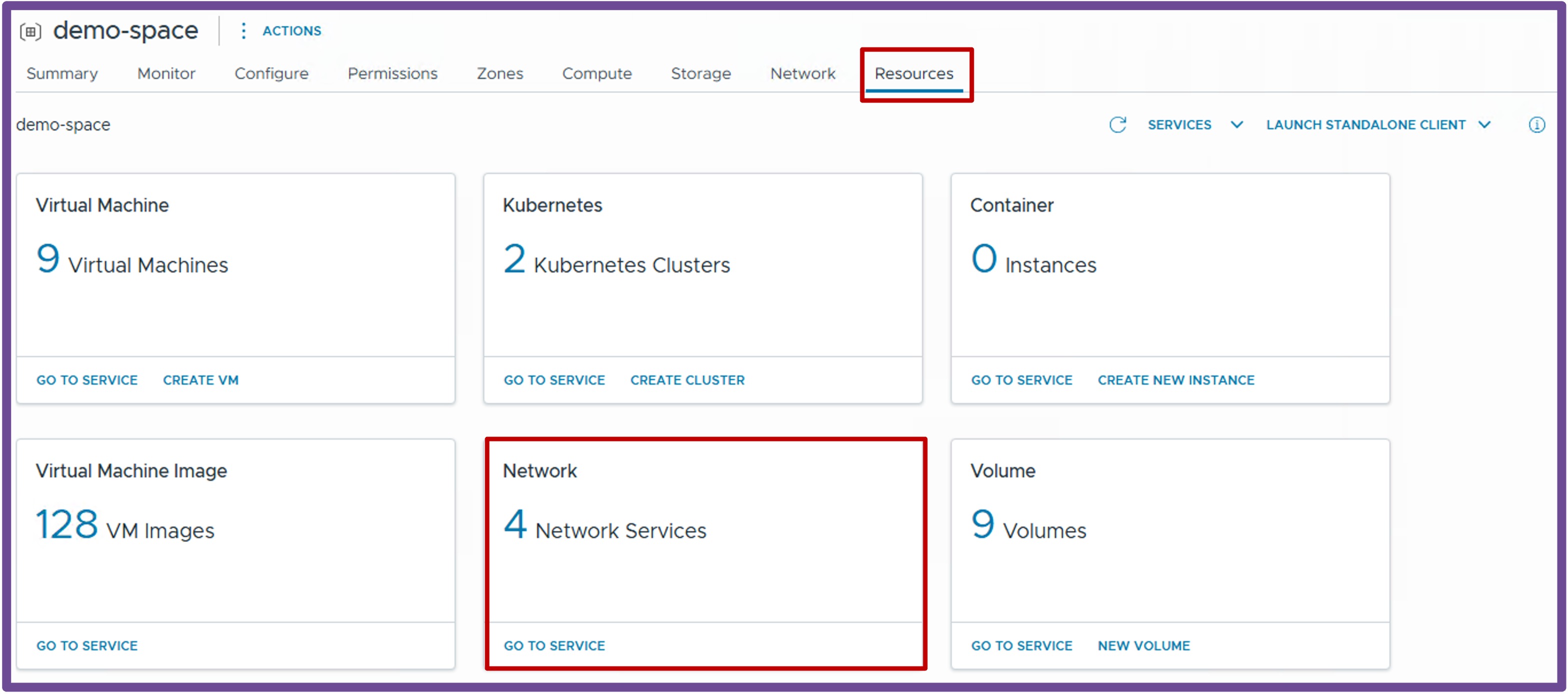
Navigate to vCenter > Supervisor Management > Supervisors, select your target Supervisor, click the Namespaces tab, and select your specific Namespace.
Under the Resources card, click Network - Go to Service.
- Create New Subnet
Navigate to Subnets, and click New Subnet.
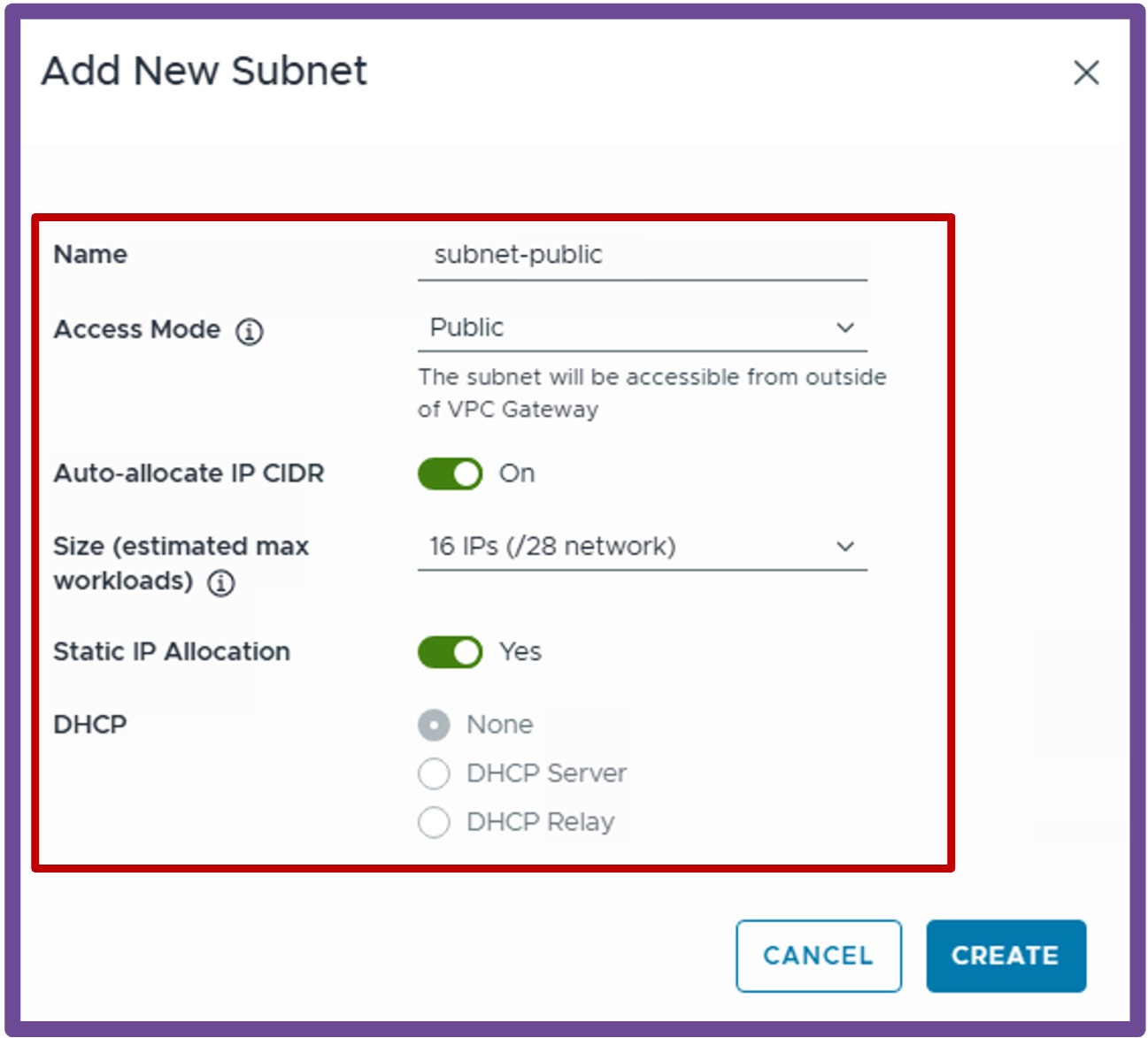
For more information about Subnets settings review the VPC Subnet Overlay page.
Validate Subnet Creation
Expand the newly created Subnet to view its assigned CIDR and VPC Gateway.