 IP Blocks in vCenter
This section describes the procedures for configuring IP Blocks using the vSphere Client.
IP Blocks are used for VPC IP allocation.
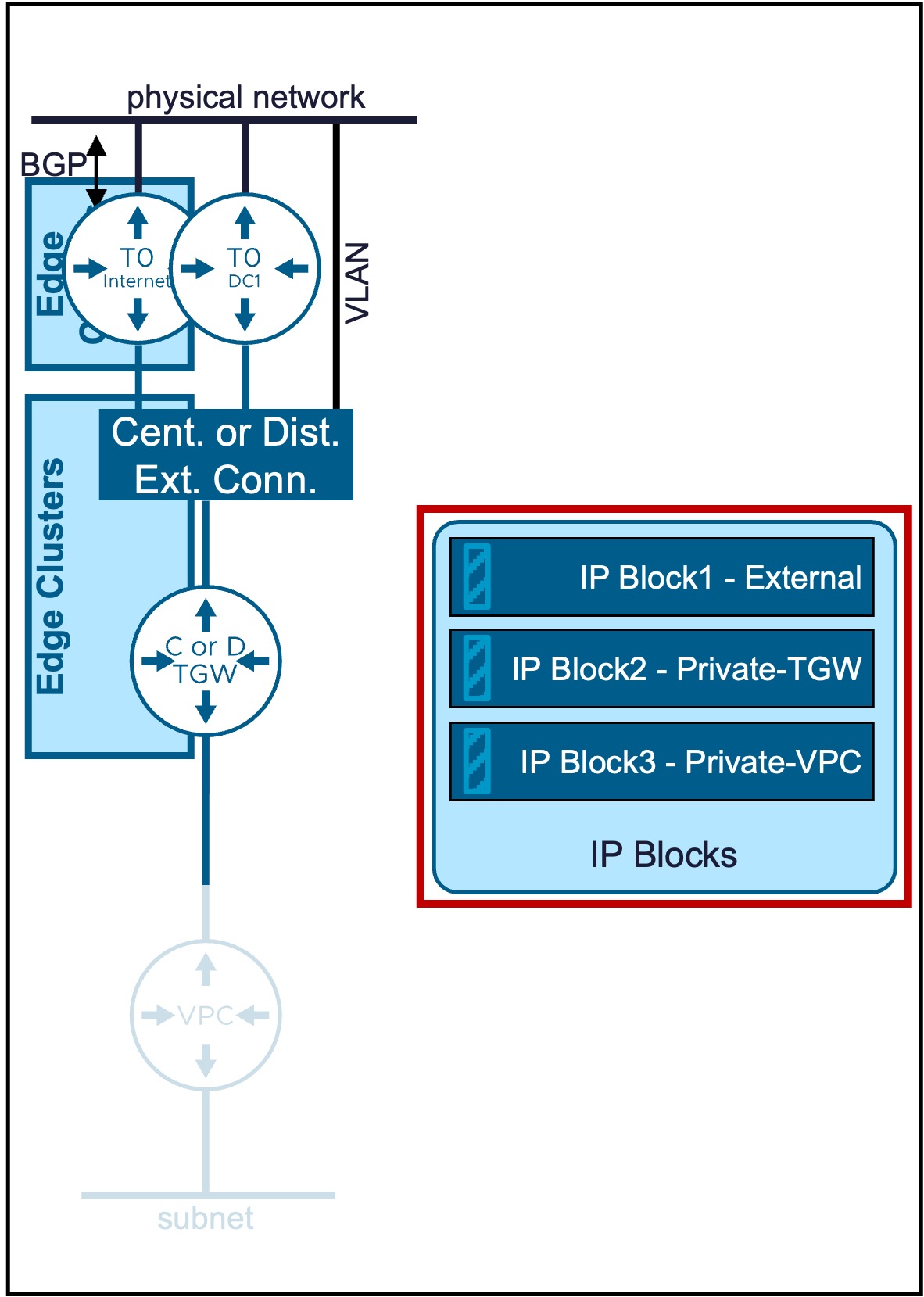
Overview of IP Block Types
Different IP Block types are available:
| Type | Use Case | Routing Logic |
|---|---|---|
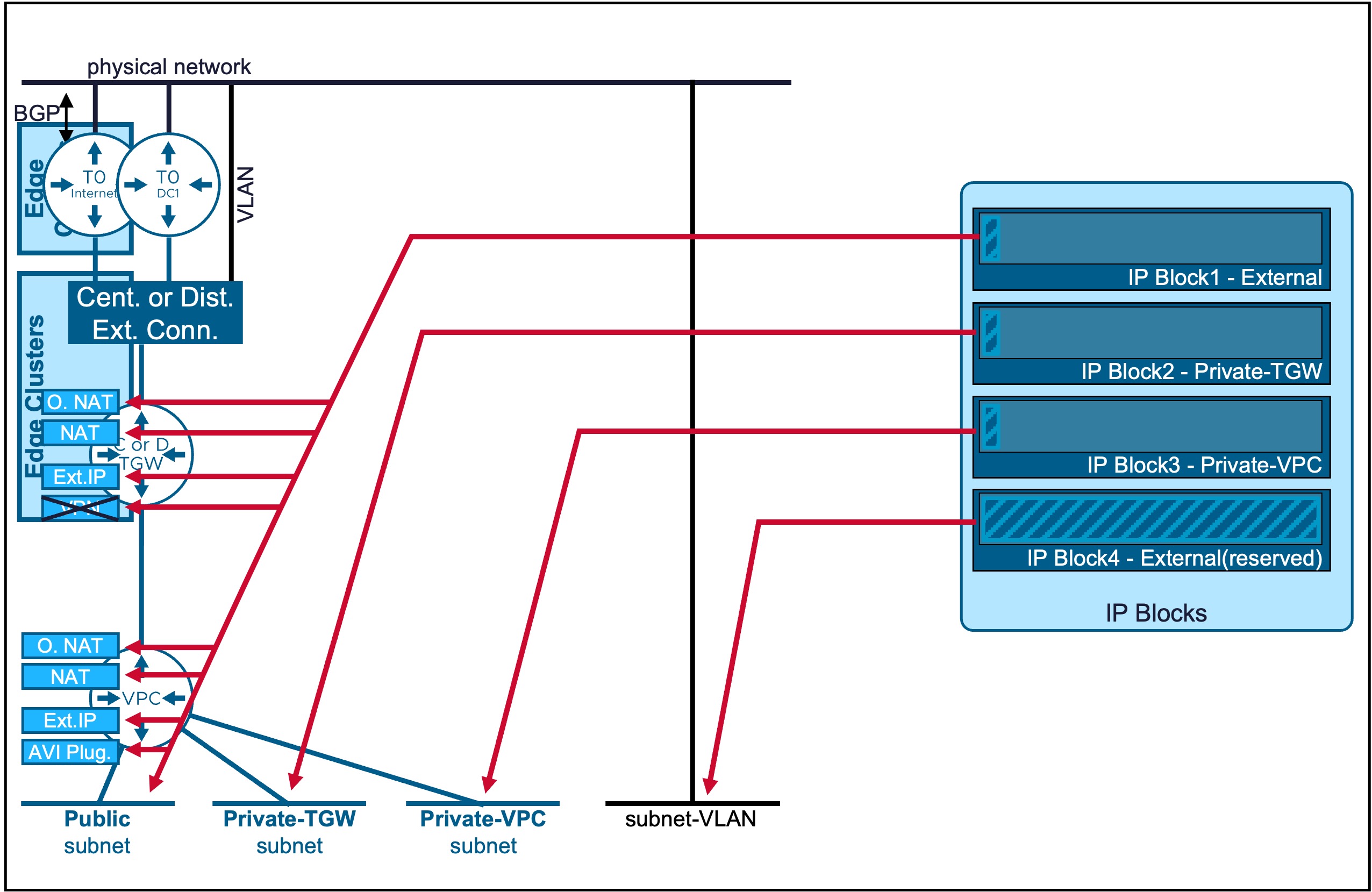
| External | Used for VPC Subnets Public and different NAT. Also used by LB VIP (AVI configuration) and VPN (NSX configuration). |
External visibility is high; direct ingress/egress. |
| Private-TGW | Used for VPC Subnets Private-TGW and specific NAT (SNAT/DNAT) | Best for shared internal services across the enterprise. |
| Private-VPC | Used for VPC Subnets Private-VPC. Note: Configuration is within the VPC Gateway. |
Maximum isolation; workloads are "hidden" even from other VPCs. |
For more information on VPC Subnets, refer to the VPC Subnet page.
IP Block External
This IP Block type is used for Public VPC Subnets (and also NAT, LB VIP (AVI configuration), and VPN (NSX configuration)).
Also used for VLAN-backed Subnets.
- Public VPC Subnets: These IP Blocks must be manually defined in this section (see configuration steps below).
- VLAN-backed Subnets: These IP Blocks are not created here; they are configured directly within the VPC Subnet VLAN Extension
Configuration
-
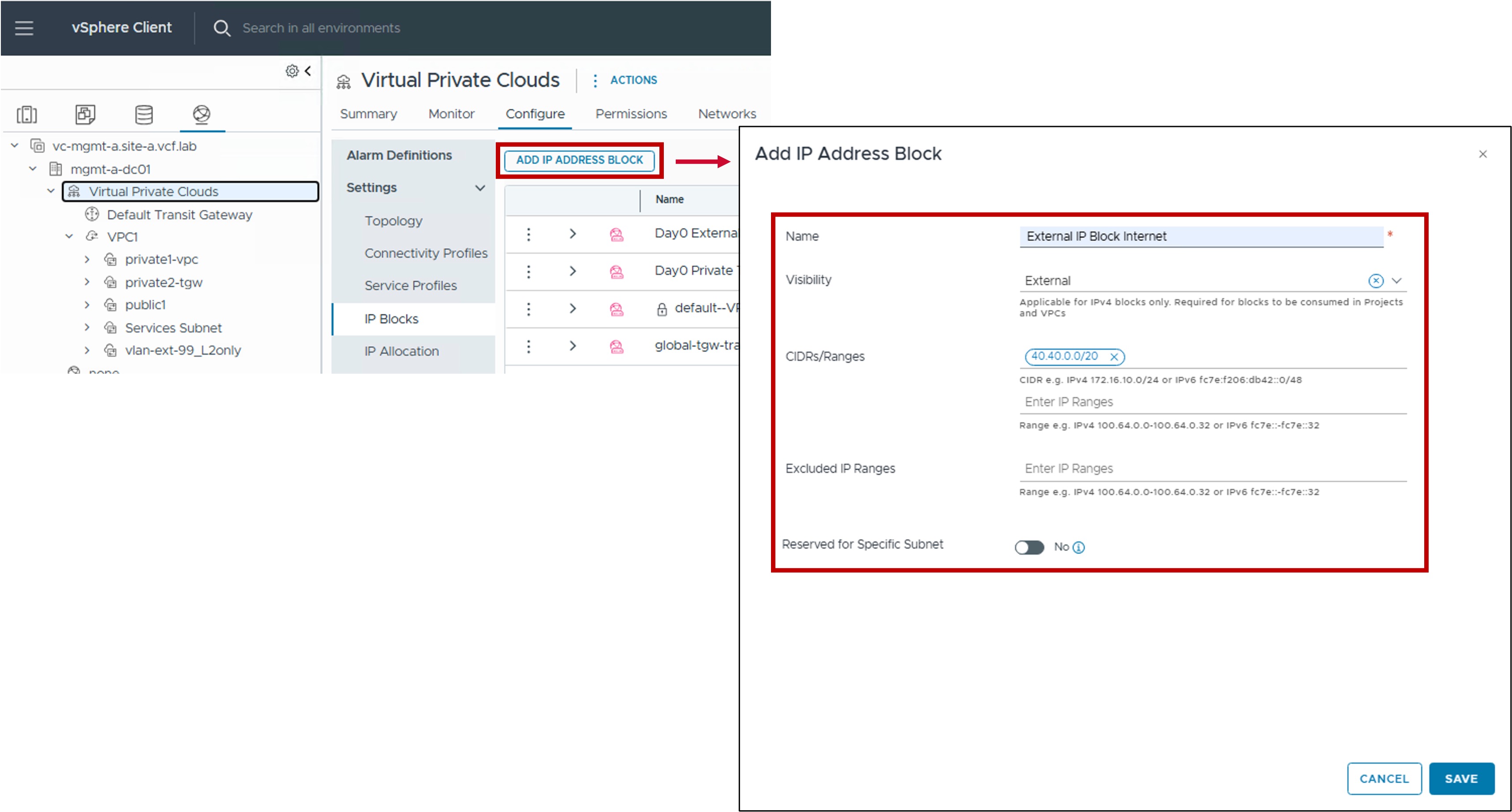
Step1. Create new IP Block External
-
Visibility:
Set to External. -
CIDRs/Ranges:
Enter the specific CIDR(s) and/or IP Range(s) to be managed by this block.
. CIDR: Required for VPC-Subnet Publics, Specific NAT, Load Balancer VIPs (AVI configuration), and VPN (NSX configuration)
. Range: Supported for All NAT, Load Balancer VIPs (AVI configuration), and VPN (NSX configuration). It cannot be used for for VPC-Subnet Publics; these require CIDRs. -
Excluded IP Ranges:
(Optional) Specify any IP Range(s) within the CIDRs above that should be withheld from automatic allocation (e.g. IP Range used by the physical network). -
Reserved for Specific Subnet:
This setting is used exclusively for VLAN-backed Subnets.
For the creation of VPC-Subnet Public this option must be left Disabled.
Note: IP Blocks for VLAN-backed Subnets are created directly within the VPC Subnet VLAN Extension.
-
Monitoring
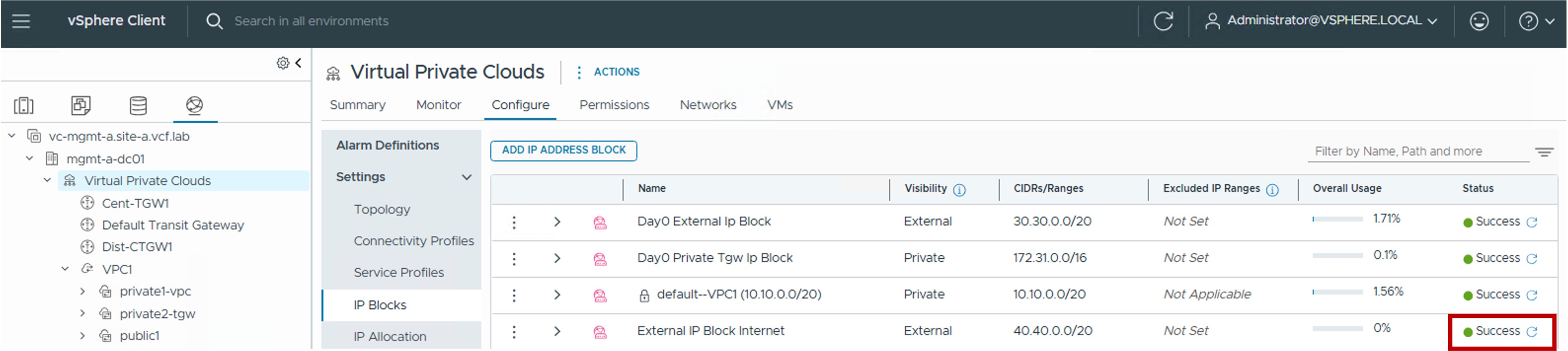
- Status
The status reflects the successful application of the configuration.
IP Block Private-TGW
Configuration
This is the IP Block used for future VPC Subnets Private-TGW.
-
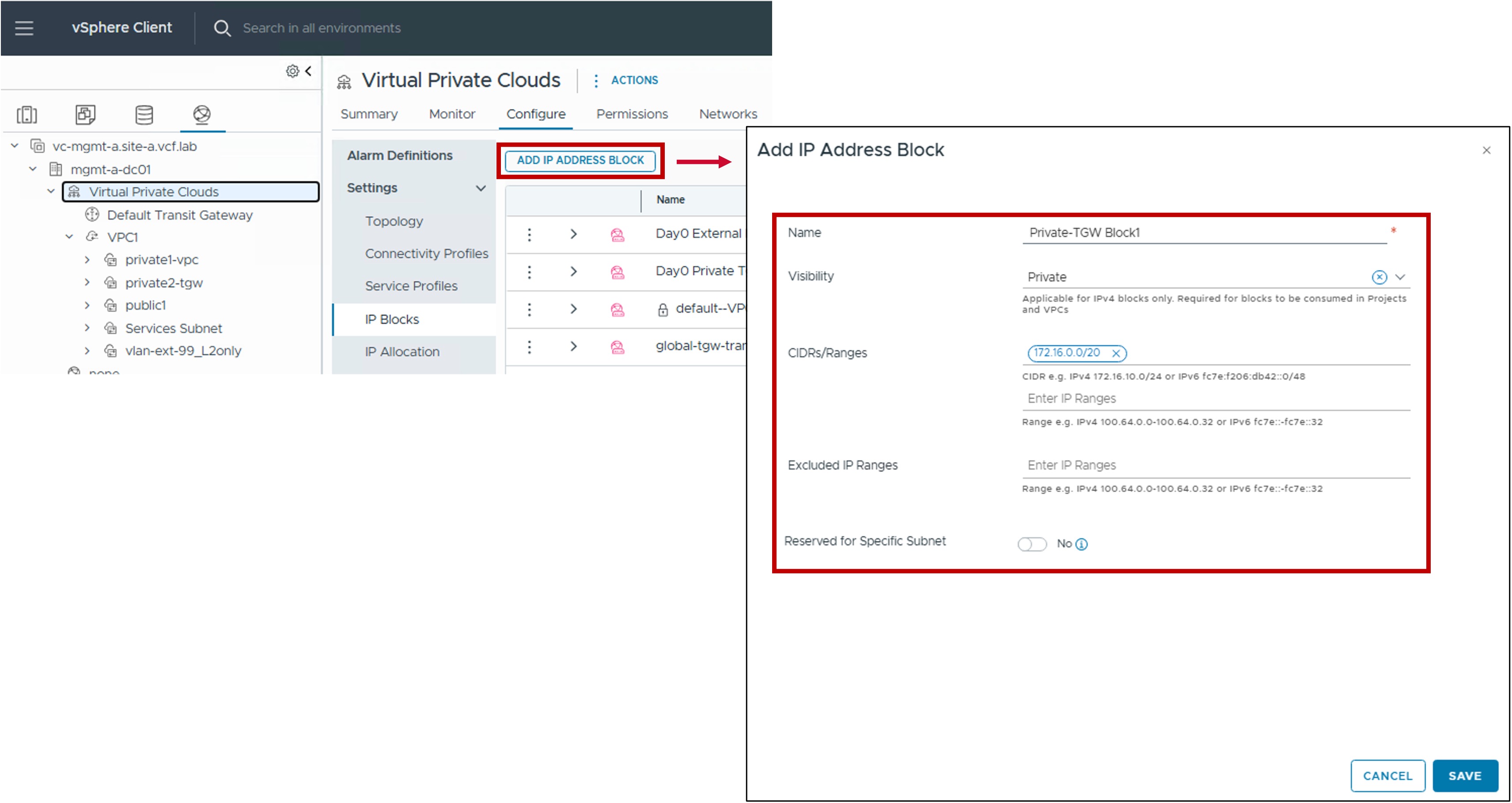
Step1. Create new IP Block Private-TGW
-
Visibility:
Set to Private. -
CIDRs/Ranges:
Enter the specific CIDR(s) and/or IP Range(s) to be managed by this block.
. CIDR: Required for VPC-Subnet Private-TGW and Specific NAT
. Range: Supported for specific NAT (SNAT/DNAT), Load Balancer VIPs (AVI configuration), and VPN (NSX configuration). It cannot be used for for VPC-Subnet Private-TGW; these require CIDRs. -
Excluded IP Ranges:
(Optional) Specify any IP Range(s) within the CIDRs above that should be withheld from automatic allocation. -
Reserved for Specific Subnet:
Not Applicable.
-
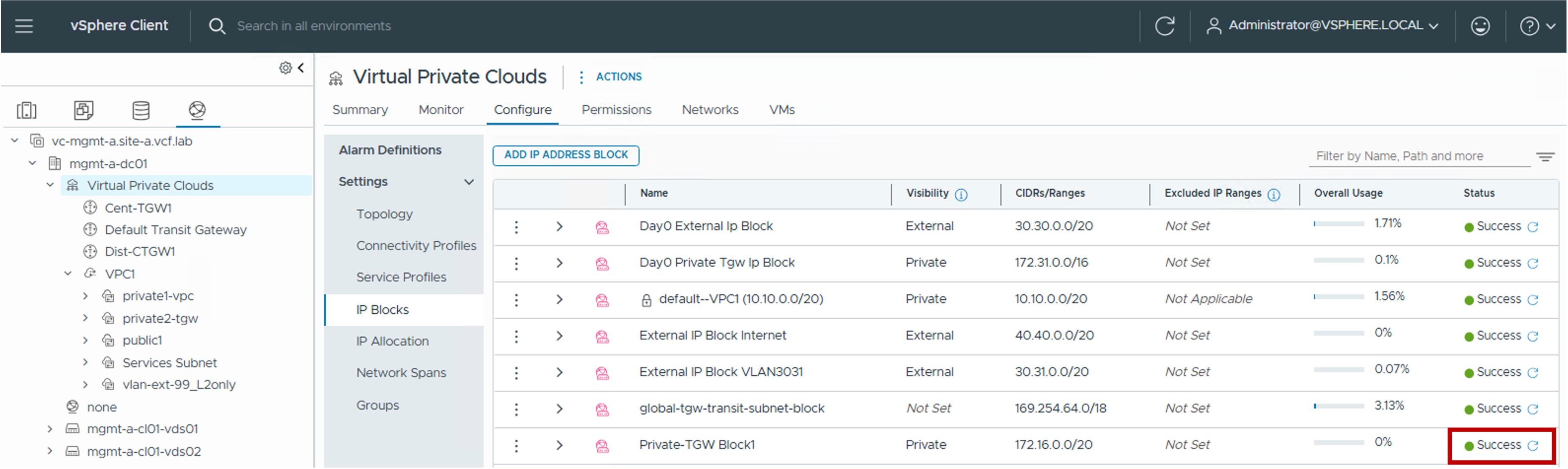
Monitoring
- Status
The status reflects the successful application of the configuration.
IP Block Private-VPC
Configuration
This is the IP Block used for future VPC Subnets Private-VPC.
It's configuration is managed directly within the VPC Gateway settings.
Monitoring IP Blocks
-
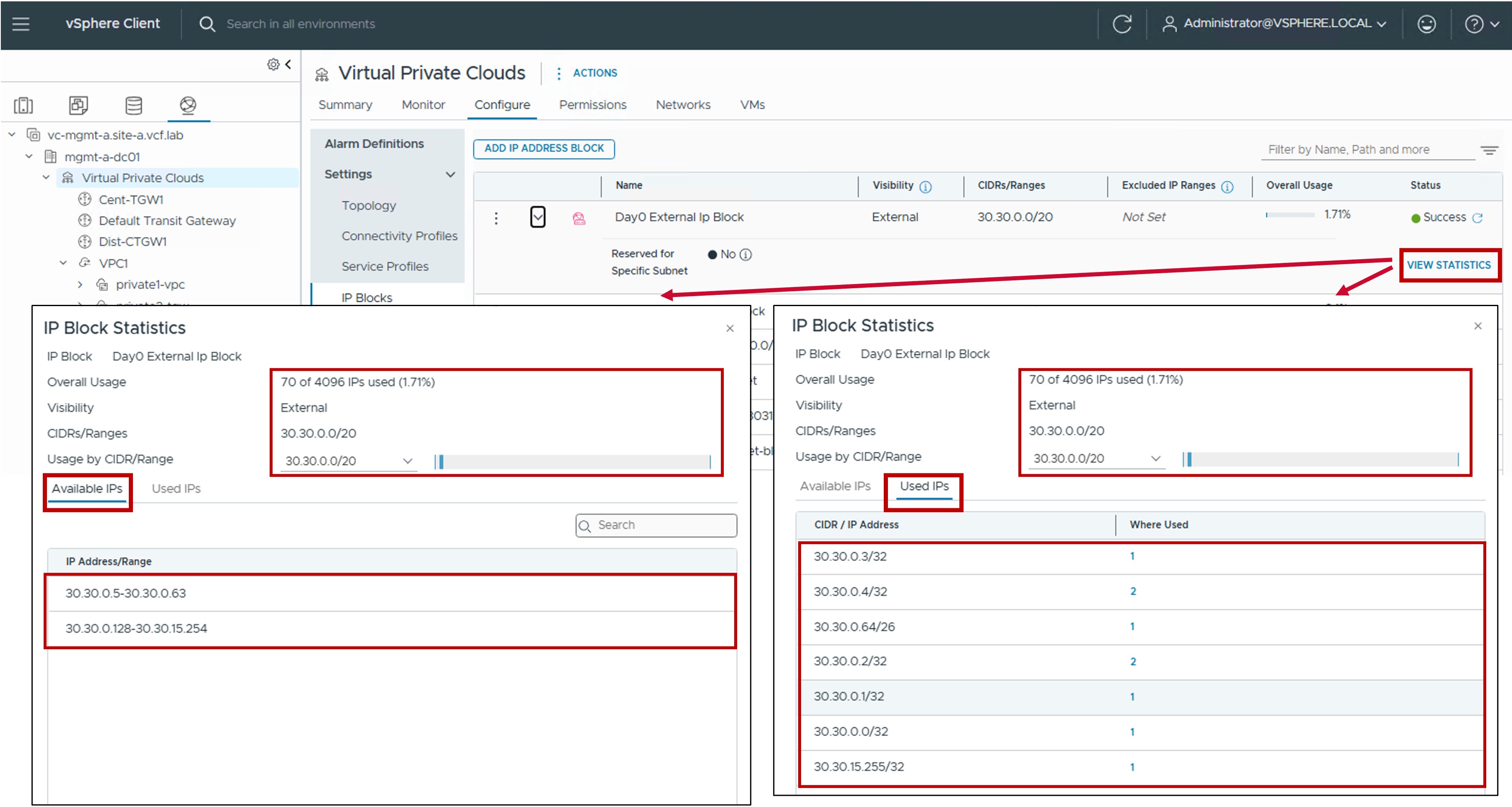
Utilization
Real-time utilization metrics for IP Blocks can be monitored via the following indicators:-
Available IPs: The remaining number of addresses in the pool ready for allocation.
-
Used IPs: The number of addresses currently assigned to active VPC subnets. For External IP Blocks, this also includes addresses consumed by NAT and Load Balancer Virtual VIPs.
-