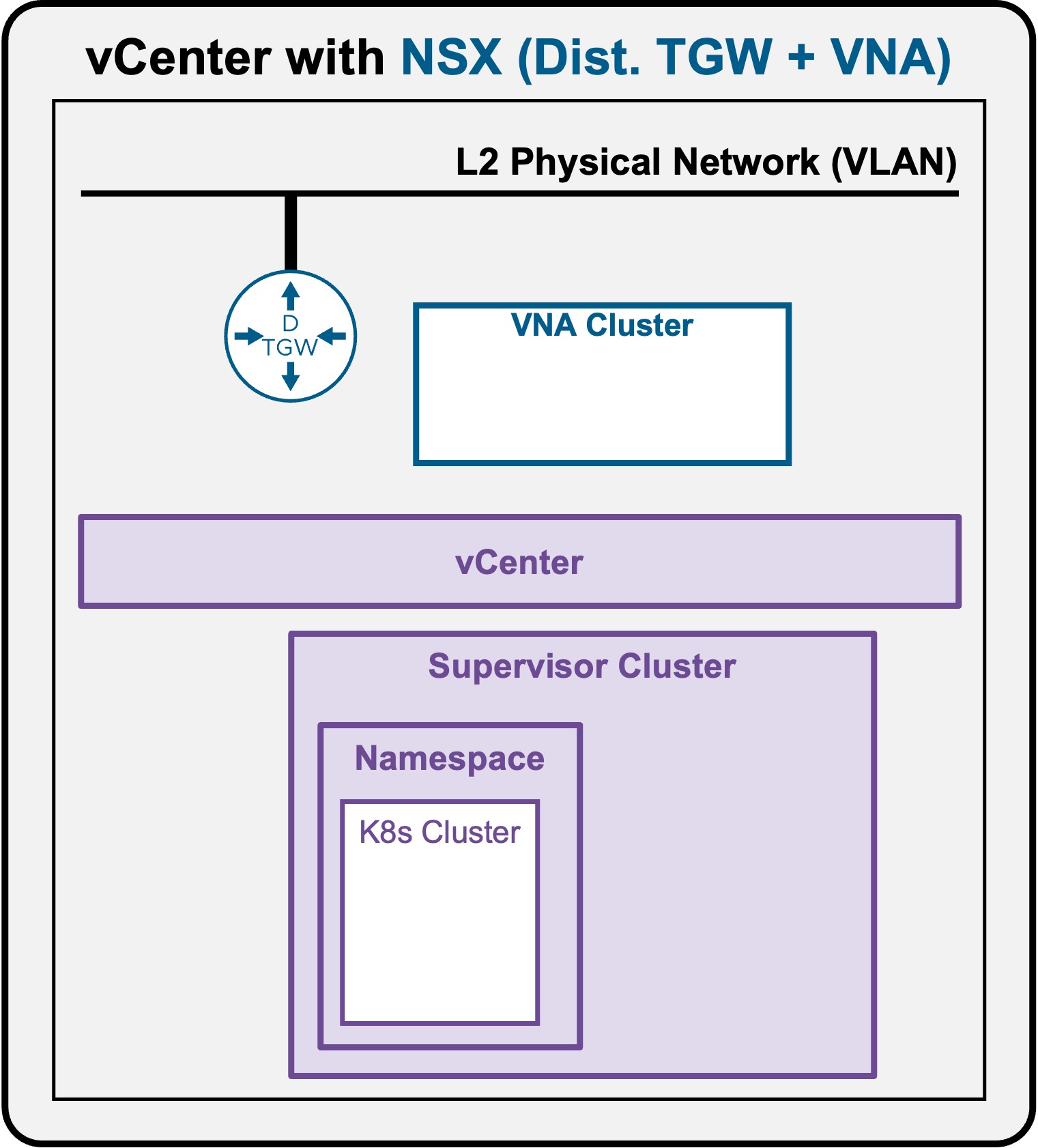
 Supervisor with "NSX + DTGW/VNA"
This section describes the procedures for deploying a K8s Cluster in a Namespace utilizing an "NSX + DTGW/VNA" architecture inside a vSphere environment.
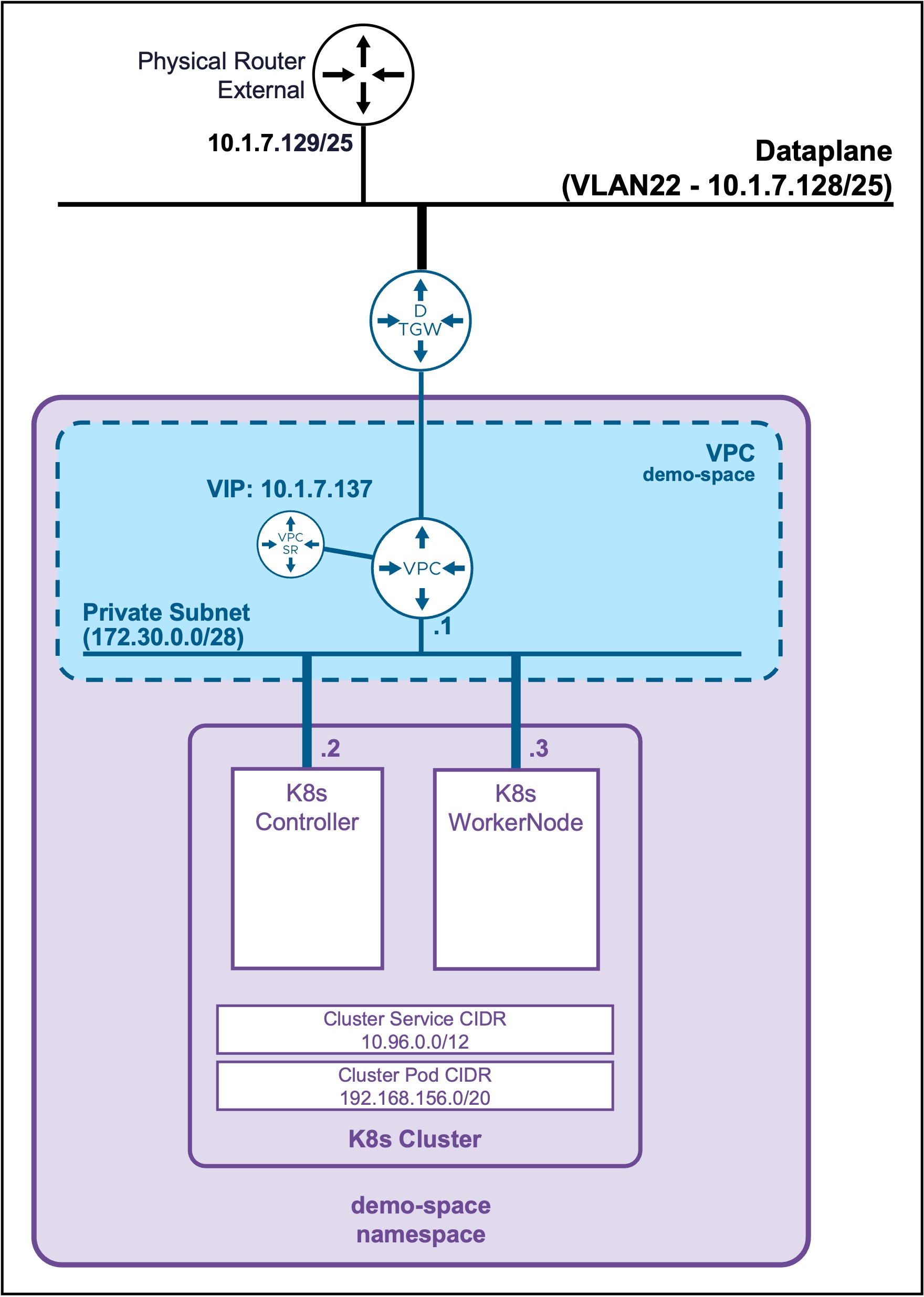
K8s Cluster Deployment
Create K8s Cluster
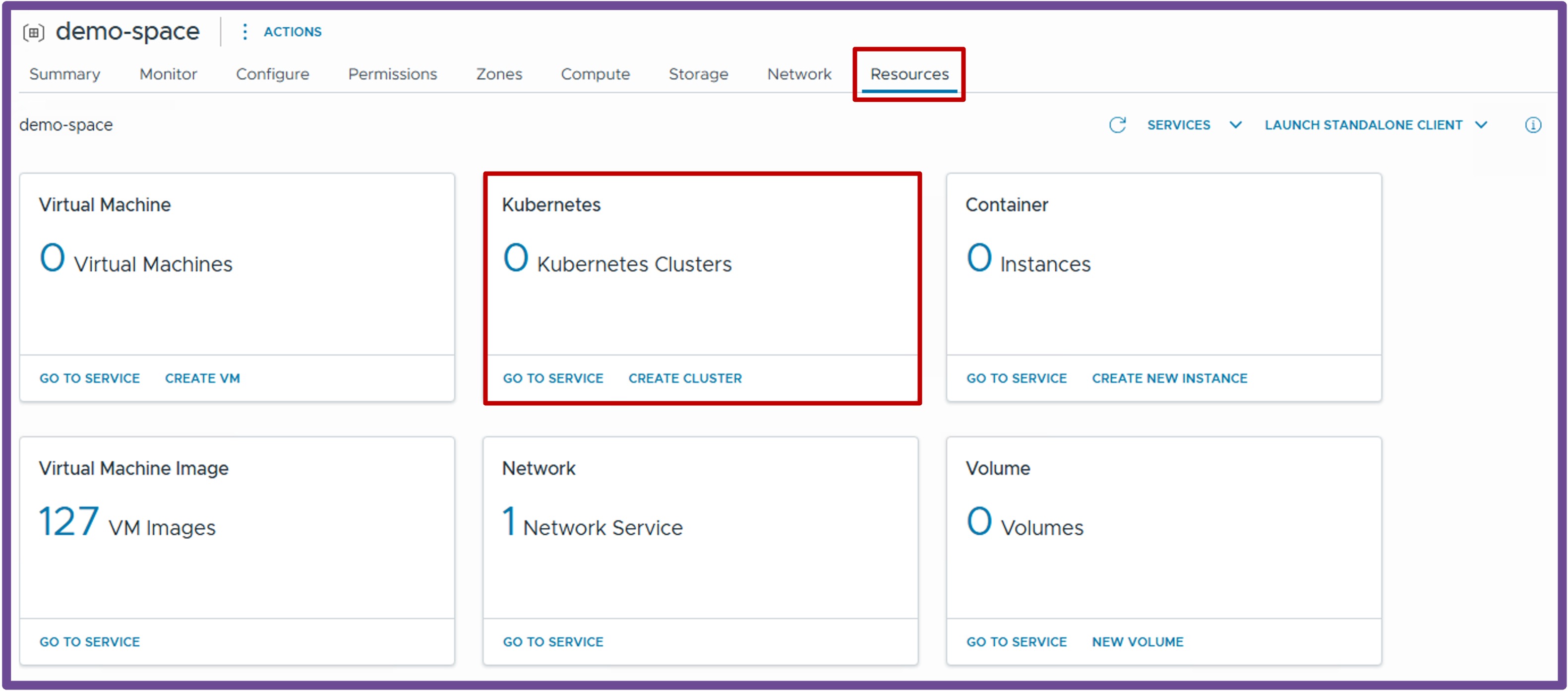
Navigate to vCenter > Supervisor Management > Supervisors, select [your supervisor], navigate to Namespaces, select [your namespace], navigate to Resources, and click on Kubernetes - Create Cluster
-
Configuration Type
Select the Cluster Type and Configuration Type.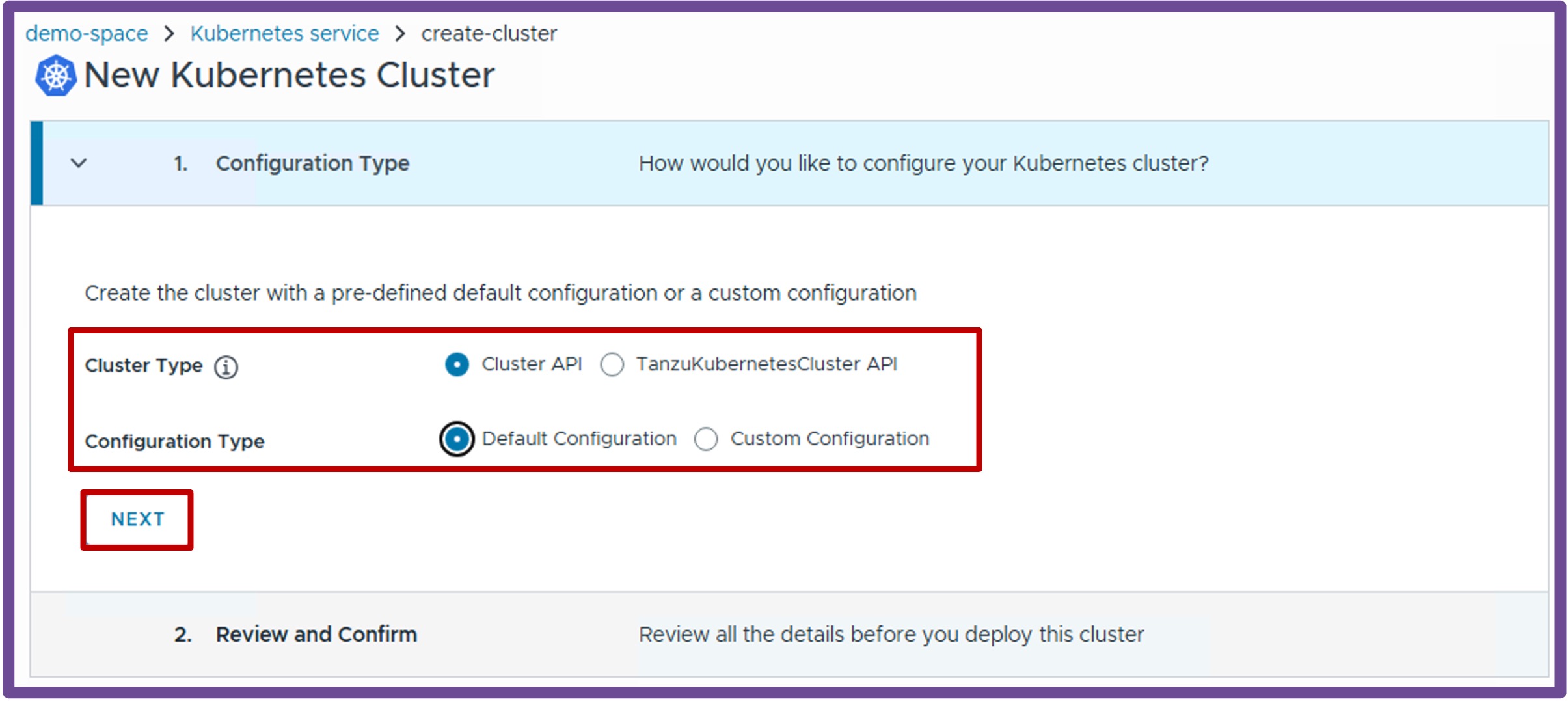
-
Review and Confirm
Review and click Finish to deploy the k8s cluster.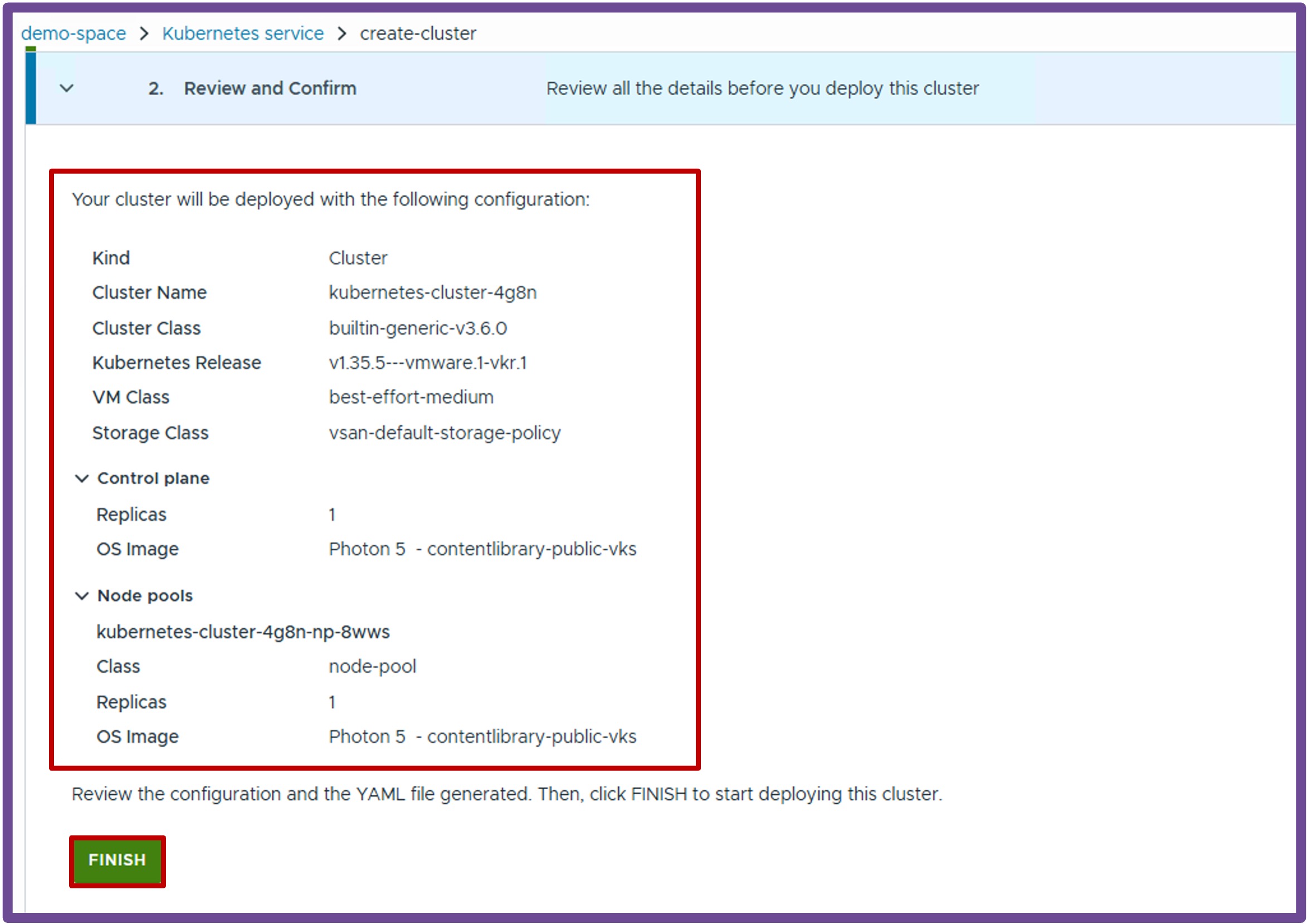
More k8s cluster options
To get more options, such as replicas and OS images, select at step1 Custom configuration.
Validate Deployment
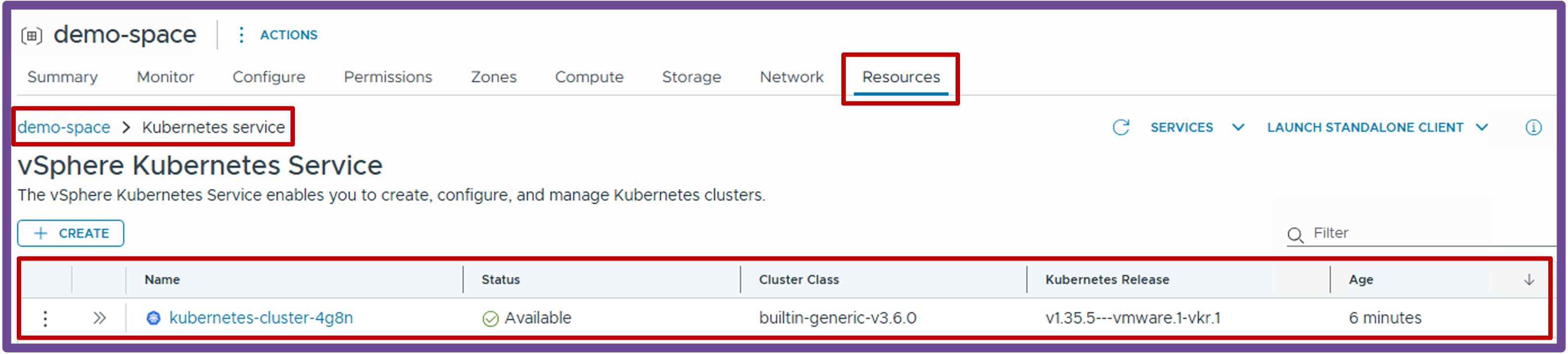
Validate K8s Cluster Status
Once the wizard completes, verify the deployment was successful by navigating to vCenter > Supervisor Management > Supervisors, select [your supervisor], navigate to Namespaces, select [your namespace], navigate to Resources, and click on Kubernetes - Go to Service.
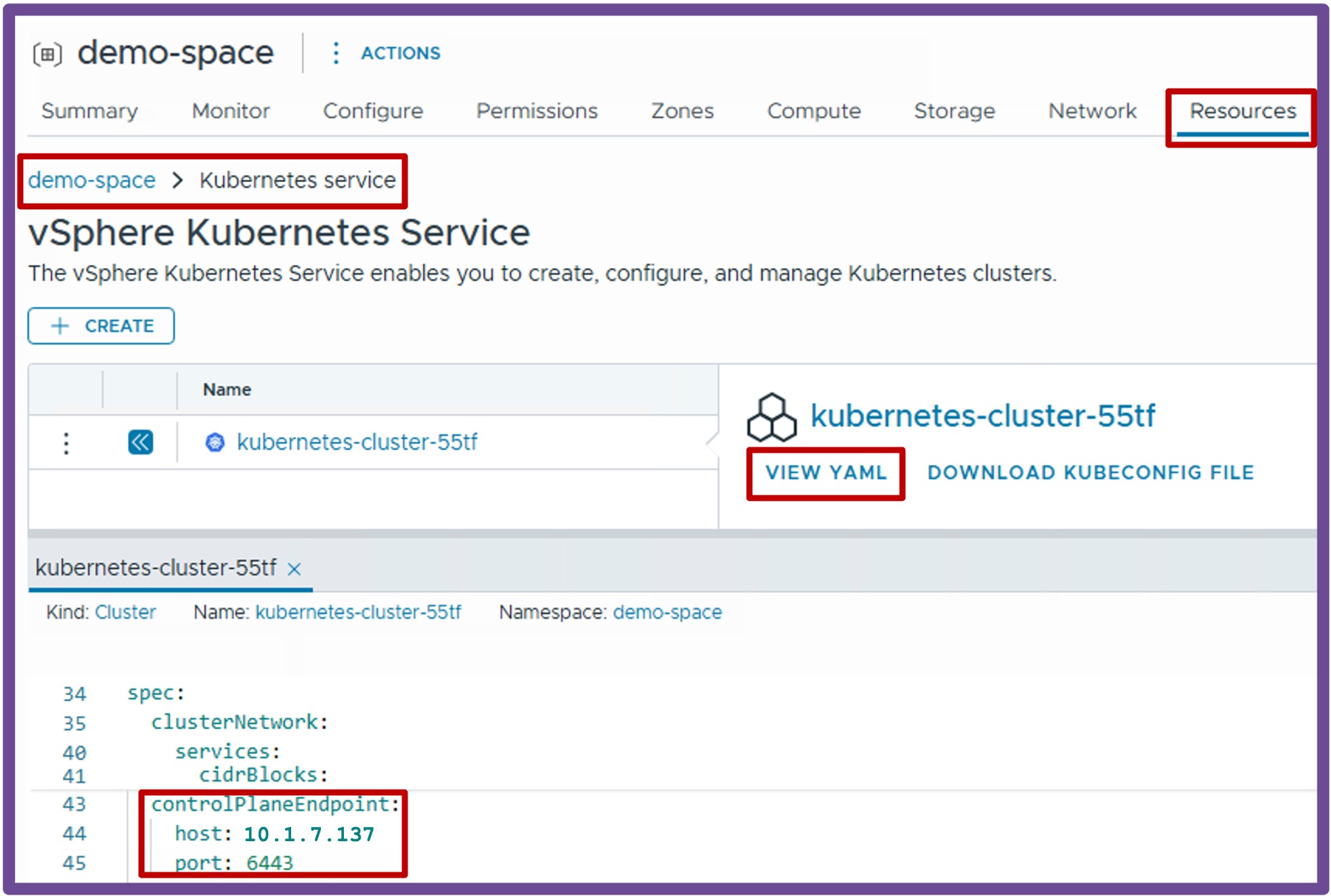
Retrieve K8s Cluster Controller VIP
Once the wizard completes, look at the K8s Cluster YAML file by navigating to the K8s Cluster Status (see above), click on View YAML, and find the controlPlaneEndpoint configuration.
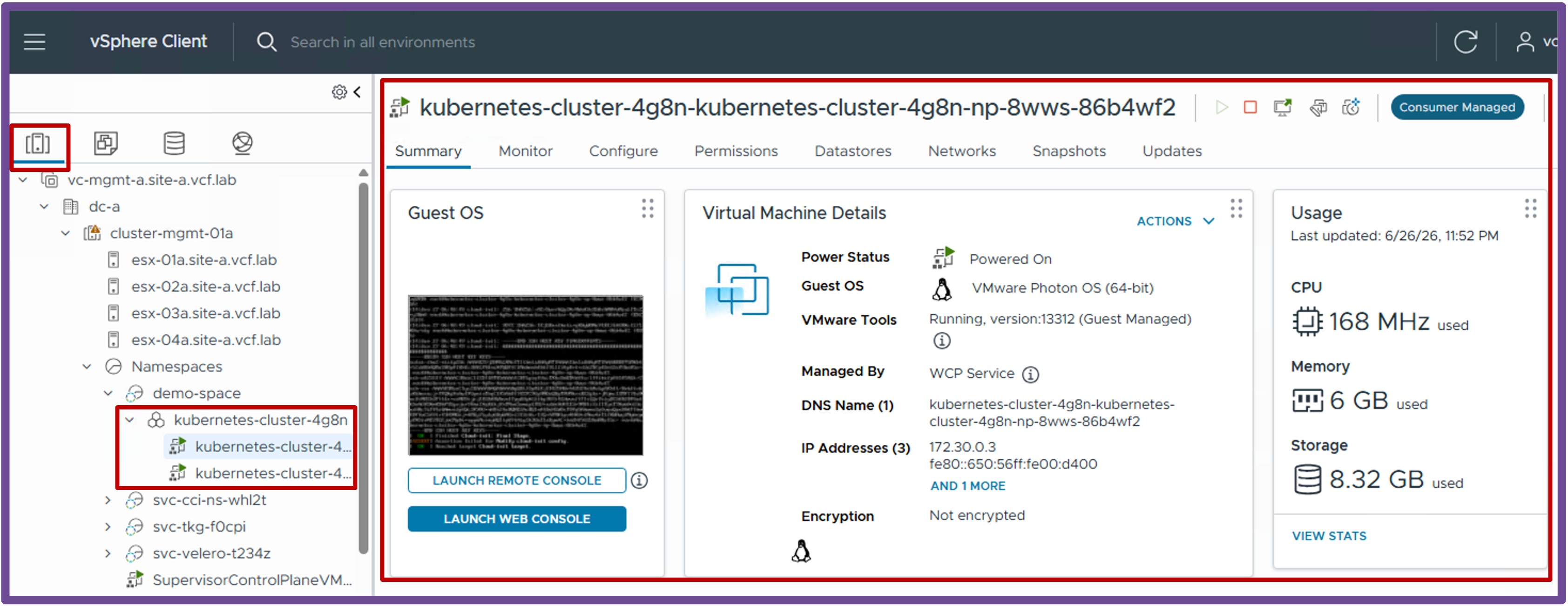
Check K8s Cluster VMs in vCenter Inventory
Verify the K8s Cluster VMs are running by navigating to vCenter > Inventory, select the K8s VM in the Namespace.