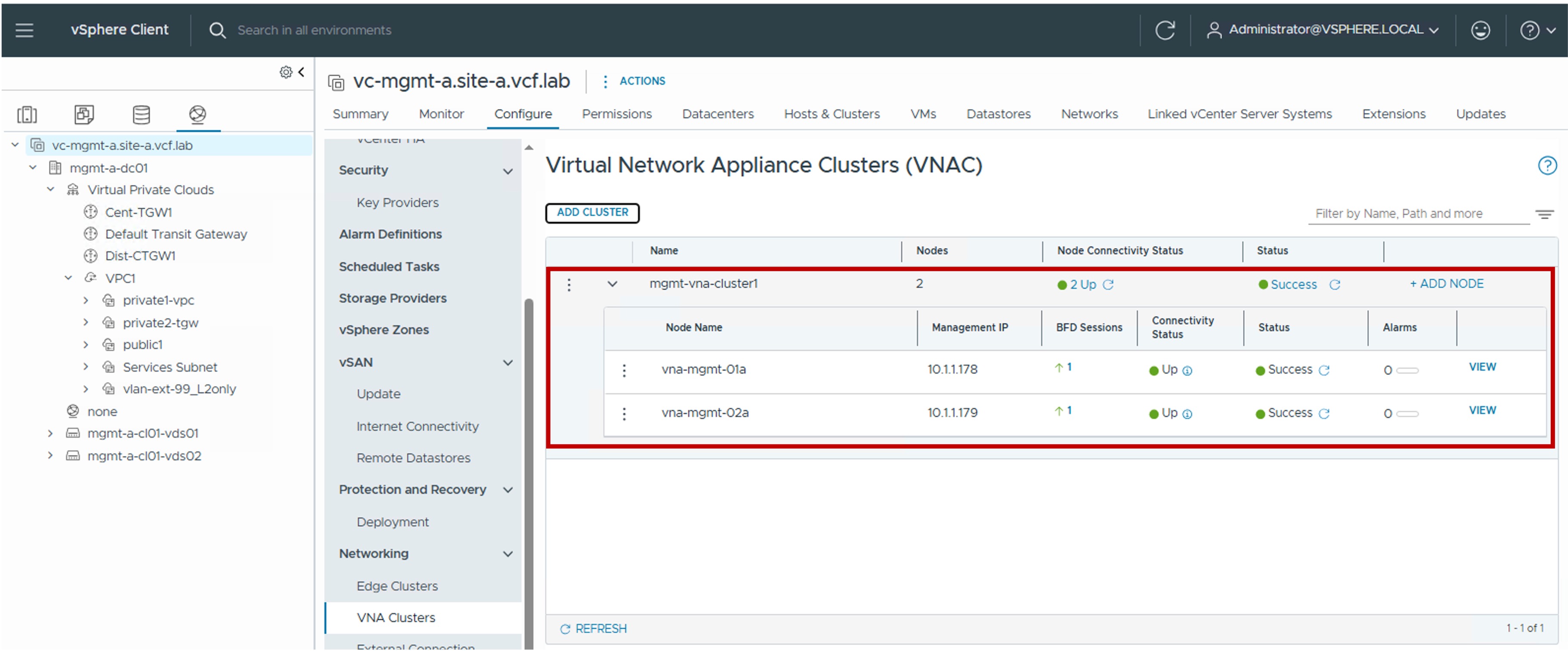
 VNA Configuration in vCenter
This section describes the procedures for configuring NSX Virtual Network Appliances (VNA) using the vSphere Client.
NSX Virtual Network Appliances (VNA Nodes) provide the centralized network services required for Distributed Transit Gateway (DTGW) designs within the VPC architecture.
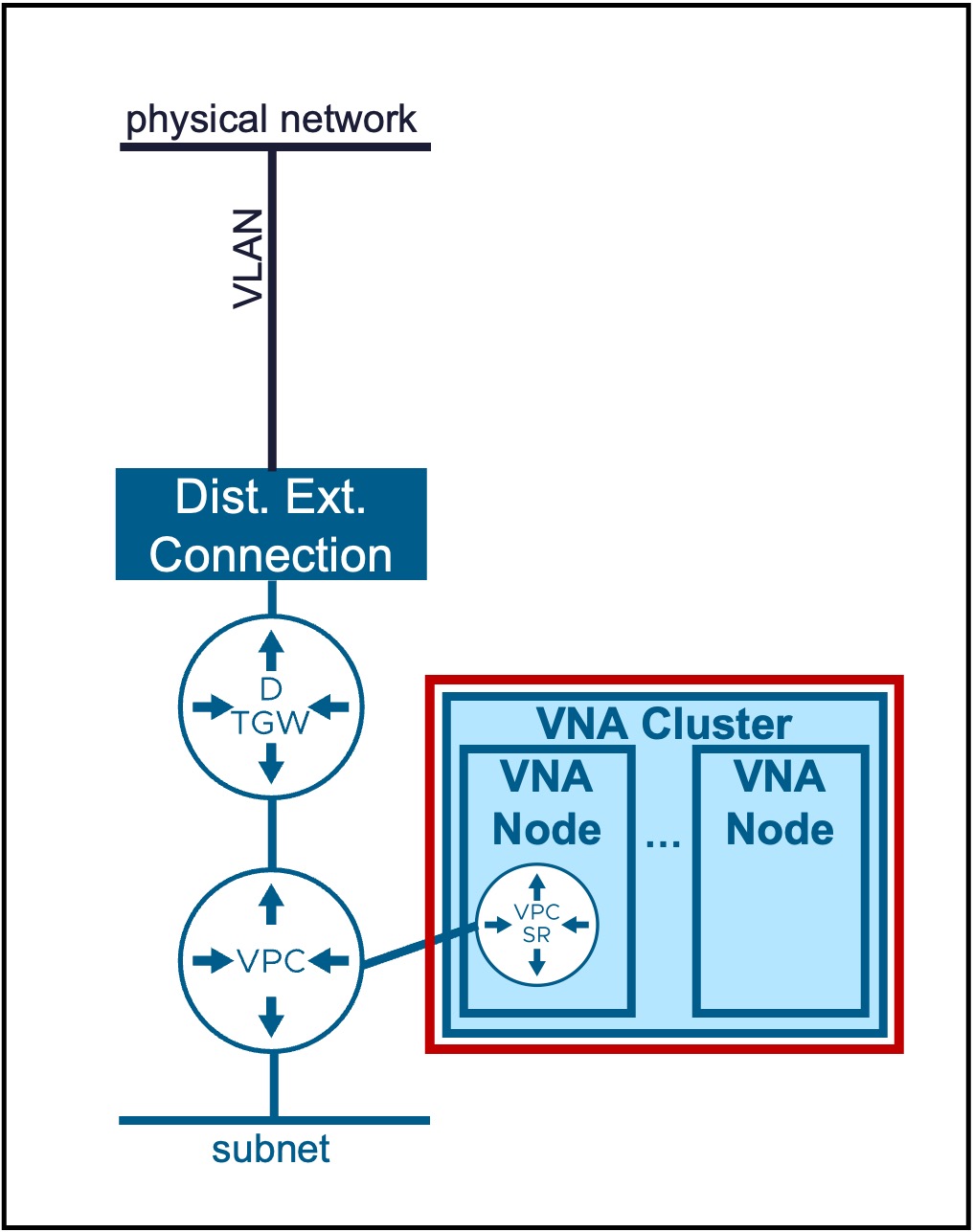
VNA Cluster / VNA Nodes
Configuration
-
Step1. Create new VNA Cluster / VNA Nodes
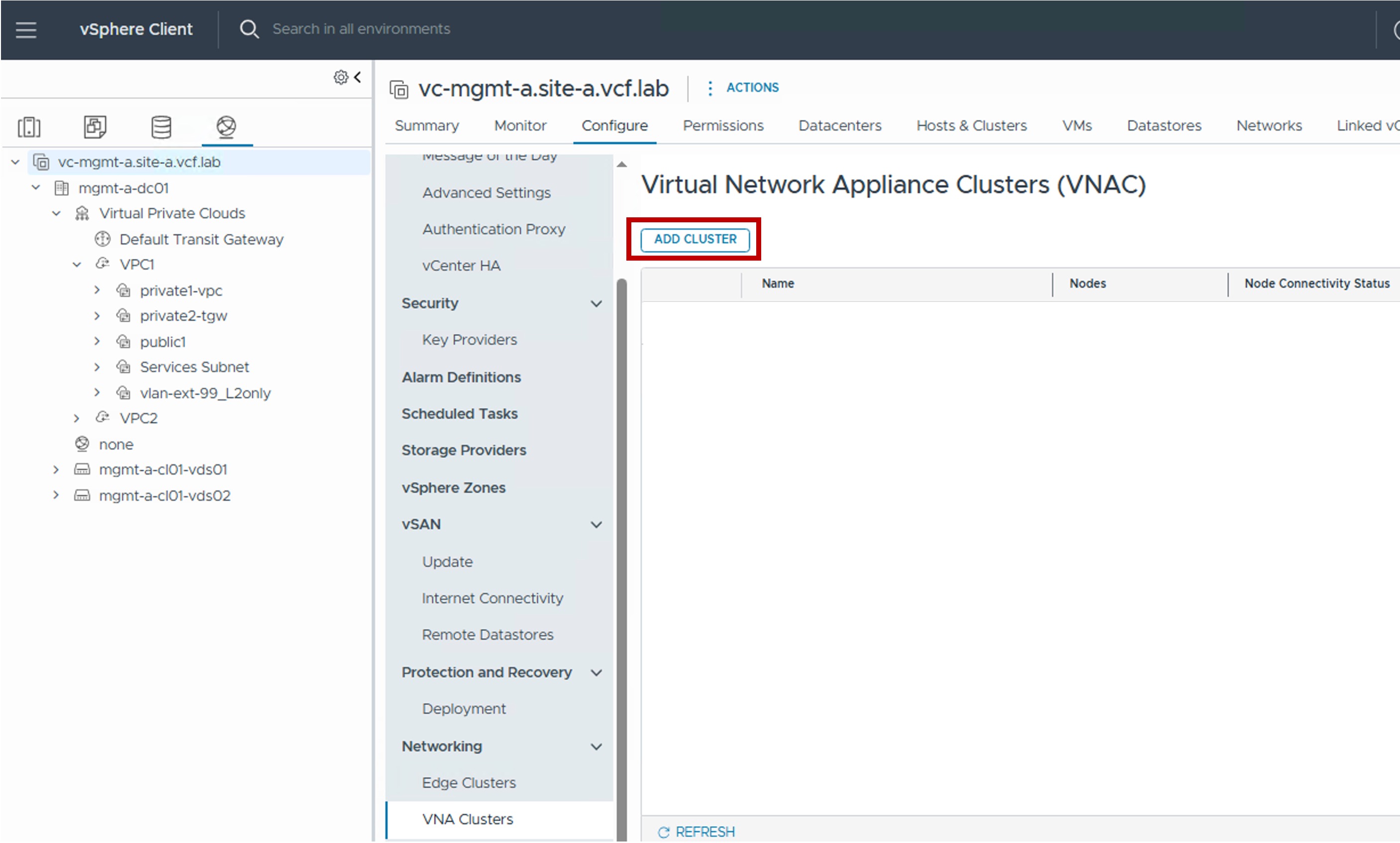
-
Step2. Configure VNA Cluster
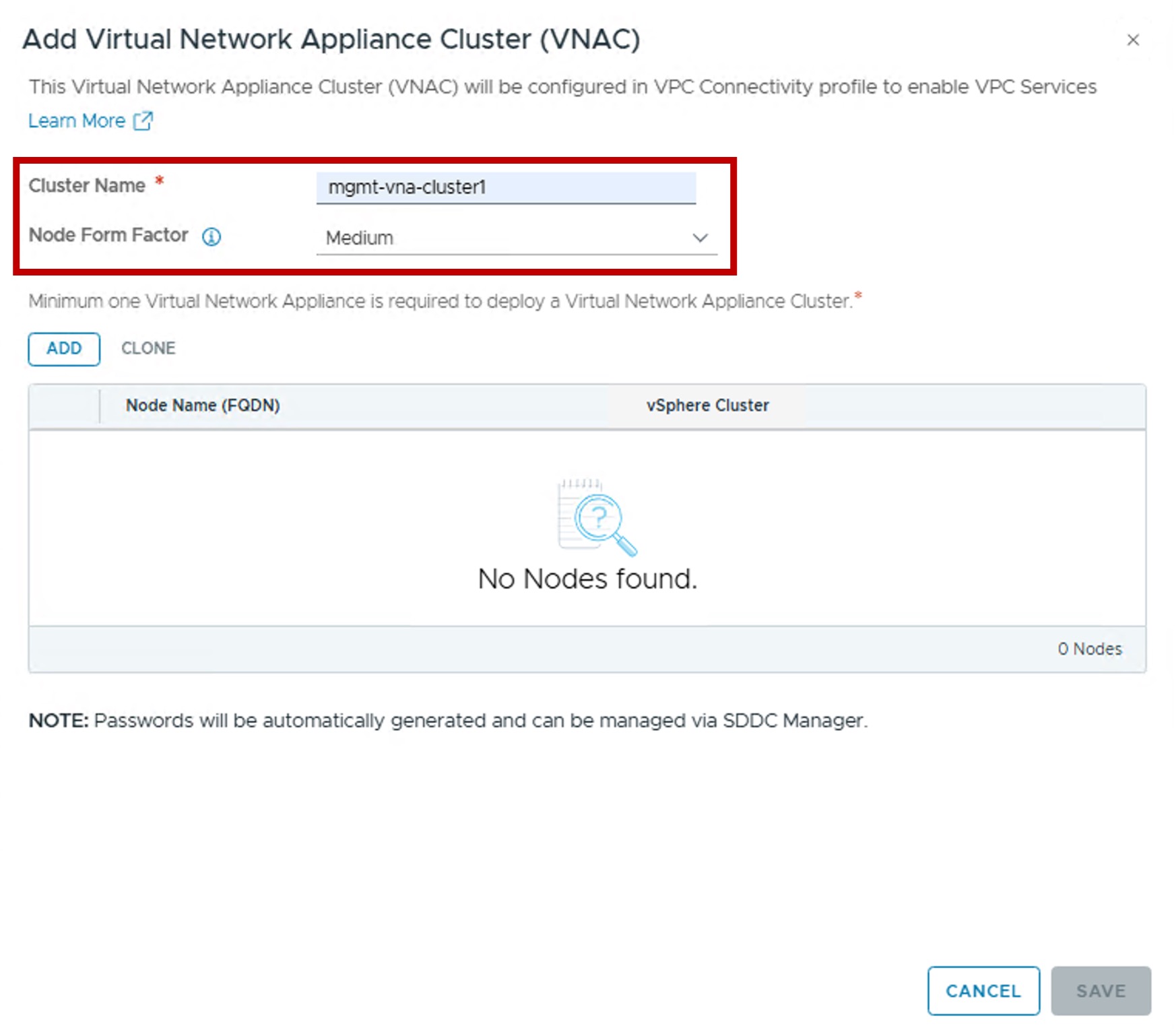
- Node Form Factor:
Select the appliance size (vCPU / Memory) of the VNA Nodes.
This determines the scale and performance limits for the logical routers (VPC-SR Gateways) hosted on the node.
- Node Form Factor:
-
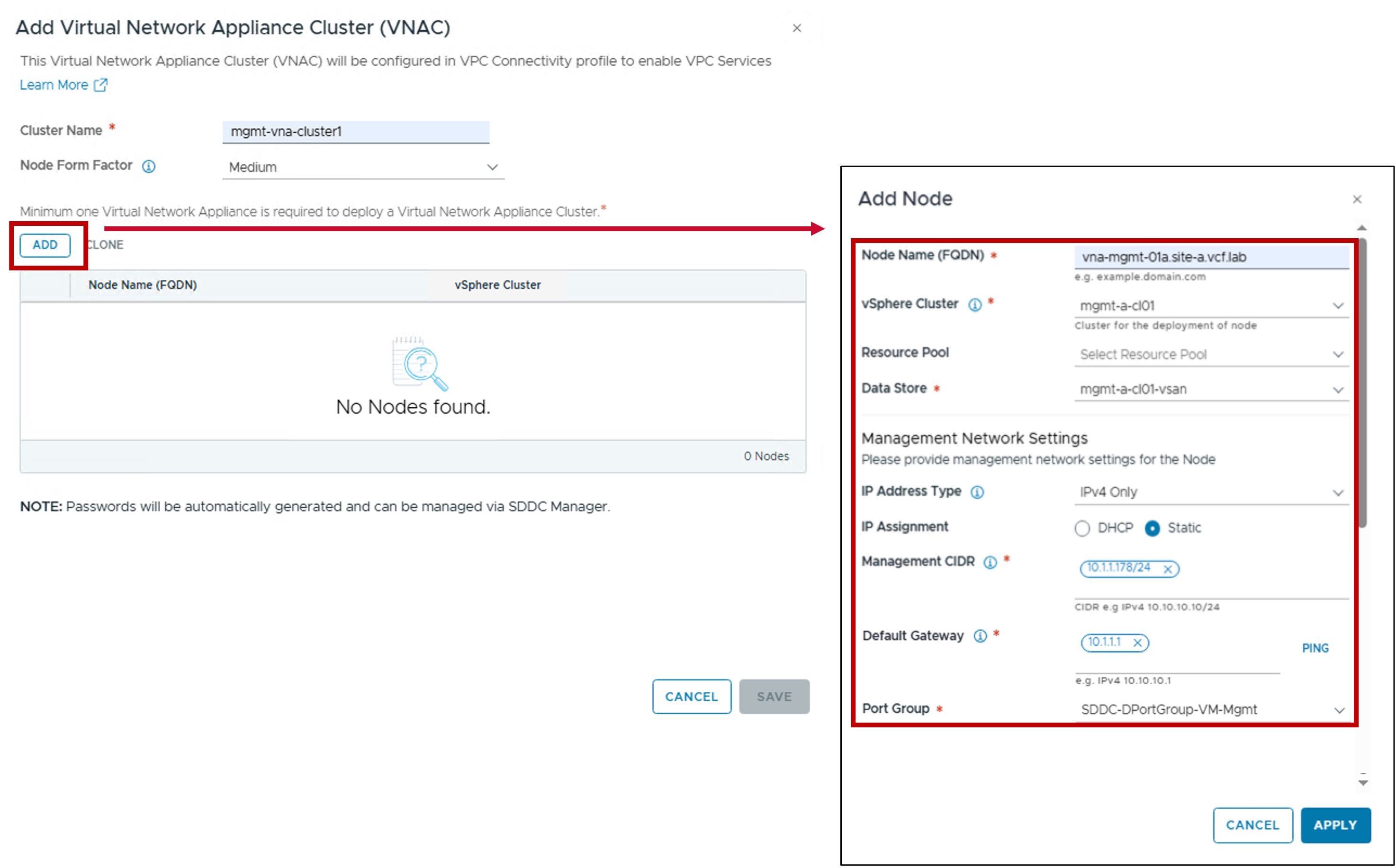
Step3. Configure VNA Nodes Placement and Networking
-
vSphere Cluster / Resource Pool / Host Group Affinity / Data Store:
Defines the physical placement of the Edge Node VM.
You can optionally specify Resource Pools and Host Group Affinity to control where the VM resides within the cluster. -
Management Network Settings (IP Address Type / IP Assignment / Port Group)
Configures the IP assignment and Port Group for the VNA Node management interface.
-
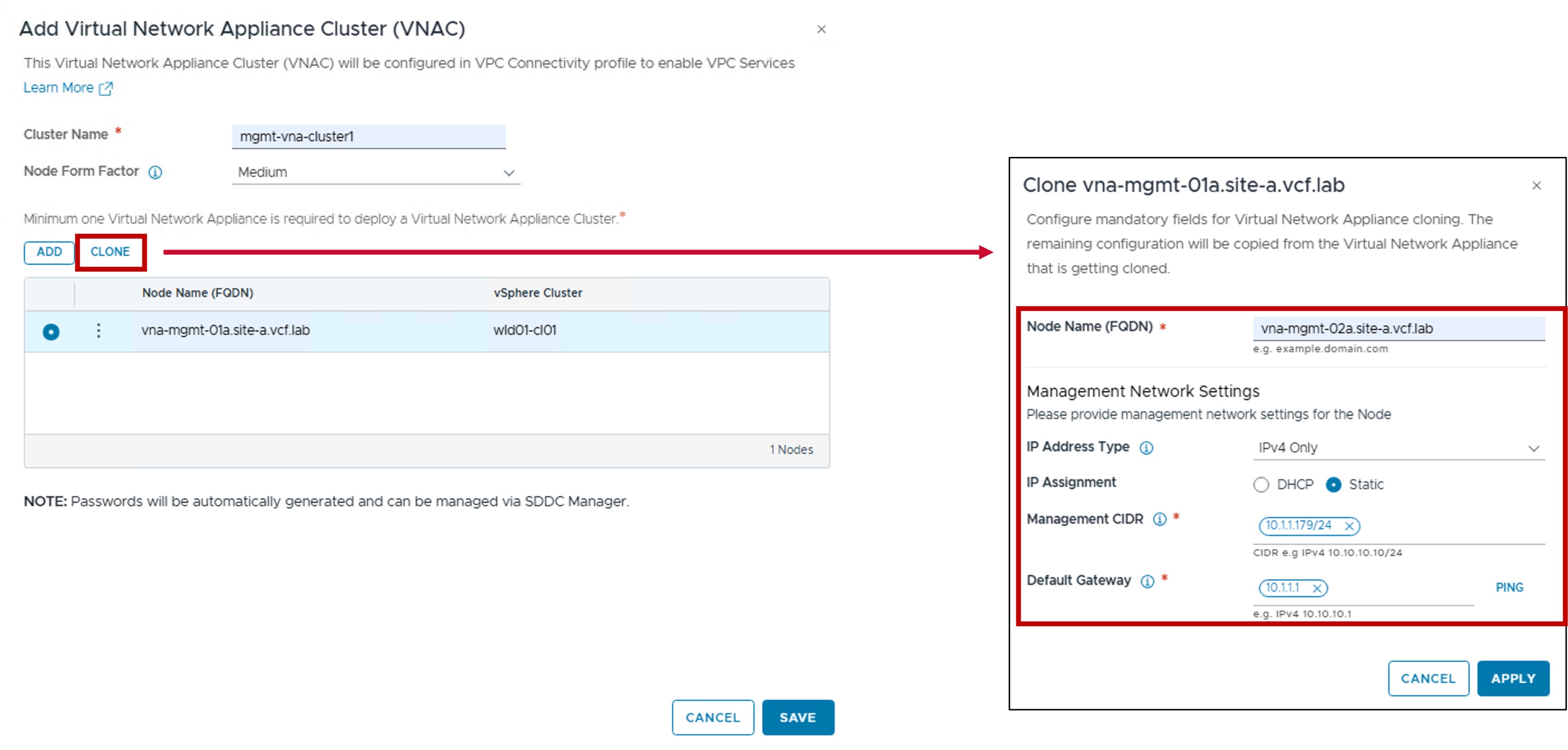
Repeat these steps for the remaining VNA Nodes (2+ nodes recommended).
Cloning option
In case other Edge Nodes have the vSphere Cluster and Uplink settings, use the cloning option.
Monitoring
- Status
The status reflects the successful application of the configuration.