 Transit Gateway Configuration in vCenter
This section describes the procedures for configuring Transit Gateways using the vSphere Client.
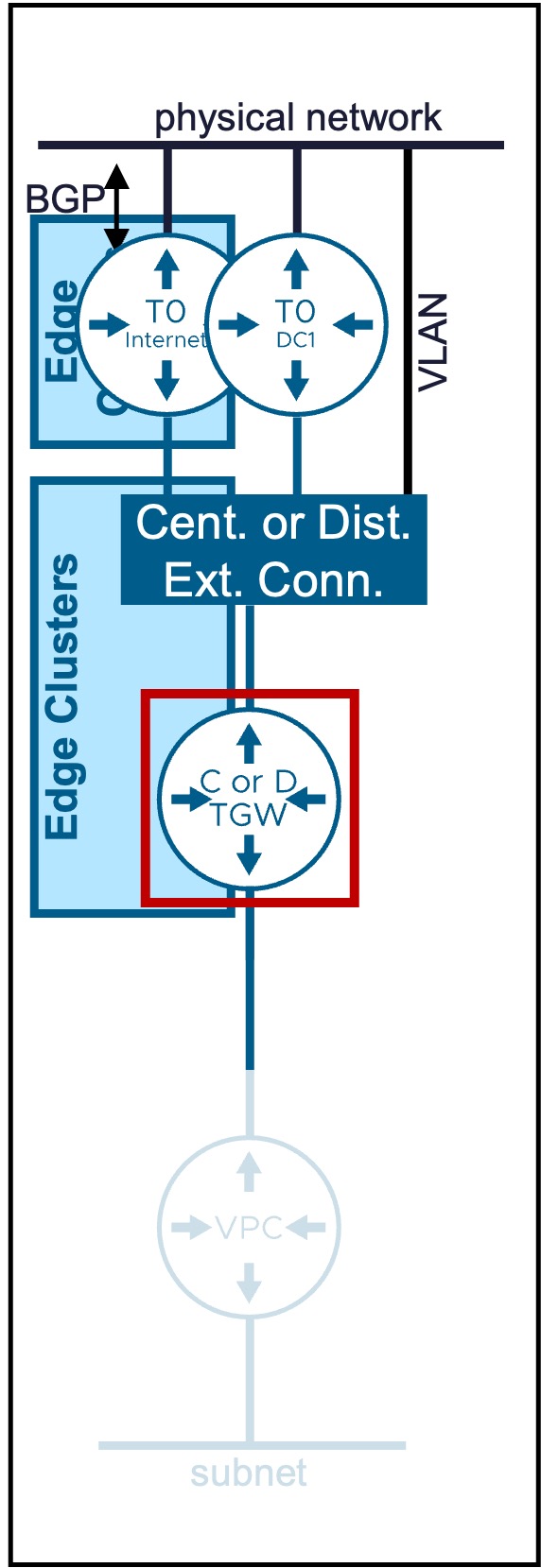
Transit Gateways (Centralized or Distributed) provide the routing between VPC Gateways and physical networks.
Overview of Transit Gateway Types
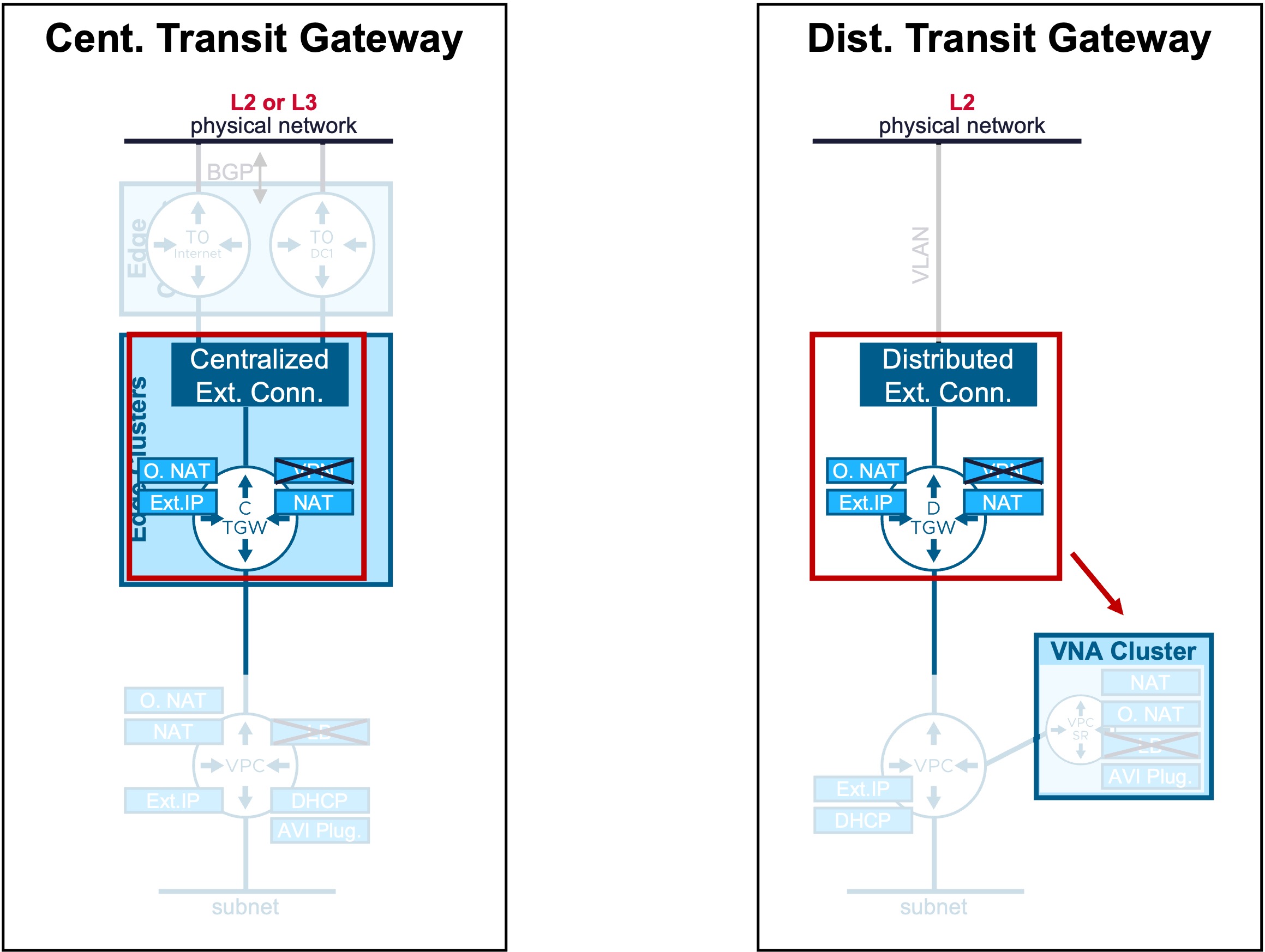
Different Transit Gateway types are available:
| Type | Use Case | Routing Logic |
|---|---|---|
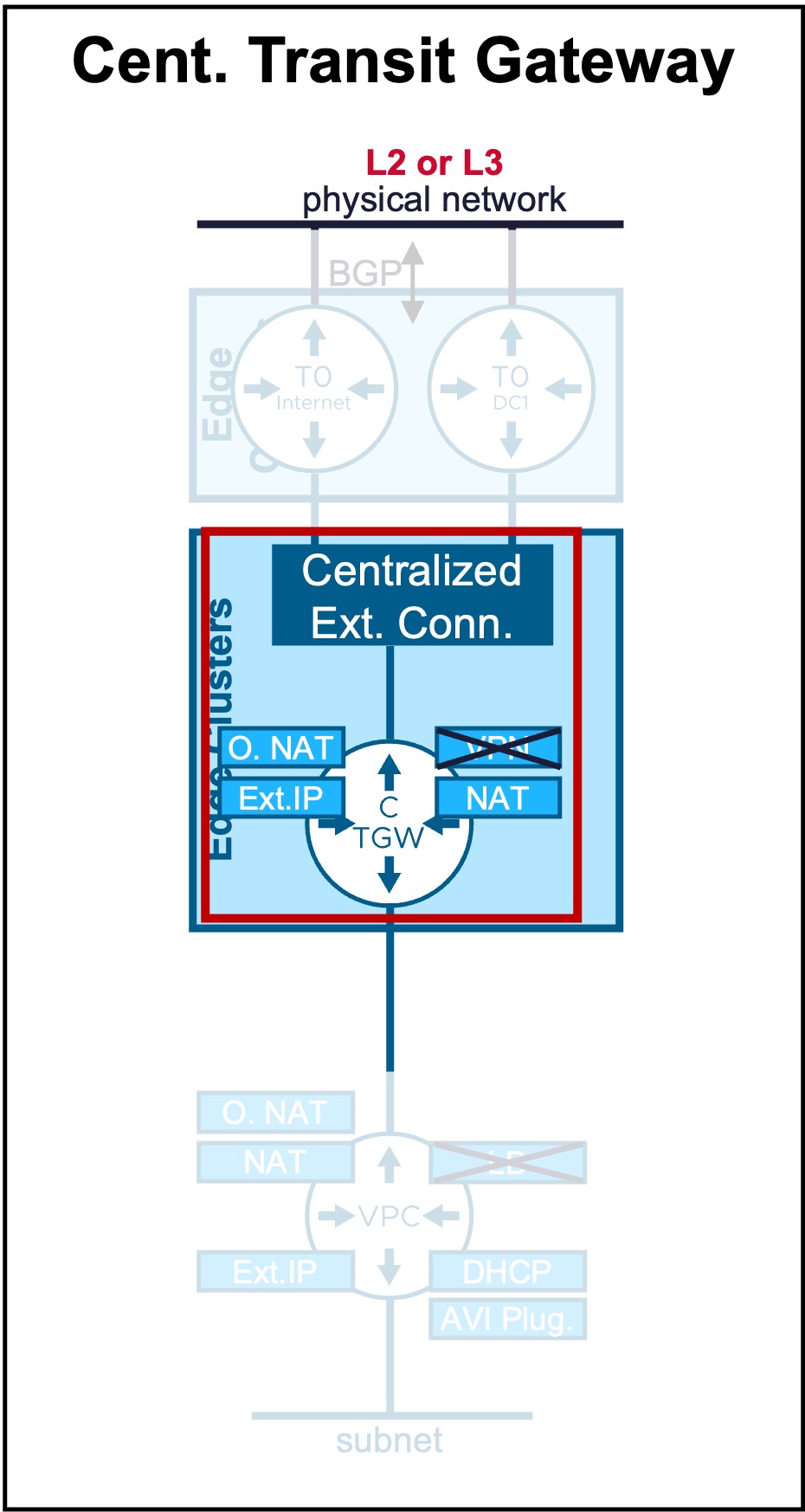
| Centralized TGW | Supports L2 and L3 Fabric. Offers Stateful Network Services (Outbound-NAT and NAT). VPN can also be configured but from NSX. |
Egress traffic is hairpinned through a centralized Tier-0/VRF gateway hosted on an Edge Cluster. |
| Distributed TGW | Supports only L2 Fabric. Offers Stateful Network Services (Outbound-NAT and NAT) with VNA Nodes. VPN can also be configured but from NSX. |
Routing occurs locally at the ESX host level (distributed dataplane). Stateful Network Services traffic is redirected through a VPC-SR Gateway in a VNA Cluster. |
Centralized Transit Gateway
Configuration
Requirement
An Edge Cluster must be pre-provisioned in the environment.
-
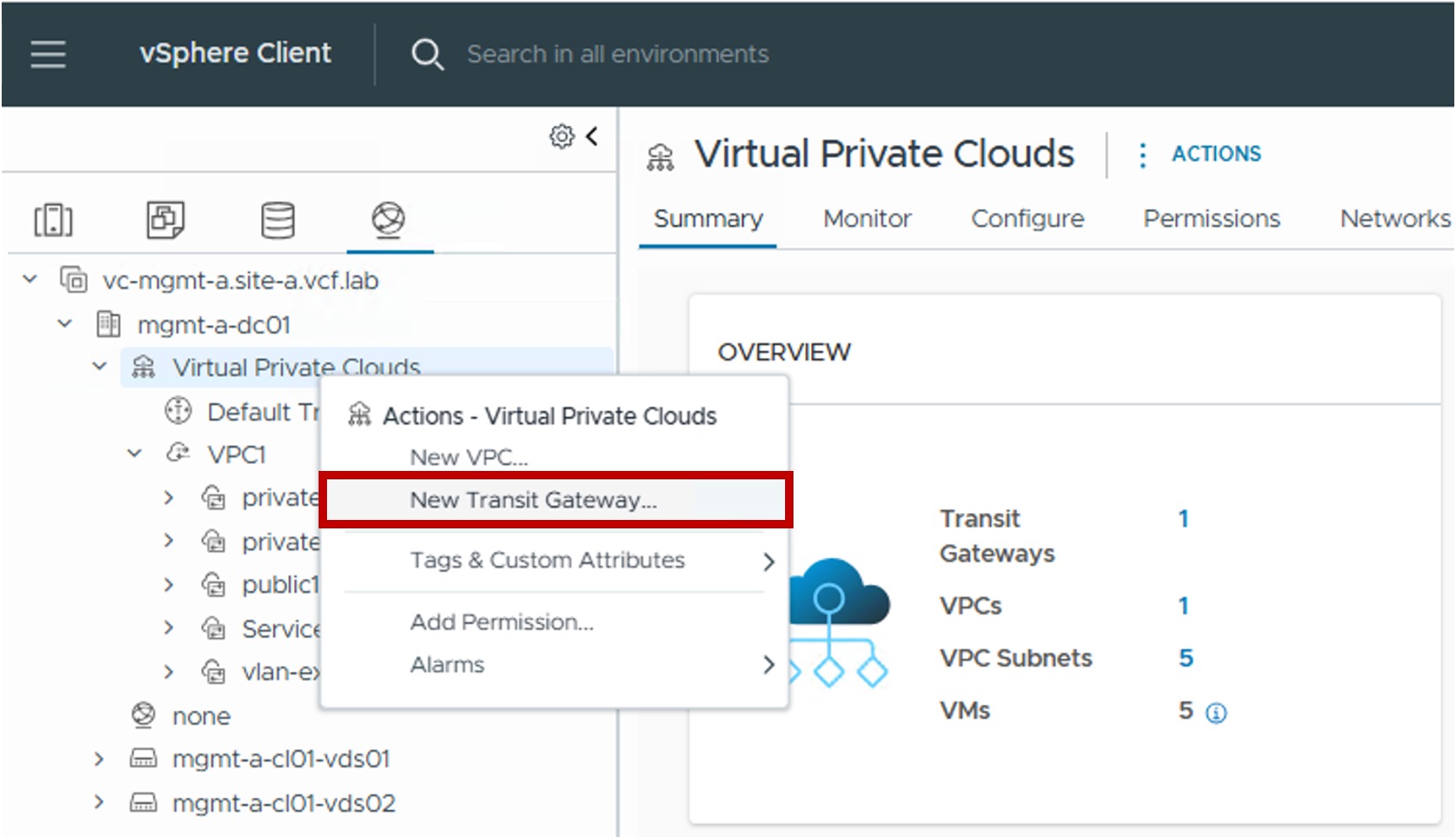
Step1. Create new Centralized Transit Gateway
-
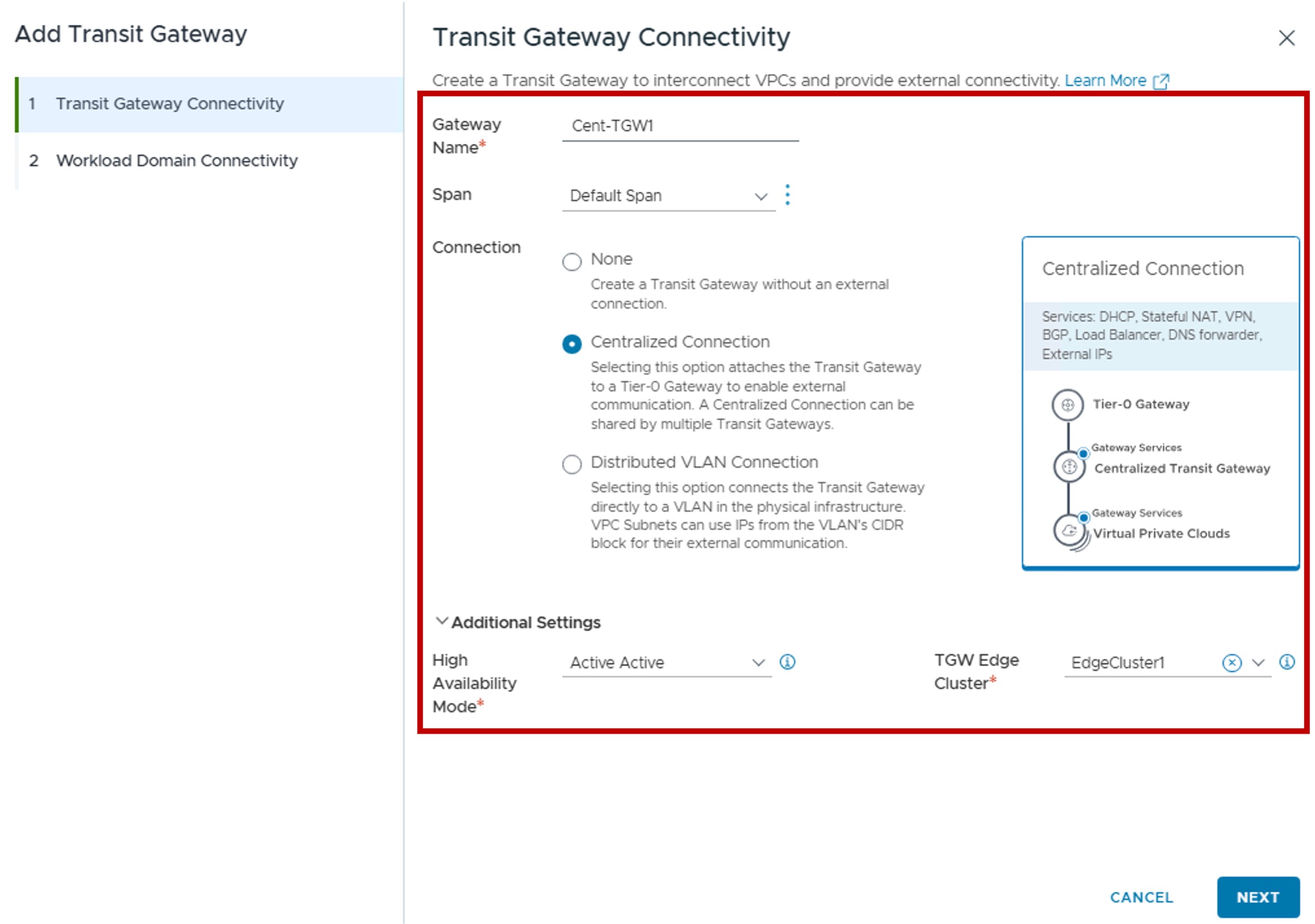
Step2. Configure Centralized Transit Gateway Connectivity
-
Span:
Determines how VPC subnets below this Transit Gateway will extend across vCenter clusters.
For more information on Network Span, refer to the Network Span page. -
Connection:
Select "Centralized Connection". -
High Availability Mode:
Select the operational redundancy and service support:
. Active/Active: Maximizes throughput and scalability by distributing the Transit Gateway load across multiple Edge Nodes simultaneously.
Active/Standby: Required for stateful network services (NAT and VPN). In this mode, this Transit Gateway North/South traffic is processed by a single "Active" Edge Node to maintain session state. -
TGW Edge Cluster:
Select the specific Edge Cluster that will host this Centralized Transit Gateway.
-
-
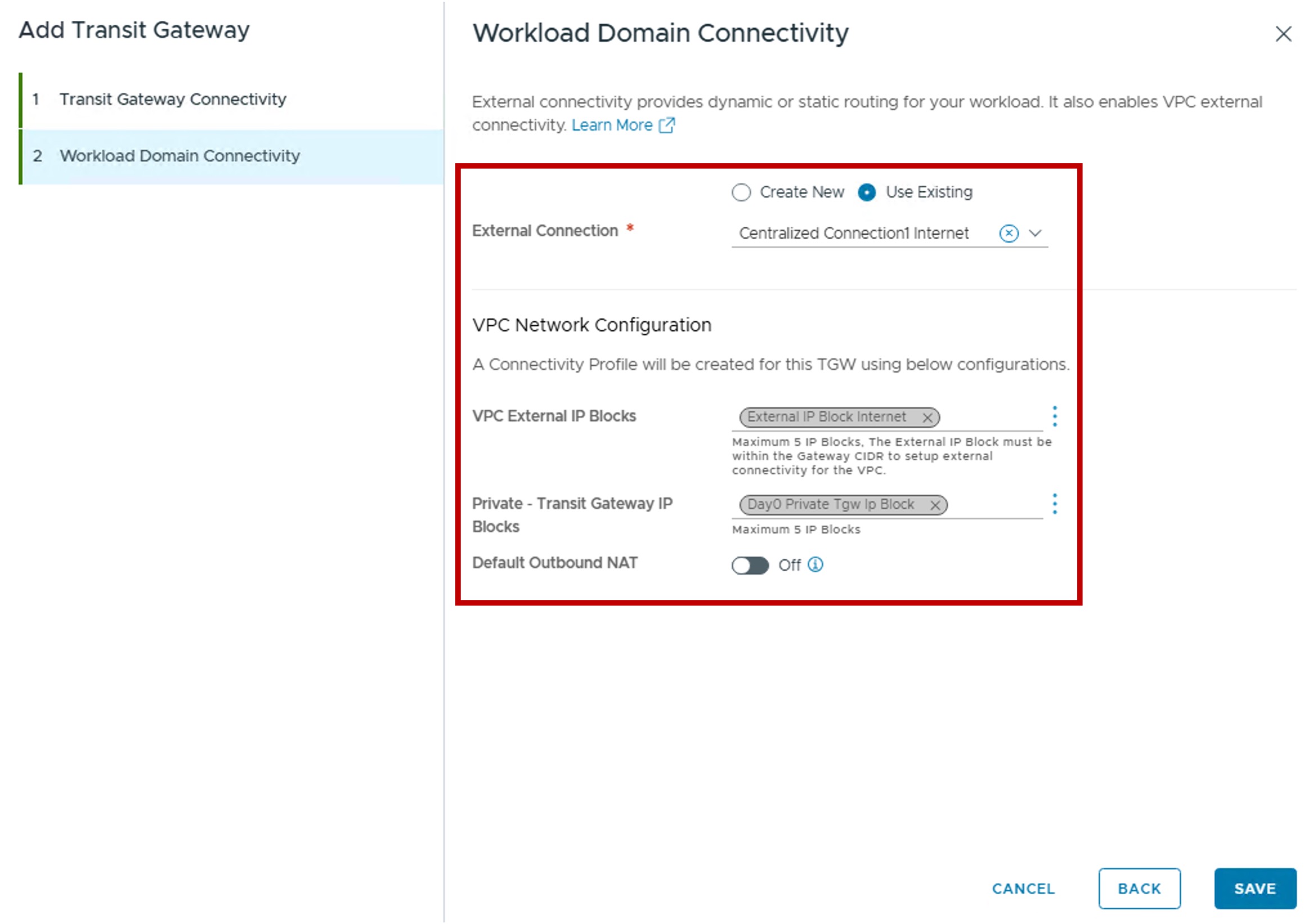
Step3. Configure Workload Domain Connectivity
-
External Connection:
You can create a new or use an existing Centralized External Connection.
Limited configuration settings are available if creating a new Centralized External Connection from here (only Tier-0 information).
For more information on External Connection, refer to the External Connection page. -
VPC Network Configuration
(Optional) Create a new Connectivity Profile for future VPC.
For more information on Connectivity Profile, refer to the [Connectivity Profile](3e-connectivity_profile.md page.
The Connectivity Profile will be associated with this Transit Gateway and with:- VPC External IP Blocks: Select or create a new External IP Block for future VPC Public subnets, NAT, LB VIP (AVI configuration), and VPN (NSX configuration).
- Private - Transit Gateway IP Blocks: Select or create a new Private TGW IP Block used for future VPC Private-TGW subnets.
- Default Outbound NAT: Enable the automatic Source NAT (N:1 SNAT) for future VPC Private-TGW and Private-VPC subnets.
-
Monitoring
-
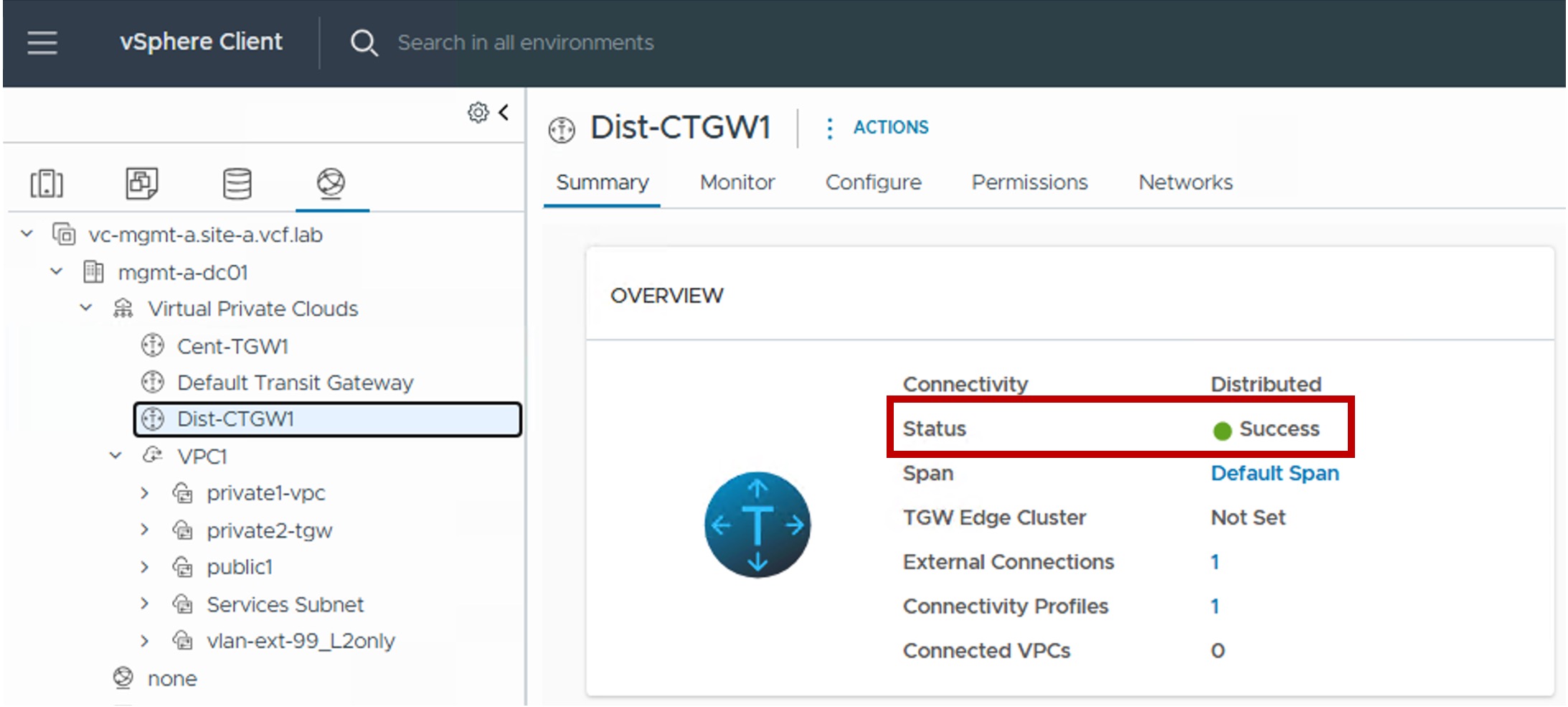
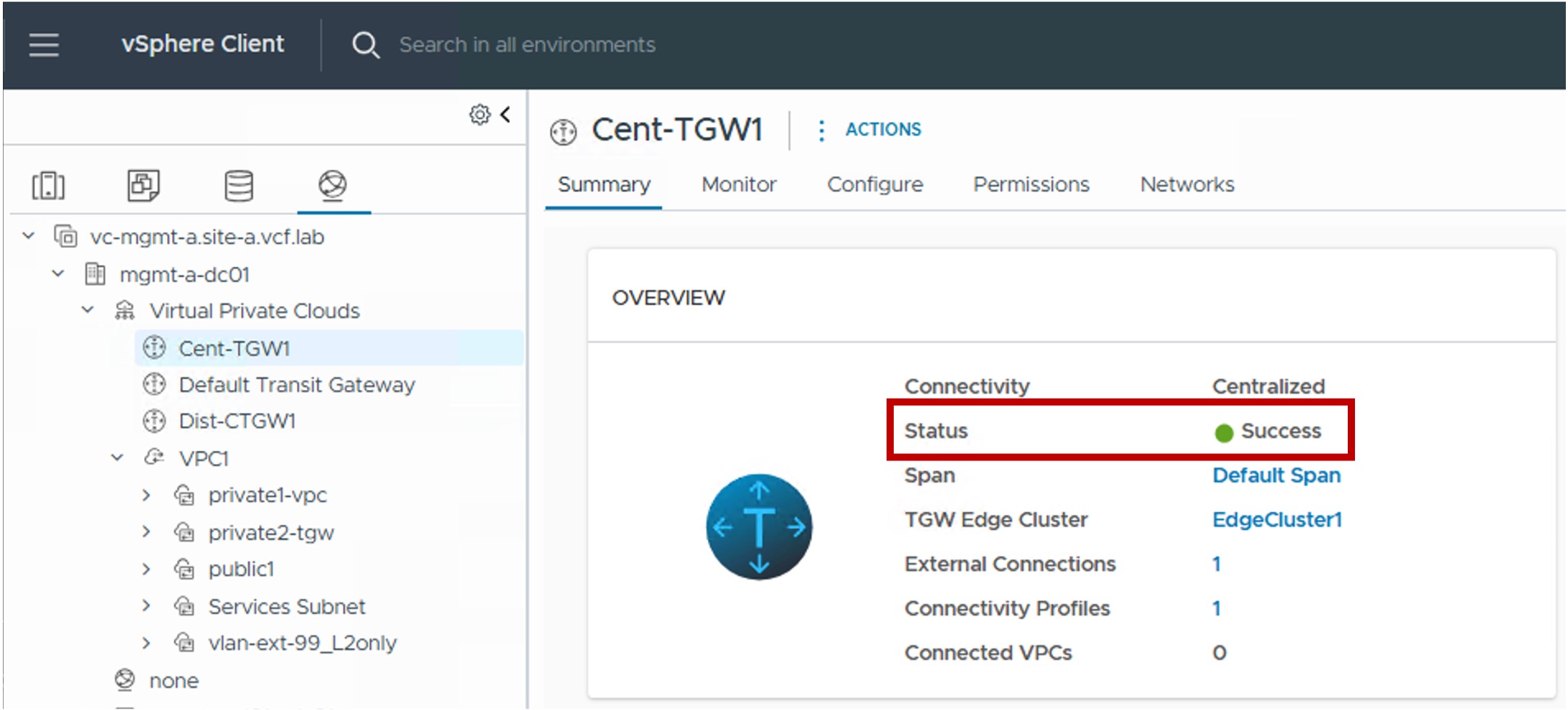
Status
The status reflects the successful application of the configuration.Note about the Status
Because this represents a logical configuration mapping rather than an active link-state protocol, the status will typically remain Green (Healthy) once the settings are validated by the NSX Manager.
Distributed Transit Gateway
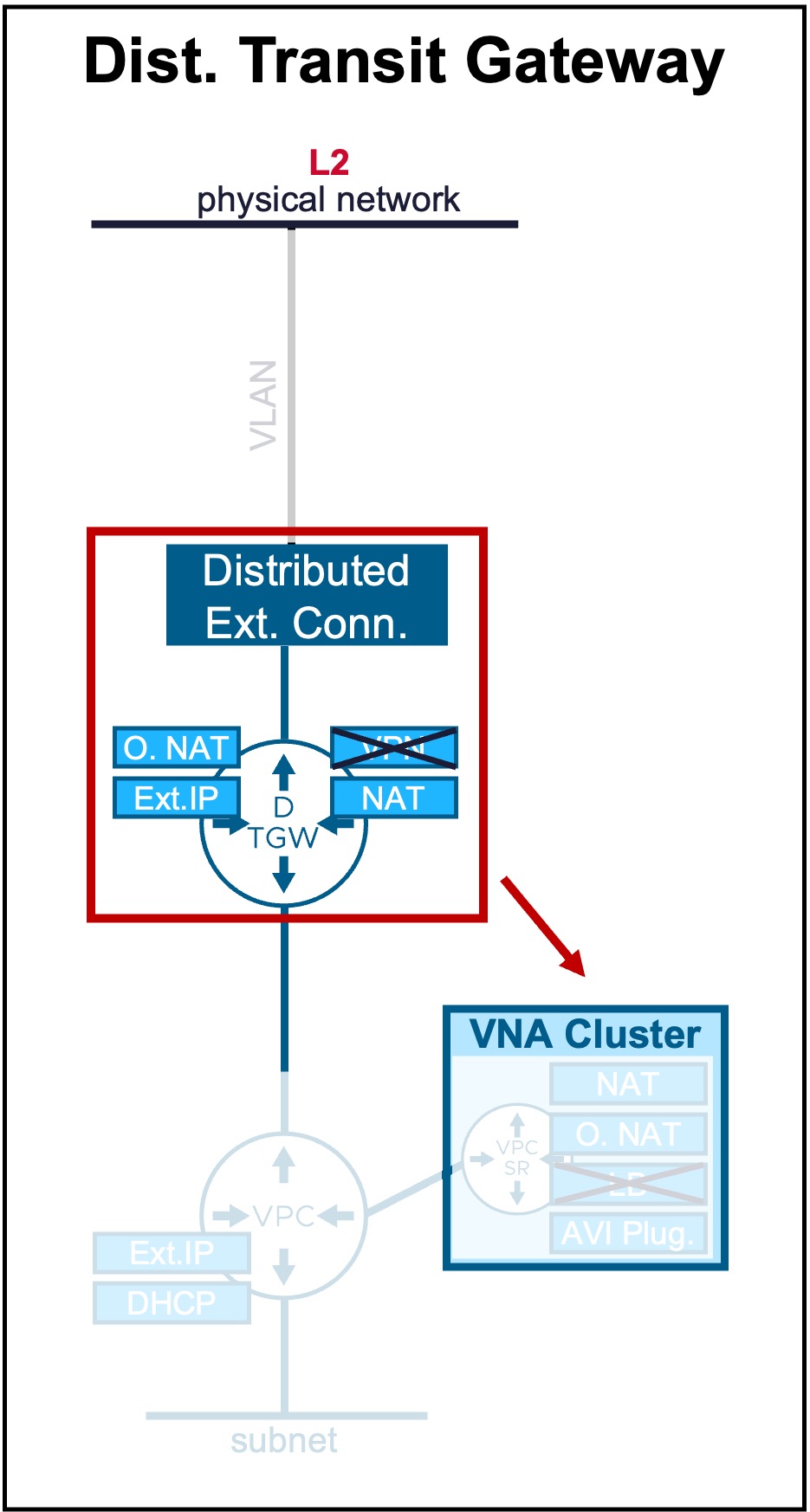
Configuration
-
Step1. Create new Distributed Transit Gateway
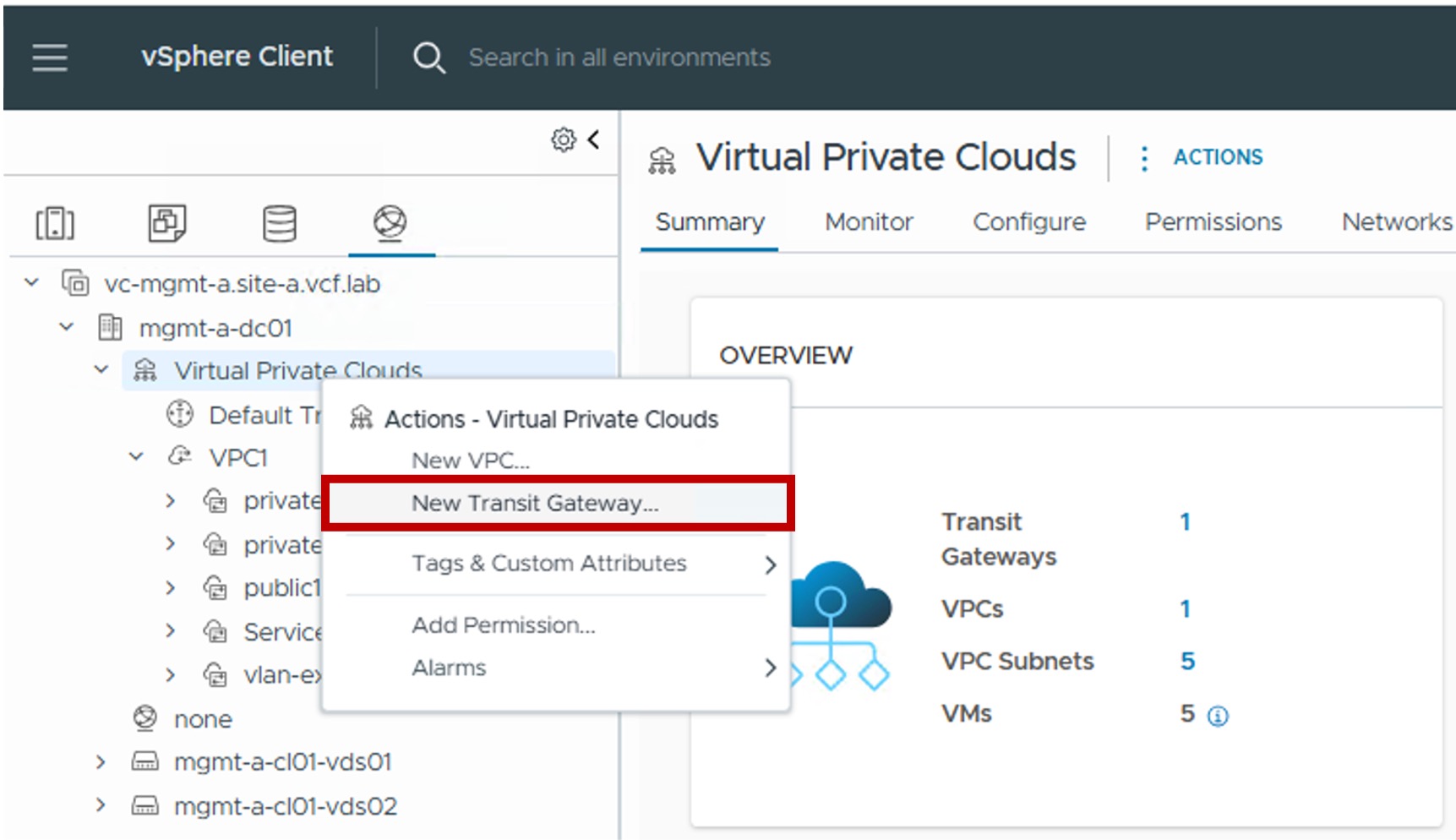
-
Step2. Configure Distributed Transit Gateway Connectivity
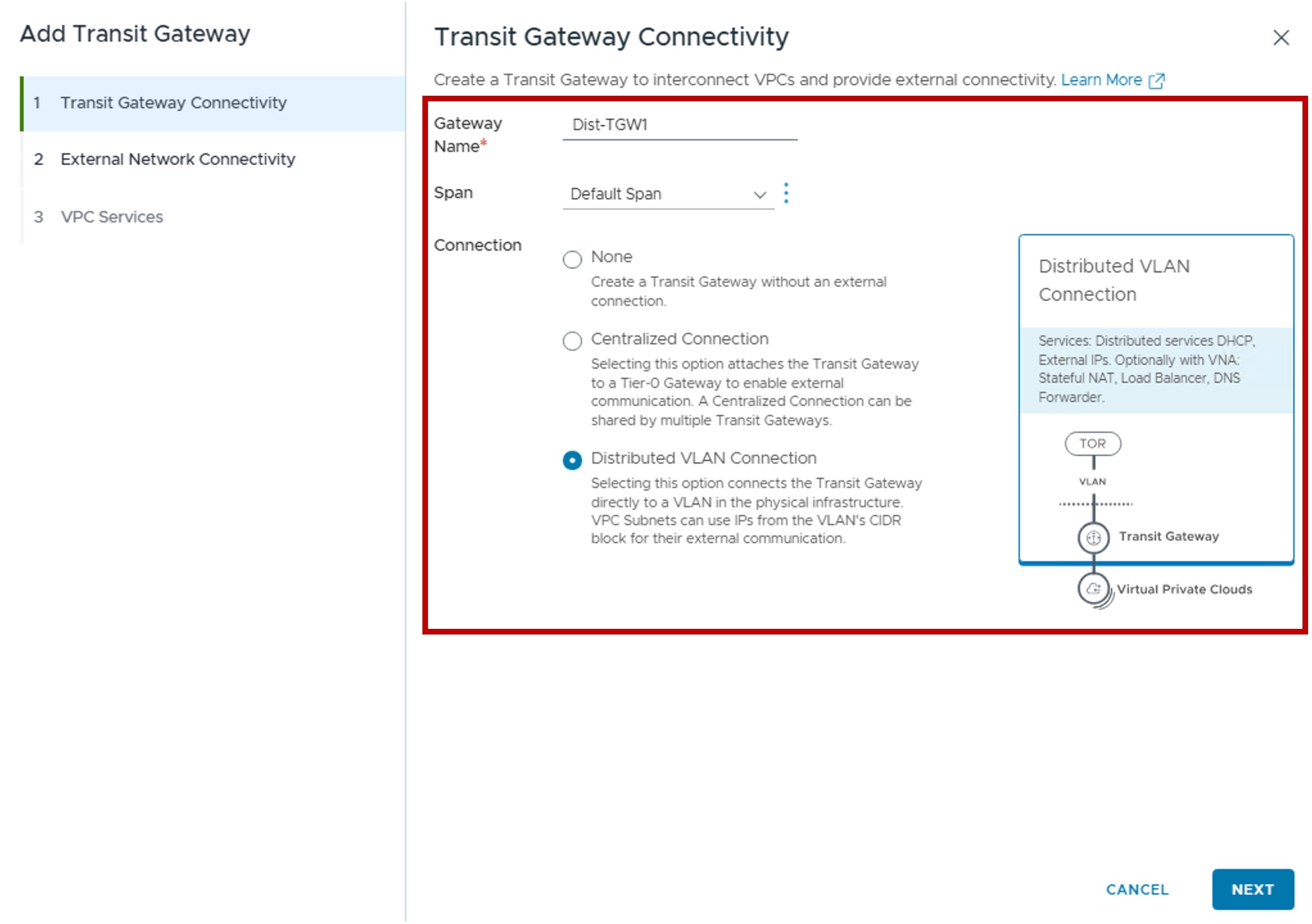
-
Step3. Configure External Network Connectivity
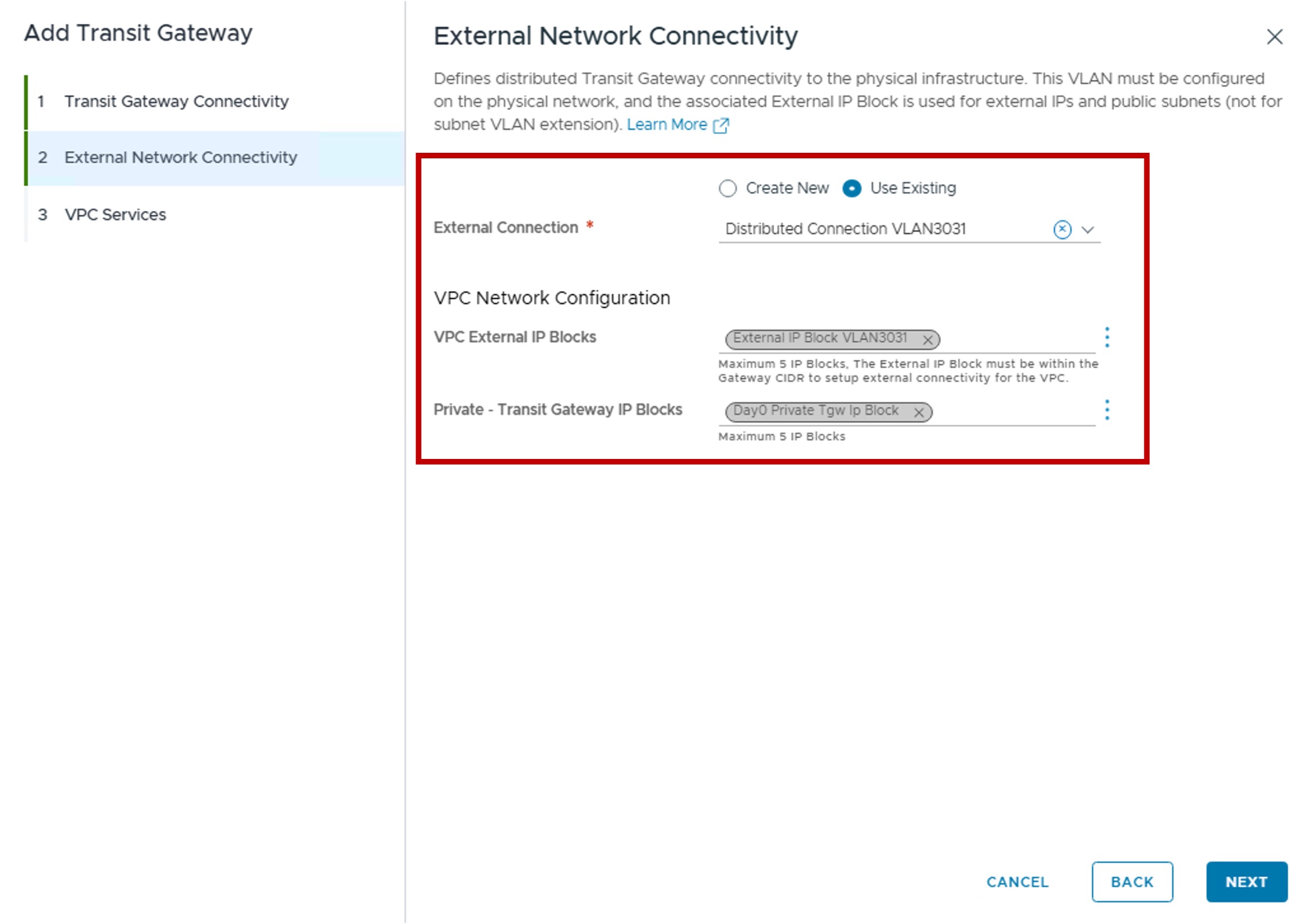
-
External Connection:
You can create a new or use an existing Distributed External Connection.
For more information on External Connection, refer to the External Connection page. -
VPC Network Configuration
(Optional) Create a new Connectivity Profile for future VPC.
For more information on Connectivity Profile, refer to the Connectivity Profile page.
The Connectivity Profile will be associated with this Transit Gateway and with:- VPC External IP Blocks: Select or create a new External IP Block for future VPC Public subnets, NAT, LB VIP (AVI configuration), and VPN (NSX configuration).
- Private - Transit Gateway IP Blocks: Select or create a new Private TGW IP Block used for future VPC Private-TGW subnets.
- Default Outbound NAT: Enable the automatic Source NAT (N:1 SNAT) for future VPC Private-TGW and Private-VPC subnets.
-
-
Step4. Configure VPC Service
Option to offer Network Services NAT, AVI Plugin.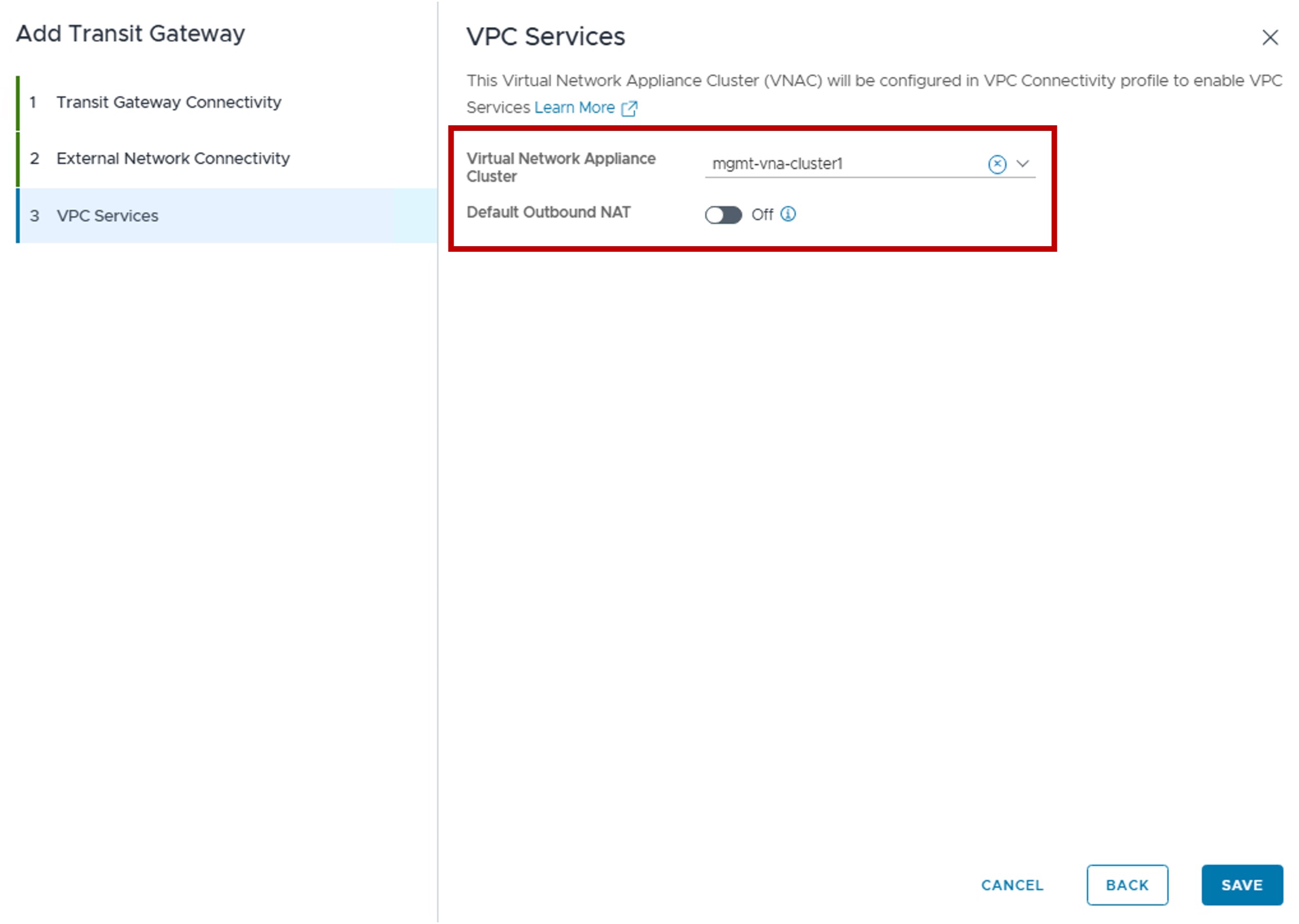
-
Virtual Network Appliance Cluster:
Select the VNA Cluster to host the future VPC-SR Gateways.
For more information on VNA, refer to the VNA page. -
Default Outbound NAT
Enable the automatic Source NAT (N:1 SNAT) for future VPC Private-TGW and Private-VPC subnets.
For more information on Outbound NAT, refer to the Outbound NAT page.
-
Monitoring
-
Status
The status reflects the successful application of the configuration.Note about the Status
Because this represents a logical configuration mapping rather than an active link-state protocol, the status will typically remain Green (Healthy) once the settings are validated by the NSX Manager.