 Supervisor with "NSX + DTGW/VNA"
This section describes the procedures for deploying an application (VMs/K8s) into the VKS Namespace utilizing an "NSX + DTGW/VNA" architecture inside a vSphere environment.
- Deploy App (VMs)
- Deploy App (K8s)
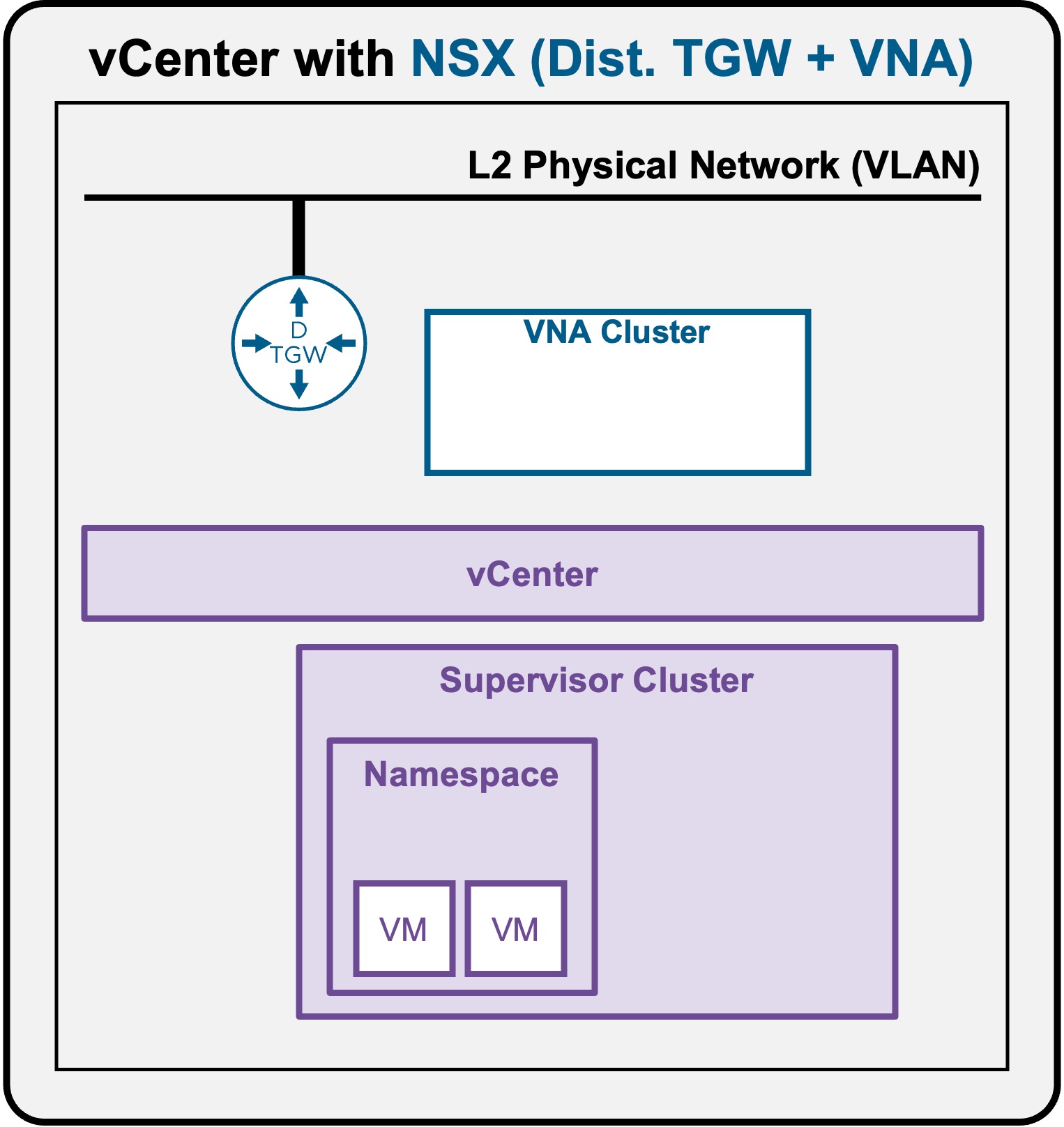
Deploy App (VMs)
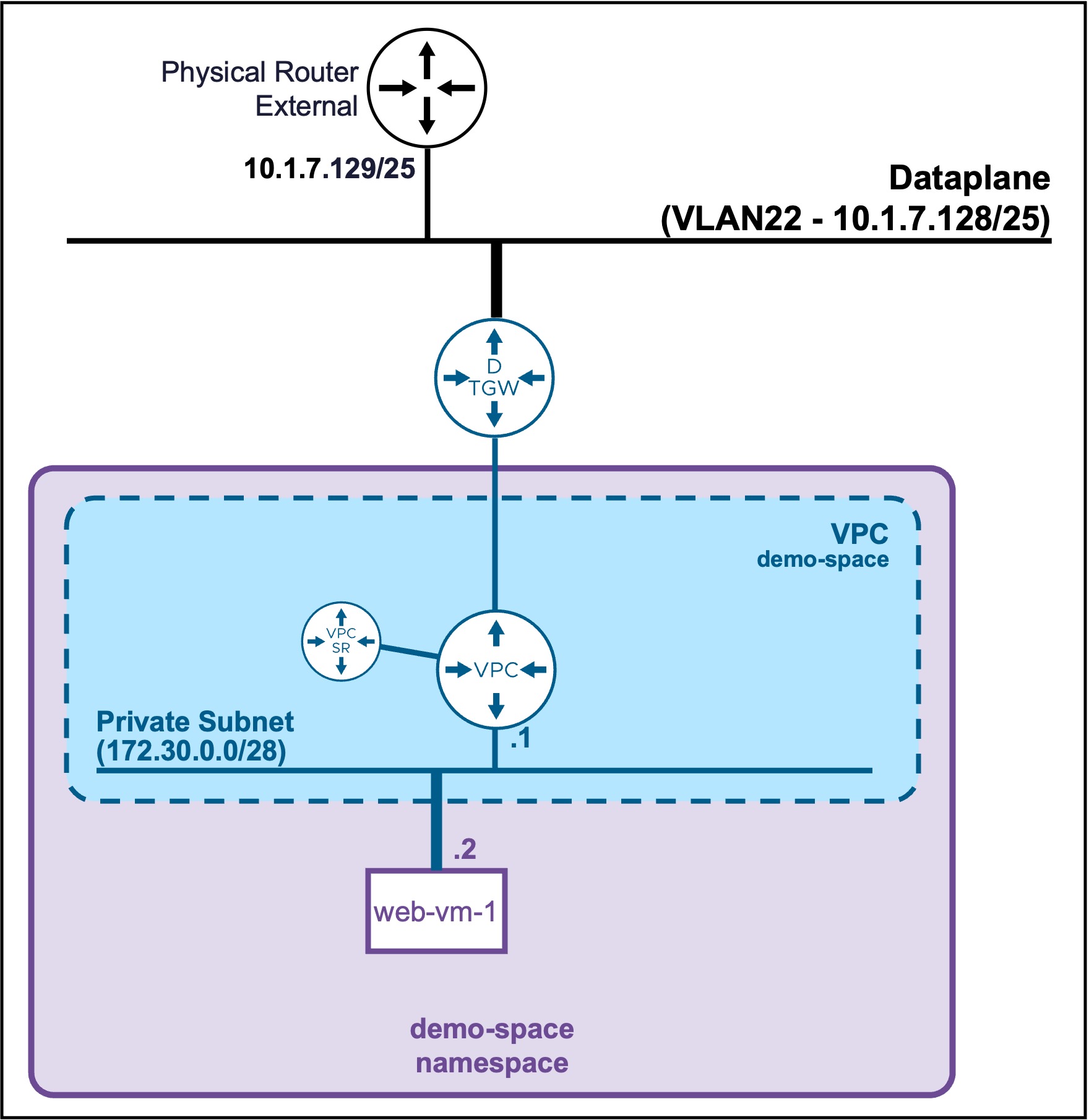
Deploy a VM
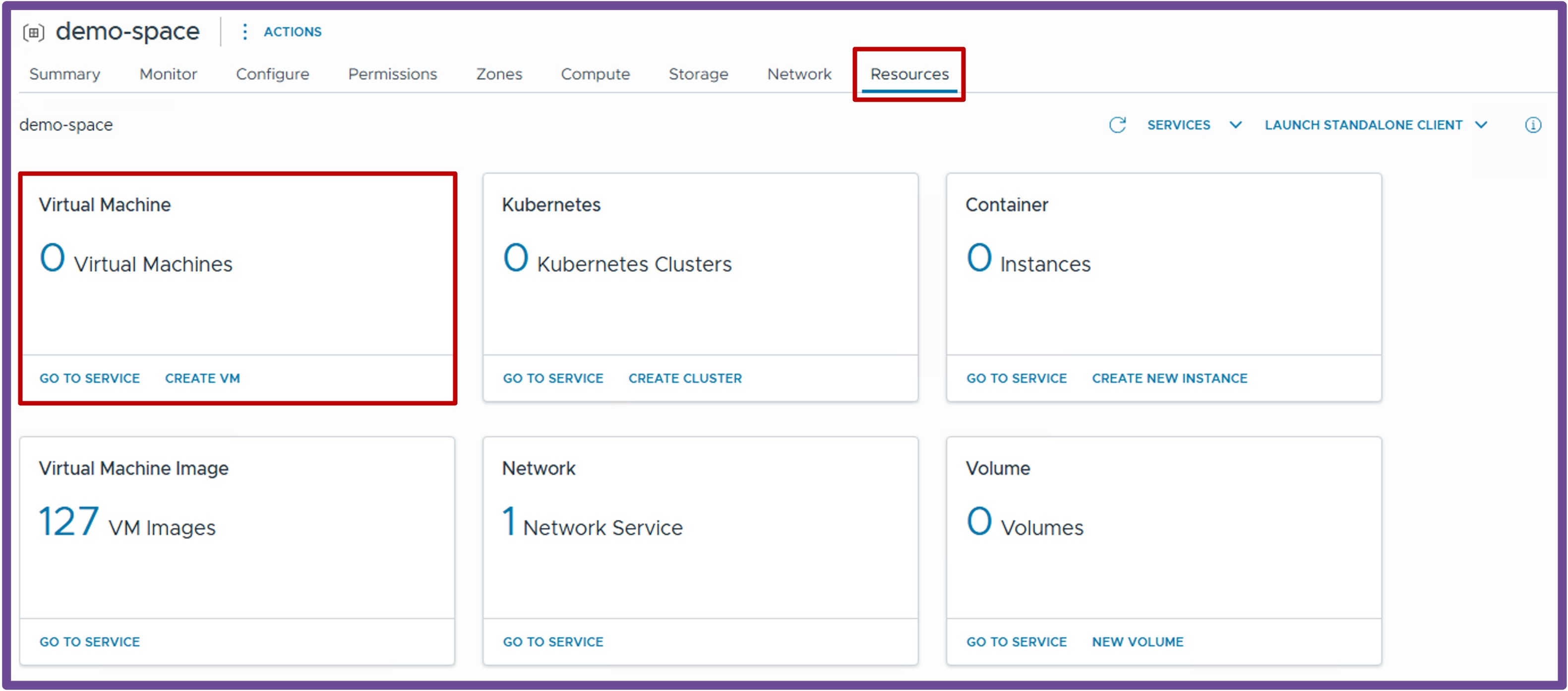
Navigate to vCenter > Supervisor Management > Supervisors, select [your supervisor], navigate to Namespaces, select [your namespace], navigate to Resources, and click on Virtual Machine - Create VM
-
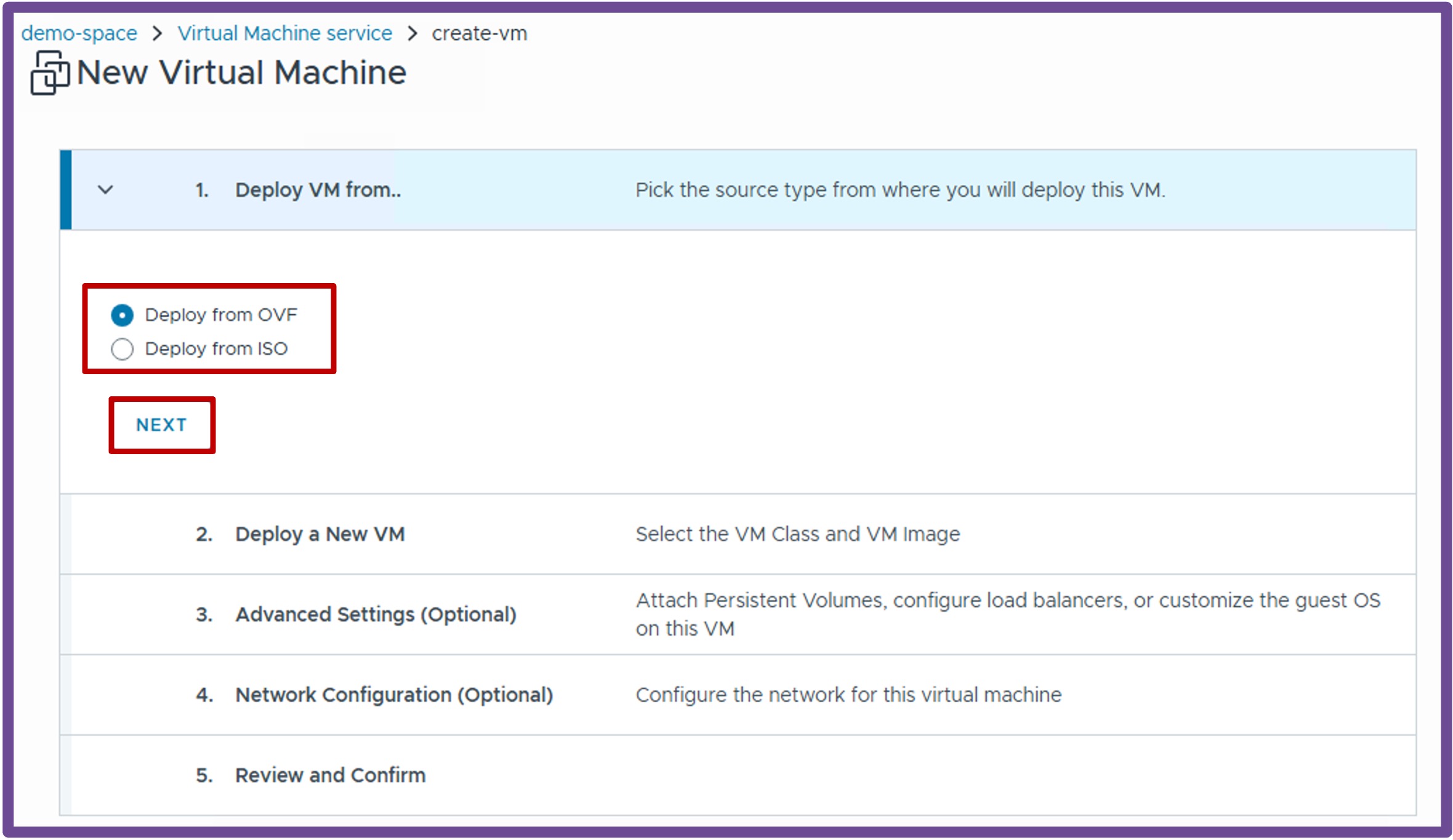
Deploy VM from..
Select between OVF or ISO, and click Next.
-
Deploy a New VM
Choose a VM Name, a VM Image, a VM Class (size and reservation of the VM), and click Review and Confirm.
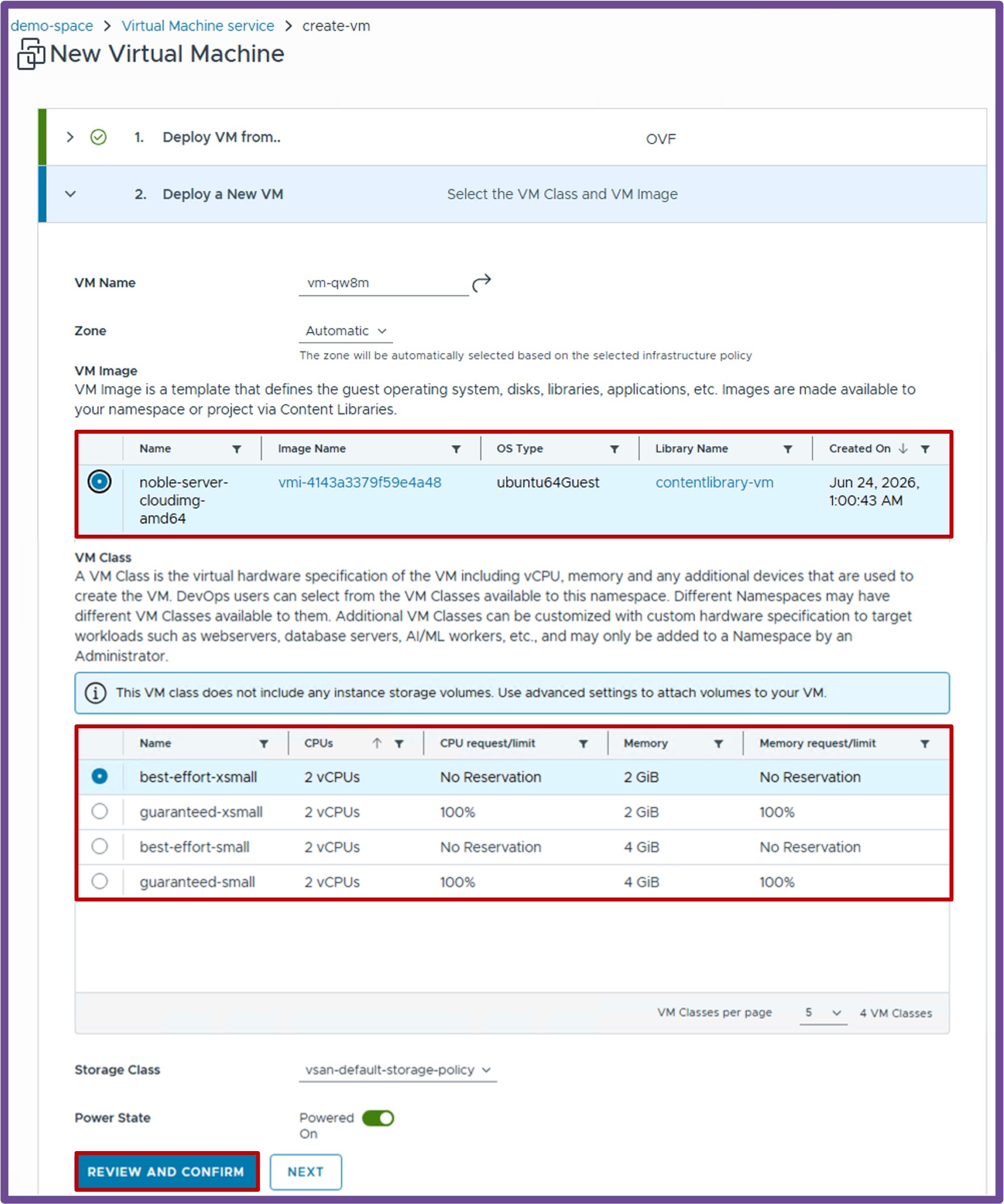
-
Review and Confirm
Review the settings, and click Deploy VM.
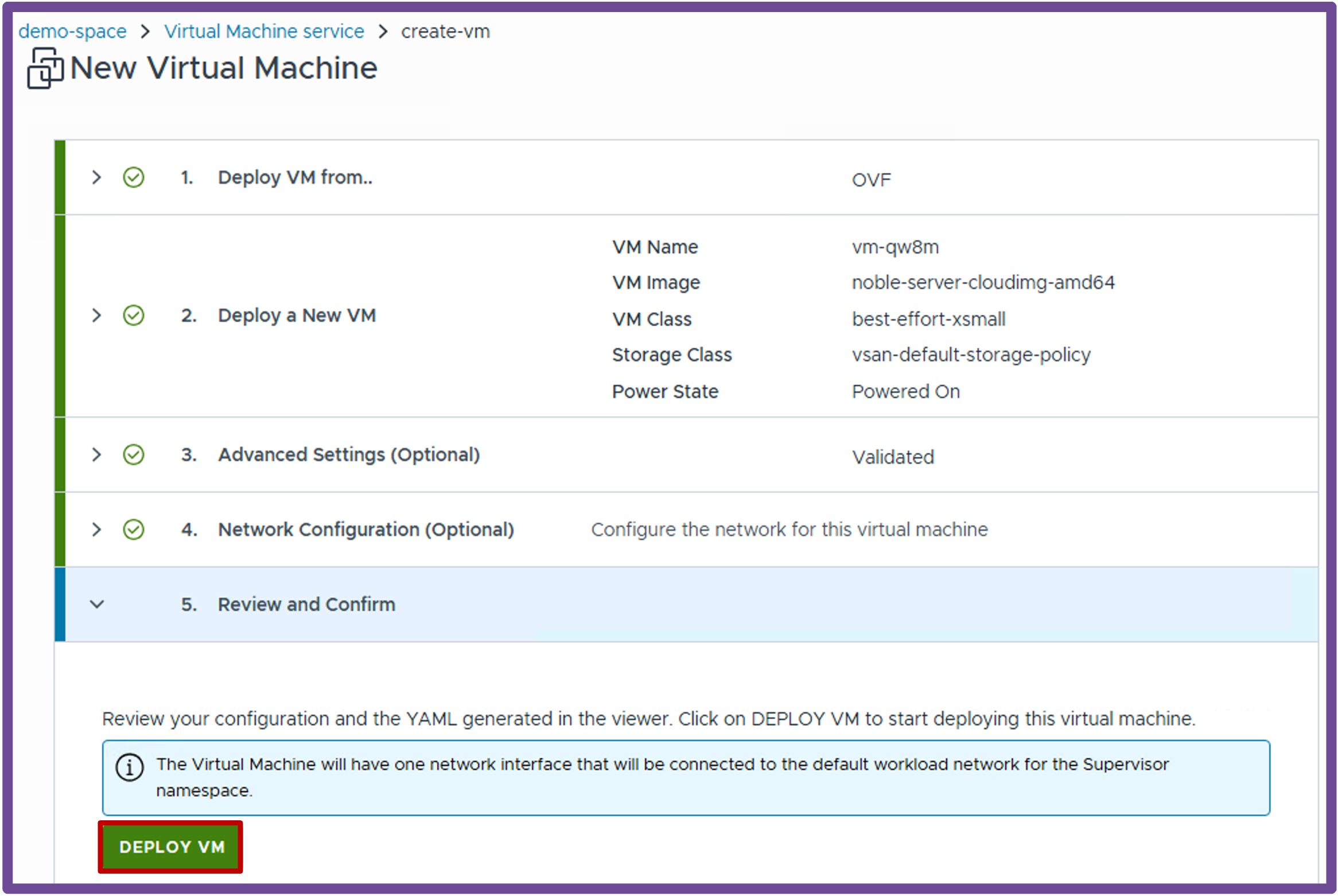
More options
More options are available under Advanced Settings (Optional) and Network Configuration (Optional), such as Persistent Volumes and Cloud-Init for Guest Customization.
For more information, refer to the VMware VM Service Documentation.
Validate deployment and status of the VM
via vCenter Supervisor Namespace
Navigate to vCenter > Supervisor Management > Supervisors, select [your supervisor], navigate to Namespaces, select [your namespace], navigate to Resources, and click on Virtual Machine - Go to Service
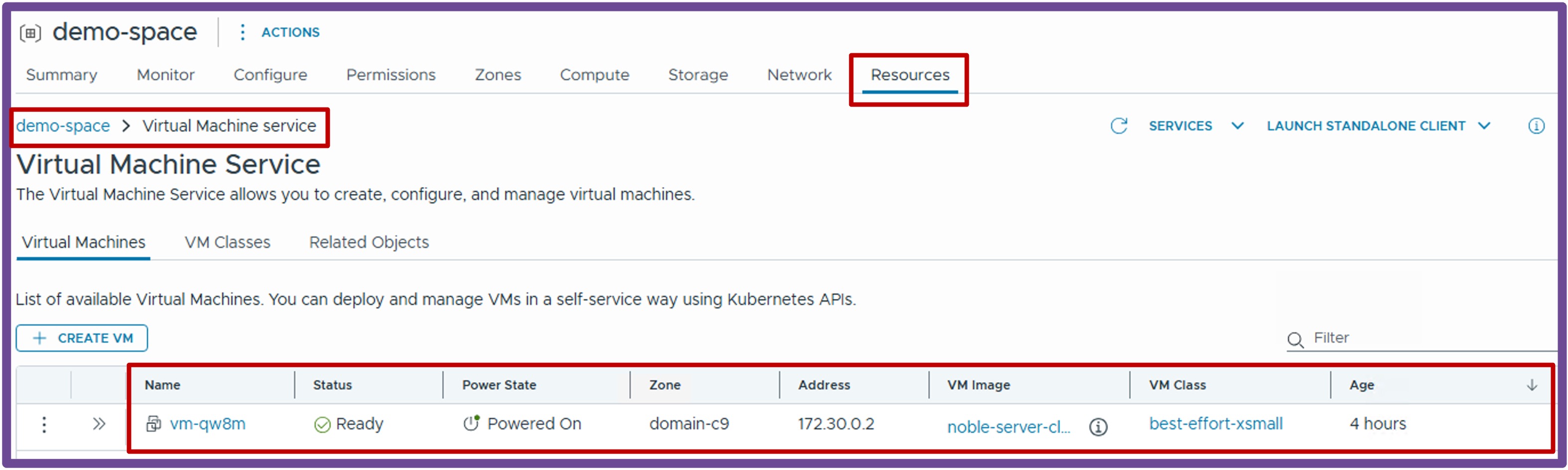
via vCenter Inventory
Navigate to vCenter > Inventory, select the VM in the Namespace.
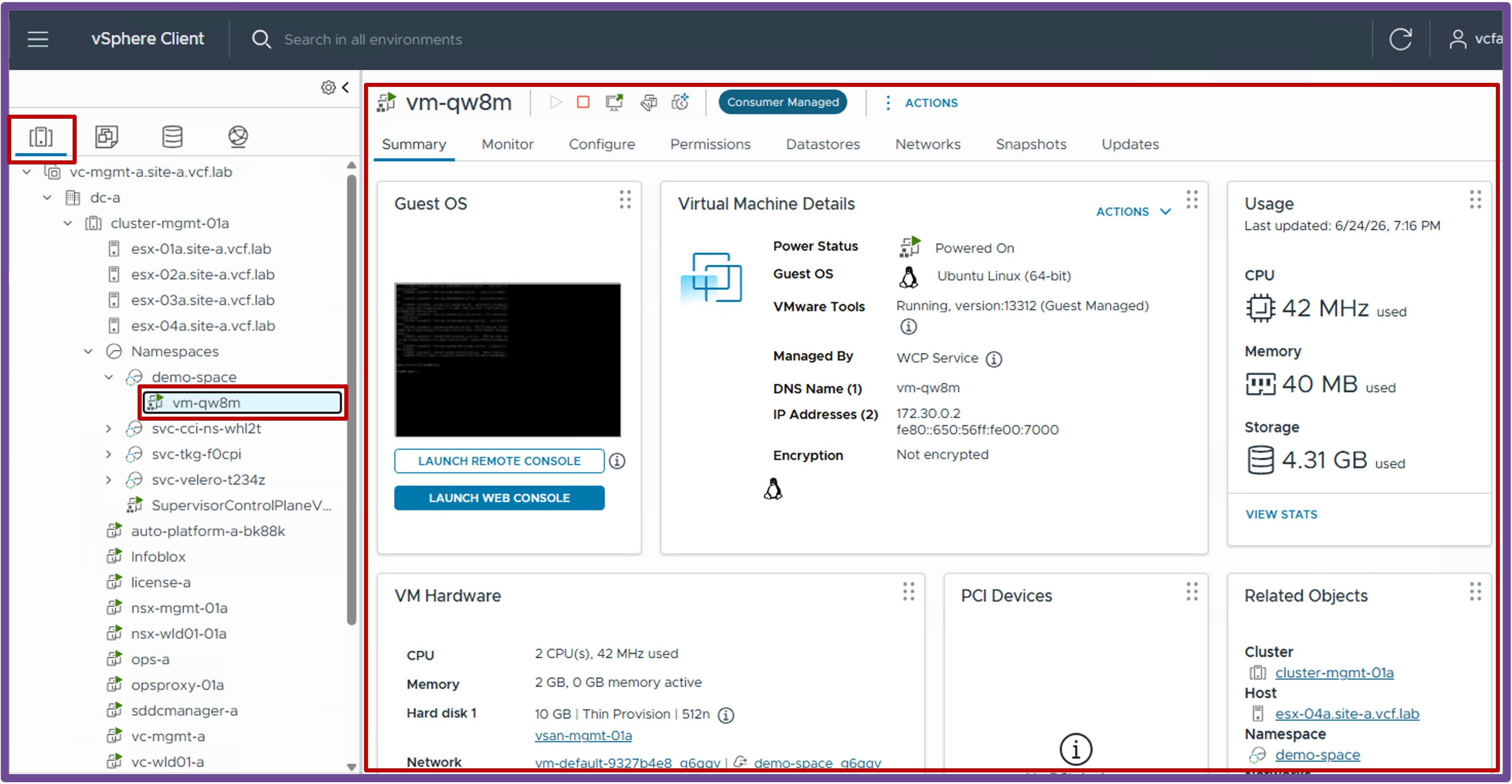
Access the VM
By default the VM is connected to the Private-VPC subnetset vm-default.
To offer direct access to the VM, there are several options:
-
Create a Public Subnet and plug the VM on it
See Network Services - Subnets -
Create a Load Balancer in front of the VM
See Network Services - VM Load Balancers