 Supervisor with "NSX + CTGW/Edge/T0"
This section describes the procedures for Troubleshooting Network Services into the VKS Namespace utilizing an "NSX + CTGW/Edge/T0" architecture inside a vSphere environment.
- Packet Walk
- App Access Broken
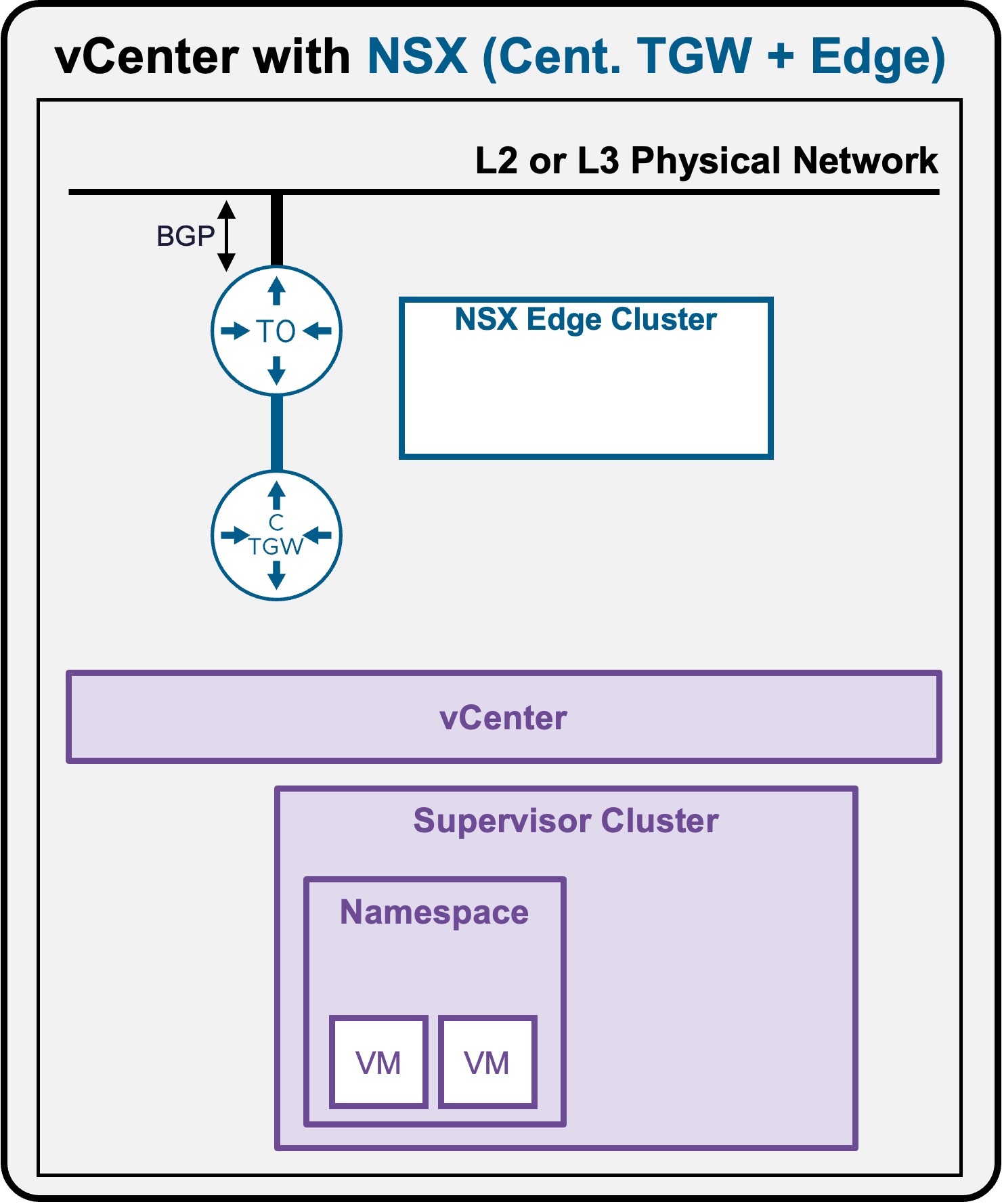
Packet Walk - N/S External to VM
One or a few VMs have been deployed (see Application Deployment > App Deployment (VMs) > via vCenter UI or Application Deployment > App Deployment (VMs) > via CLI).
View
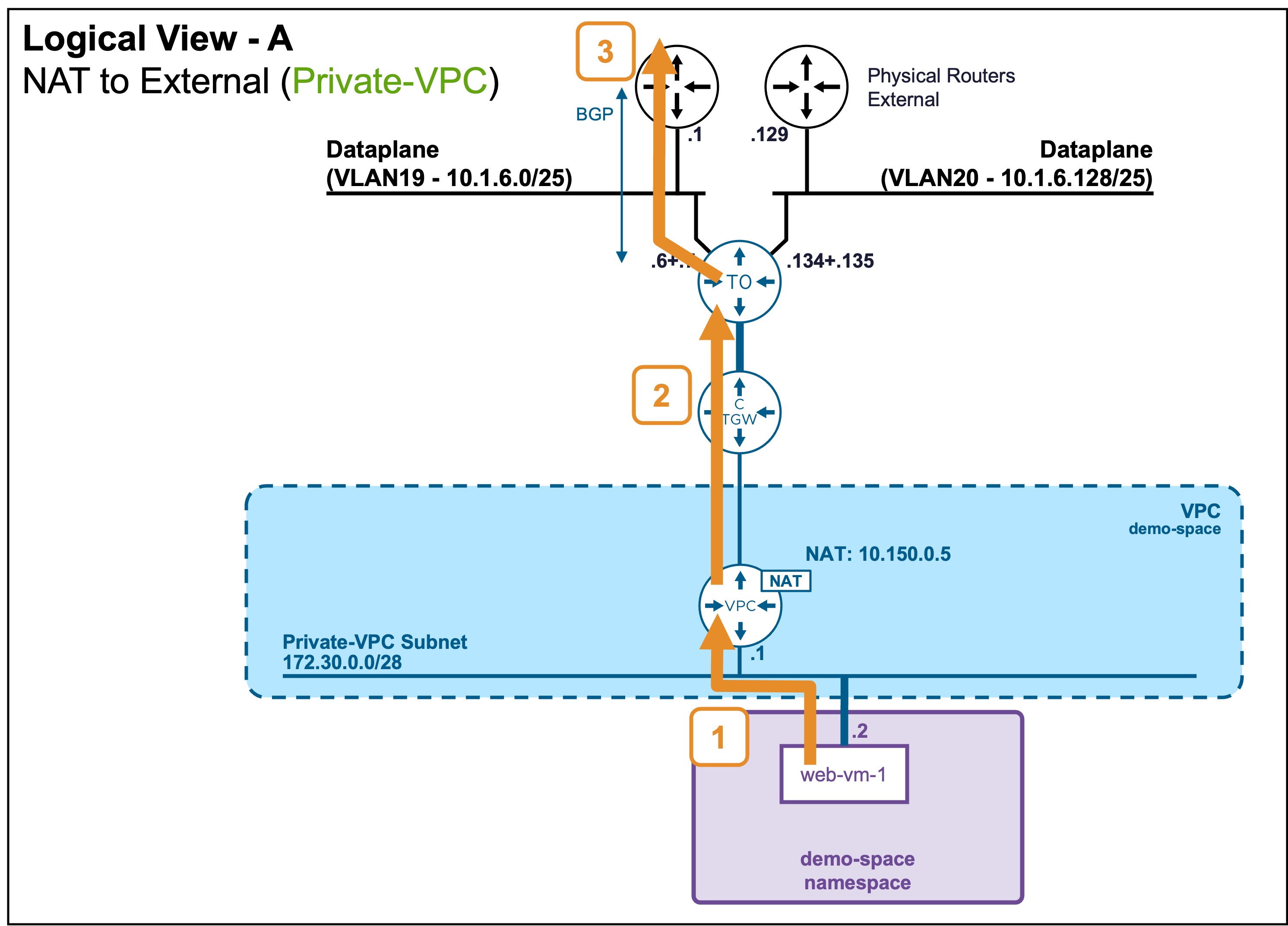
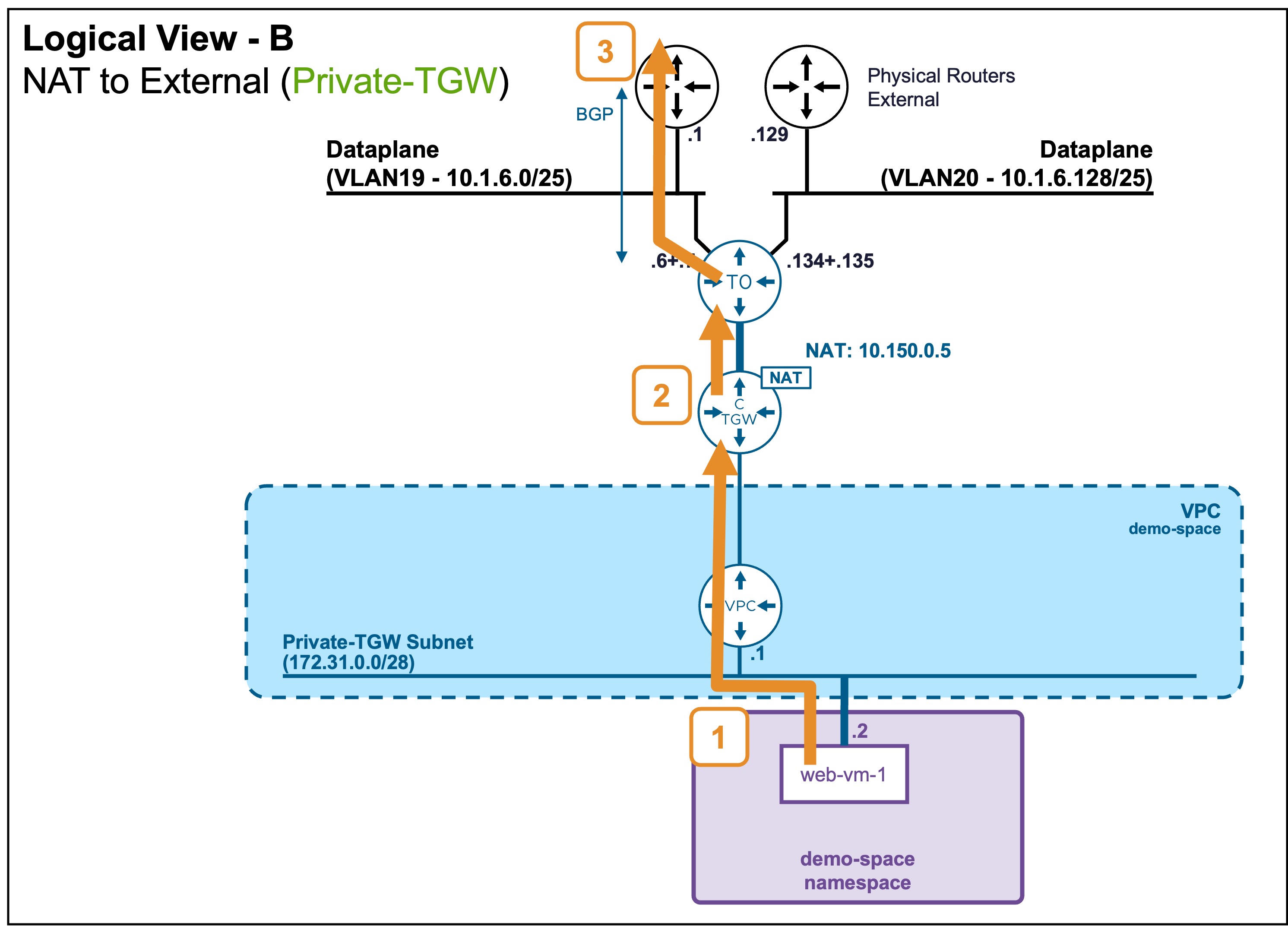
Logical View
-
Scenario A: VM connected to Private-VPC Subnet
-
Scenario B: VM connected to Private-TGW Subnet
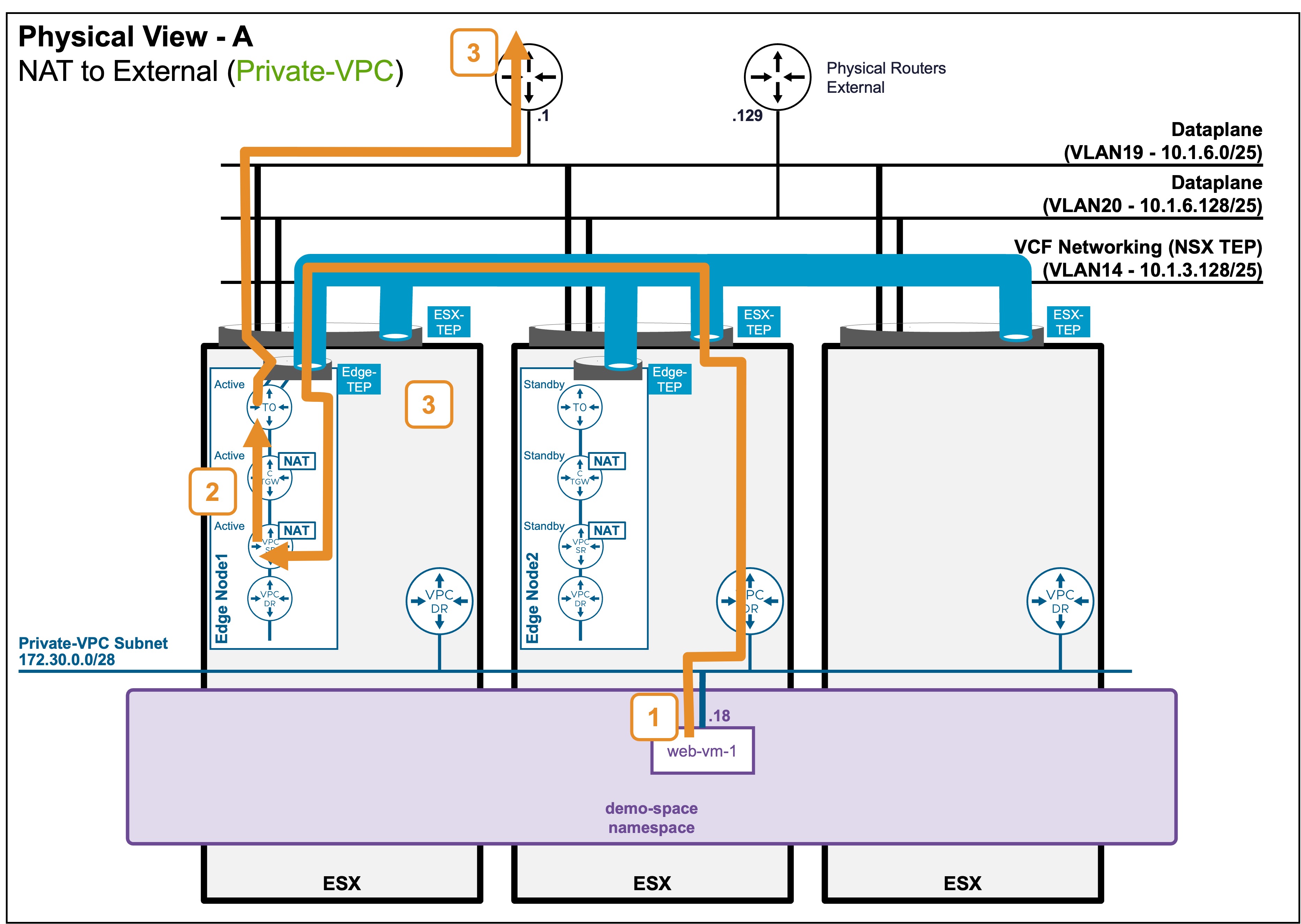
Physical View
-
Scenario A: VM connected to Private-VPC Subnet
-
Scenario B: VM connected to Private-TGW Subnet
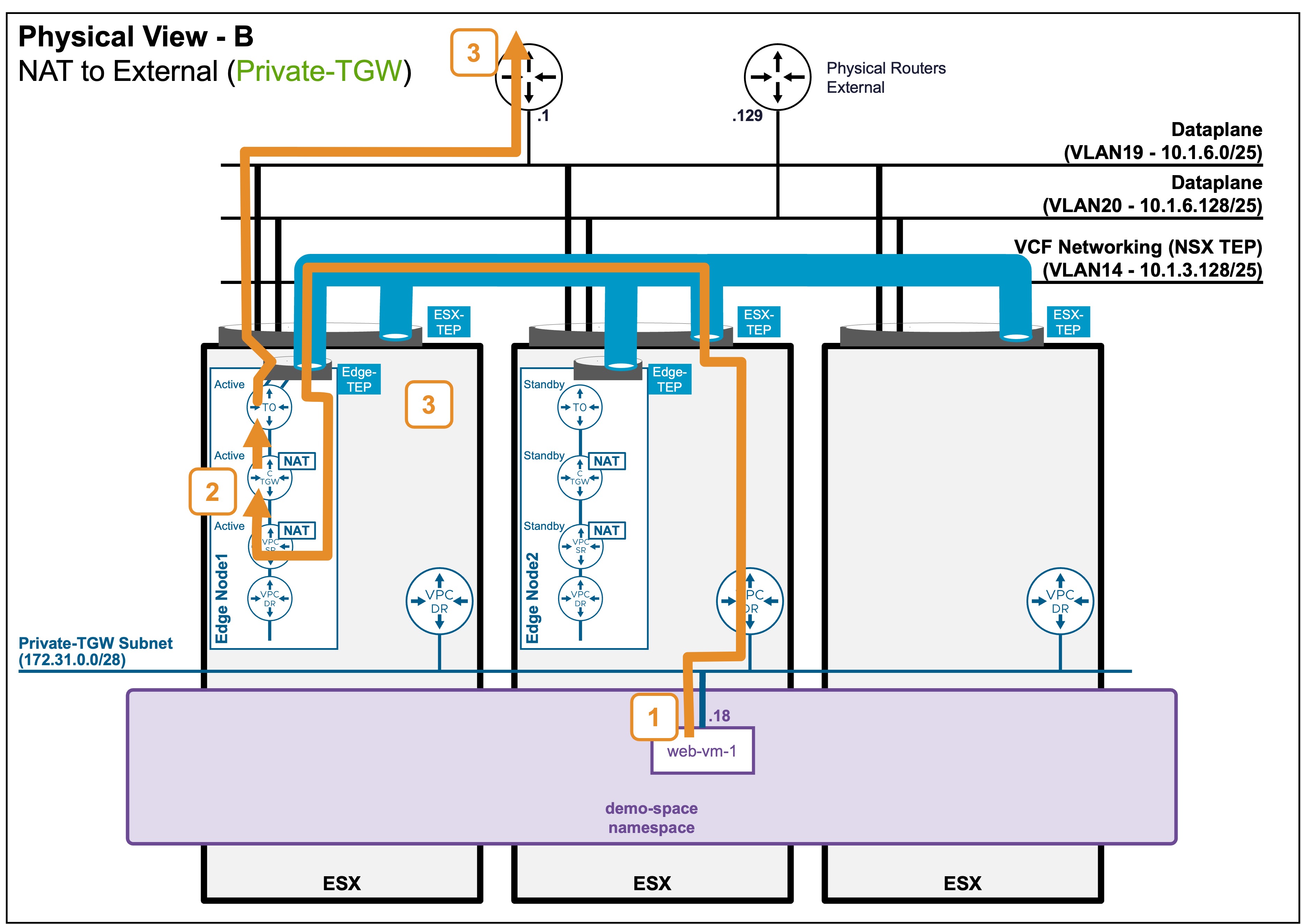
Packet Walk
-
Step1: VM accesses an External server
VM1 (Private-IP) => External-IPThe VM sends the packet to its default gateway (VPC-DR) hosted on its local ESX.
VPC-DR routes to its default gateway: VPC-SR.
Note: The Active VPC-SR hosted on an Edge Nodes could be on a different ESX (as represented).
The traffic passing from the ESX host to the Edge Node is encapsulated between the ESX TEP and the Edge TEP.. In case of Private-VPC
Because Private-VPC subnet traffic leaving the VPC requires Source NAT (SNAT), the traffic is Source-NATed by the VPC Gateway.
. In case of Private-TGW
The traffic is routed by the VPC Gateway, then the CTGW. Because Private-TGW subnet traffic leaving the CTGW requires Source NAT (SNAT), the traffic is Source-NATed by the CTGW.
Note: The Active VPC-SR and CTGW could reside on different Edge Nodes. In such cases, cross-Edge Node traffic would occur (not represented). -
Step2: SNAT routes the traffic up to the T0
NAT (10.1.7.131) => External-IP. In case of Private-VPC
VPC-SR routes to the default gateway: CTGW-Active.
CTGW routes to the default gateway: T0-Active.
. In case of Private-TGW
CTGW routes to the default gateway: T0-Active.Note: The Active CTGW and T0 could reside on different Edge Nodes. In such cases, cross-Edge Node traffic would occur (not represented).
Also, in an Active/Active T0 configuration, CTGW traffic would be forwarded across all Edge Nodes hosting the T0 (not represented). -
Step3: T0 routes to the physical fabric
NAT (10.1.7.131) => External-IPT0-Active routes to its default gateway: Physical Router.
Note: In the case of multiple physical routers configured in Active/Active (not represented), the T0 routes traffic among all available physical routers.
Architectural Note: Asymmetric Routing
The North/South (not represented) and South/North traffic can be asymetric: processed by one physical router inbound, and a different physical router outbound.
Stateless Physical Routing Required
Because the traffic path can be asymmetric, the upstream physical network devices must operate as standard routers, not stateful firewalls.
A stateful firewall will flag asymmetric return traffic as invalid and drop the packets.
If the T0 routes traffic to a firewall, configure the T0 as Active/Standby and configure BGP so 1 path is prefered to avoid asymetric traffic.