 Supervisor with "NSX + DTGW/VNA"
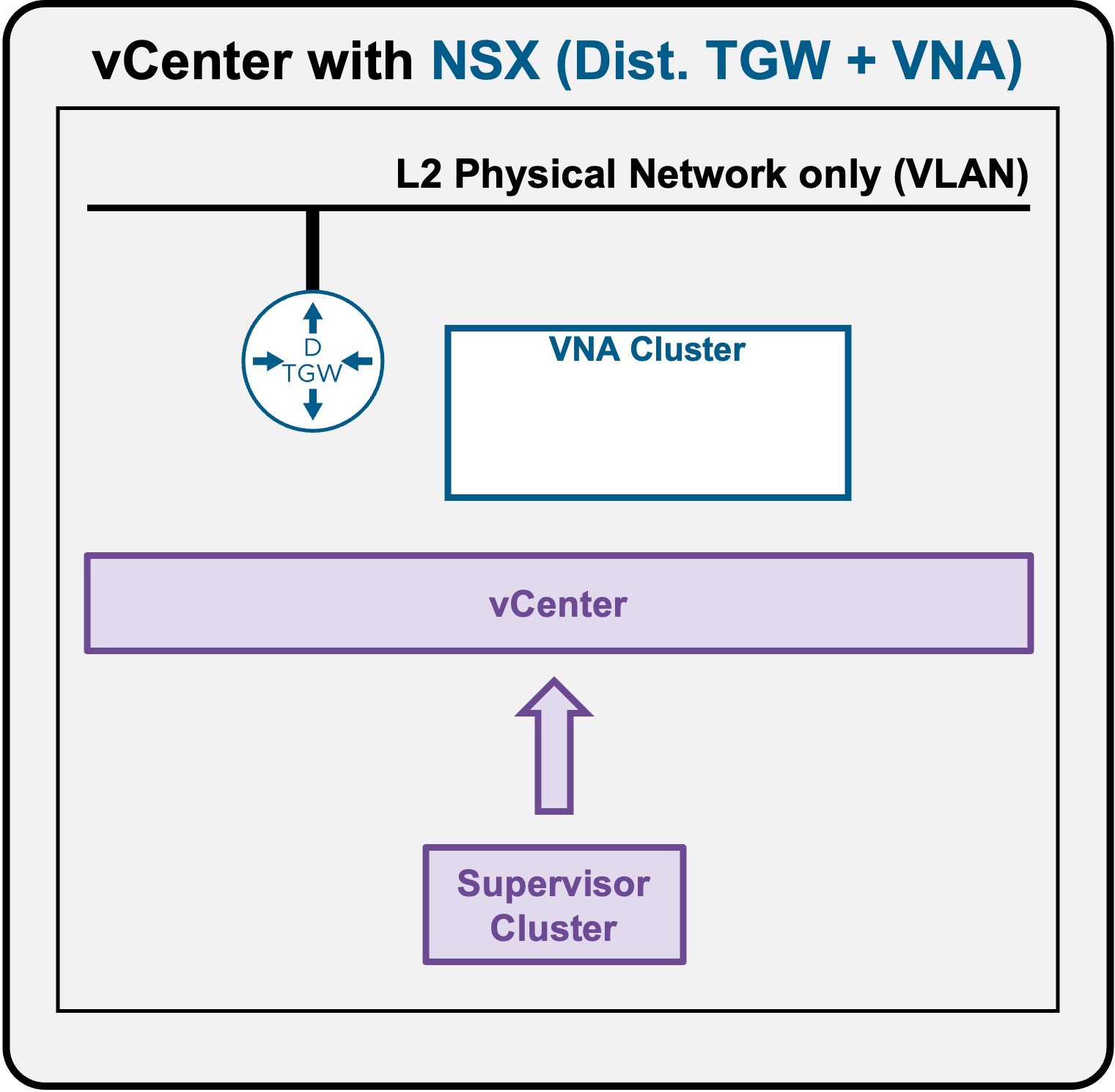
This section describes the requirements for deploying the Supervisor utilizing an "NSX + DTGW/VNA" architecture inside a vSphere environment.
- Requirements
- Install Requirements
Requirements
Supervisor with "NSX + DTGW/VNA" has the following networking requirements:
Physical Fabric
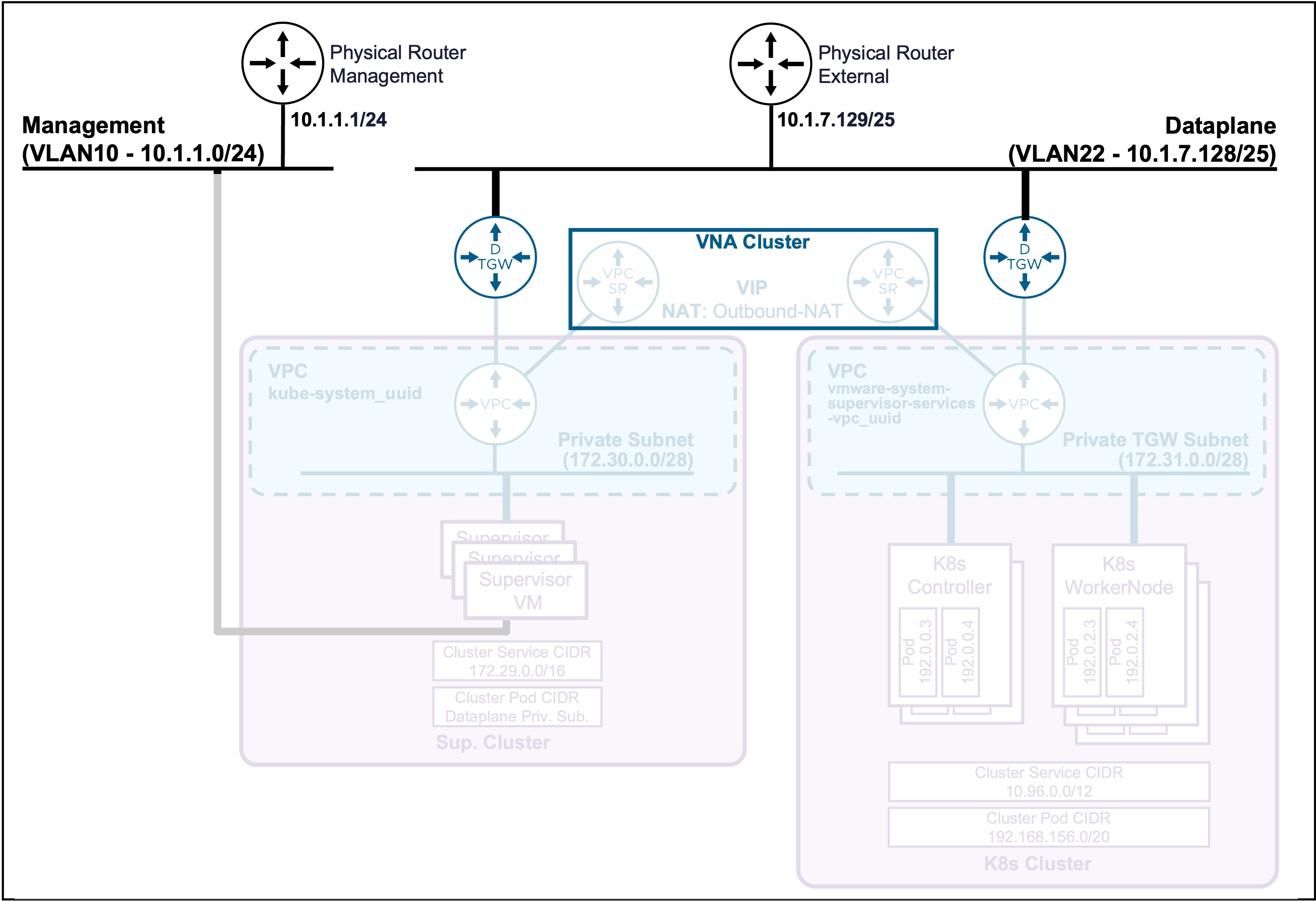
2 Subnets/VLANs
- Management:
Can be an existing Management subnet/VLAN that already hosts other components (such as vCenter).
Requires 5 consecutive IPs (for the Supervisor Cluster). - Dataplane:
Can be a new dedicated subnet/VLAN (recommended) or an existing subnet/VLAN that already hosts other components (such as Physical Servers).
The subnet needs to be large (to host future K8s VIPs and VPC Outbound-NAT).
No requirement for dynamic routing (such as BGP)
vCenter
VDS Port Group
-
Management:
VDS Port Group VLAN for the Management traffic.Status Validation
Navigate to vCenter > Networking > VDS-PortGroup > Edit Settings > VLAN.
Ensure the VLAN Type is "VLAN" with the right "VLAN ID":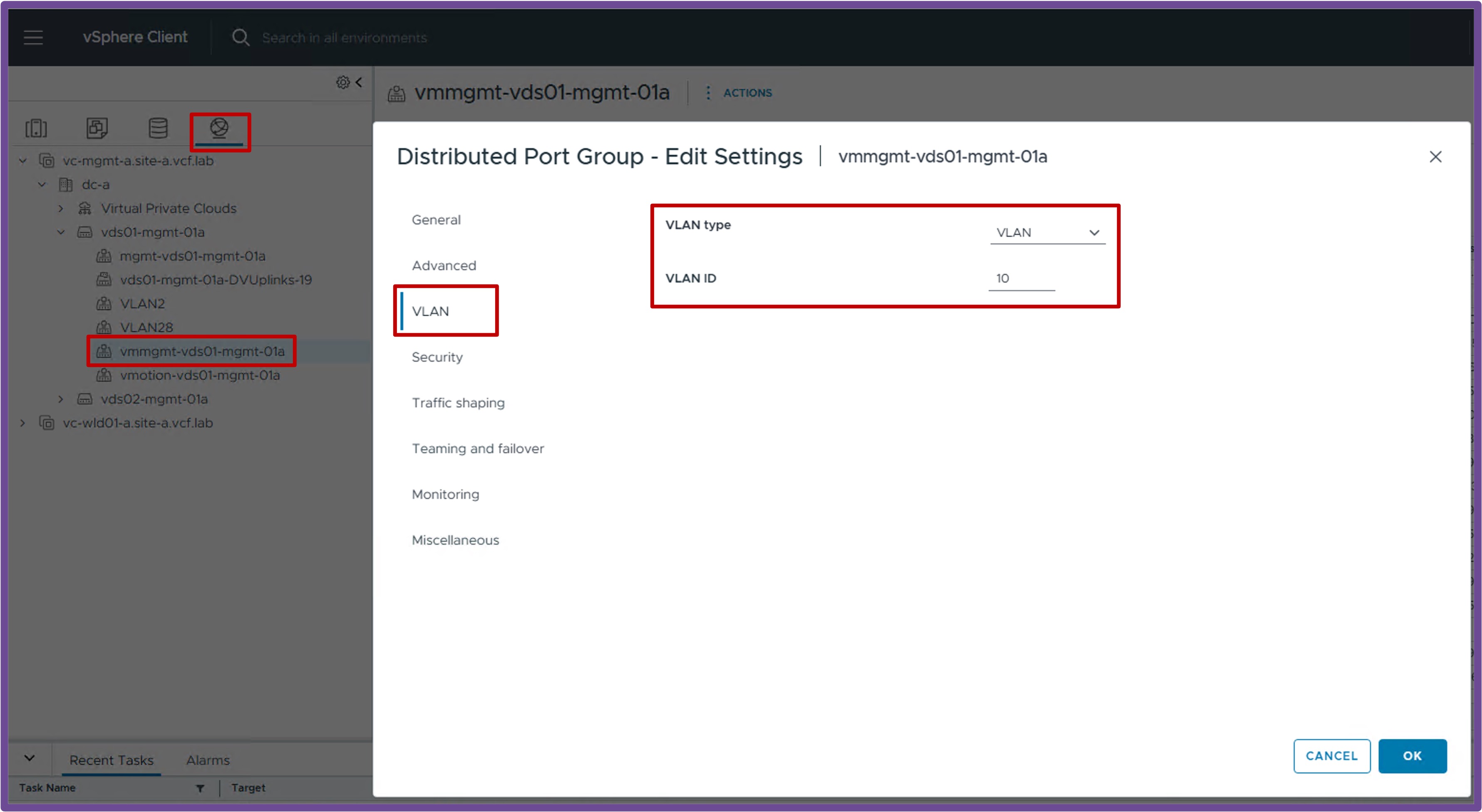
NSX
Missing NSX Requirements?
If your environment is not yet configured with the NSX prerequisites below, please refer to:
vCenter Cluster "VCF Networking ready (NSX Overlay)"
-
vCenter Cluster with NSX Prepared
The vCenter Cluster must be prepared for VCF Networking so the future Supervisor Cluster can connect to the VPC.Status Validation
Navigate to vCenter > Host and Clusters > [your vCenter Cluster] > Configure > Networking > Network Configuration.
Ensure "Cluster Status" and "Host Status" are "Green", and ESX have at least 1 TEP IP Address:Note: If no workloads have been deployed on logical networks yet, it is normal to have zero tunnels established on the ESX hosts.
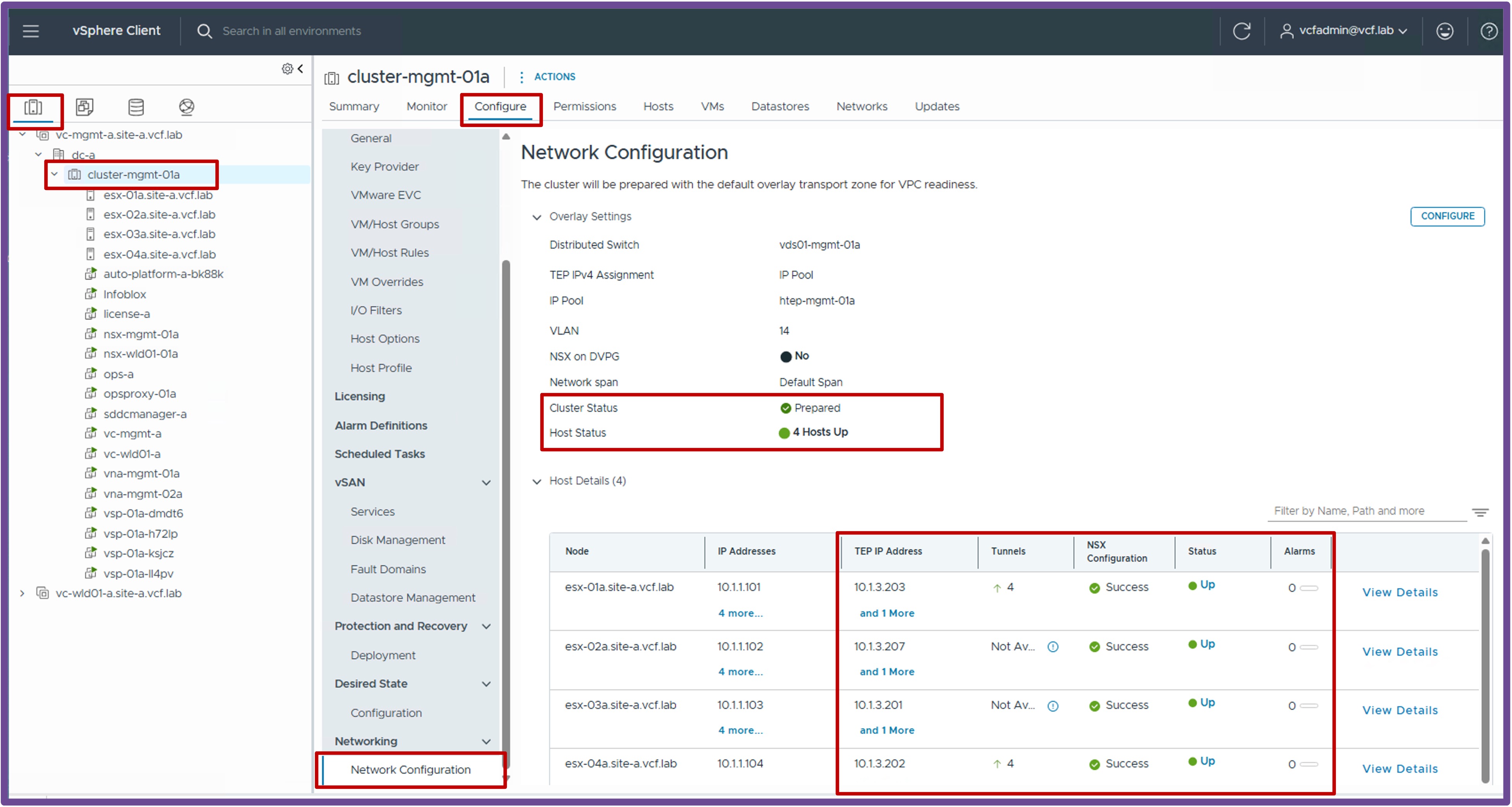
vCenter with "DTGW + VNA ready"
-
VNA Cluster
The VNA Cluster hosts the Load Balancing and Outbound-NAT services (providing NAT for Supervisor / K8s Clusters communicating with the physical network).Status Validation
Navigate to vCenter > Networking > vCenter > Configure > Networking > VNA Clusters.
Ensure the VNA Cluster with its Nodes is deployed and shows a Green status.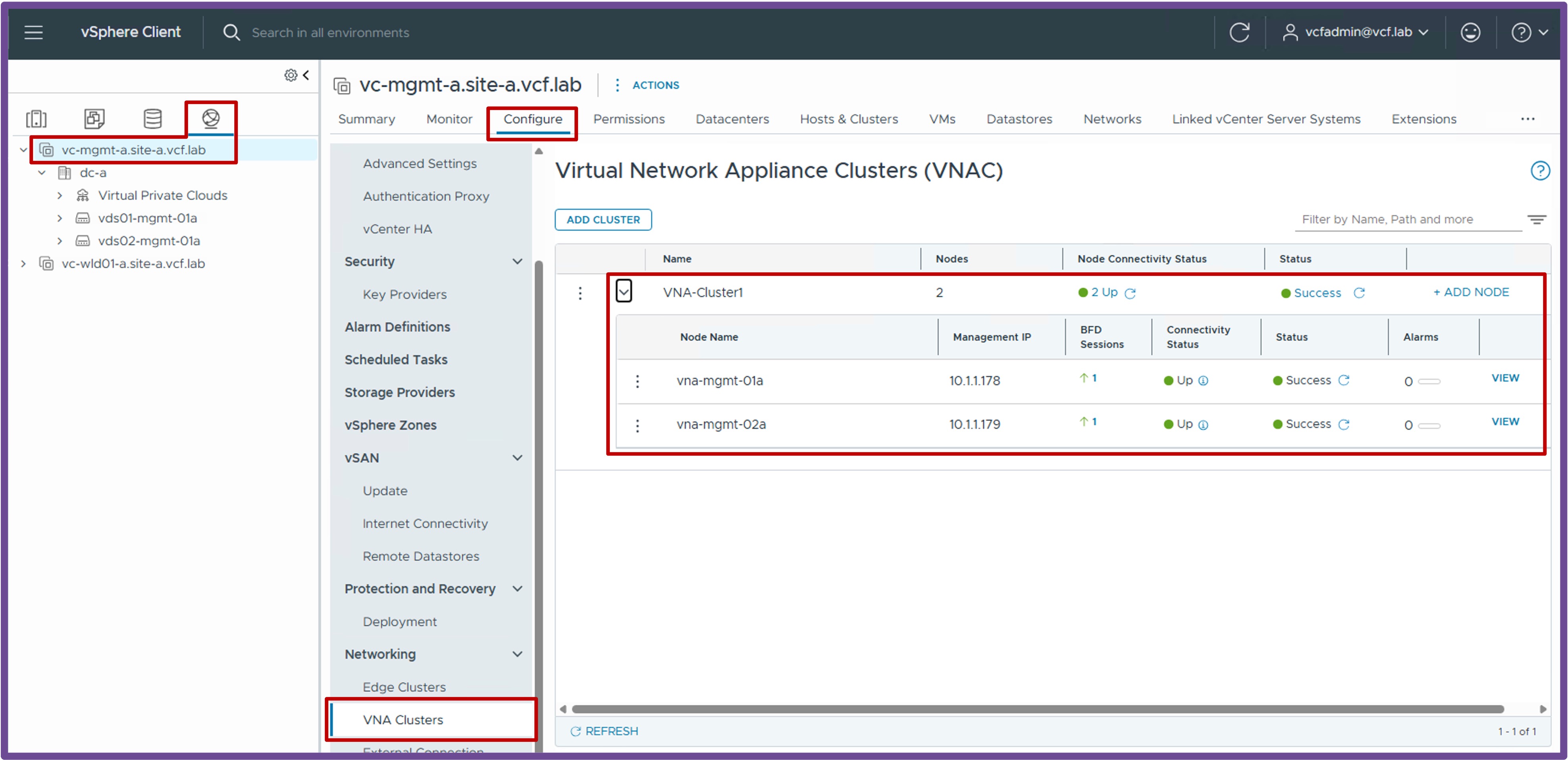
-
Distributed External Connection
A Distributed External Connection is the VLAN and physical router used by logical networks (such as Transit Gateways and VPCs) to connect to the physical network.Status Validation
Navigate to vCenter > Networking > vCenter > Configure > Networking > External Connection.
Ensure you have at least 1 Distributed External Connection configured: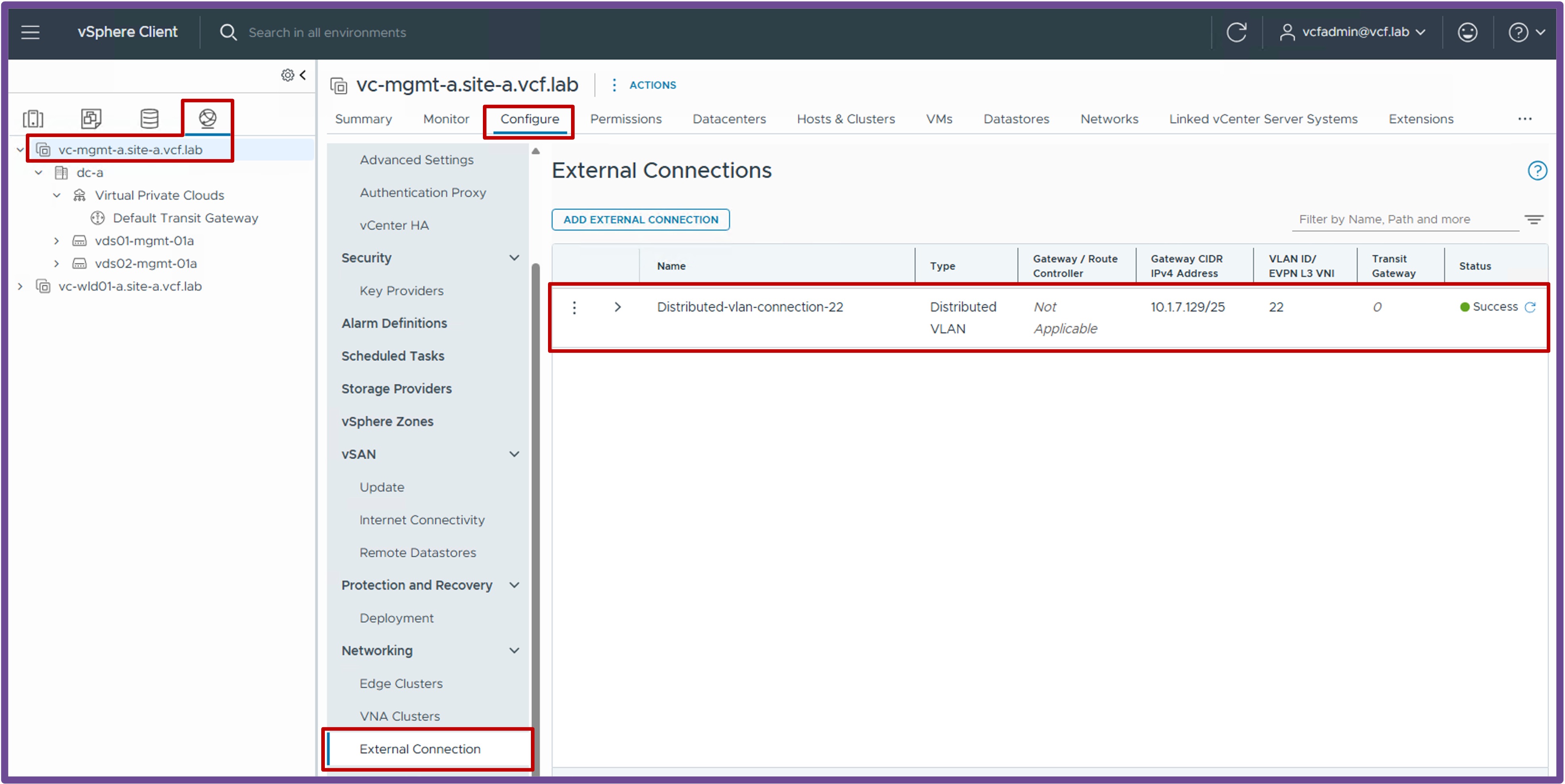
-
IP Blocks
The External IP Block is for the future K8s VIPs, VPC Outbound-NAT, and VPC Public Subnet (IP Block is the full Dataplane subnet or part of it).Status Validation
Navigate to vCenter > Networking > Virtual Private Clouds > Configure > Settings > IP Blocks.
Ensure you have at least 1 External IP Block configured: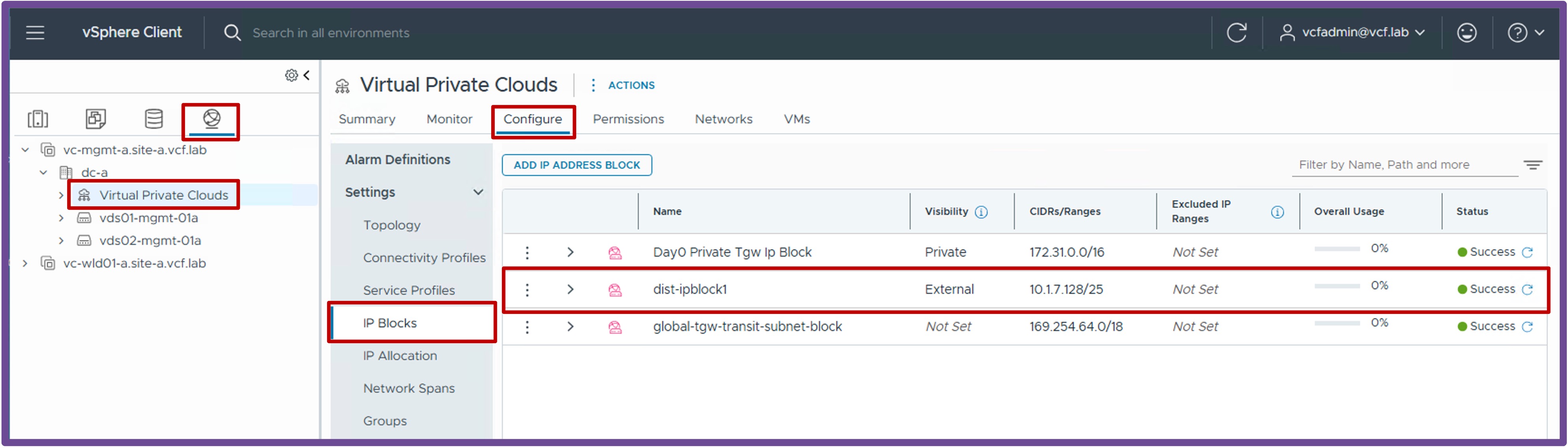
-
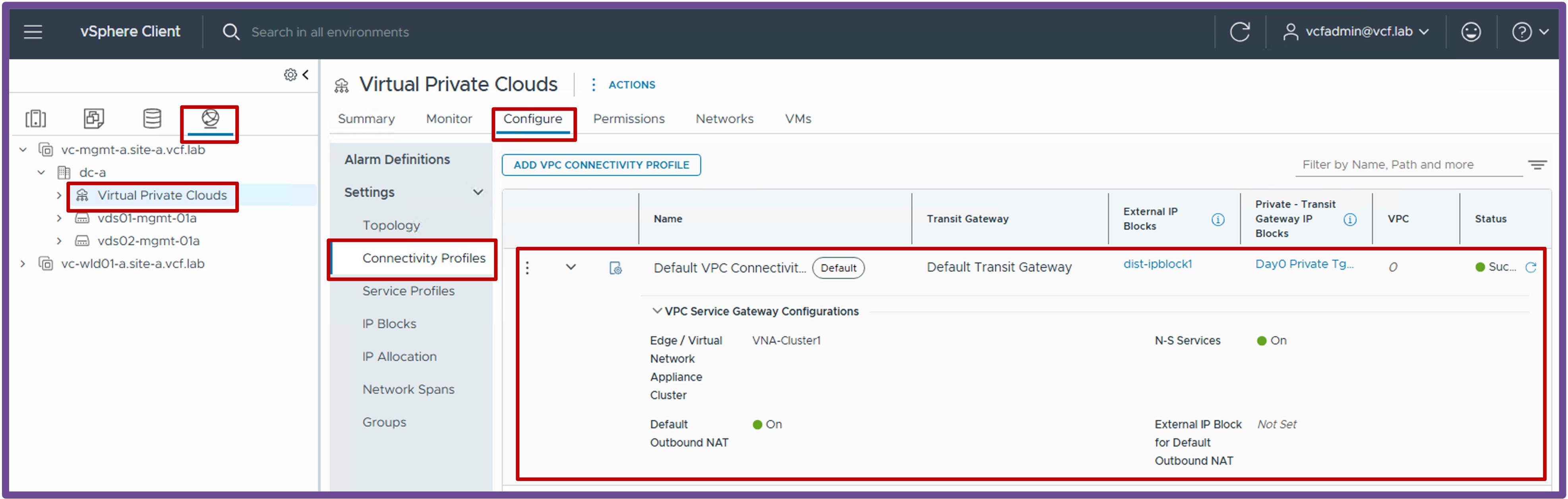
Connectivity Profile
The Connectivity Profile binds the DTGW configuration (VNA Cluster, Outbound-NAT, and N-S Services for Load Balancing).Status Validation
Navigate to vCenter > Networking > Virtual Private Clouds > Configure > Settings > Connectivity Profiles.
Ensure the Connectivity Profile has the following configured:- External and Private Transit Gateway IP Blocks selected
- A VNA Cluster selected
- N-S Services enabled (for the LB service)
- Default Outbound NAT enabled (for NAT)
-
Distributed Transit Gateway (DTGW)
The Distributed Transit Gateway is the distributed logical router responsible for routing traffic between the logical and physical networks.Status Validation
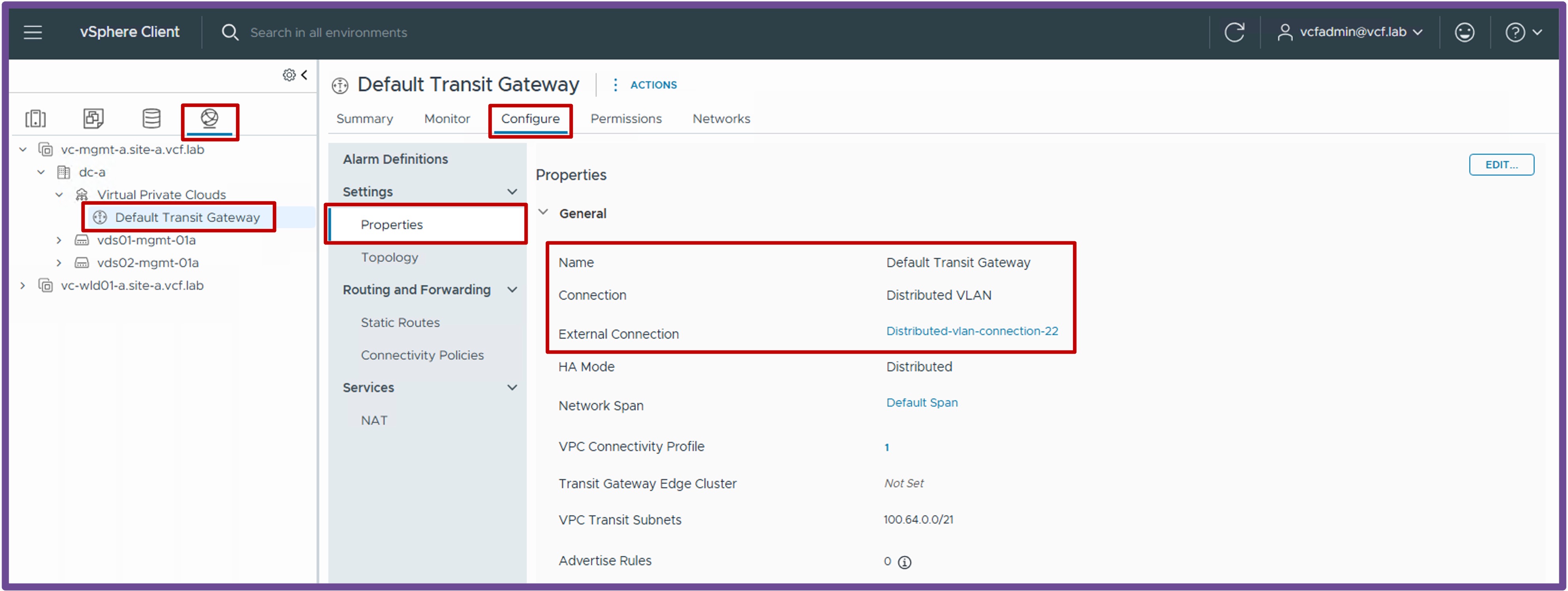
Navigate to vCenter > Networking > Default Transit Gateway > Configure > Settings > Properties.
Ensure the DTGW has a Connection Type of "Distributed VLAN", and an External Connection configured.