 VPC Gateway Configuration in vCenter
This section describes the procedures for configuring a VPC Gateway using the vSphere Client.
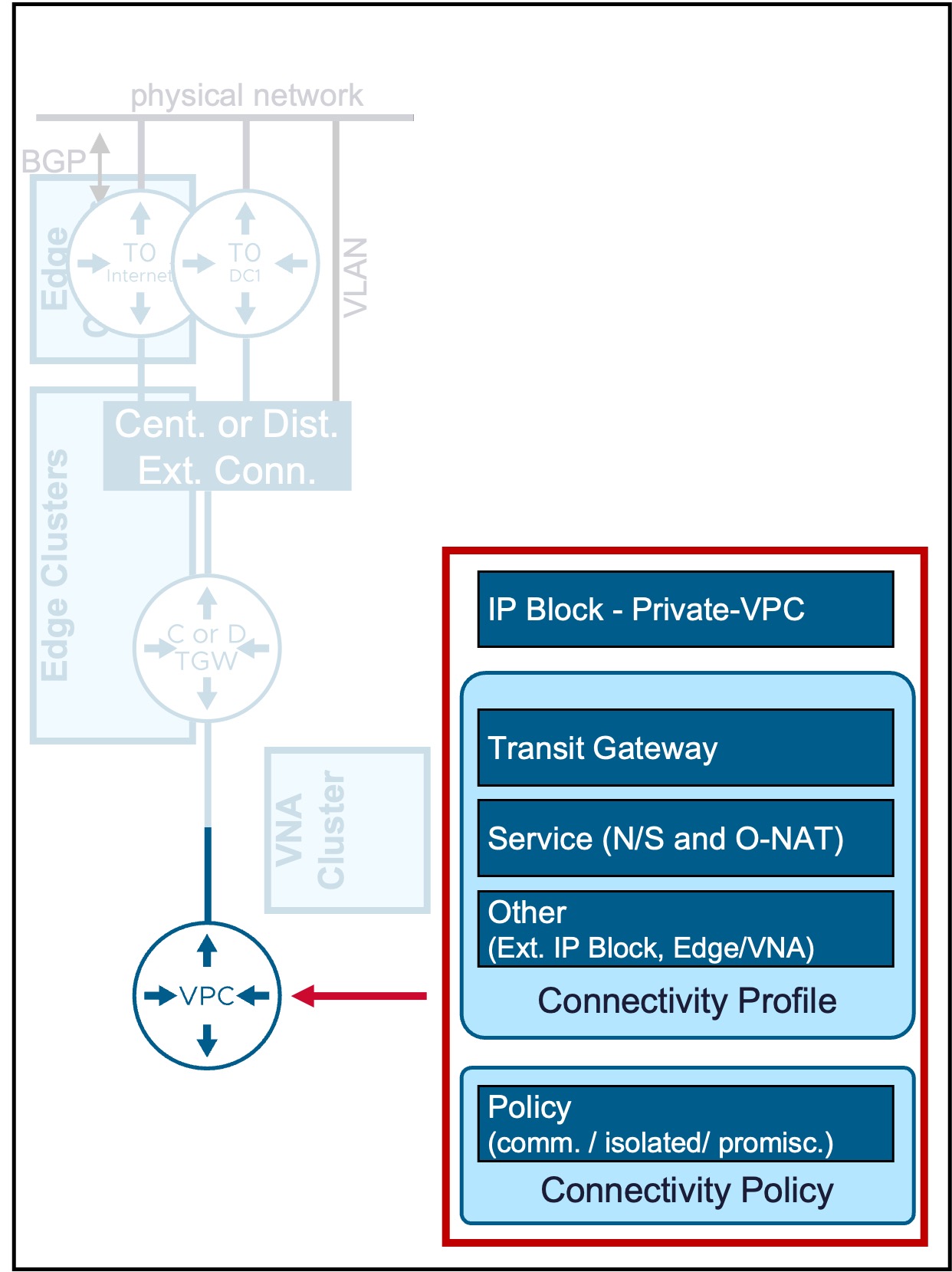
VPC Gateways are the logical router for VPC networking.
VPC Gateway
Configuration
-
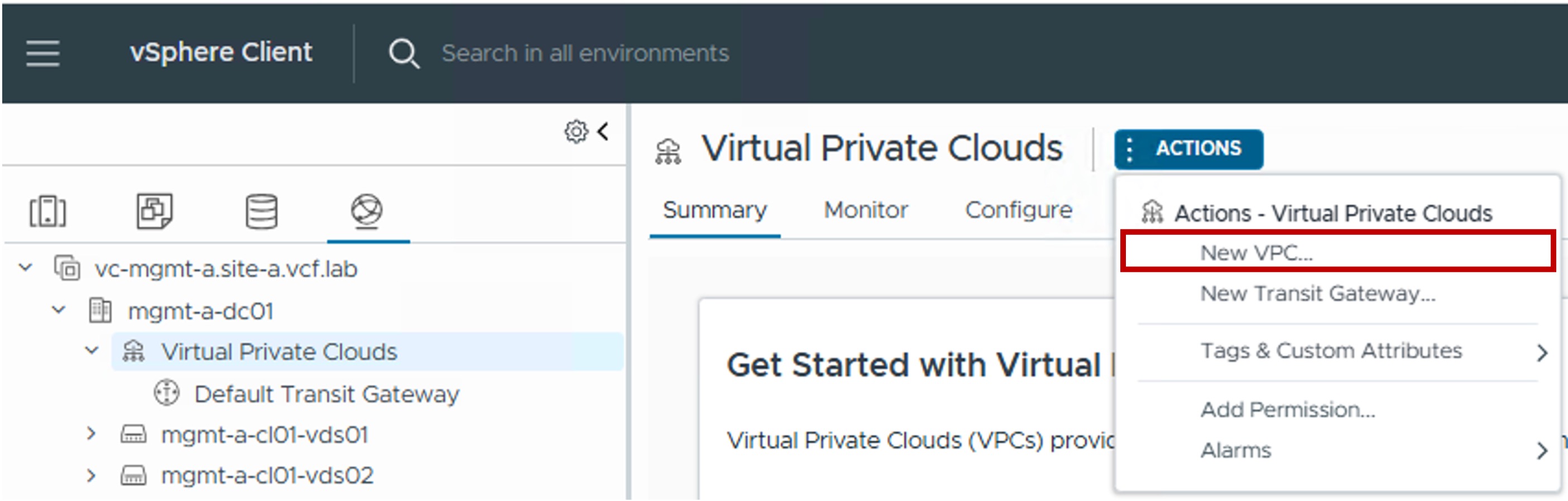
Step1. Create new VPC Gateway
-
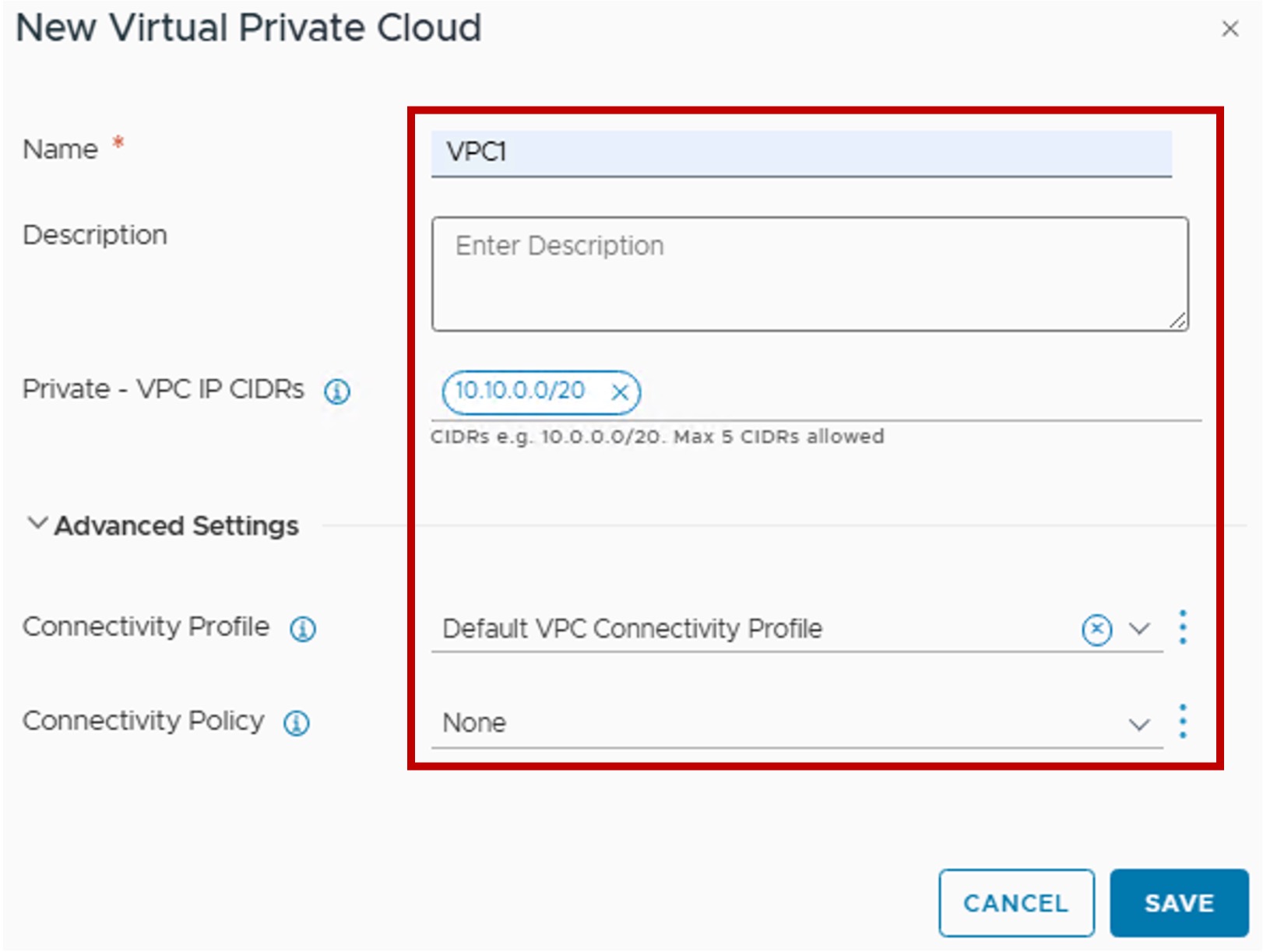
Step2. Configure new VPC Gateway
-
Private - VPC IP CIDRs
(Optional) Defines the IP address space reserved for internal VPC subnets.
Address selection here is highly flexible; since all traffic from Private VPC subnets is Source NATed (SNATed) using a Public/External IP before exiting the VPC, these internal addresses can not conflict with your existing physical network infrastructure. -
Connectivity Profile
Select the pre-defined Connectivity Profile.
This profile links the VPC to:
. Transit Gateway - determines the primary North-South path to the physical network
. External IP Blocks and Private -TGW IP Blocks - determines the future IP addressing of the VPC subnets / NAT / LB
. Default Outbound SNAT - determines if compute (VMs / VKS) connected to Private VPC subnets will be SNATed by default to access external networks
Note: The Network Span (which vCenter Cluster(s) can access this VPC) is configured at the Transit Gateway level. -
Connectivity Policy
Select the Connectivity Policy to govern East/West traffic.
This determines whether communication is permitted or denied between this VPC and other VPC subnets within the environment.
-
Monitoring
Topology
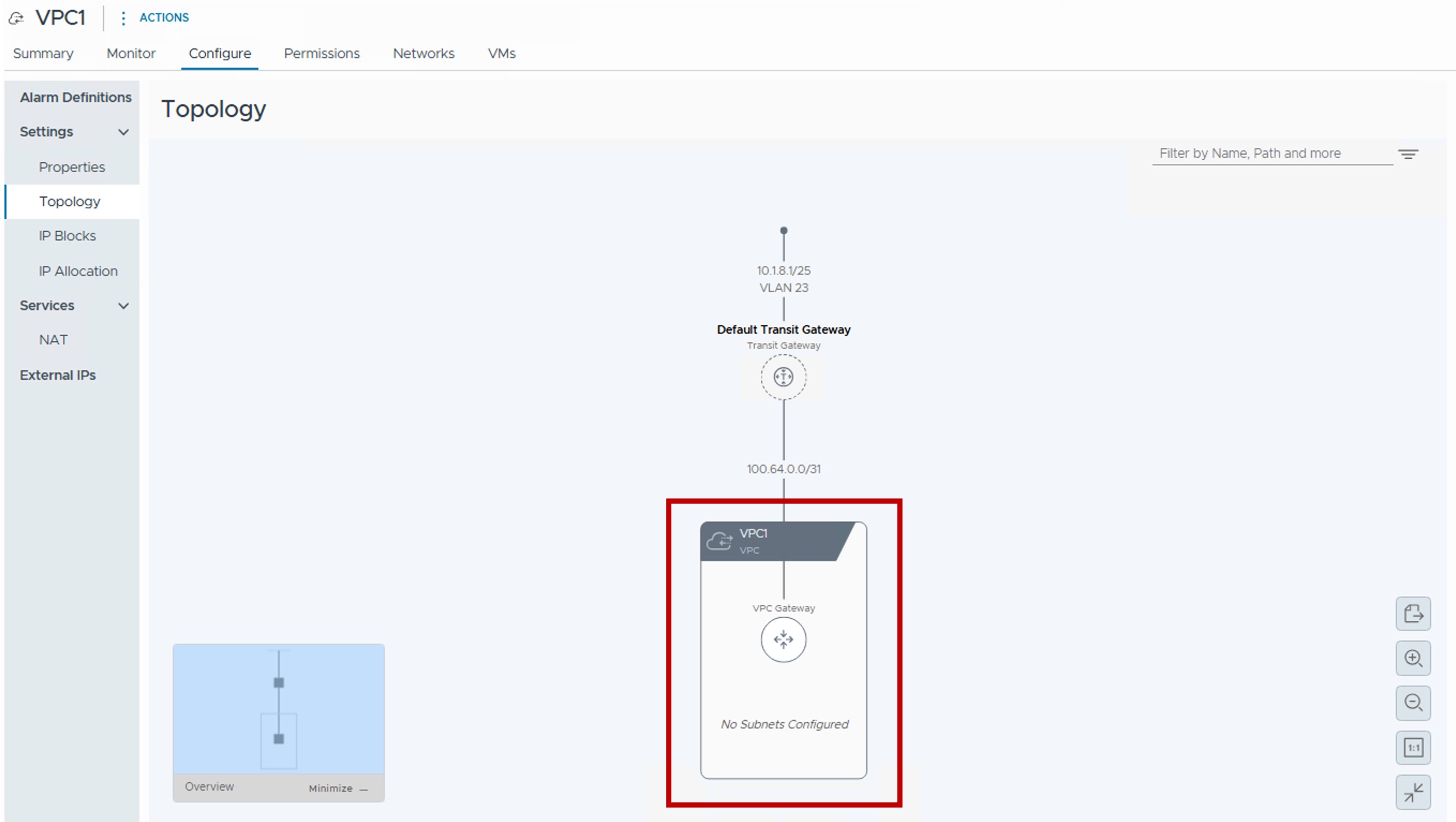
You can see the VPC Gateway in a graphical way under Topology: