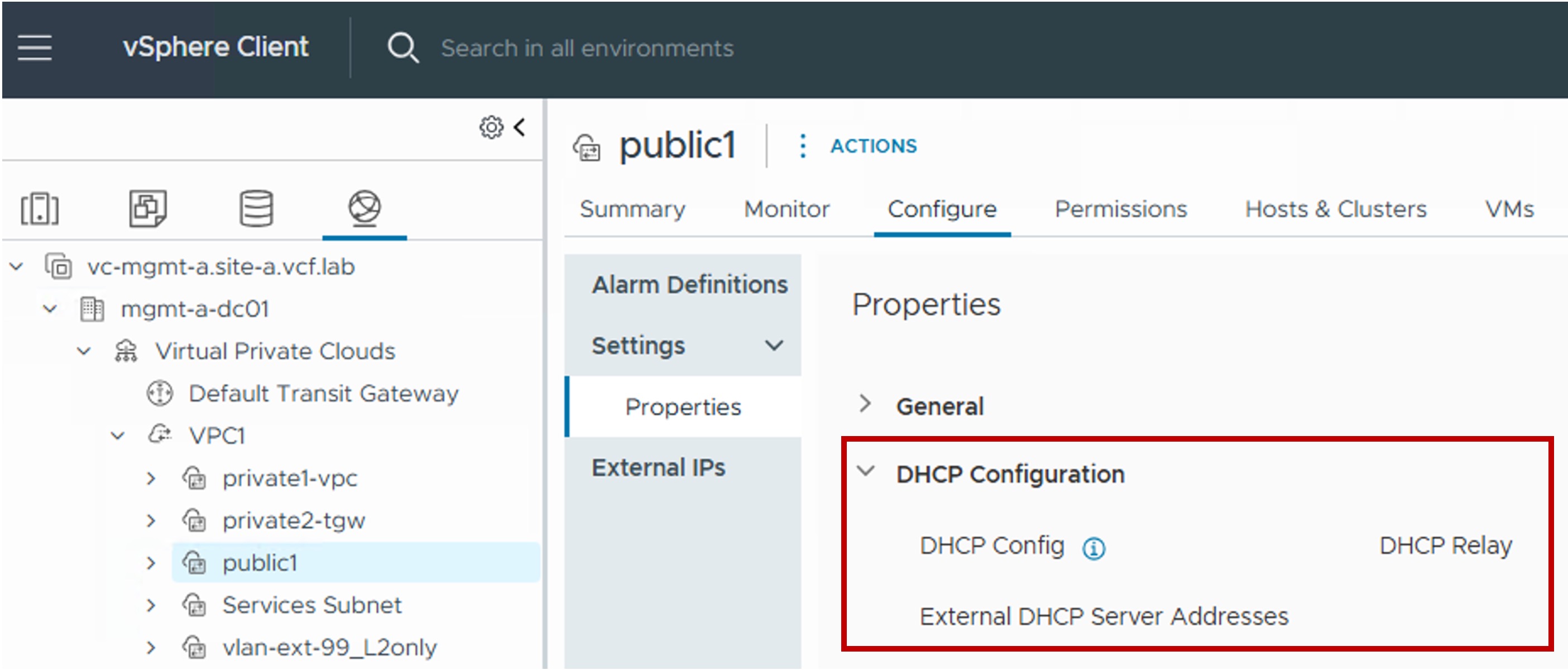
 VPC DHCP Configuration in vCenter
This section describes the procedures for configuring Dynamic Host Configuration Protocol (DHCP) for your VPC workloads in VPC subnets.
DHCP is used to dynamically assign IP addresses to workloads.
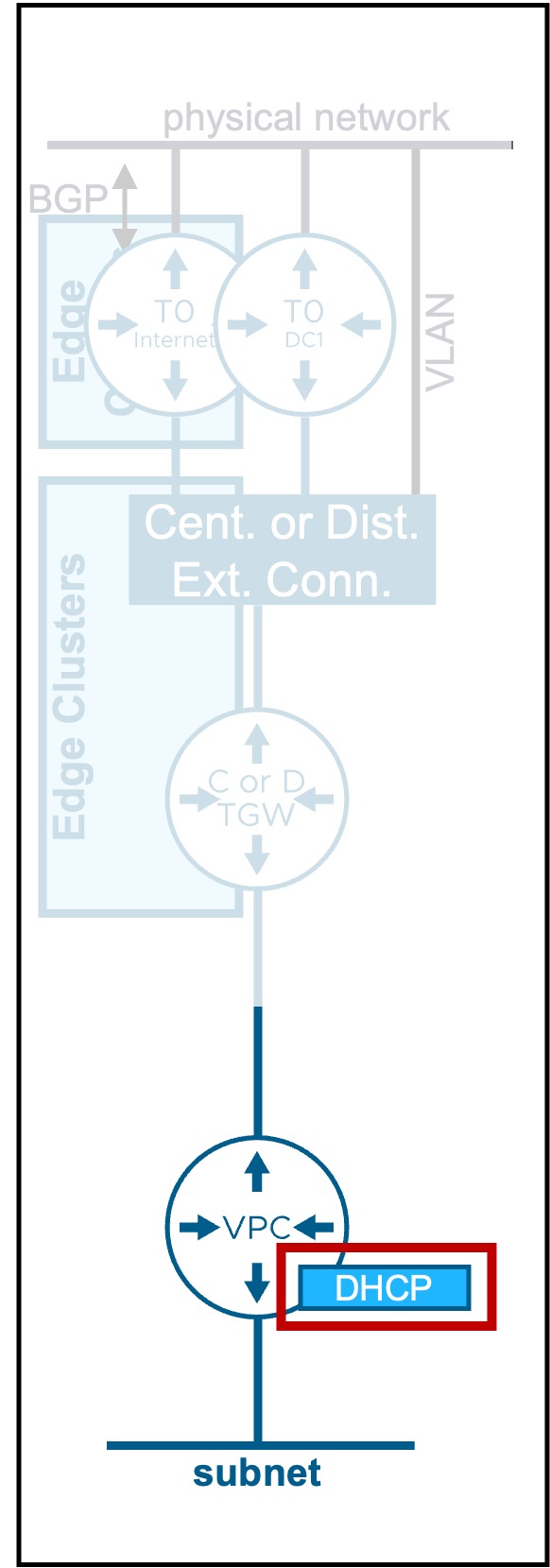
Overview of DHCP Types
Different DHCP types are available:
| Type | Use Case | Routing Logic |
|---|---|---|
| DHCP Server | DHCP services provided natively by the VPC Gateway. | Workload IP addressing is managed directly within the VCF networking stack. |
| DHCP Relay | DHCP requests are forwarded to an external IPAM solution (e.g., Infoblox). | Workload IP addressing is managed by an external third-party service provider. |
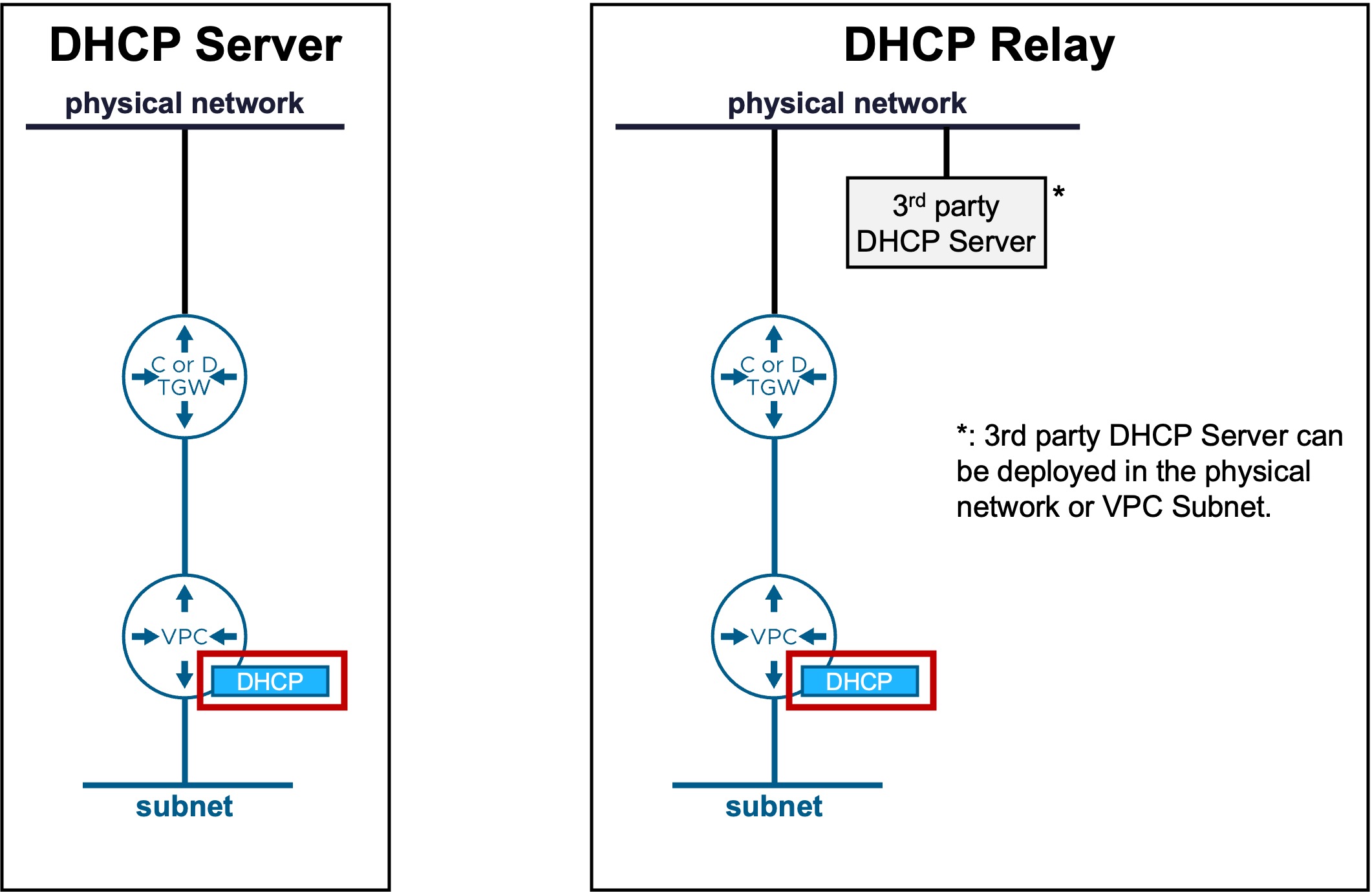
DHCP Server
Configuration
-
Step0. Edit Global DHCP Server Configuration
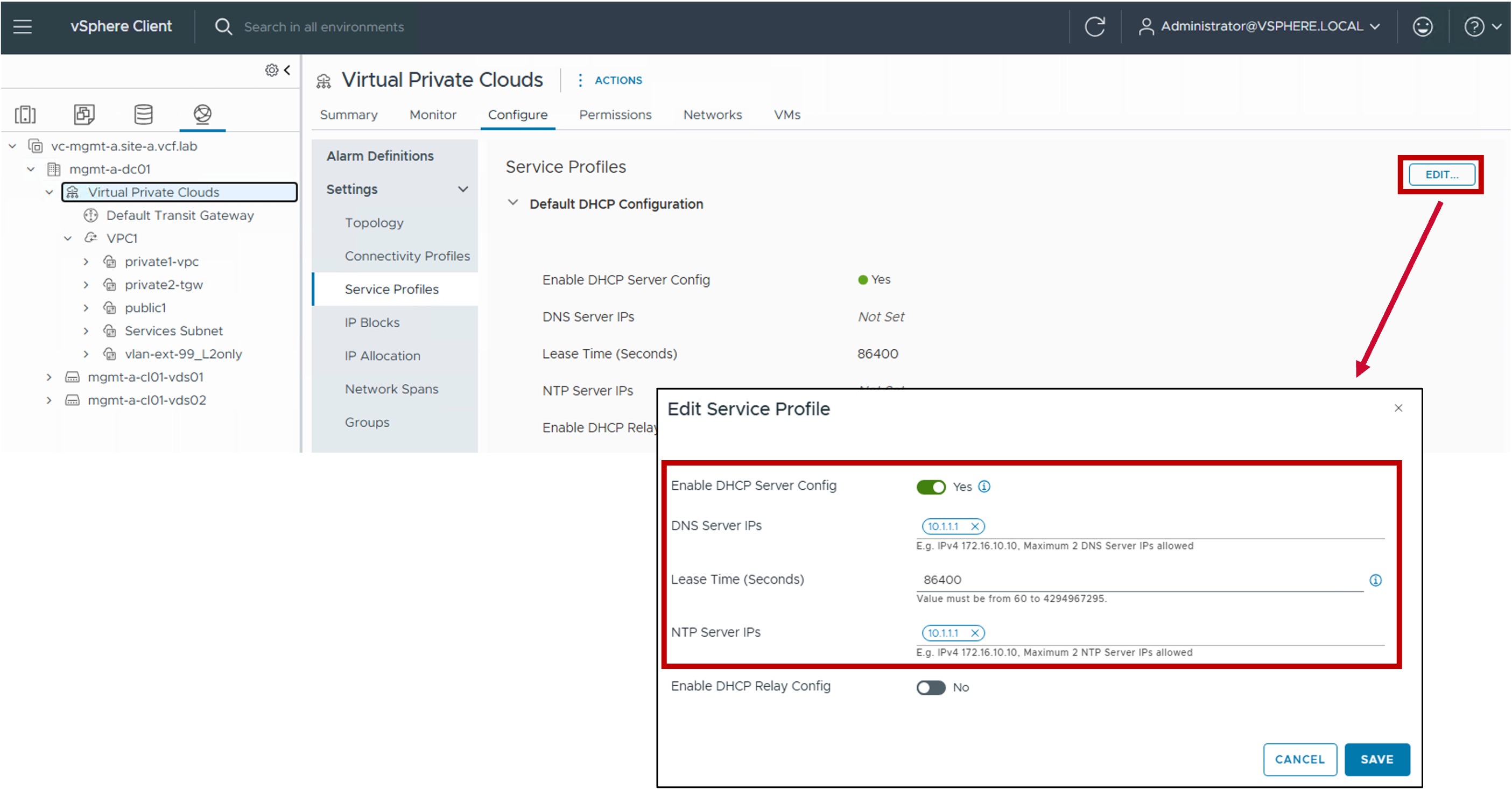
-
Enable DHCP Server Config
"Yes" to enable native DHCP services across all subnets within the VPC. -
DNS Server IPs
Specifies the IP addresses of the DNS servers to be assigned to the DHCP clients for name resolution. -
Lease Time (Seconds)
Defines the duration for which an IP address remains valid for a DHCP client before renewal is required.
(default = 86400 seconds / 1 day). -
NTP Server IPs
Specifies the IP addresses of the NTP servers to be provided to the DHCP clients for time synchronization.
-
-
Step1. Enable DHCP Server in the VPC subnet
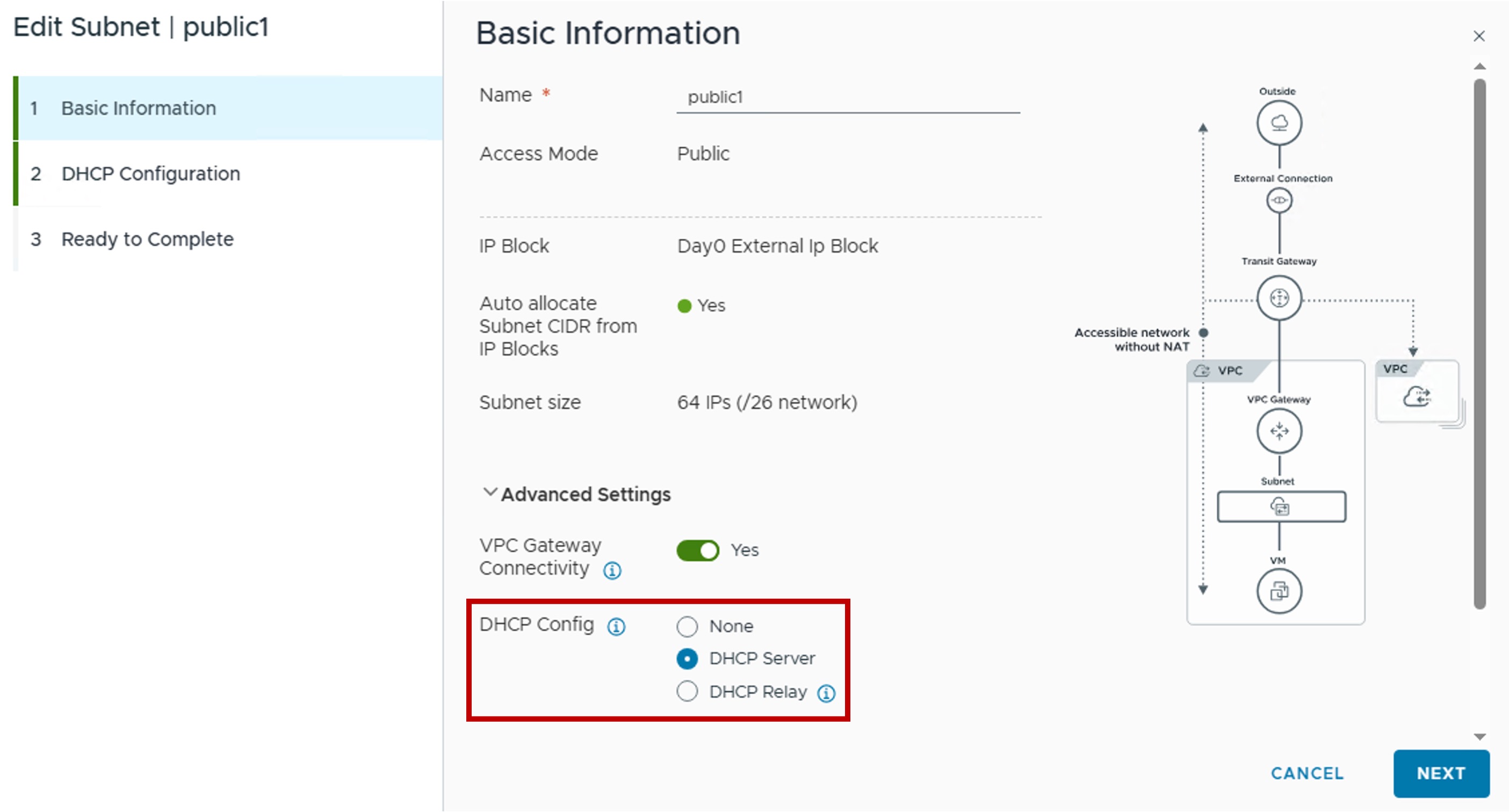
-
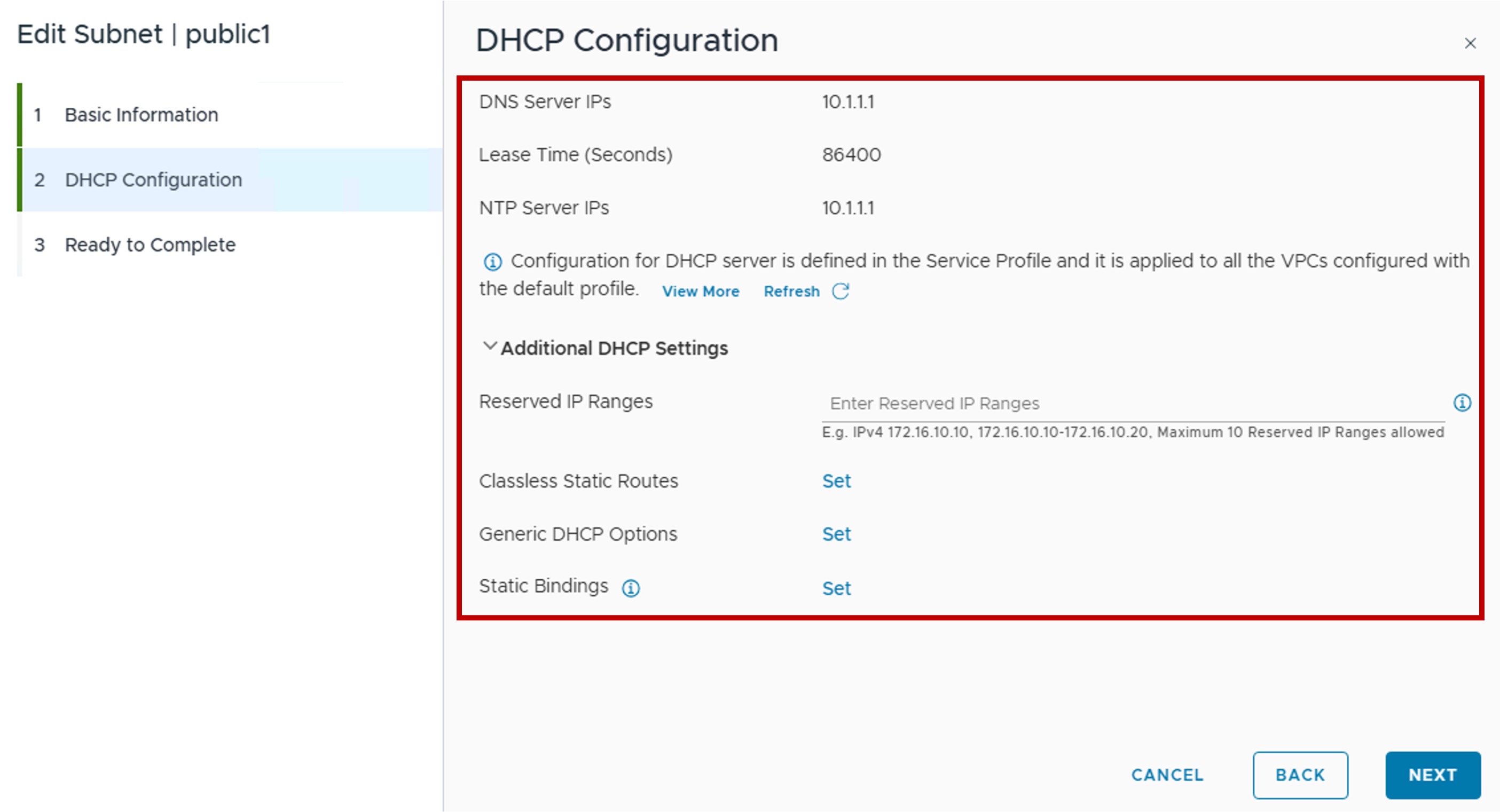
Step2. (Optional) Configure Advanced DHCP Server Settings
-
DNS Server IPs / Lease Time (Seconds) / NTP Server IPs
These values are pulled from the Global Configuration (see Step O) and cannot be modified at the VPC subnet level. -
Reserved IP Ranges
Specific IP ranges excluded from the DHCP pool to prevent address conflicts with statically assigned workloads. -
Classless Static Routes
Defines additional static routes to be pushed to clients (supplementing the default gateway provided by the VPC Gateway). -
Generic DHCP Options
Allows configuration of specialized DHCP options, such as TFTP (66/67) or PXE boot parameters (209/210). -
Static Bindings
Creates fixed MAC-to-IP address mappings to ensure specific workloads always receive the same IP address.
-
Monitoring
- Configuration
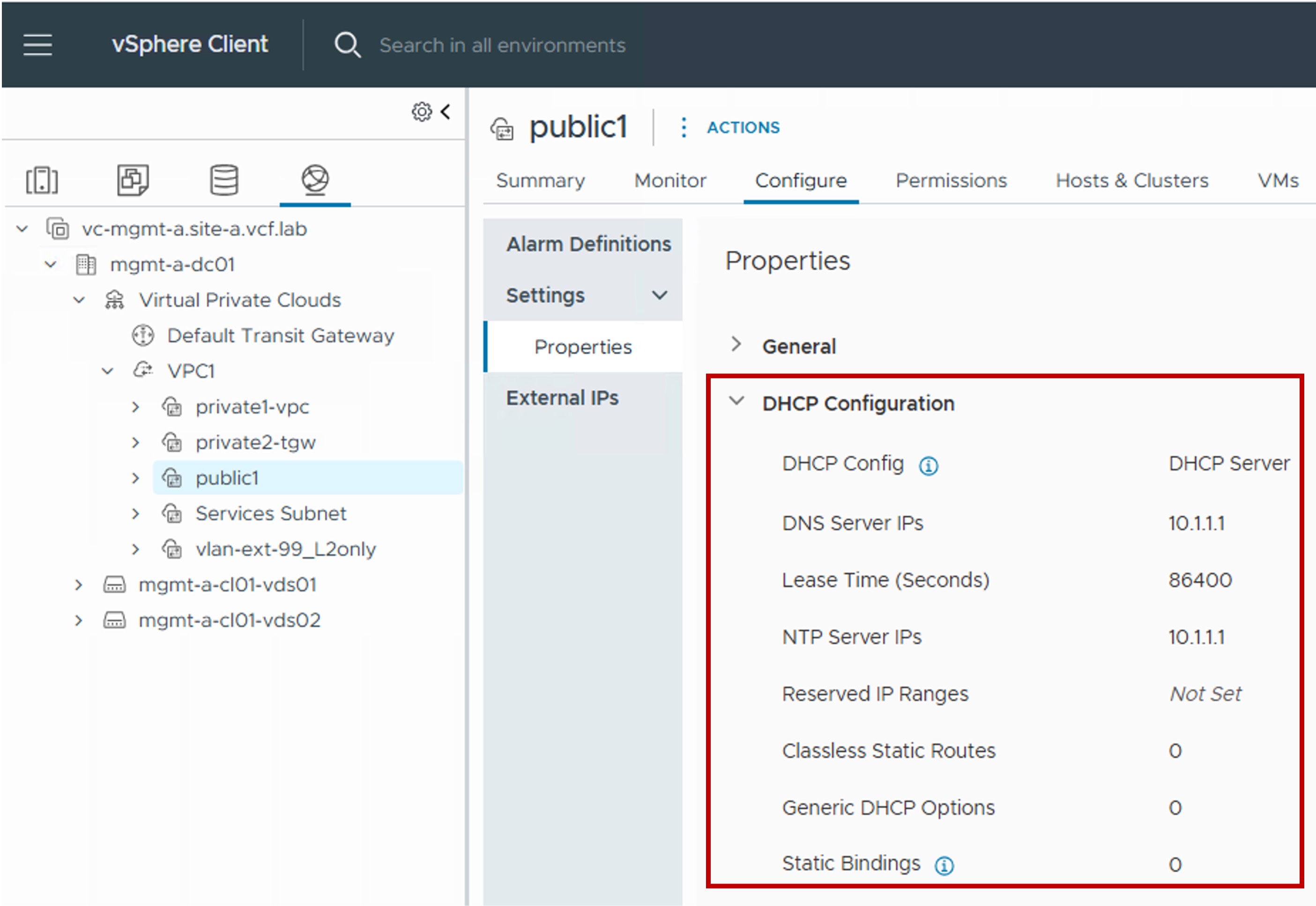
DHCP Lease Monitoring
Active DHCP lease information is unavailable in vCenter (only NSX).
DHCP Relay Configuration
External DHCP Server Connectivity
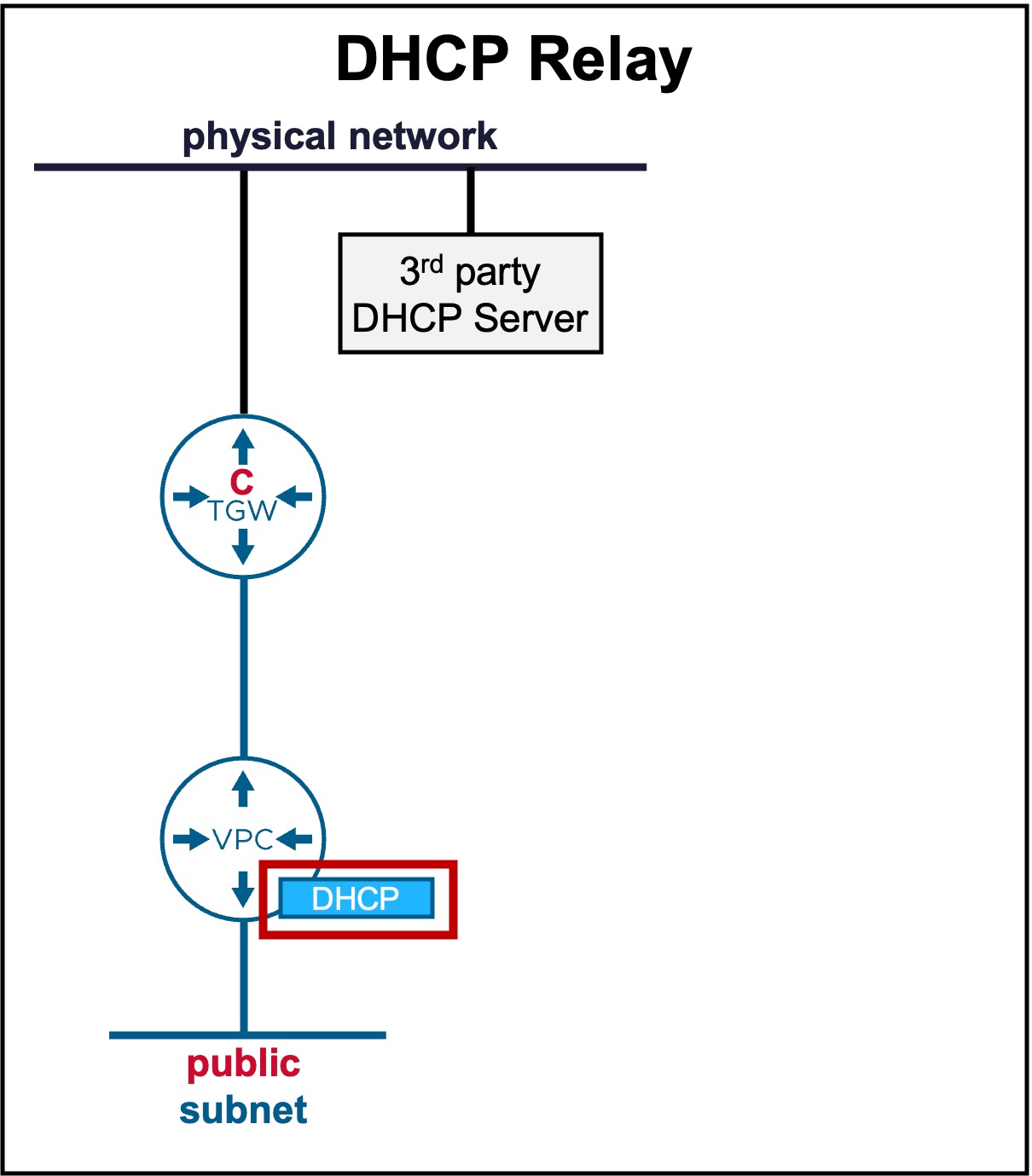
When a 3rd-party DHCP server is located on the physical network (outside the VPC subnet), DHCP Relay is supported exclusively on:
Configuration
-
Step0. Edit Global DHCP Server Configuration
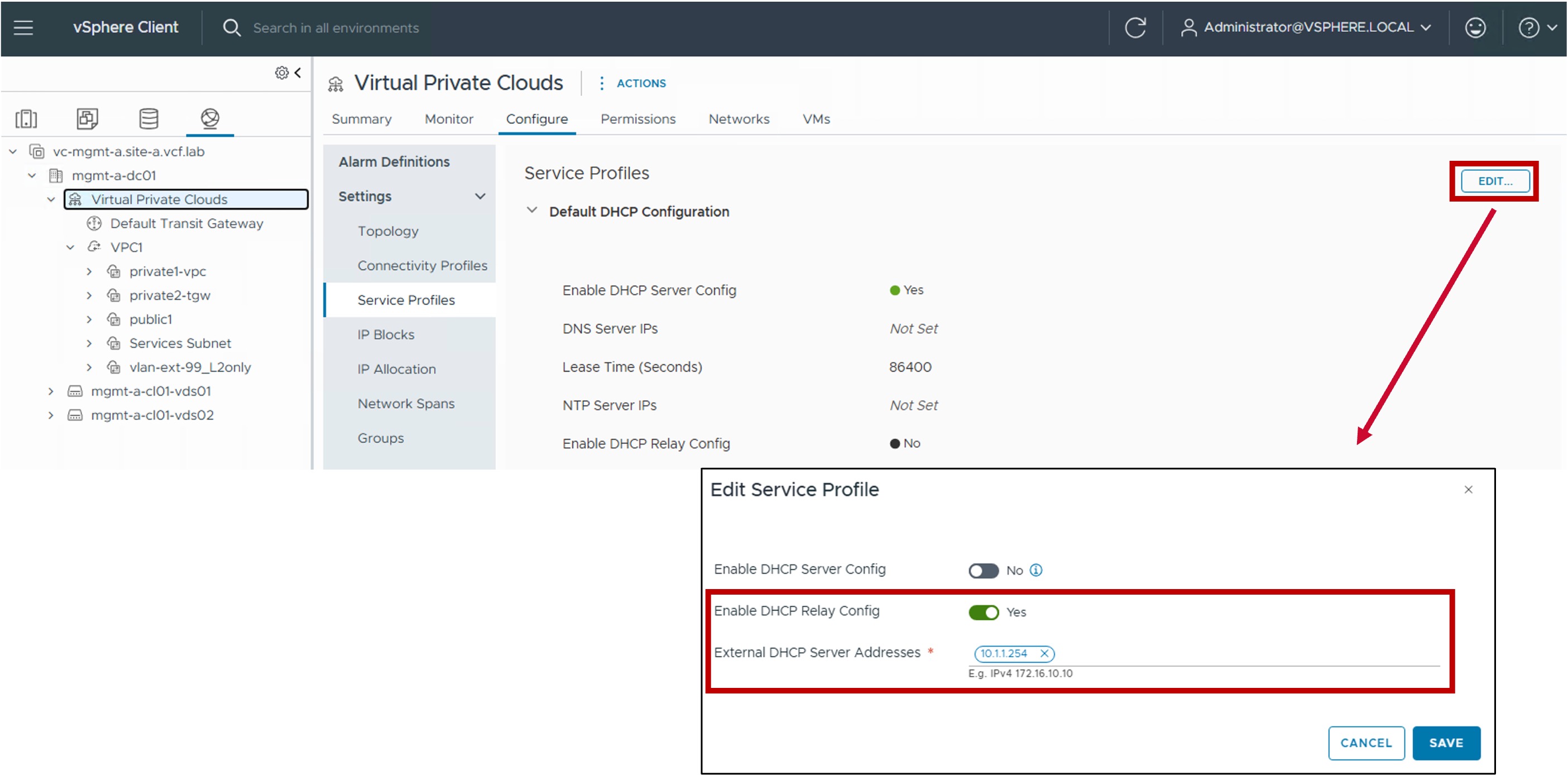
-
Enable DHCP Replay Config
"Yes" to enable DHCP Relay service across all subnets within the VPC. -
External DHCP Server Addresses
Specifies the external IP addresses of the 3rd party DNS servers.
-
-
Step1. Enable DHCP Relay in the VPC subnet
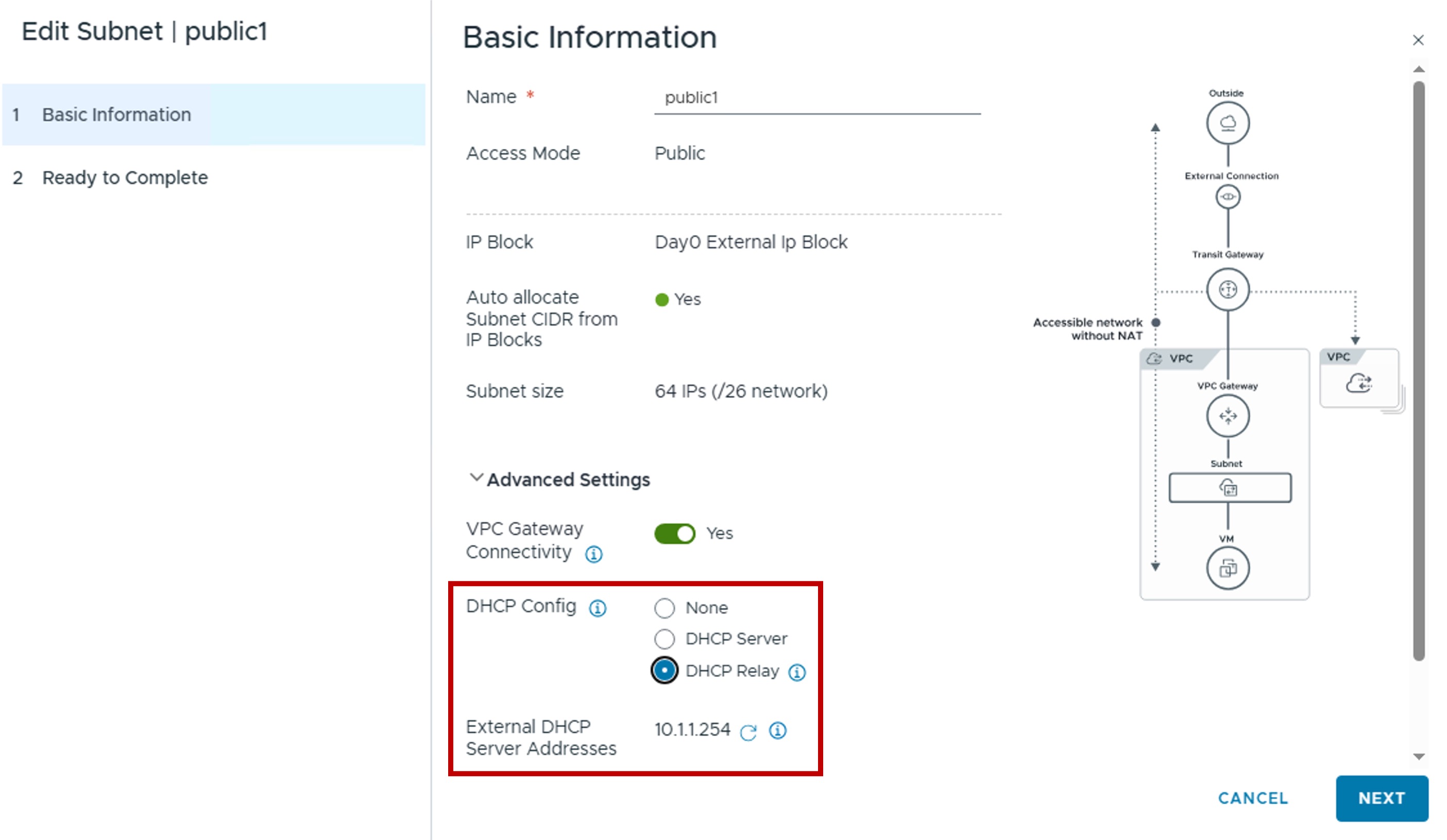
- External DHCP Server Addresses
This value is pulled from the Global Configuration (see Step O) and cannot be modified at the VPC subnet level.
- External DHCP Server Addresses
Monitoring
- Configuration