 Supervisor with "VDS + FLB"
This section describes the procedures for Troubleshooting Network Services into the VKS Namespace utilizing a "VDS + FLB" architecture" inside a vSphere environment.
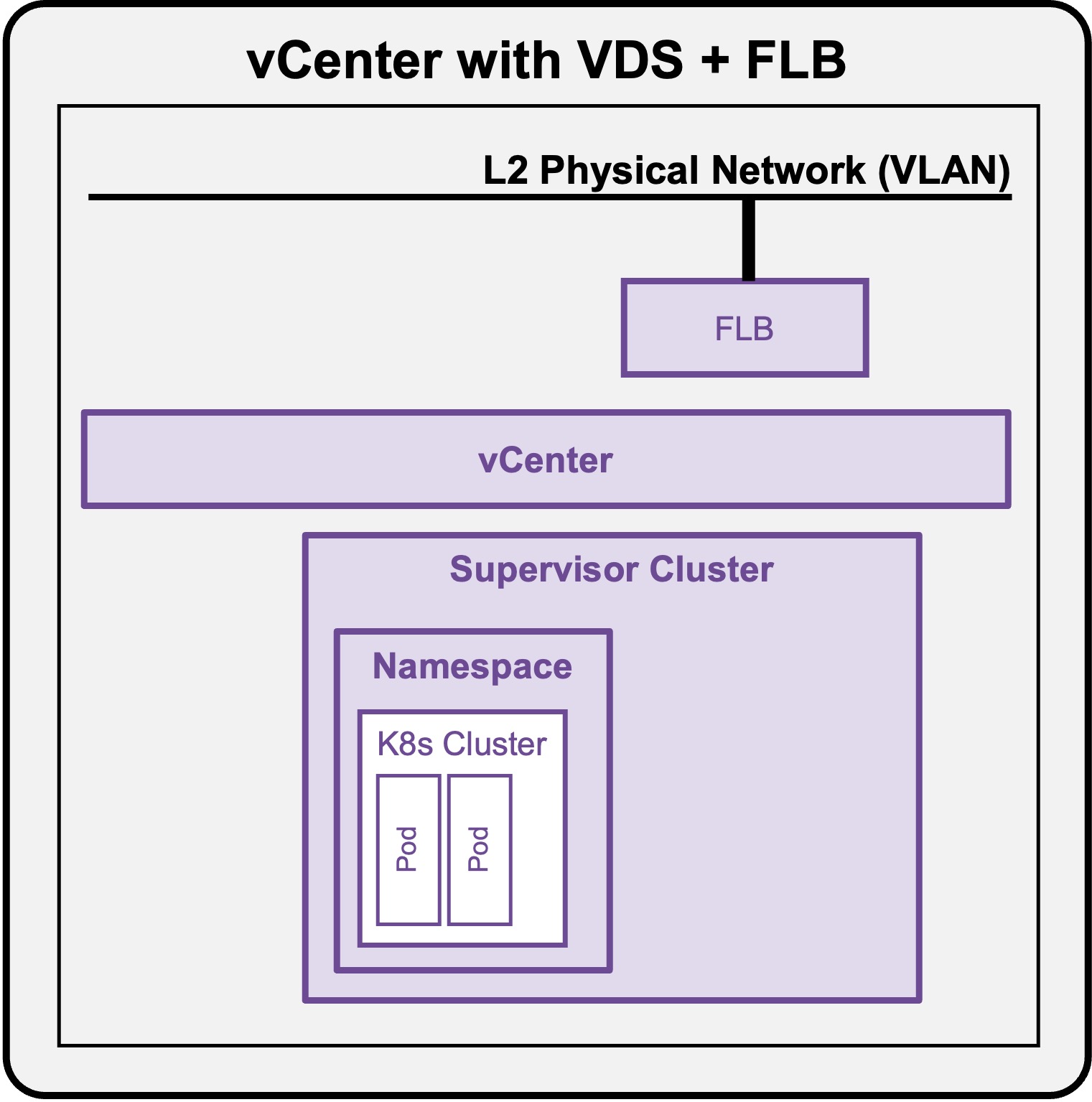
Packet Walk - N/S External to VIP
A Full Application (Load Balancer + Pods) has been deployed (see Application Deployment > App Deployment (K8s) > via CLI).
View
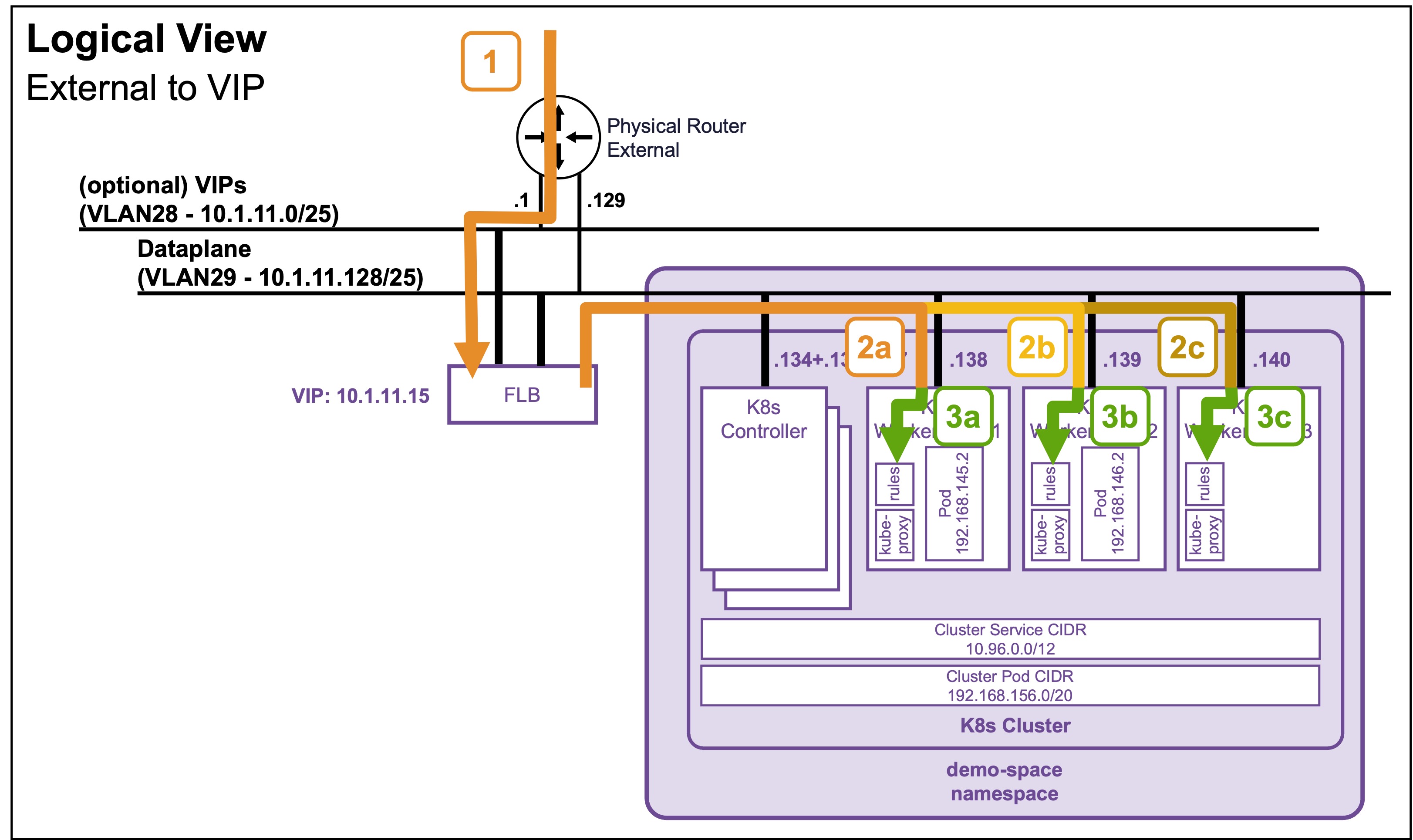
Logical View
Physical View
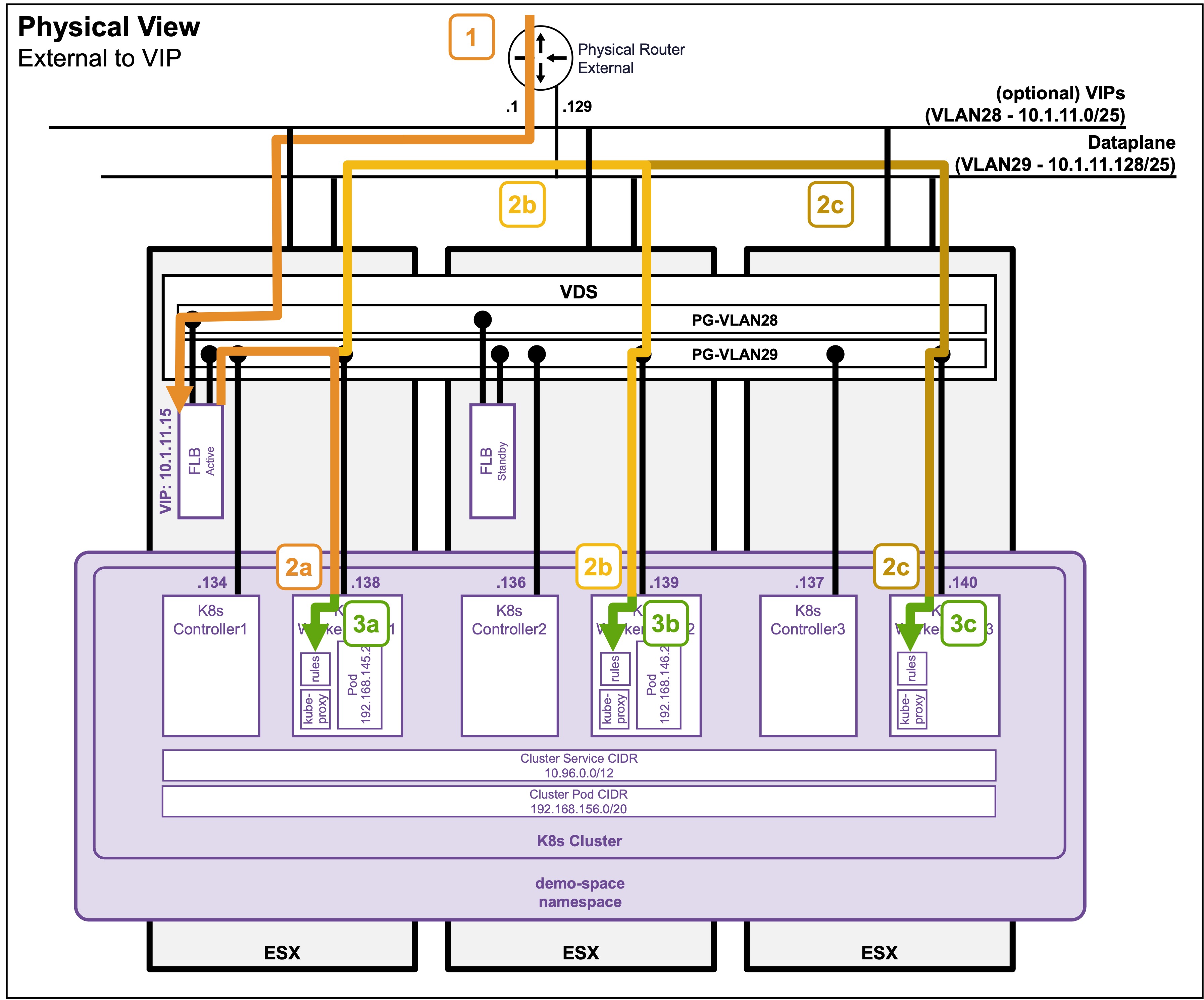
Packet Walk
-
Step1: External Client accesses the VIP
Client-IP => VIP:80 (10.1.11.15)The traffic enters the ESX hosting the FLB Node Active.
-
Step2: VIP load balances traffic to the K8s Worker Nodes (kube-proxy)
VPC-SR-Internal-IP => K8s WorkerNode[1-3]:32176 (10.1.11.[x])The load balancer (FLB) forwards the traffic to the dynamically assigned NodePort on the K8s Worker Nodes.
If the Worker Nodes reside on a different ESX than the Active VPC-SR, the cross-ESX traffic is sent over the VLAN29 Dataplane.Note: You can find the dynamically assigned Worker Node TCP port (
32176) by running the commandkubectl get service apache-vip-service -n ns1and looking under the PORT(S) column (see Application Deployment > App Deployment (K8s) > via CLI). -
Step 3: The K8s Worker Node intercepts the traffic
Once the traffic arrives at the Worker Node's network interface on the NodePort (32176), it is intercepted by the node's local routing rules (which are continuously programmed by the localkube-proxypod). -
Step 4 (not represented): The Worker Node load balances traffic to the Pods
Based on thosekube-proxyrules, the Worker Node load balances the traffic to the different pods across the K8s cluster.
See Packet Walk - E/W pod to pod for cross-pod communication.