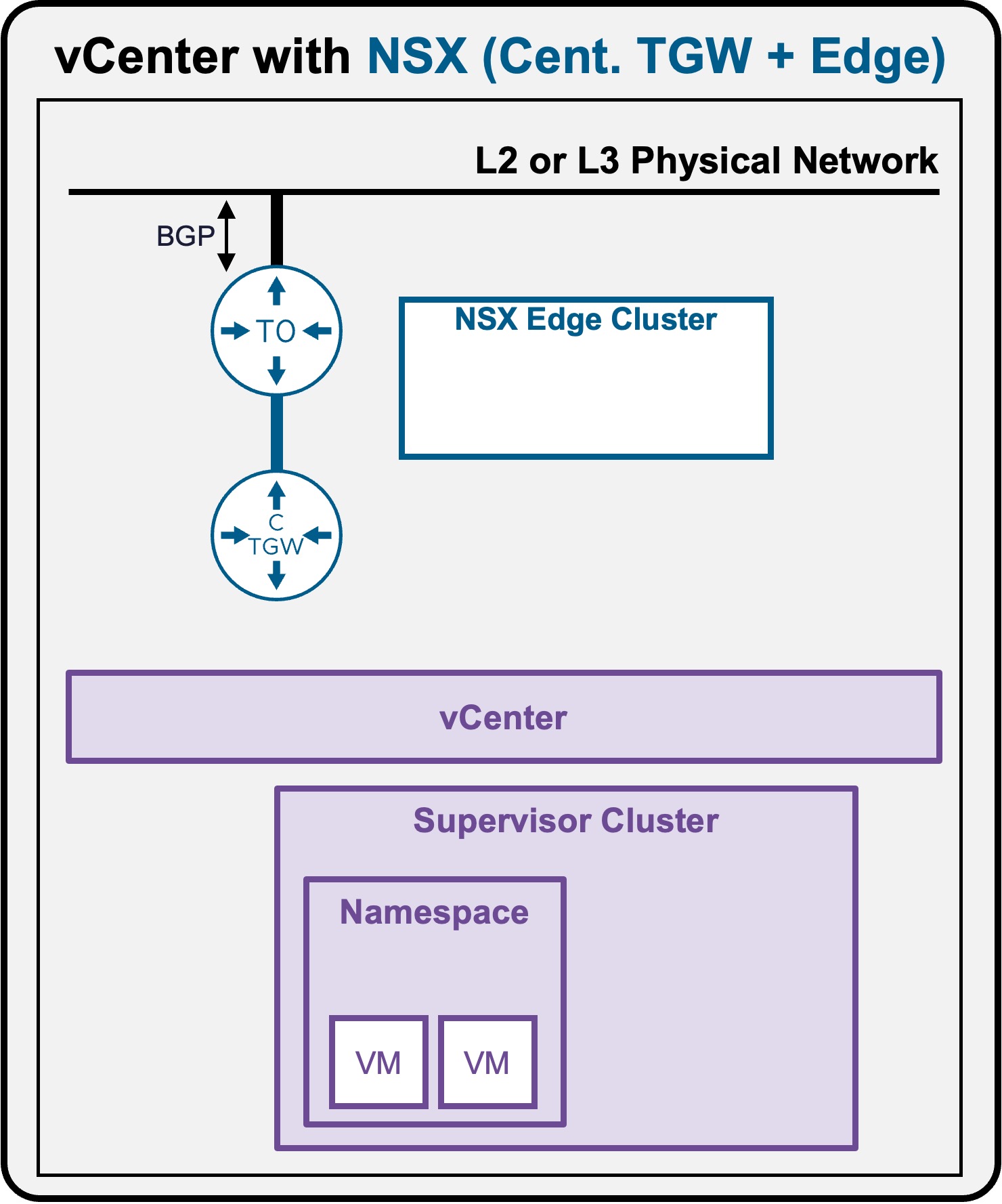
 Supervisor with "NSX + CTGW/Edge/T0"
This section describes the procedures for Troubleshooting Network Services into the VKS Namespace utilizing an "NSX + CTGW/Edge/T0" architecture inside a vSphere environment.
- Packet Walk
- App Access Broken
Packet Walk - E/W VM to VM
Multiple VMs have been deployed (see Application Deployment > App Deployment (VMs) > via vCenter UI or Application Deployment > App Deployment (VMs) > via vCenter UI | via CLI).
View
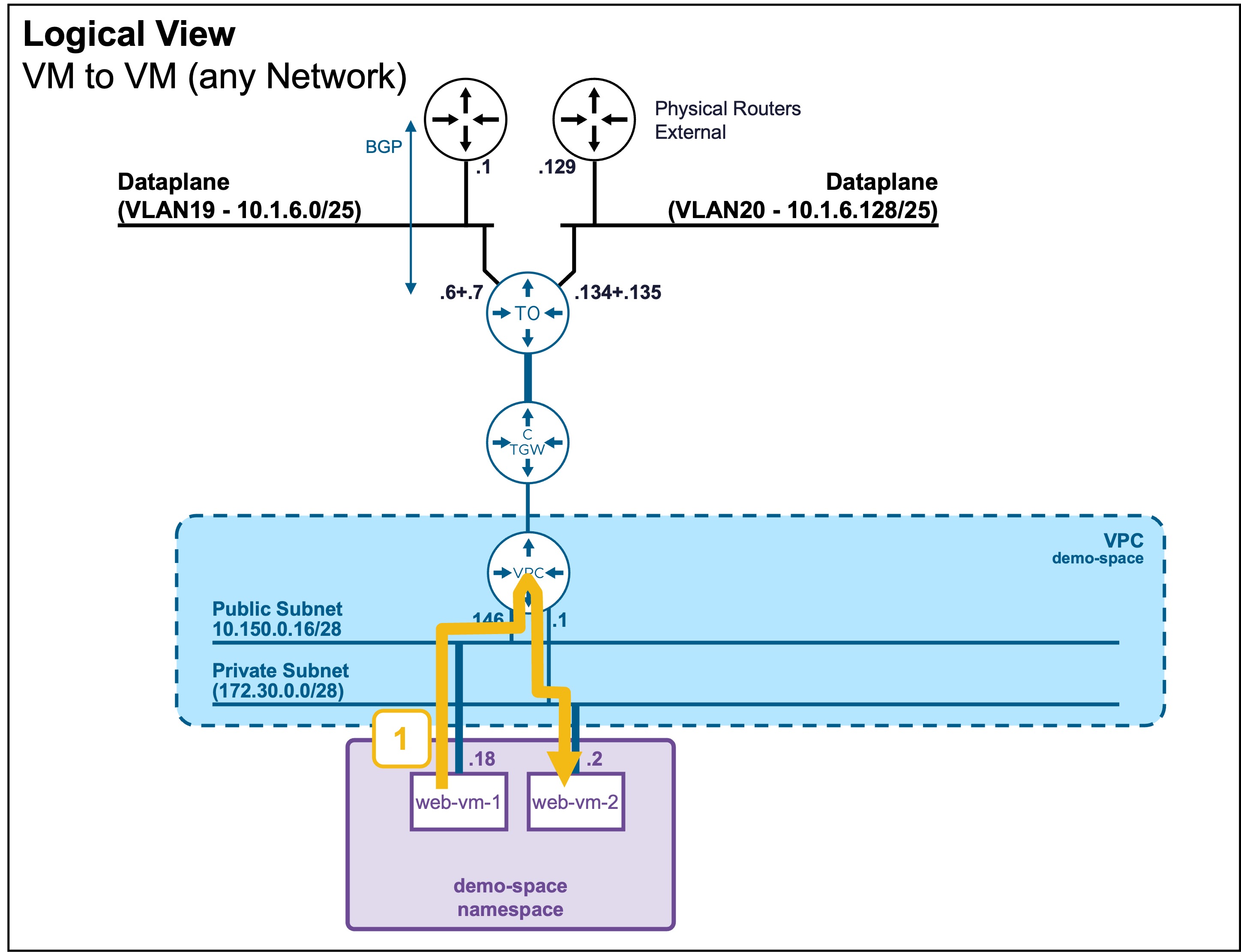
The VMs can be connected to the same or different subnets.
In the example below, the VMs are connected to different subnets.
Logical View
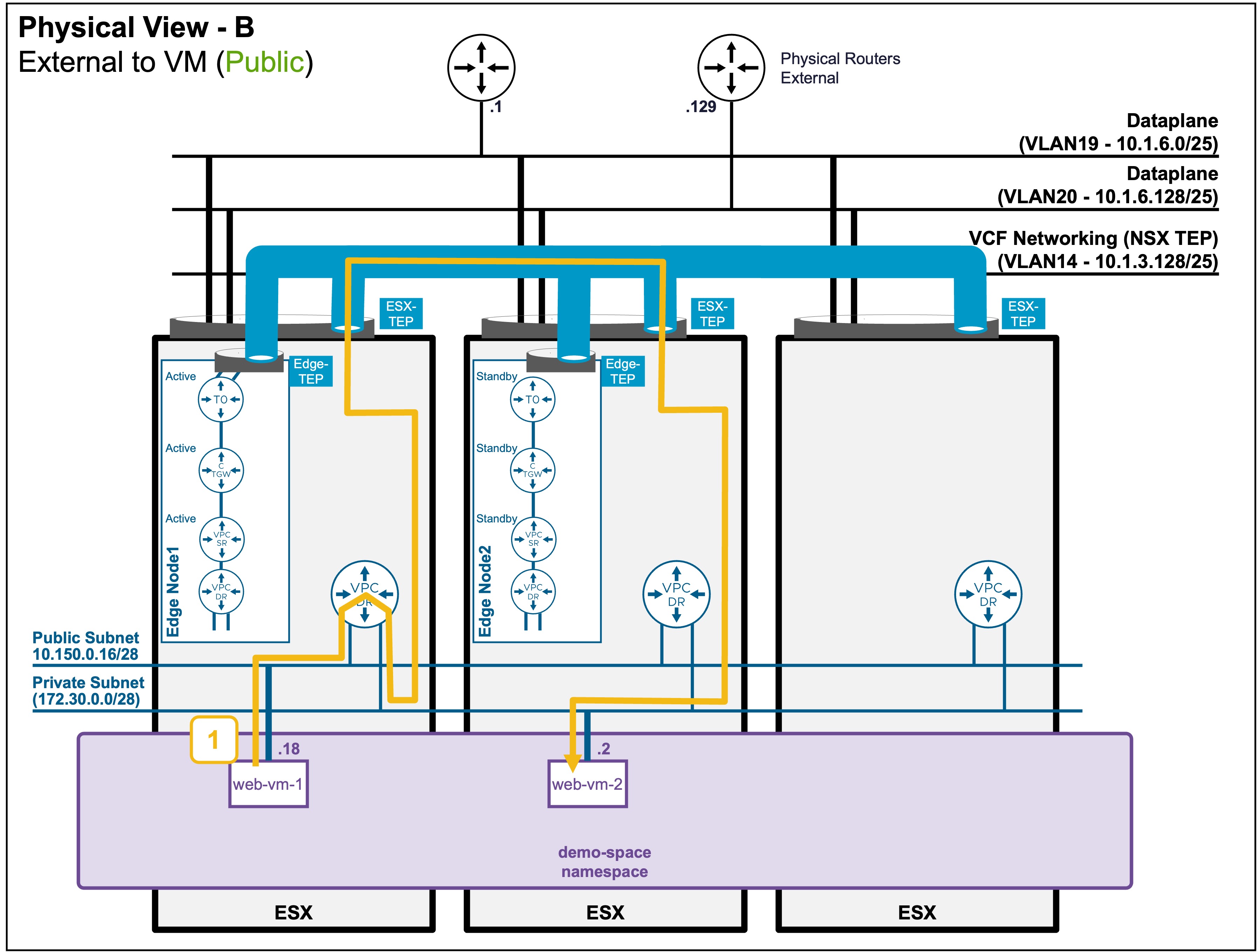
Physical View
Packet Walk
-
Step1: External Client accesses the VM
VM1 (10.150.0.18) => VM2 (172.30.0.2)The routing is always done on the source-ESX.
Encapsulation for Cross-ESX Traffic
If the VMs reside on different ESX, the cross-ESX traffic is encapsulated using the ESX TEP IPs.
ESX-TEP_IP (10.1.3.x) => ESX-TEP_IP (10.1.3.x)

  [VM1 (10.150.0.18) => VM2 (172.30.0.2)]