 Supervisor with "NSX + DTGW/VNA"
This section describes the procedures for Troubleshooting Network Services into the VKS Namespace utilizing an "NSX + DTGW/VNA" architecture inside a vSphere environment.
- Packet Walk
- App Access Broken
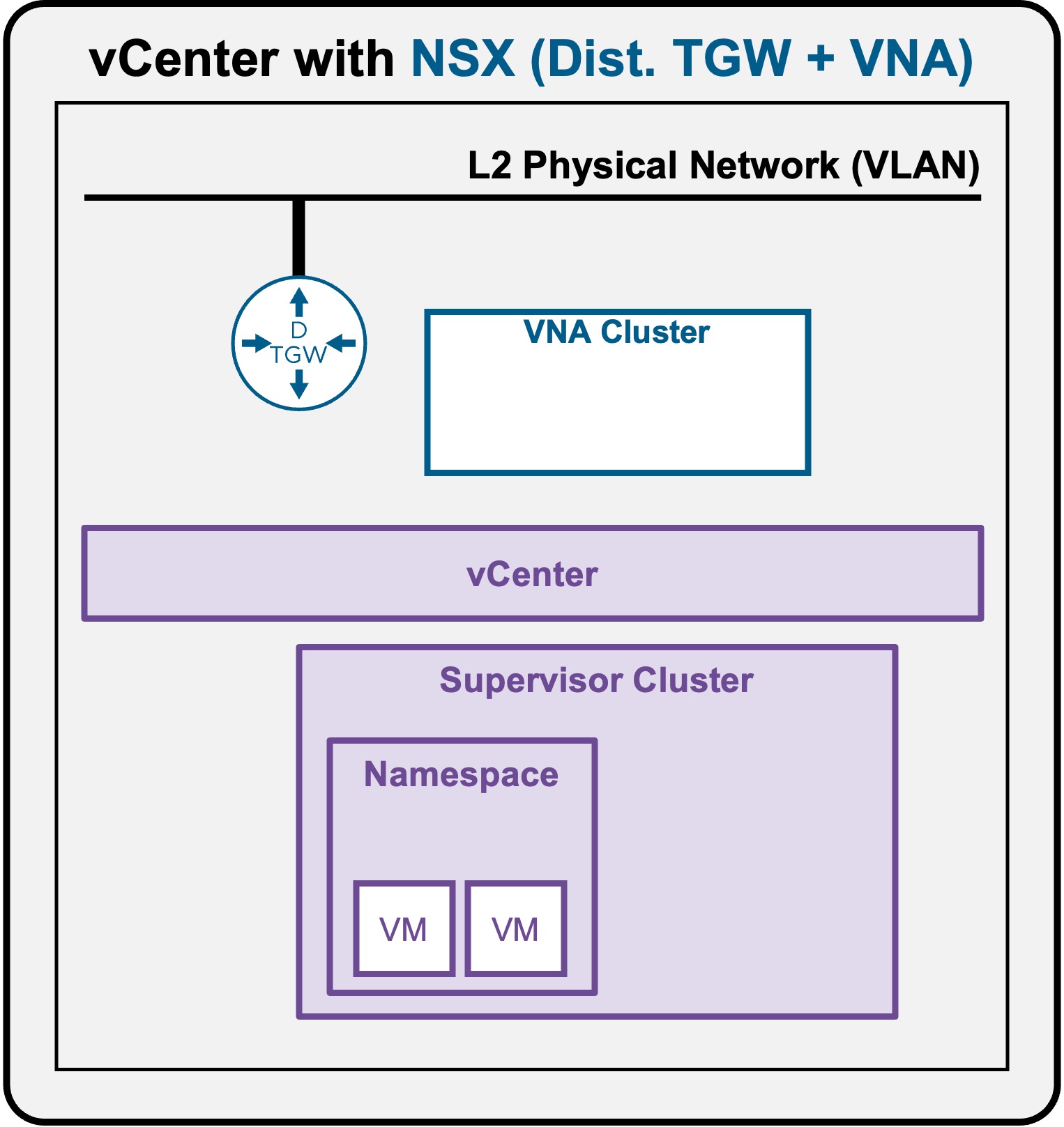
Packet Walk - N/S External to VM
One or a few VMs have been deployed (see Application Deployment > App Deployment (VMs) > via vCenter UI or Application Deployment > App Deployment (VMs) > via CLI).
View
Logical View
-
Scenario A: VM connected to Private Subnet (Private-VPC or Private-TGW)
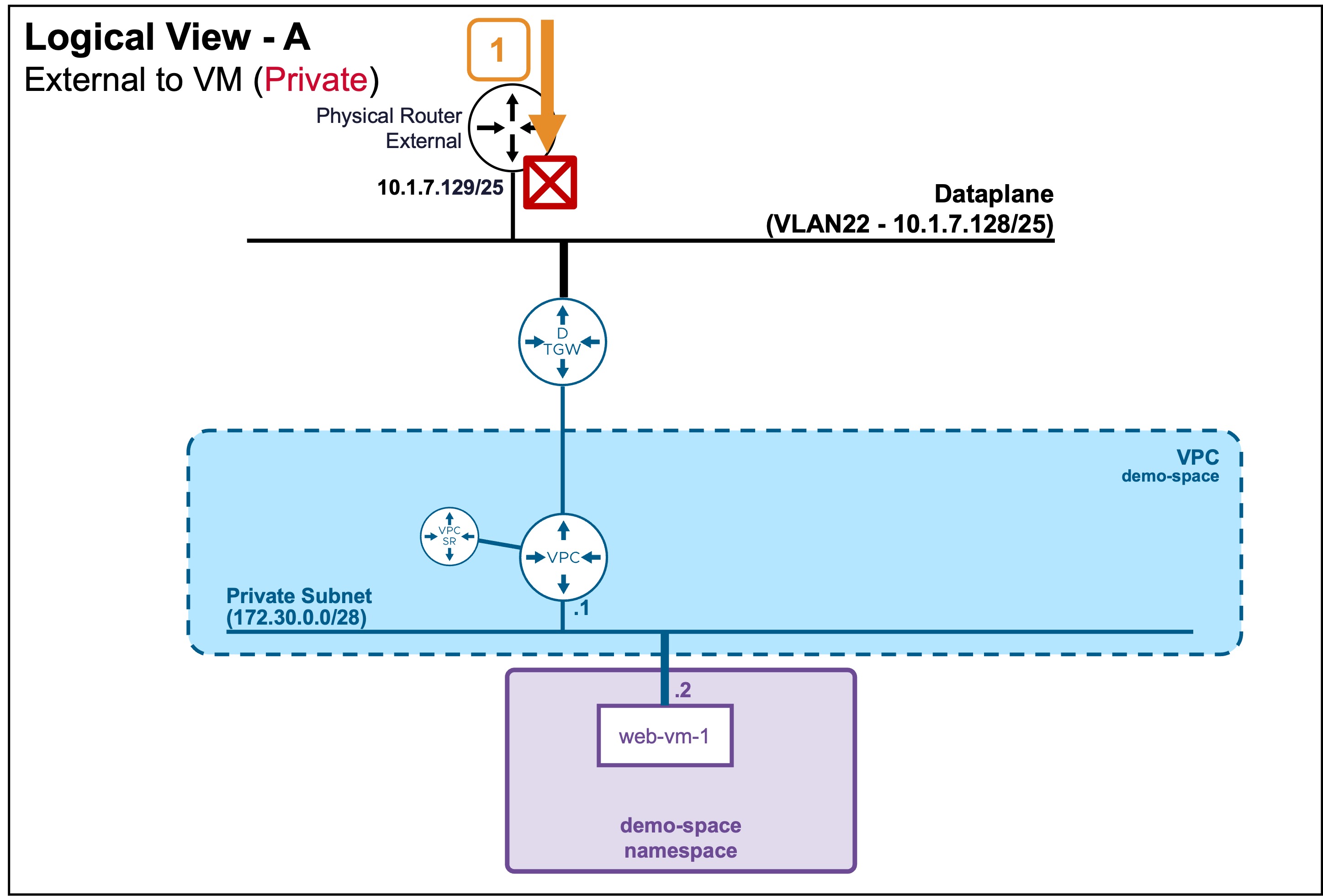 In this case, external clients can't reach that subnet, and so can't reach VMs on it.
 -
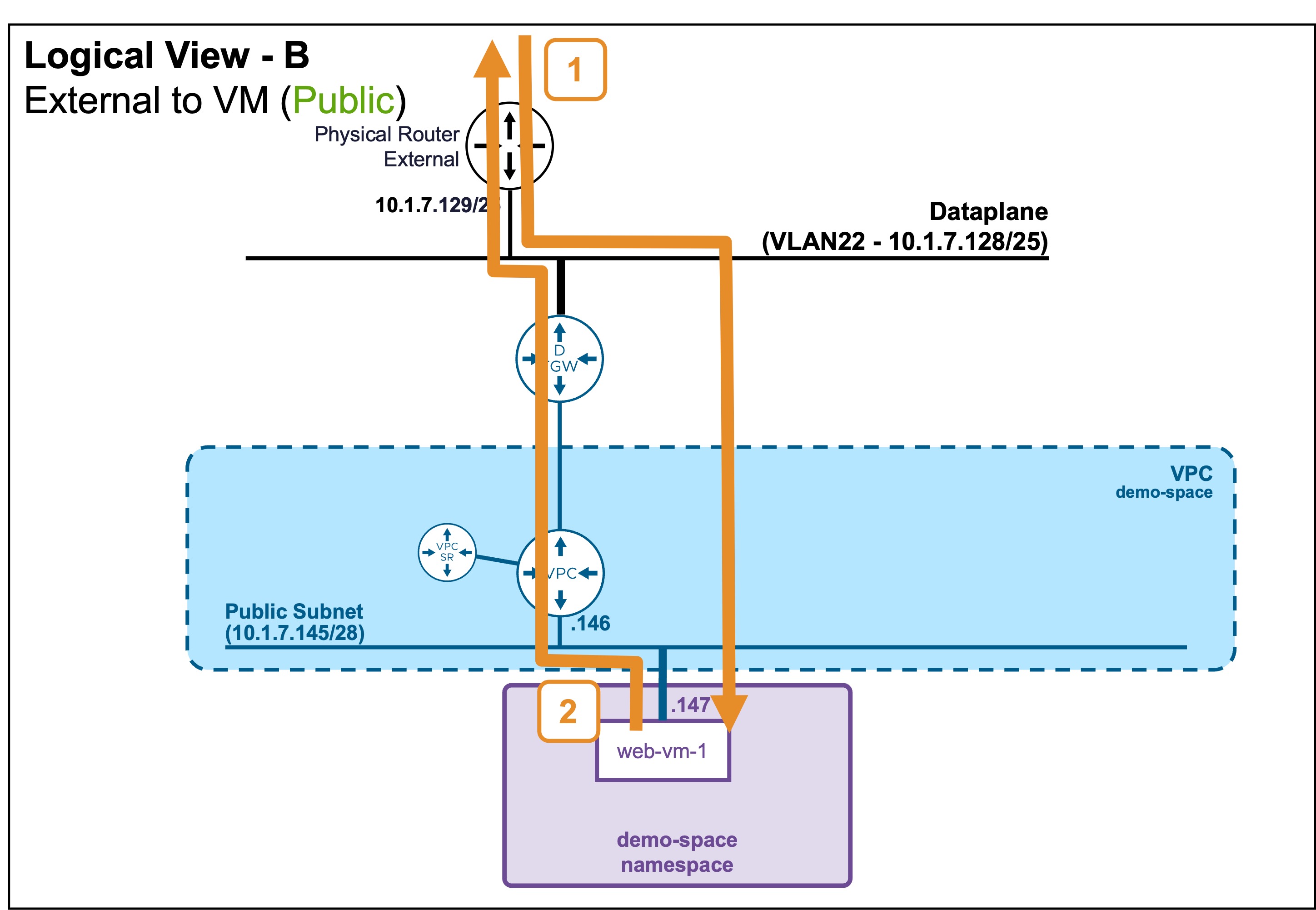
Scenario B: VM connected to Public Subnet
Physical View
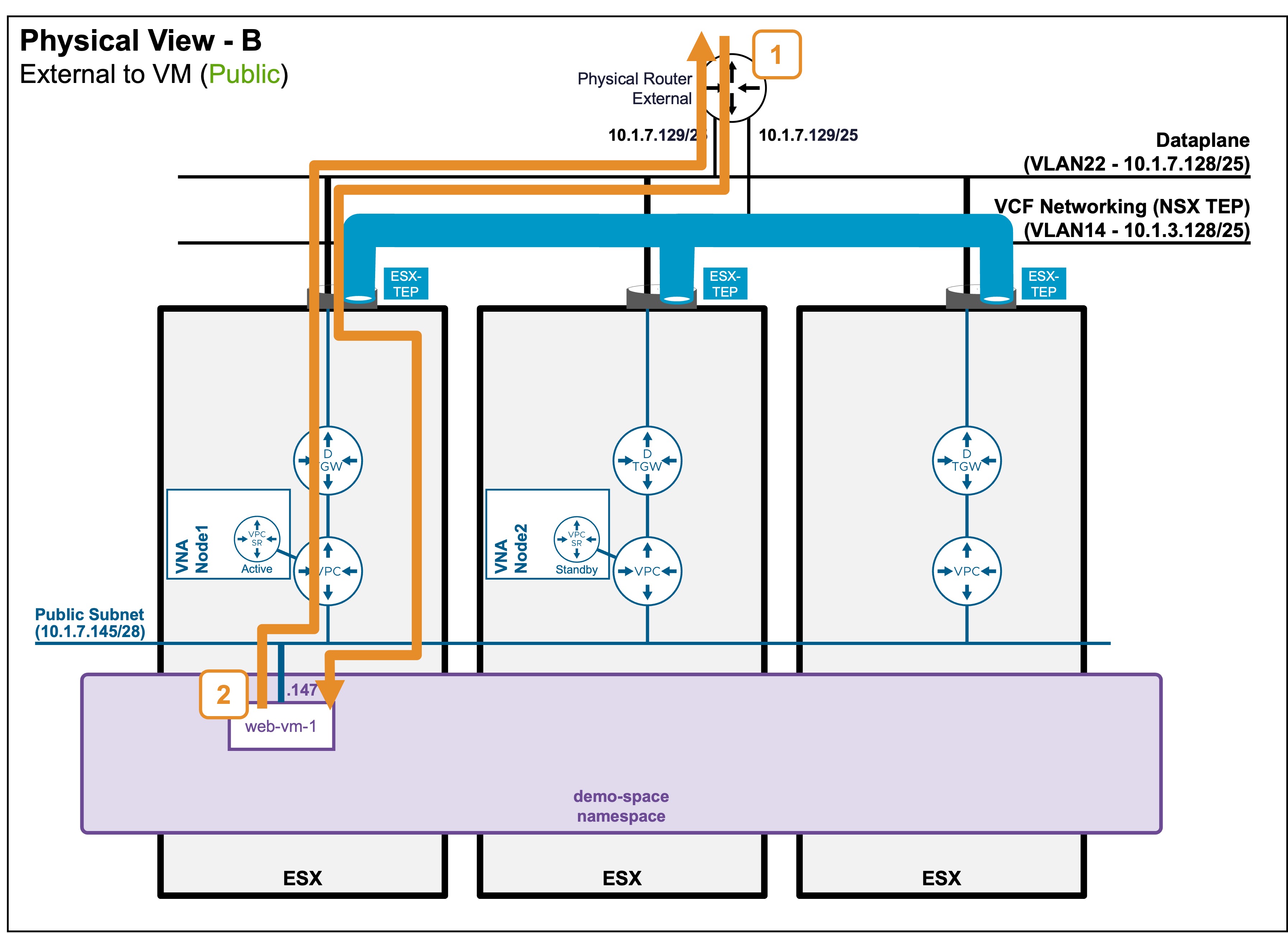
- Scenario B: VM connected to Public Subnet
Packet Walk
North/South: External Client to the VM
-
Step1: External Client accesses the VM
Client-IP => VM1 (10.1.7.146)Traffic enters the host where the VM resides.
Because the external Physical Router considers the VM to be on its local subnet, it forwards the traffic directly to the VM, completely bypassing the DTGW and VPC logical routers.
South/North: VM replies to the External Client
-
Step2: VM replies to the External Client
VM1 (10.1.7.146) => Client-IPThe return traffic follows a different path.
The VM sends the packet to its default gateway (VPC), which forwards it to its default gateway (DTGW), which finally routes it to the external Physical Router.
Architectural Note: Asymmetric Routing & Hop Counts
As represented in the diagrams, the number of router hops differs between the inbound North/South path (Step 1) and the outbound South/North path (Step 2).
This asymmetric routing is completely transparent to the physical fabric and has no negative impact on data plane performance.
Crucially, this architecture is what enables optimized East/West VM-to-VM traffic, as detailed in the Packet Walk - E/W VM to VM section.